 December 6, 2012 at 15:59
An overview of dialers for OS Windows Phone
For all those wonderful things that modern smartphones can do, it is very easy to forget about the main function of these devices. Namely, about calls.
It would seem that it could be easier than launching the standard “Phone” application and dialing the number we are interested in? Nevertheless, there are programs in the Marketplace that allow you to change the appearance of the dialer, sometimes beyond recognition. Let's see what these applications can do with the example of a few of the most interesting.
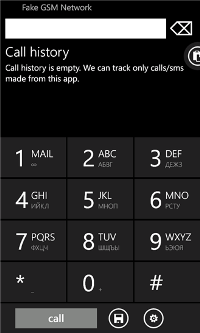
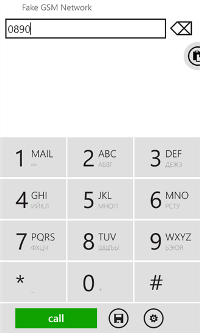
In the settings you can choose one of the options for displaying the icon, enable or disable the sound of the keyboard, configure voice mail and enable / disable the display of English letters on the keyboard. In addition, it is possible to disable the search by phone numbers, and thereby leave only a search in the "Name" field.
 Intuitiveness of a set;
Russian language support;
The program is free;
Lack of advertising;
 The need to confirm the call;
Inability to dial USSD commands from this application.

Advertising in the free version;
Does not know how to work with USSD and search by name, only numbers, only hardcore.

Highly customizable application, you can change the region, synchronize contacts, turn vibration on and off, change the font size, etc.
Convenient search by contacts, the ability to group and configure your favorite contacts;
Excellent training mode on first run, also available in the Help menu;
Lack of advertising in dialing mode;
Does not work with USSD;
A confirmation is required for the call;
Although the search for Russian names is implemented and there is a Russian keyboard, the application itself is not localized.
Long application loading compared to the rest (about three seconds);
Lack of application localization.



It would seem that it could be easier than launching the standard “Phone” application and dialing the number we are interested in? Nevertheless, there are programs in the Marketplace that allow you to change the appearance of the dialer, sometimes beyond recognition. Let's see what these applications can do with the example of a few of the most interesting.
Phone dialer
(free) Marketplace link all screenshots are clickable hereinafter. If you have many contacts, I would like to be able to call a friend or colleague without scrolling through a long list, but choosing the contact you need is quick and easy. Phone Dialer uses the T9 predictive input system: just type the first few characters, and the program will show the numbers that contain the dialed numbers or the letters corresponding to them. In the same way as if we were typing SMS on the Nokia 3310. :) It is unlikely that anyone will have such a search method, but if they get used to it, it will become a very simple action to select a number. It is also worth noting that the program is completely free and supports the Russian language.In the settings you can choose one of the options for displaying the icon, enable or disable the sound of the keyboard, configure voice mail and enable / disable the display of English letters on the keyboard. In addition, it is possible to disable the search by phone numbers, and thereby leave only a search in the "Name" field.
Intuitiveness of a set; Russian language support; The program is free; Lack of advertising; The need to confirm the call; Inability to dial USSD commands from this application.Rotary dialer
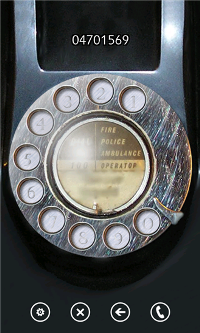
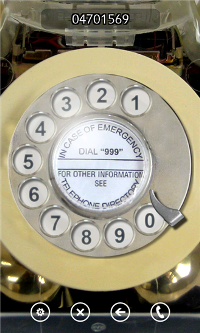
(free or 34 p.) link to Marketplace Tired of nostalgia for disk phones? Remember all the numbers you need by heart? Install Rotary Dialer. In the application settings, you can select four themes (six in the paid version). You can set two sound options that the disc rotates when typing, or mute the sound completely. The application is able to use vibration alert to signal the correct dialing of a digit. If the disk is not twisted, then the number is not dialed. A warm tube dialer from a time when phones were just wired. Advertising in the free version; Does not know how to work with USSD and search by name, only numbers, only hardcore.Metro dialer
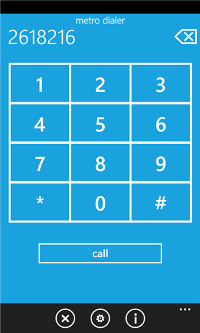
(free or 34 rubles) Marketplace link Another interesting dialer of the same manufacturer as Rotary Dialer. The program interface is made in the style of Metro UI. Two dialing modes are available: disk and digital. The digital mode opens after you leave a rating for the application in the Marketplace. As in the previous application, you can turn off the sound completely or choose one of two sound schemes. In the case of a digital keyboard, you can either completely turn off the sound, or use a single sound scheme. In the numeric keypad mode, it allows you to type special characters, but does not know how to send USSD requests and requires confirmation when dialing a number. Laconic Metro style interface; A warm tube dialer from the days when phones were just wired;Advertising in the free version; Does not know how to work with USSD and search by name, only numbers, only hardcore.Rapdialer
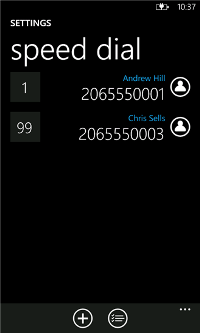
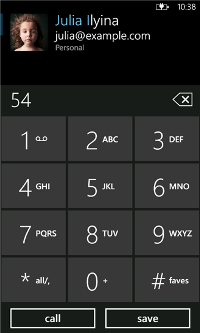
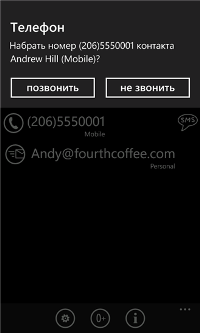
(free or 104 rubles) link to Marketplace The most interesting application of the monitored. The free version of the program has an incredible rating in the Marketplace, and then it will become clear why. The application has gathered all the necessary functions: groups, speed dialing, swipe gestures. In addition, the application is almost completely customizable, the user can enable only those functions that he needs. The application uses the T9 input system to search for contacts. A quick SMS is available, for this it is enough to swipe the selected name from left to right. The application can really serve as an excellent replacement for the standard dialer, significantly simplifying the life of the user. Using swipe in the application to go to settings and the list of contacts;Highly customizable application, you can change the region, synchronize contacts, turn vibration on and off, change the font size, etc. Convenient search by contacts, the ability to group and configure your favorite contacts; Excellent training mode on first run, also available in the Help menu; Lack of advertising in dialing mode; Does not work with USSD; A confirmation is required for the call; Although the search for Russian names is implemented and there is a Russian keyboard, the application itself is not localized.Gestures Speed Dialer
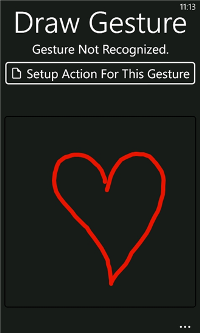
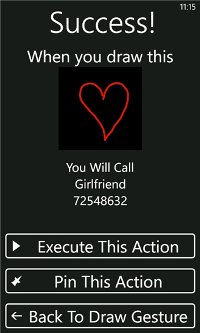
(free or 34 rubles) link to Marketplace This is not quite a dialer in the usual sense. This is a gesture dialing application. You can come up with a gesture and assign it a specific action: a call to the selected number, sending a letter, sending SMS or going to the site. A specific gesture, or rather, an action associated with it, can be taken out in the form of a tile on the desktop and perform the associated action with one touch. The ability to quickly perform the action assigned to the gesture; "Reminder" of saved gestures in the application itself; Lack of advertising in the trial version; The trial version is limited to two gestures that can be saved, a full try will come out, but using the trial version will not work;Long application loading compared to the rest (about three seconds); Lack of application localization.Kruto Dialer
(free or 84 rubles) Marketplace link Simple dialer with several important functions: you can set the “first zero is +” mode, turn the Russian layout on or off, specify three frequently used prefixes. Russian developer, which means that the application works well with Cyrillic fonts and is localized; Laconic interface; According to the developer, it works with a large number of contacts (1000 or more); Does not know how to work with the call log; Does not know how to work with USSD, even there is no possibility of a set of commandsSuper dialer
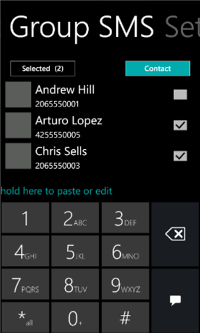
(free) Marketplace link Unfortunately, an un-Russified application, but very promising. It is possible to switch to a right-handed or left-handed layout, quickly send SMS or save a contact directly from the dialer, use the "Favorites". Killer feature of the application - the ability to group send SMS. Group SMS sending; Switching views for righties and lefties; The presence of "Favorites"; Free and complete lack of advertising; Lack of localization. Naturally, these are not all such programs, but only a small part of them. It’s just good to know that there is a choice. :)








