Ainol Novo 7 Fire Tablet Detailed Review
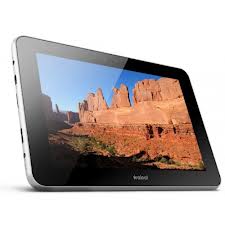
Ainol Novo 7 Fire is a tablet from a fairly well-known Chinese tablet manufacturer Ainol. I had the opportunity to meet one of their first offspring - Ainol Novo 7 Advanced, the configuration of which now causes only a smile - Cortex A8 1GHz, 512MB RAM, 840x480 screen (not IPS, of course). Then there was an acquaintance with a not entirely successful budget tablet called Ainol Novo 7 Tornados. We can say that the previous generation in the form of models Tornados, Mars, Elf II and Aurora II was launched with great difficulty. The start date for sales was constantly delayed, and the first batches had many problems.
Let's see if Ainol managed to draw the appropriate conclusions and work on the bugs in the new Ainol Fire tablet.
The start of sales of Ainol Fire was also postponed several times, and even now the supply issue is not entirely transparent. The second incident happened with the name. First, the tablet was called as Ainol Burning, then Ainol Flame, and finally settled on the name Ainol Fire.
It is believed that the "English" version of the tablet will be called Ainol Novo 7 Flame. But how it will differ, except for the inscriptions in English on the box, is currently not known.
Specifications
Model: Ainol Novo 7 Fire
CPU: Amlogic 8726-MX, 1.5GHz, Cortex-A9, 2
GPU cores : Mali-400MP2, 2
RAM cores : 1GB DDR3
ROM: 16GB Shell
material: plastic, rear insert made of metal
Screen: 7 inches, IPS, 1280x800 , 5-point multi-touch
Bluetooth: Bluetooth 2.1
GPS: no
WiFi: 802.11 b / g / n
Battery capacity: 5000mAh
You can roughly compare this configuration with the Googe Nexus 7, just the built-in GPS module is missing. Toward the end of the review, we will try to eliminate this injustice.
Singapore post + Ukrposhta = DHL?
Singapore Post and Ukrposhta continue to surprise - 5 days from dispatch to delivery!
On Thursday I received mail, Friday - export, Monday - import, Tuesday - at my post office!
Delivery speed exceeded my previous record for Window N70, which was 6 days from dispatch to delivery.
Packaging and equipment
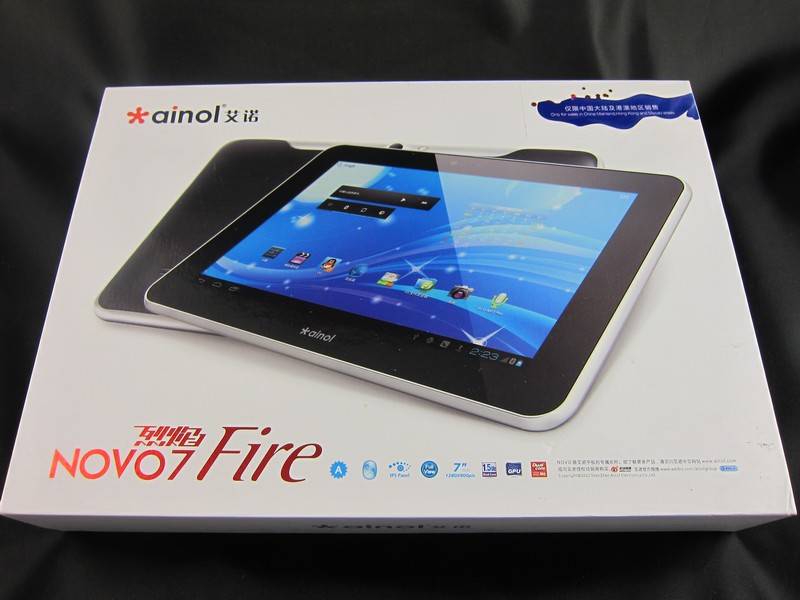
The tablet comes in a white cardboard box:
Sticker "For sale only in China, Hong Kong and Macau":
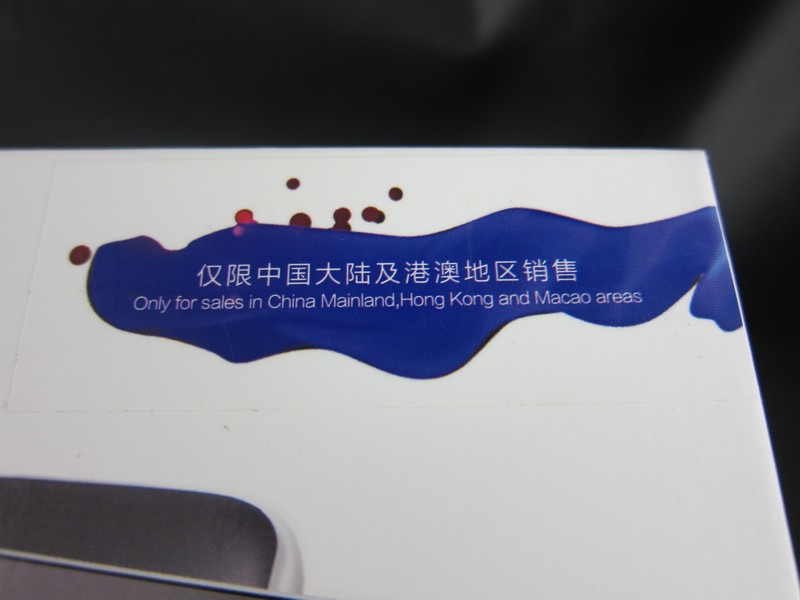
Ainol company has relied on the domestic market of China. But like us, there will always be people who are ready to share their “happiness” for a few $ benefits.
The technical specifications and possible modifications to the amount of internal memory are indicated on the back:

At the moment, only 16GB version of the tablet is on sale.
The design of the box is slightly changed compared to the boxes in previous models. Now it opens “up”, but does not extend:
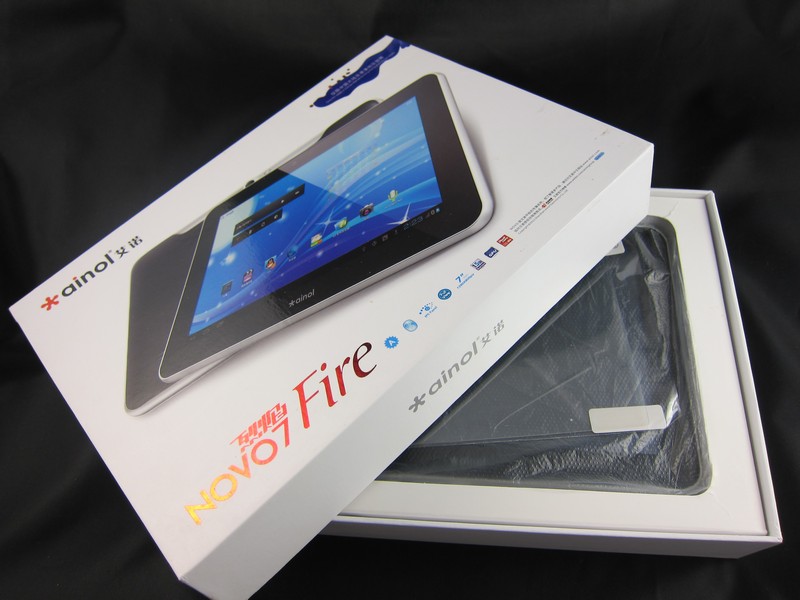
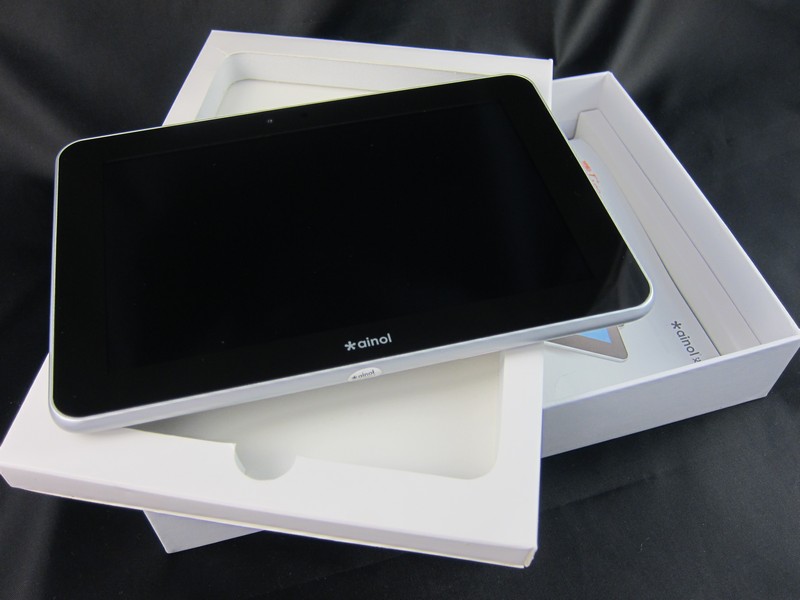
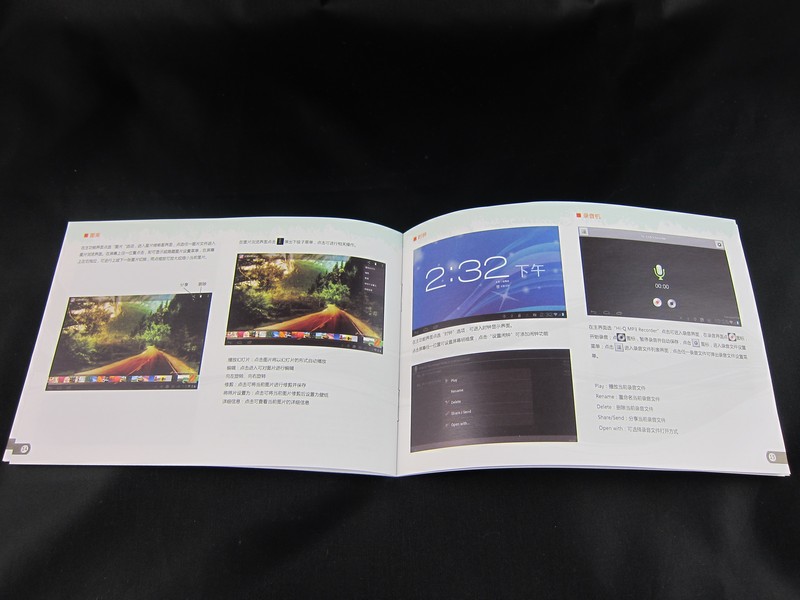
Under the compartment with the tablet are: a
bright instruction in Chinese:
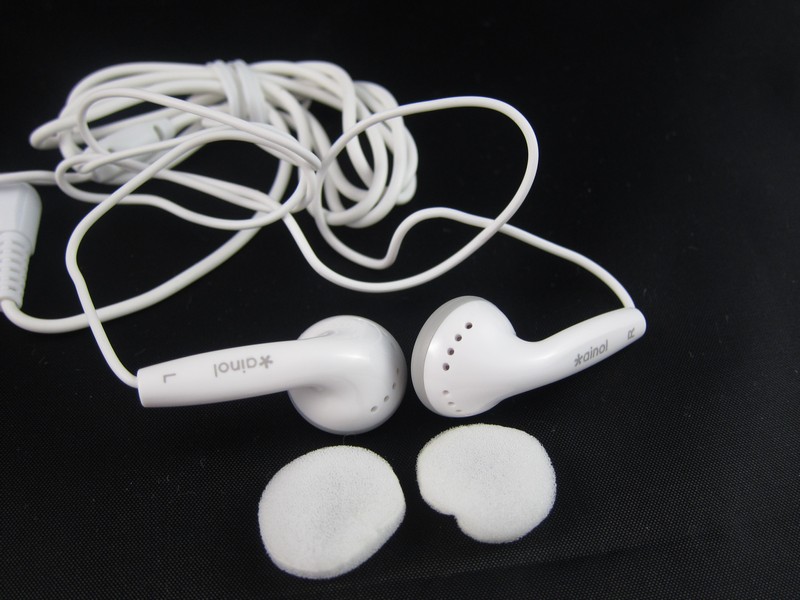
headphones of dubious quality:
USB cable:

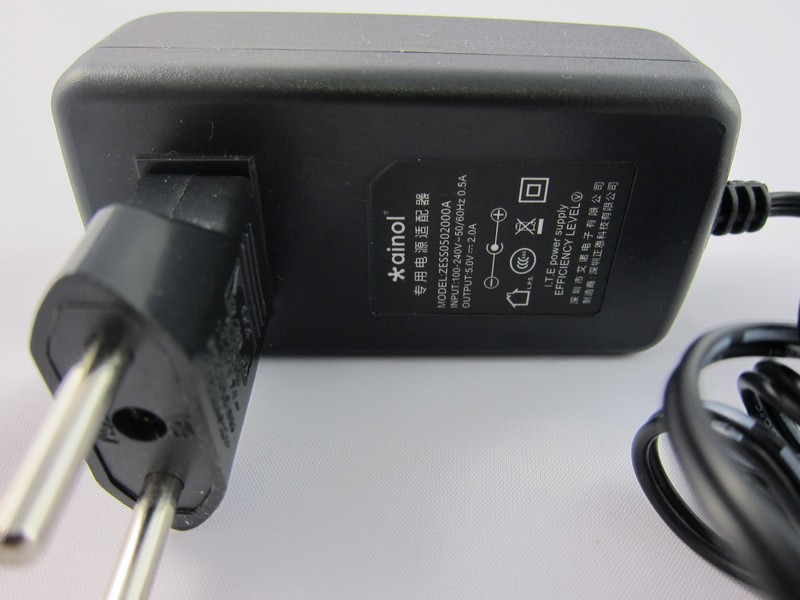
5V 2A Charger with European Plug Adapter:
OTG cable not included as standard. Usually they put it as a gift, but in my case they forgot to do it.
General view and build quality
The dimensions of the tablet are 186.6 x 126.9 x 10.6mm.
Weight 342 grams:
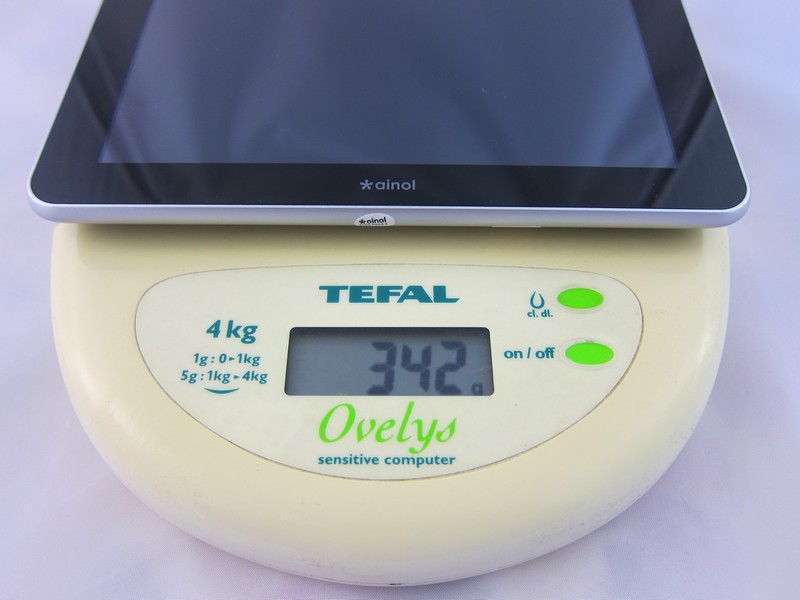
Despite the seemingly large thickness of 10.6 mm, the tablet does not seem thick at all:

In front is the Ainol brand logo:

Rear view:
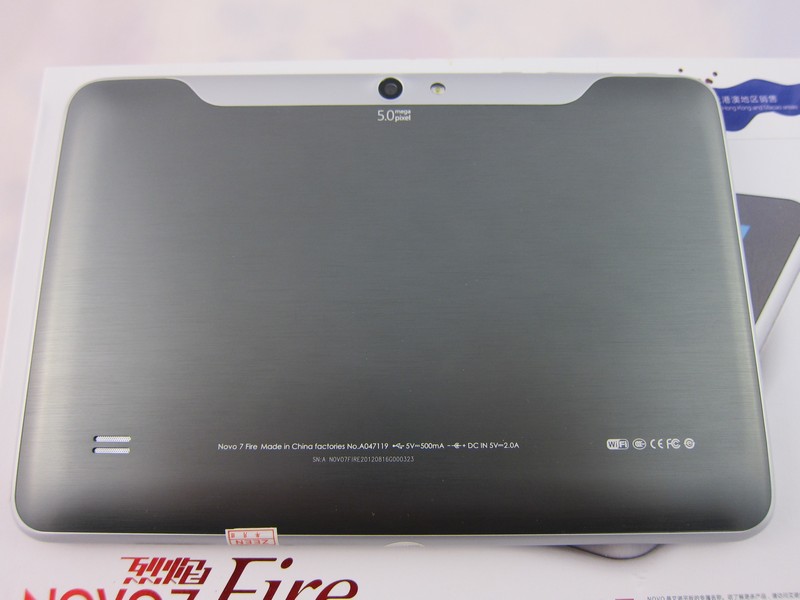
The back is a combination of plastic and metal. The gray part is a metal insert, the light part is plastic. Due to this design, a slight crunch is produced when the tablet is squeezed along the plastic edge.
Interfaces: 5v charger input, microUSB, microSD, miniHDMI memory card slot, 3.5mm headphone input, microphone:
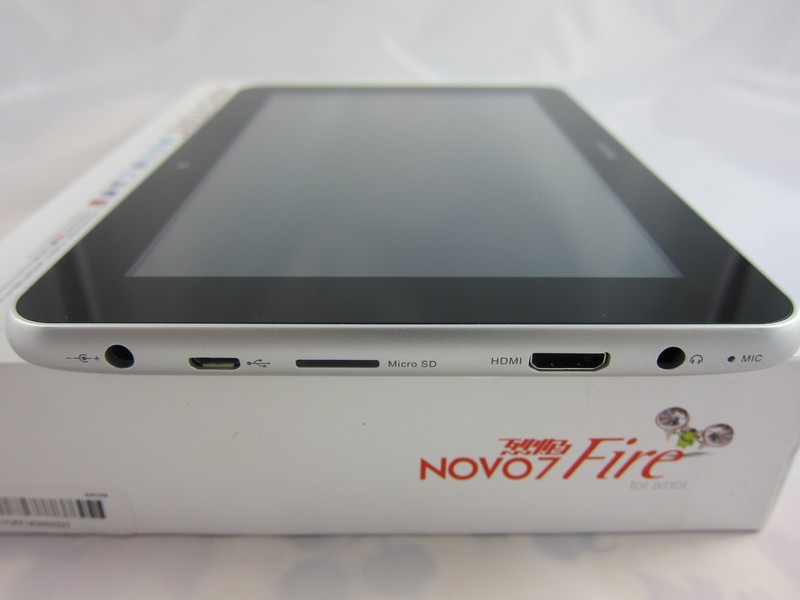
Using OTG, you can connect a flash drive, keyboard, mouse, 3G modem.
Power, volume and home buttons:

Cameras
The tablet has a front camera with a resolution of 2MP and a rear camera with a built-in flash and autofocus resolution of 5MP (!).
Next to the front camera is a light sensor:
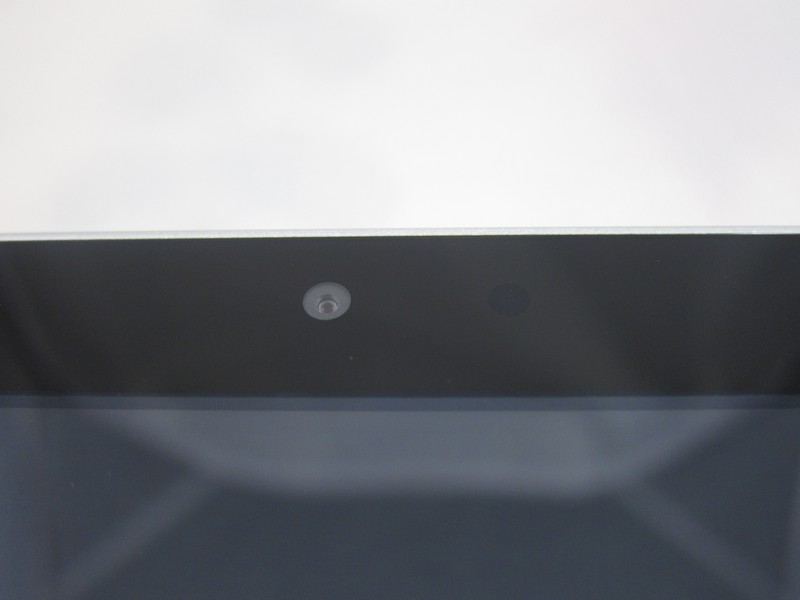
The light sensor is designed to save battery power by automatically adjusting the screen brightness. It works more or less correctly, but sometimes in a dark room it can set the brightness to 0.
Rear 5MP camera and flash:

In my memory, this is the first Chinese tablet with a 5MP camera and autofocus.
Example photo of the front 2MP camera:

Example photo of the rear 5MP camera:

Autofocus works, but the quality of the pictures is not the best. A flash in dark scenes does not save the situation much, but it works very well as a flashlight.
Screen
AInol Fire has an IPS screen with a resolution of 1280x800. The pixel density is 216ppi.
The screen is really impressive, although at first glance, the differences from 1024x600 are not noticeable. But if you take a closer look at the tablet, you can see that the pixels are almost indistinguishable.
According to the manufacturer, the tablet screen is covered with glass, which I cannot confirm 100%. But inclined to believe that this is true.
Viewing angles:


Screen photos were taken on the factory firmware on August 15, 2012. In feiyu_mod firmware, the maximum brightness is even higher.
Sound
The speaker is at the back. The volume is not bad, but sometimes the speaker can “wheeze” at high volume. If you put the tablet on the table, it greatly reduces the sound volume

Wifi
When you move away from the router, the signal level drops, but remains stable.
3 meters to the router (DSL-2640U) without obstacles:

5 meters to the router, 2 walls as obstacles:

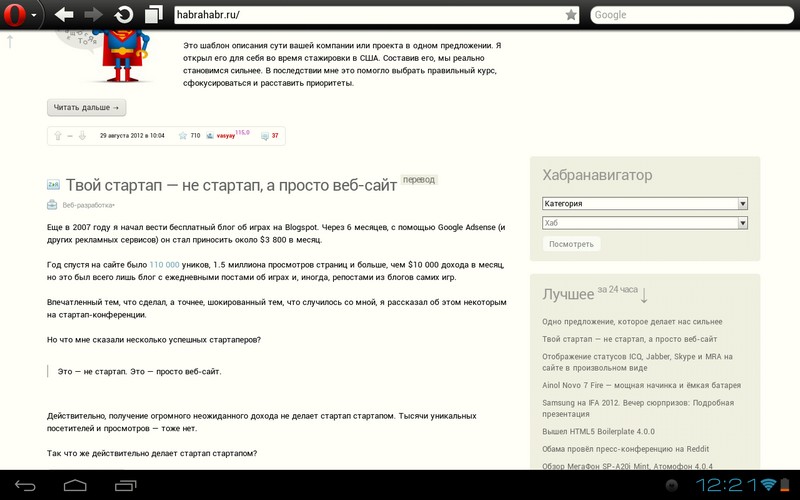
Browse Pages
Pages open quickly, scrolling is smooth:
Video
Full HD video playback is smooth:
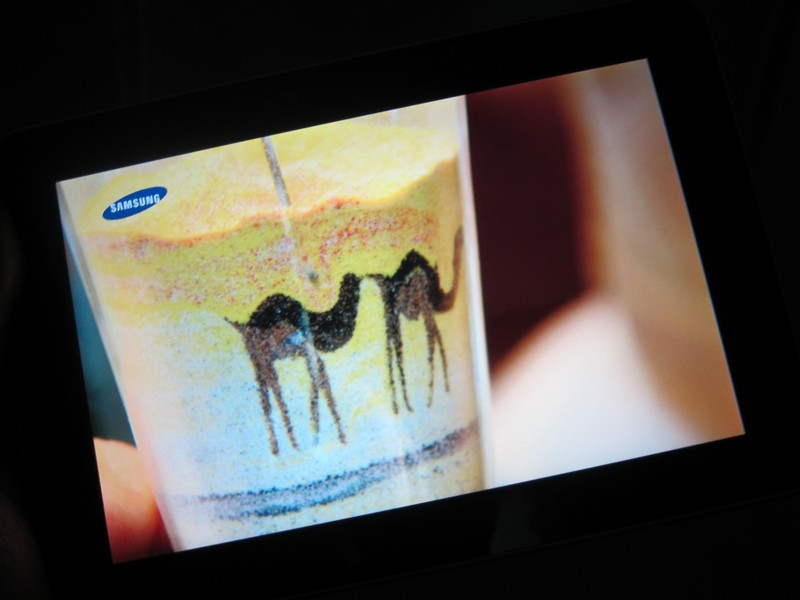
Using an HDMI cable, you can connect the tablet to a TV and enjoy viewing on a wide screen.
HDMI Connection Setup:


Bluetooth
The tablet has Bluetooth 2.1 installed, which works great:
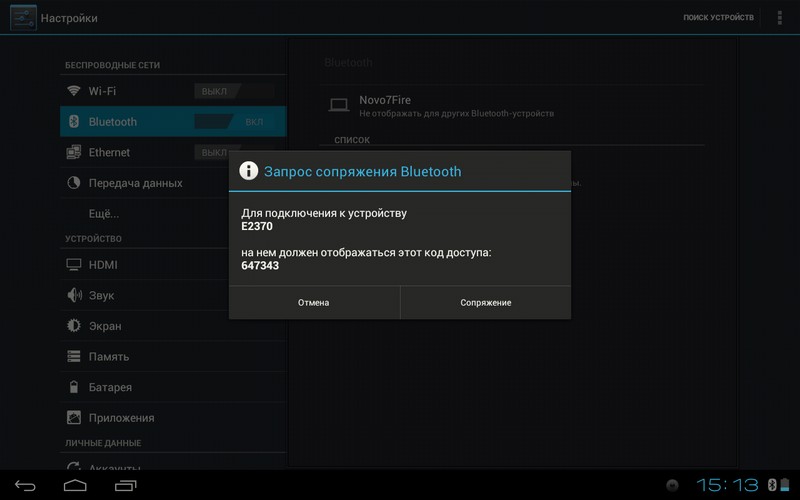
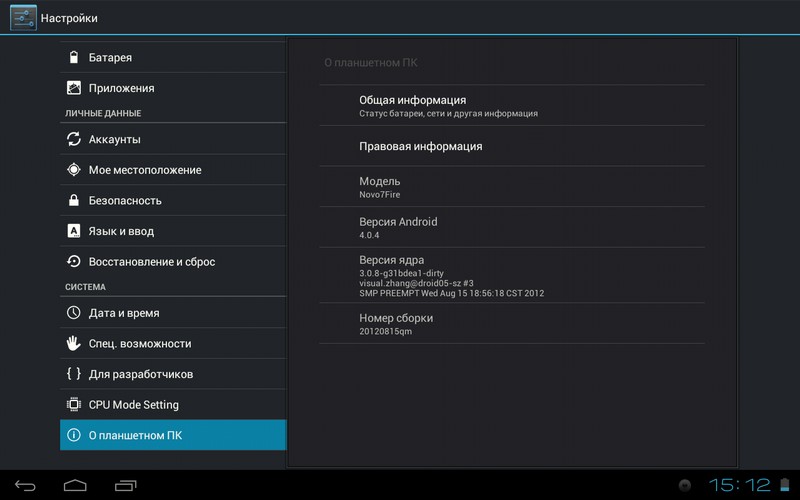
Android 4.04
The operating system is Android 4.04. Soon, an update to Android 4.1 is expected.
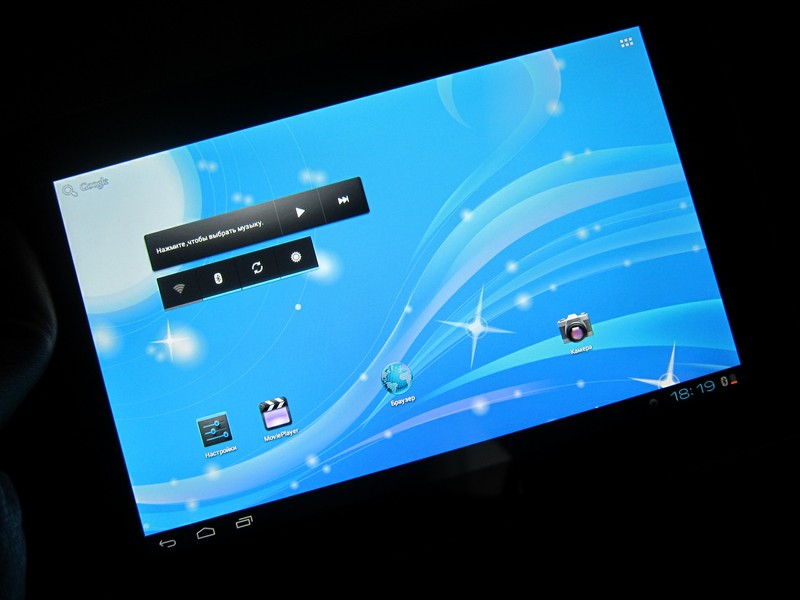
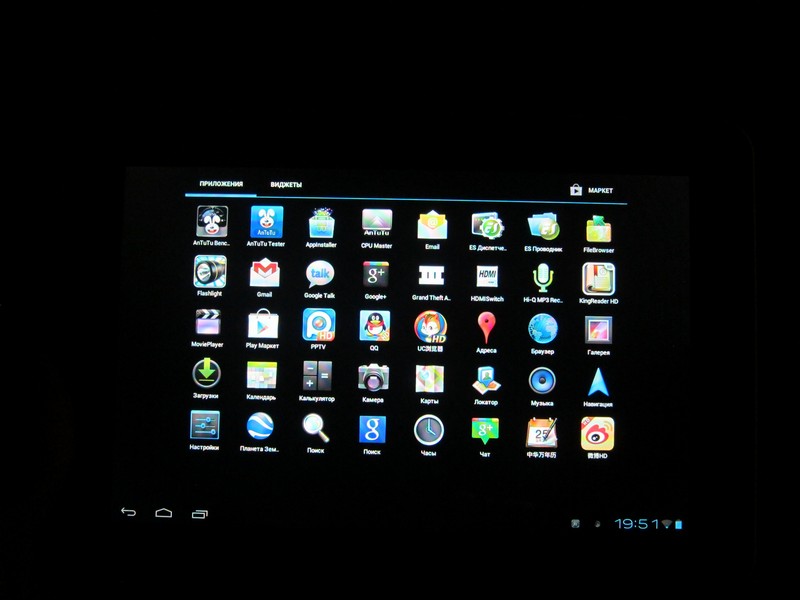
Home page with widgets and icons:

Games
On such a screen, playing games is a pleasure!
Max Payne, GTA III, Dead Trigger and other "heavy" games work without problems.
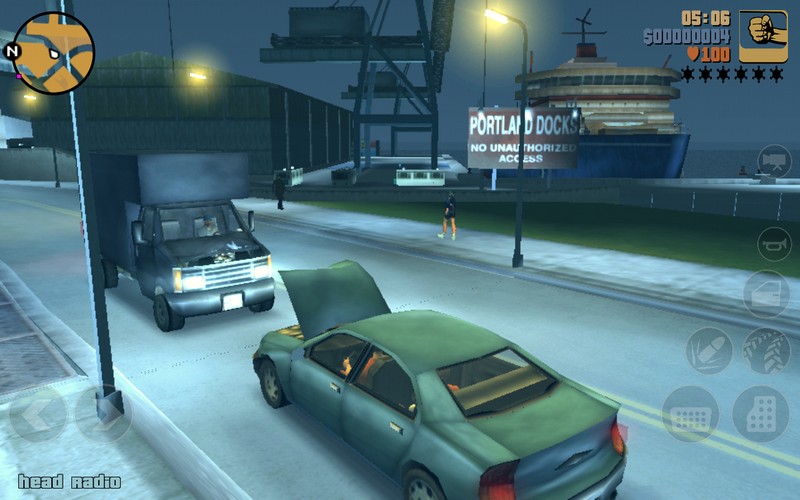
You can play games on the TV using a tablet by connecting it via an HDMI cable:
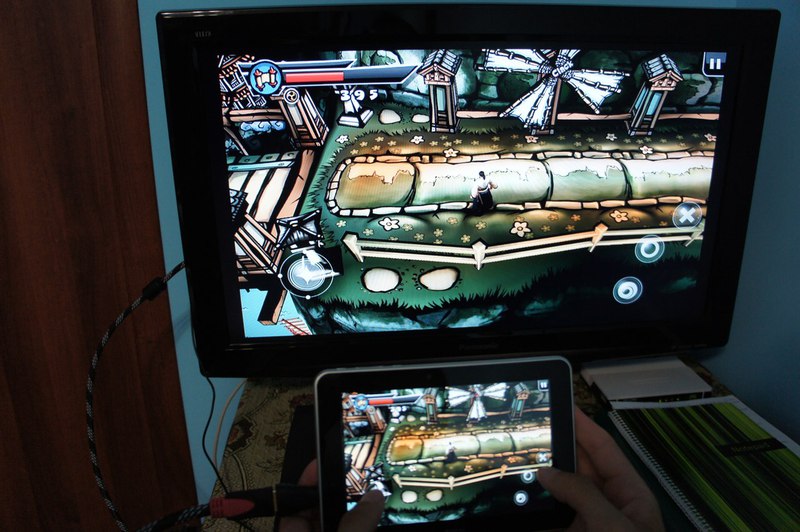
But this is not very convenient, because you have to keep the tablet turned on so that you can interact with the buttons on the touch screen. It is much more convenient to connect the PS3 gamepad via Bluetooth.
The feiyu_mod custom firmware includes a driver for supporting PS3 gamepads.
To do this, download Sixaxis Controller and SixaxisPairTool.
Then:
1. Launch SixaxisPairTool on the computer and connect the controller to the computer using the USB cable. After installing the driver, the MAC address of the controller will be available in the format xx: xx: xx: xx: xx: xx
2. Launch Sixaxis Controller on the tablet, not forgetting to turn on Bluetooth. Click Start. The program will request root rights and at the bottom you will see Local Bluetooth Address, also in xx: xx: xx: xx: xx: xx format - write it in SixaxisPairTool on the computer, in
the Change Master field and click Update. Then disconnect the controller from the computer.
3. Turn on the controller with the PS button. If one light is on on the controller, everything worked out! If it says Connection Failed, your device is not supported.
4. Now it remains only to click Change Input Method in the program and select Sixaxis Controller.
To check the possibility of connecting the gamepad to the tablet, you can use the Sixaxis Compatibility Checker program :

Performance
It should be noted right away that all the results of synthetic tests alone do not carry information. The meaning of testing is a comparison of indicators with other models, based on which results can be drawn about performance.
Each benchmark will be accompanied by a brief description. In all test tests, a larger result means higher performance.
Amlogic 8726-MX can work in 3 modes: "Normal", "Performance", "Power saving".
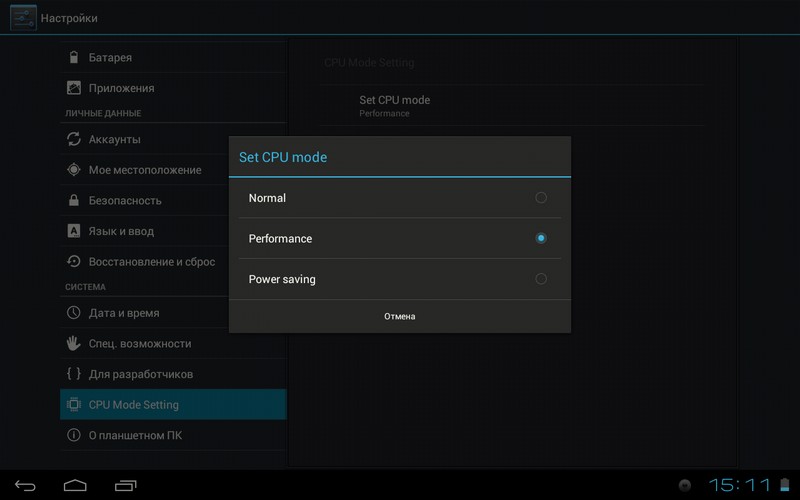
Each mode has its own maximum frequency range.


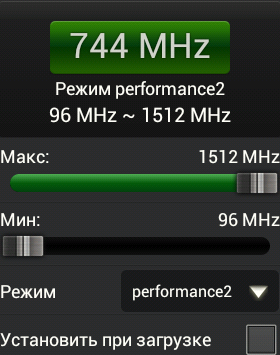
Although Antutu CPU Master determines that the performance mode is selected, test kits still believe that the tablet works at a maximum frequency of up to 1.5 GHz. This is confirmed by the test results in various performance modes. After a reboot, the state is always reset to “Normal”. The bug is exclusively software.
All tests are shown in Performance mode with a maximum processor frequency of 1.5 GHz.
Antutu Benchmark allows you to compare based on several parameters:
- Memory performance
- CPU performance for operations with integers / floating point numbers
- 2D / 3D performance - Graphics
- Read / write speed
- Performance when working with databases
After the test is over, you can see on the graph which line your device occupies among the rest.
You can also see information about the system.
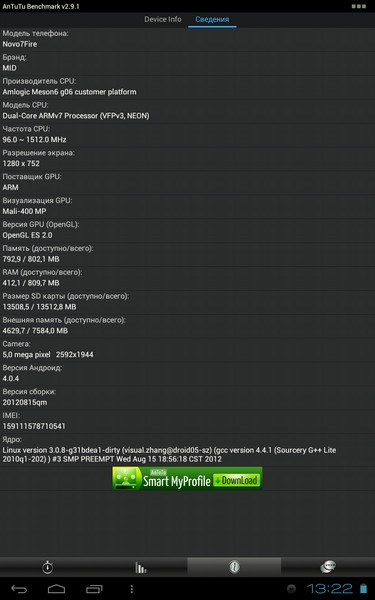
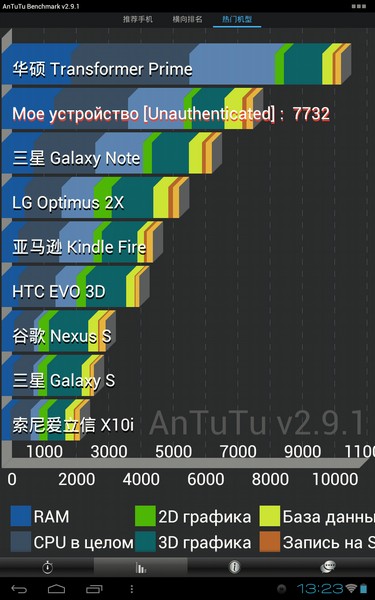
As you can see, there is a slight drop in performance compared to versions with a 1024x600 screen (for example, Aurora II shows more than 8000 points).
Quadrant Benchmark allows you to test the device according to the following parameters:
CPU (processor) - 8 tests (int, float, double, short int, long int, branching logic, byte, checksum)
Memory (memory) - 1
I / O test (input system / output) - 4 tests (filesystem reads / writes, database reads / writes)
2D graphics (2D graphics) - 1 test
3D graphics (3D graphics) - 3 tests (corridor, planet, dna)
Quadrant exists in 3 different versions:
Standard - a free version with ads, without an Internet connection there is no way to view the final test score.
Advanced - paid version, no ads, test results can be viewed without an internet connection.
Professiional - the same as Advanced, but with the ability to use for commercial purposes.
After the test, you can compare the results with other devices. Like Antutu, Quadrant can provide detailed system information.

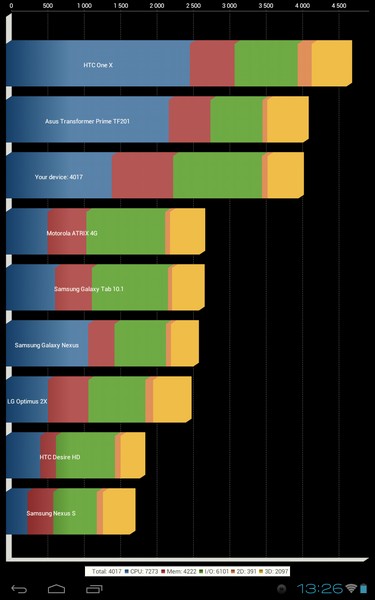
Linpack is a processor performance test. Counts in Millions of FLoating-point Operations Per Second - MFLOPS
It can work in 2 modes - Single Thread and Multi Thread.


CF-Bench is a tool for testing (mainly) CPU and memory, specially designed for working with multi-core devices.
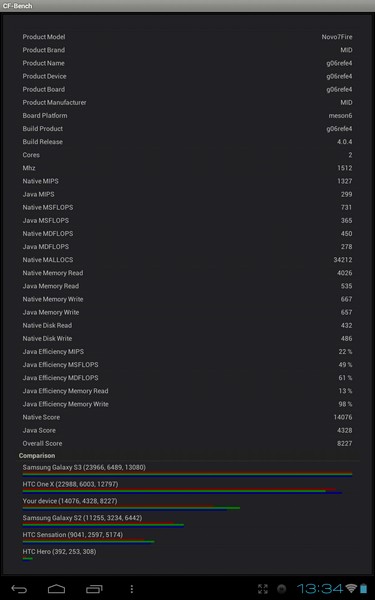
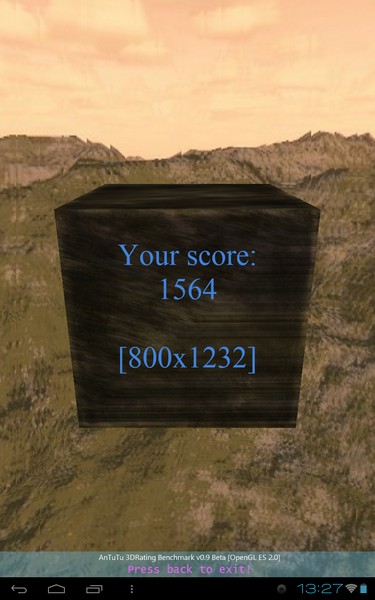
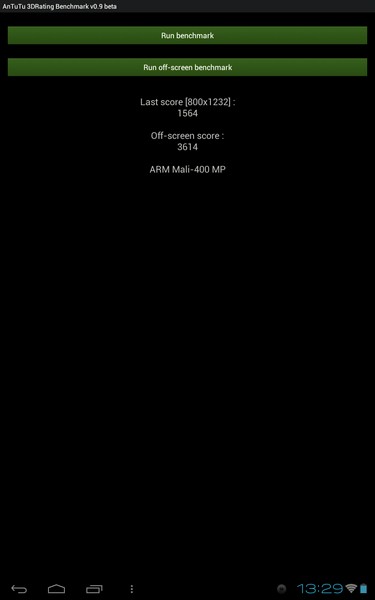
Antutu 3DRating
This is a fairly new benchmark from the creators of Antutu Benchmark. At the moment, it conducts only one test of 3D performance of video accelerators that support OpenGL ES 2.0
Nenamark 2 - this is the OpenGL ES 2.0 benchmark for video accelerators.
Uses the following effects:
- Skeletal Animation (bones matrix animation), trees.
- Morph Target Animation (blend vertex sets), sun flowers along house wall.
- Bump Mapping (using normal map), stone walls on house.
- Water (reflections, normal animation, fresnel effect), the lake.
- Cloud System (advanced particle system), clouds.
- Cube Map Reflections (w / dynamic cube map generation), windows on house.
- Smoke (advanced particle system), smoke from chimney.
- Shadow Mapping (dynamic shadow mapping), terrain.
- Texture Channel Animation, sparkling sun.
- Smooth Gradient Animation, sky hemisphere.
- Dynamic lighting (per vertex diffuse lighting), entire scene.
- Lens flare, lens flare from sun at low altitude.
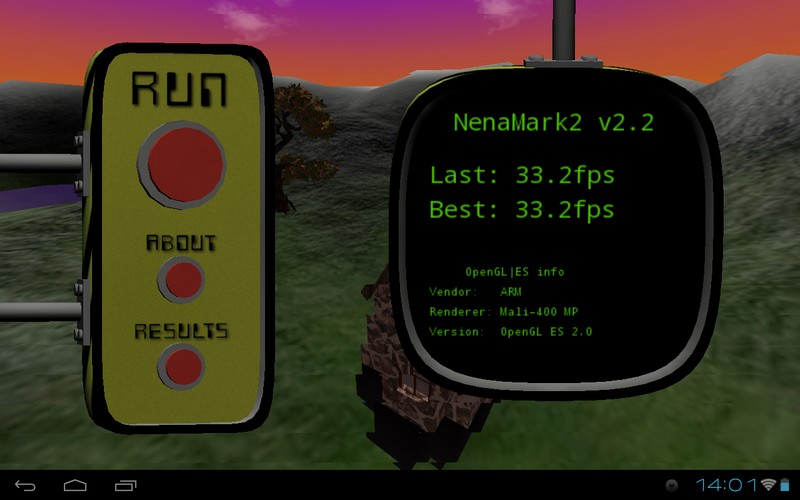
The result is not very high. Perhaps this drop is due to the high resolution of the screen.
Vellamo Mobile Web Benchmark is a benchmark from Qualcomm, which allows you to measure performance when working with Internet content. Tests include the following categories - rendering, JavaScript, network bandwidth.


The Javascript processing speed of the built-in browser allows Ainol Fire to rise very high compared to other devices.
Runtime and heating
Antutu Tester scored 488 points:
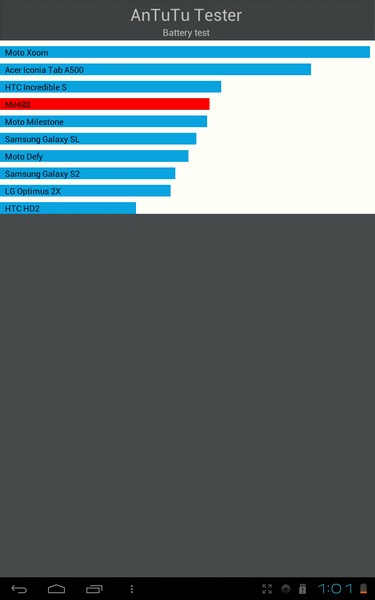
From 4% to 100%, the tablet charges in 3 hours. When the charger is connected, phantom clicks do not occur.
USB charging is also possible.
The 5000mAh battery gives the Ainol Fire an undeniable edge over its competitors.
In video viewing mode, with the Wifi turned off, the tablet can work up to 8 hours.
With prolonged use, the tablet heats up at the back, near the interfaces. The degree of heating under moderate load (surfing, games) can be described as “warm”. I managed to achieve the degree of "hot" with the constant launch of certain benchmarks. The metal back panel allows the tablet to cool quickly while reducing the load.
It is possible that this problem will be partially solved by lowering the maximum frequency from 1.5 GHz to a lower value.
Autopsy
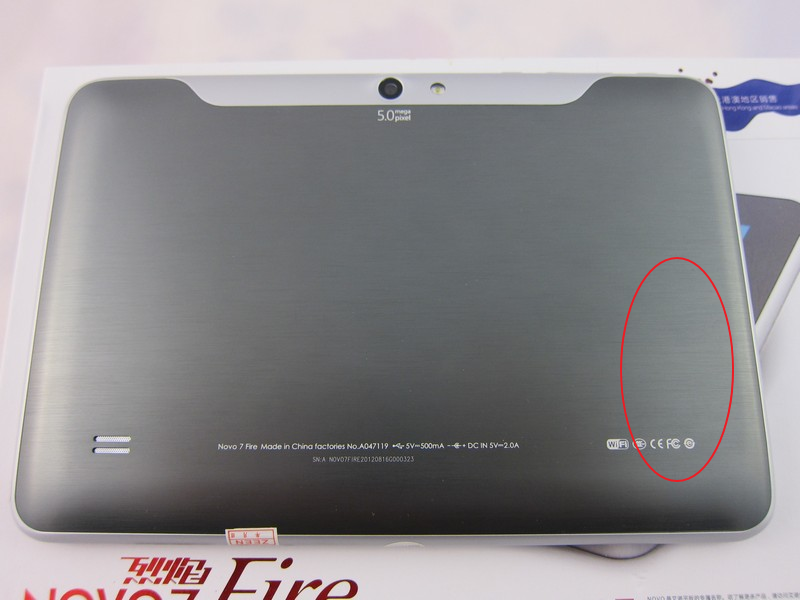
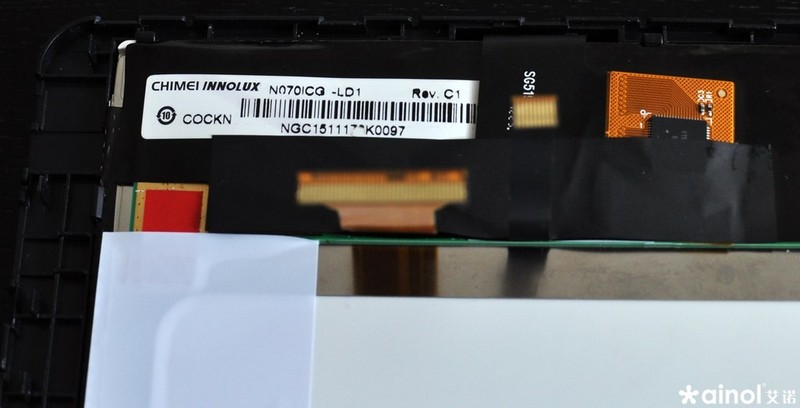
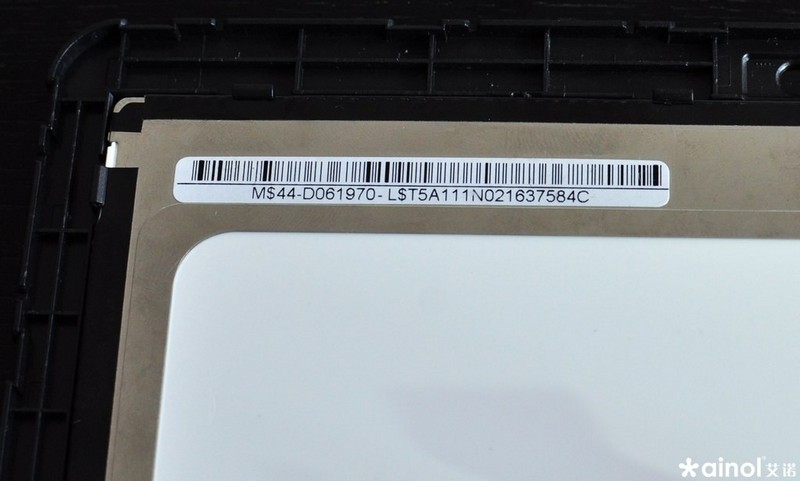
When opening, you need to be extremely careful so as not to damage the cables of the screen and touch screen. I’ll give you a few autopsy photos taken on one of the resources:

in the photo you can see the base made of plastic and a gray metal insert.
The tablet has a Chimei Innolux N070ICG-LD1 screen, which is also installed in the Huawei Mediapad.
Making the budget Google Nexus 7
The main difference between Ainol Fire and Google Nexus 7 is the lack of GPS. Let's see what can be done with this.
At first I tried to connect the GPS using the instructions spied here . I successfully set gps.enable = true using the ® Build Prop Editor , but
the TetherGPS program stubbornly crashed with an error on both the smartphone and tablet.
I managed to make friends a tablet with GPS from a smartphone using the free GPS over BT program .
It is simple to do this - download the program and launch it on the smartphone, create a BT connection with the tablet and that’s it!
Now the tablet successfully sees the coordinates in Google Maps.
You can also use an external Bluetooth GPS receiver, then you do not need to install additional software. You will only need to set the gps.enable = true parameter in the tablet and create a pairing with Bluetooth GPS.
Some time ago I used this Bluetooth GPS logger, costing about $ 35:

Firmware
The firmware update contains the strengths of the Ainol tablets. There are many custom versions, and the most popular is feiyu_mod.
After Ainol opened the Amlogic 8726-MX source code, custom firmware will come out often.
I settled on firmware feiyu_mod dated August 27, 2012 ( download )
Change log:
Firmware compiled from source
Reduced CPU voltage
Touch screen driver updated
Maximum and minimum brightness
added Gravity sensor coordinate system selection
Home button behavior changed , short press - “ Back ", long -" Home "
Support init.d
Full market
Optimized version of the bootloader
Support for drivers pl2303, cp210x, usb gamepad, driver ps devices
Corrections for the gravity sensor
Support for rt8150, dm9601usb NIC, tun module, pppoe
Firmware upgrade is very simple from the Recovery menu. To enter the Recovery menu, you must simultaneously press the “volume -” and “Power” buttons, wait for the robot to appear and release it.
Step-by-step instruction:
1. Download the firmware file (official firmware can sometimes consist of 2 parts - firmware without preinstalled Google applications and a patch with Google applications. Download both. Applications are already built-in in custom Google firmware)
2. Reset firmware (.zip file) to the microSD-card and insert it into the tablet.
3. Turn on the tablet by simultaneously pressing the “Volume -” and “Power” buttons, wait for the robot to appear and release it.
If the firmware was at the root of the card, the firmware update will occur automatically. But this does not suit us if we want to install the official firmware and a separate patch with applications. Therefore, it is more convenient to copy the firmware file to a separate folder.

4. Select the apply update from sdcard item .
5. Select the firmware file and confirm the selection with the “Power” button. Attention! When updating the firmware, the internal memory is fully formatted.
6. If you install the official firmware, then repeat step 5 for the .zip file with the patch.
7. Select the reboot system now item and press the Power button.
After the reboot, the interface will be in Chinese, to change the language to Russian - select the “Settings” icon -> the item with the A icon -> the first item -> scroll through the language list and select the desired one.
useful links
Topic on w3bsit3-dns.com
Section on slatedroid
conclusions
pros
- excellent IPS screen with a resolution of 1280x800
- high-performance Amlogic 8726-MX chip
- Bluetooth
- third-party firmware support
- Price!
Minuses
- The case is a little "crunches"
- The tablet can warm up to temperatures that are not comfortable on the senses.
The 5MP rear camera is difficult to attribute to both pluses and minuses. She is, works, but miracles should not be expected from her.
Verdict
Definitely recommend it! The tablet is powered by a powerful Amlogic 8726-MX chip, 1GB of RAM, a magnificent IPS screen with a resolution of 1280x800 and of course such a necessary microSD memory card slot!
The price currently ranges from $ 155 - $ 165 with free shipping.









