
 April 20, 2011 at 12:58
UPS Testing APC Power Saving Back-UPS Pro 550
 I am always nervous when my home computer pretends to be smarter than me - it offers to download or install something, reboot itself, or otherwise demonstrates the rudiments of artificial intelligence. Control over your hardware is an interesting thing, but often requiring additional time to study the "hardware", but this is not always required. An uninterruptible power supply can be called the most undemanding part of a computer system: all its configuration is reduced, perhaps, to turning off the "alarm" - if the light at home or in the office is often cut off, it starts to get on your nerves. And so - it stands under the table, asks nothing for itself, slowly protecting the system from various small (data loss) and large (motherboard death) troubles.
We decided to devote the first APC by Schneider Electric blog post to a detailed review of the Power Saving Back-UPS Pro 550 (BR550GI) energy-saving UPS, primarily because this model is somewhat distinguished in the APC uninterruptible model range. Firstly, this UPS looks solid enough so that you can put it not under the table, but next to the monitor. Secondly, a model with an integrated LCD gives you that extra control over the hardware, still without asking for anything in return. Inside - a lot of photos and videos of the device, test results with a typical office PC and a test of strength using a harsh analog transformer.
Specifications APC Power Saving Back-UPS Pro 550 (BR550GI)
Maximum Output Power : 550 VA / 330 W
Number of outlets : 6 (3 with battery backup)
Topology : line-interactive (with built-in voltage regulator)
Additionally : LCD display, power-saving function, LAN protection
Output voltage form : Step approximation of a sinusoid
Replaceable battery set : APCRBC110
Charging time : 12 hours
Battery life : 3-5 years (depending on the ambient temperature, the number of charge-discharge cycles)
Dimensions : 310x190x91 mm
Price : from 3,700 rubles
More detailed technical data can be found on the APC website: In addition to the main characteristics for all UPSs, there is a graph of battery life depending on the load.
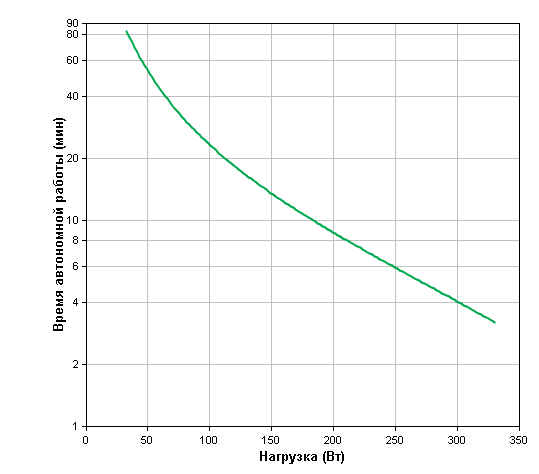
As you can see, a typical home computer (but not a monster with three video cards and a dozen hard disks) will work without problems from this UPS for enough time to complete the work that has been started and turn off the system unit correctly. However, we will return to the tests, but for now I’ll talk about the packaging and appearance.
Packaging, equipment and appearance The

UPS is packaged in a modest box of recycled cardboard. You may be used to seeing other “uninterruptible” companies in bright full-color packages, but in this case, the device confirms the orientation towards preserving the environment even in a packed form.

Inside the device itself with two stickers. The one in the photo reminds the user of the need to connect the battery to the contacts inside the unit before starting use. The UPS includes two disks with software and operating instructions, two power cables for connecting a computer and a monitor, and a USB cable for connecting to a computer. Traditionally, the UPS kit does not have a power cable for the source itself. It is assumed that the released cable from the computer or monitor will be used for this.
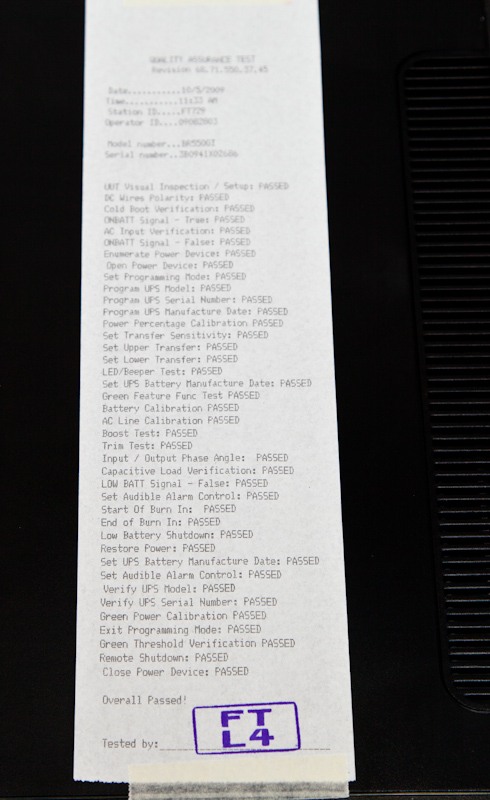
The most interesting sticker is on the bottom of the device. This is a detailed result of a full test of this particular UPS in the factory. This set of tests passes every source of APC.
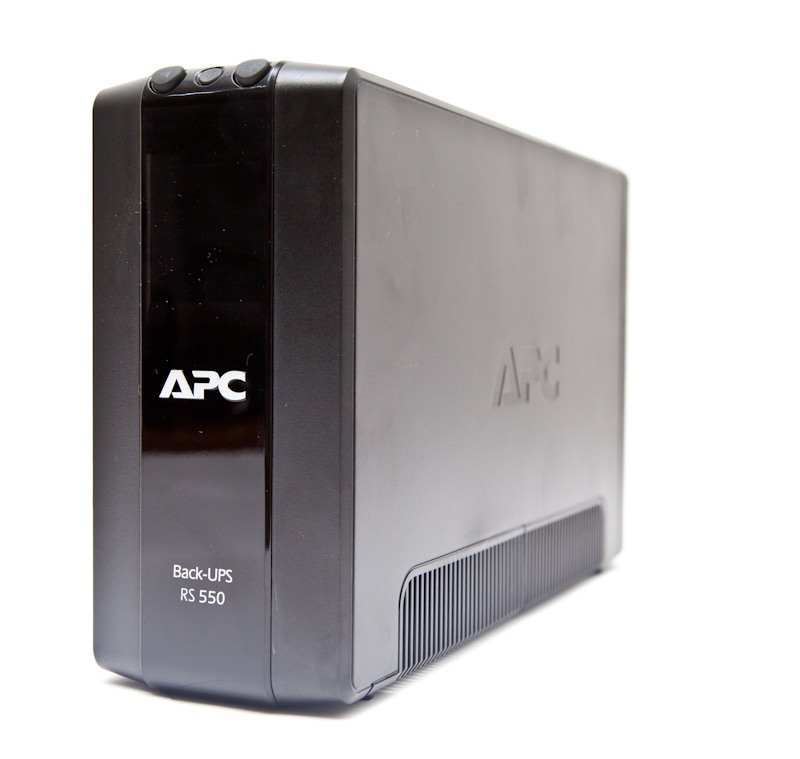
And finally, the device itself. Back-UPS Pro 550 is a fairly compact piece of hardware that can be placed on the table if desired.
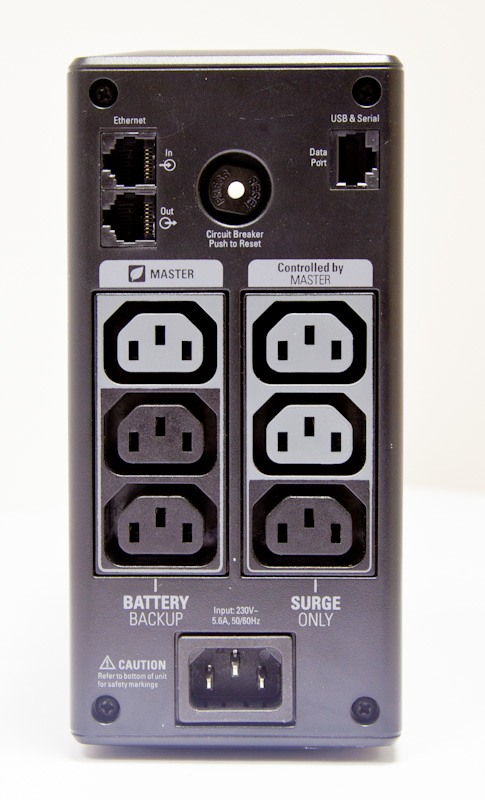
Back view. Three sockets on the left - with battery backup, three more on the right protect equipment only from power surges. Pay attention to the Master and Controlled by Master sockets: they provide automatic shutdown of peripheral equipment - I will talk about this function a bit later. At the top are universal connectors for protecting a network card (RJ-45) and an information port (also RJ-45) with which the UPS can be connected to a computer (with a complete cable - via USB, but you can use a serial port).

Before use, you must connect the battery. This is how it looks in the UPS case under the cover.
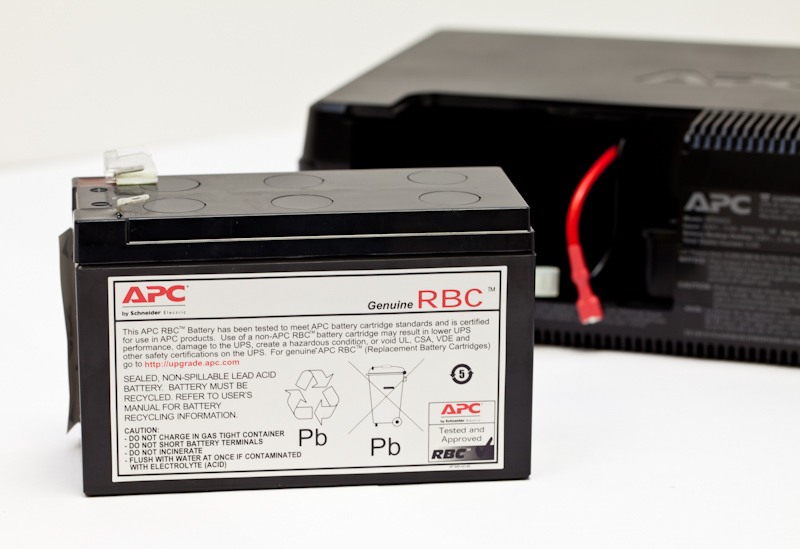
And so - in itself. APC has for some time now introduced a Replacement Battery Cartridge (RBC) labeling system for its UPSs: this uninterruptible power supply uses a sealed RBC # 110 battery (APCRBC110). Accordingly, a replacement can be found by this number, approximately the same as a cartridge for the printer. The cost of the battery in retail is from 1700 rubles. By the way, the warranty for this model of UPS is 2 years and applies to the battery too.
Testing

The battery life when using the UPS depends on the total capacity of the devices that you connect to outlets with battery backup. You can roughly estimate this indicator from the graph above. We wanted to show a specific result for a specific system unit. Therefore, we connected the UPS to a regular office computer with an integrated graphics card, a single hard drive and an Intel Pentium Dual-Core processor.

In the future, we will use the same computer to test other APC uninterruptible power supplies, so that it will be possible to assess how much battery life the more powerful or less powerful UPSs provide.

A proprietary utility PowerChute Personal Edition was installed on the computer, which allows you to configure the UPS as you need it, and then monitor its operation parameters and the status of the mains.

Useful mute function when power is turned off. You can turn them off altogether, or set a night period of silence so that a power outage does not wake anyone. By the way, you can mute the sound with a button on the UPS.
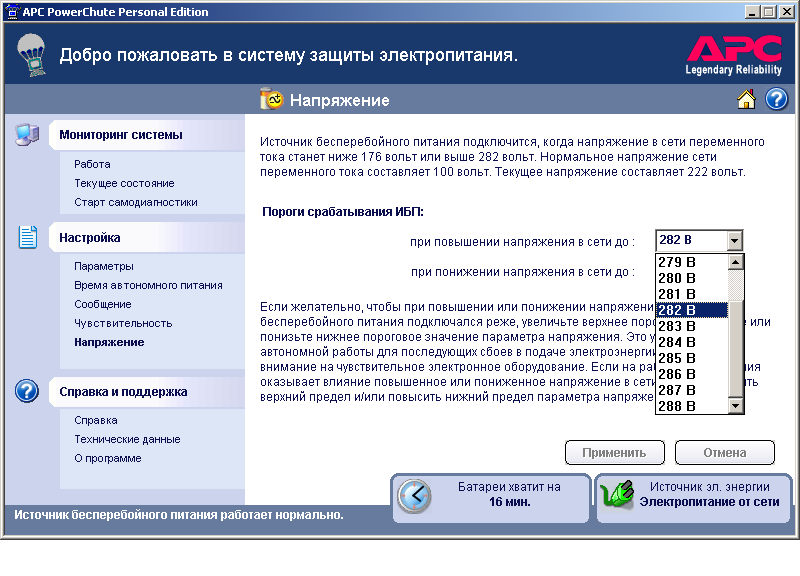
Here you can set the threshold for switching the UPS to battery mode when the voltage is too low or too high. Let me remind you that the Back-UPS Pro 550 model is equipped with a built-in voltage stabilizer, which allows you to switch to battery operation less often, even if your house has a completely poor-quality power supply network.
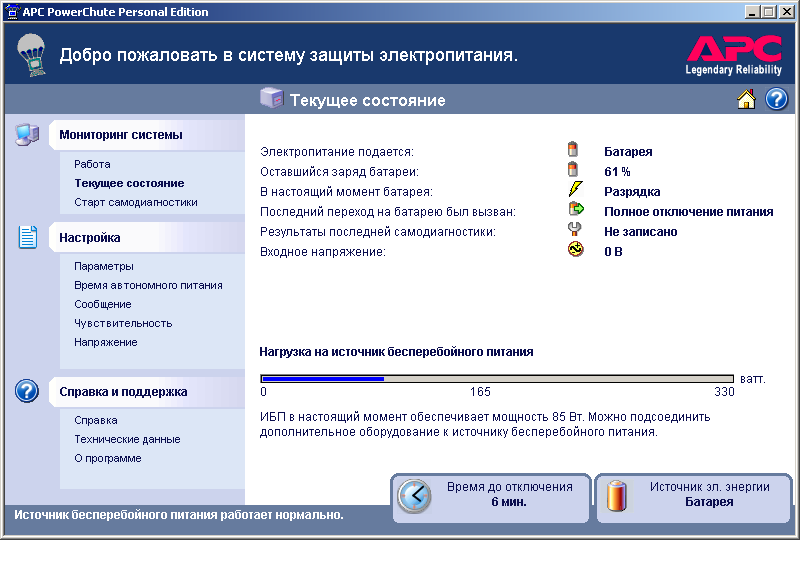
And basic information about the operation of the device. As you can see, an office PC “takes” less than a third of the maximum UPS capacity. But this is in idle mode. But what happens under load:
The LCD screen of the device allows you to control the voltage in the network, power consumption and battery life.

The video shows how 85 watts in standby mode easily turn into 110-115 watts under load: we ran the GeekBench test on a PC, which loads the processor and RAM (but not the graphics).
The next test evaluates the operation of the built-in transformer in case of voltage drops.
For this test, we powered the UPS through an ATR-2kVA laboratory autotransformer manufactured in the Republic of Latvia and inherited from our great-grandfathers. In the era of "warm tube" televisions, such a thing was the main means of combating poor-quality electricity.
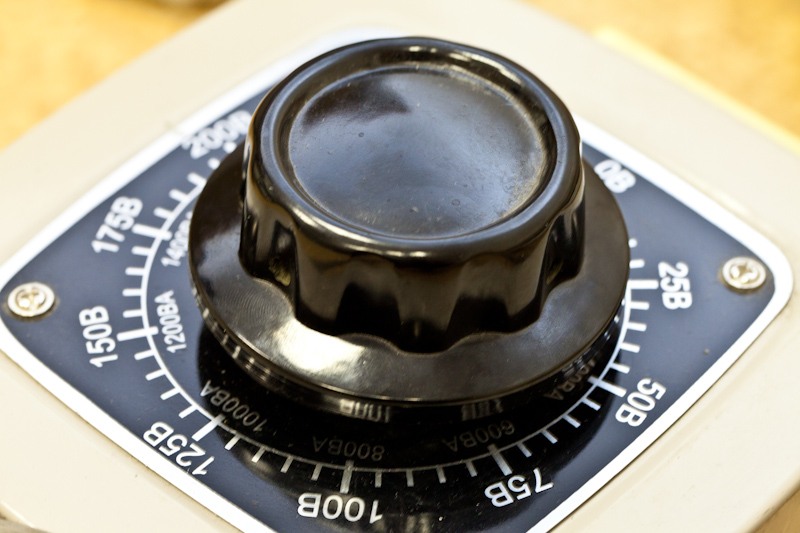
You can estimate how far the progress has gone :). The video shows how, when the voltage drops to 200 volts, the step-up transformer built into the UPS is turned on. With a further decrease in voltage, a transition to battery power occurs.
And finally, I did not deny myself the pleasure of turning the handle of the transformer from the heart. And the UPS passed this test with flying colors, timely switching the built-in transformer and switching to battery power.
The battery life when connected to a 84-watt PC was 28 minutes and 30 seconds . This is an excellent indicator, which is fully consistent with the data stated on the site. In any case, the Back-UPS Pro 550 will provide reasonable 3–7 minutes of battery life even for a powerful home computer with a voracious graphics card.
Energy saving
The APC Back-UPS Pro 550 features an interesting power-saving feature that can be attributed to today's trendy green technology. The energy-saving methods used by APC in industrial UPSs for data centers save their owners quite substantial amounts: when energy consumption is measured in megawatts, even a couple percent savings are many. At home and office, energy savings may seem penny, but in the long run, such savings will not be superfluous.
The bottom line is this: if you connect the computer to the UPS through the main outlet marked “Master”, and the printer, speakers, or something else into two dependent “Controlled by master” sockets, the uninterruptible power supply will automatically turn off the two controlled devices. In which cases? If the computer is turned off or put into "sleep mode". Everything is quite simple and provides additional convenience: you turned off the computer, the UPS automatically detected a reduction in load and turned off the power to the printer and speakers. In the test, for clarity, we connected a monitor to a dependent outlet.
The operation of the energy saving function is shown in the video. We connected a second monitor (on the right) to the dependent Controlled by Master socket and turned off the computer. The display was turned off automatically a couple of seconds after shutting down the PC. After turning on the computer, the monitor also turns on by itself.
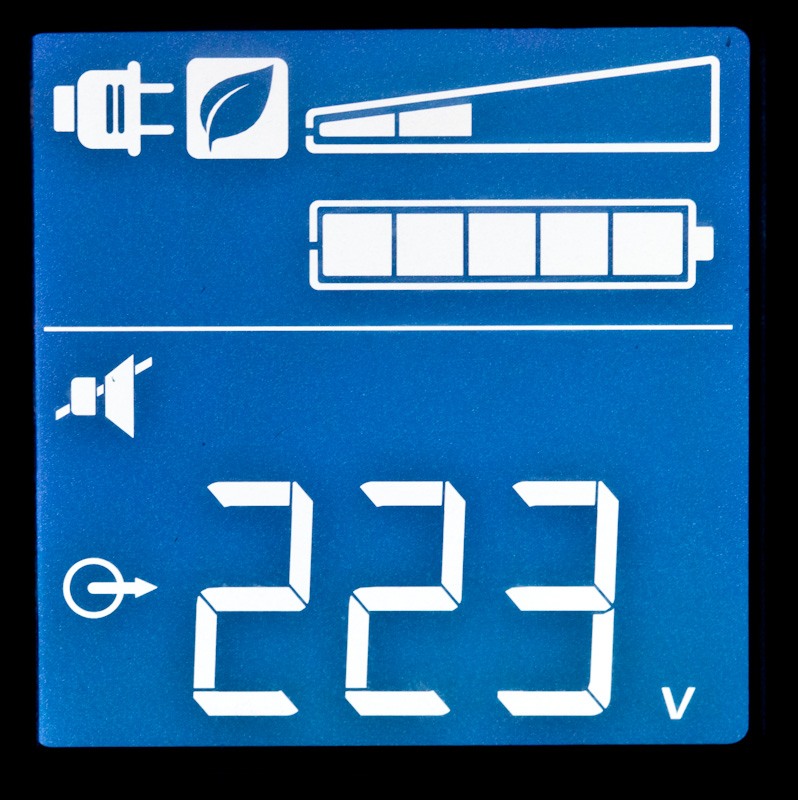
The activation of the “green” mode is indicated by a special icon with the image of a leaflet (the second icon on the upper left of the UPS display).
According to APC calculations, automatic shutdown of peripherals using UPS allows you to save up to 920 rubles annually. For ten years of operation of the device, namely, so much is the life of the UPS, it turns out not such a small amount.
In conclusion, I will provide links to Power Saving Back-UPS Pro 550 reviews in Russian IT media. This device, by the way, has received the maximum number of awards from computer magazines.
Review in Upgrade magazine (and the Editors' Choice Award in 2010)
A brief review in the annual Best of the Best ranking of PC Magazine (And the corresponding award for 2009. In 2010, by the way, APC UPS was also recognized as the best - Power Saving Back-UPS ES 700 model)
Review in ComputerBild magazine (and first place in the UPS test in 2010)
In the near future we plan to talk about other APC products by Schneider Electric - not only office UPSs, but also industrial devices power and air conditioning protection.