10 great alternatives to Adobe Photoshop
Adobe Photoshop is the dream of any designer: he has professional tools for processing photos. But the biggest obstacle is its price, often unbearable. Fortunately, there are a number of free open-source programs that implement almost everything Photoshop can do, and sometimes even more.
GIMP
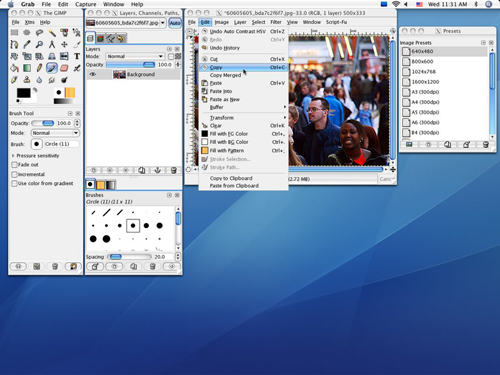
GIMP stands for “GNU image manipulation program”. This is one of the oldest and most famous Photoshop replacements. It implements most of its functions. GIMP is cross-platform and community supported.
If GIMP seems unusual, then you should pay attention to another alternative - GIMPShop . The difference between them is in the interface: it is as close as possible to Photoshop. Krita
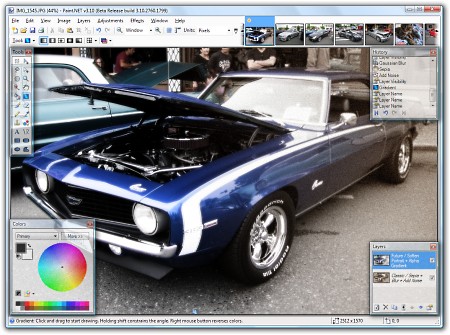
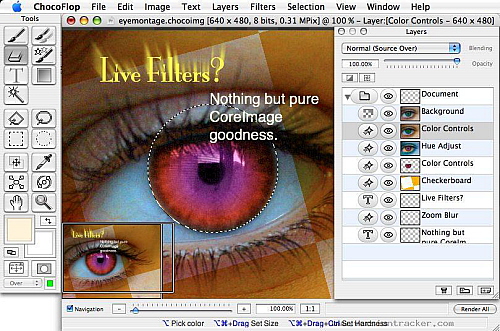
Krita is praised for ease of use, and he won the Akademy Award as the Best App of 2006. It is slightly weaker than Photoshop or GIMP, but has its own unique features. Paint.NET Paint.NET has grown from a renowned MSPaint development project into a full-fledged image editor. Paint.NET runs on Windows. ChocoFlop ChocoFlop is an application developed only for Mac and optimized for its architecture. It is fast and very functional. The editor is not free, but before the release of the stable version (currently in beta), the developers allow using it for free. Already, ChocoFlop is pretty stable. If you are one of those who are not afraid to stumble upon a mistake, then it is worth a try. Cinepaint

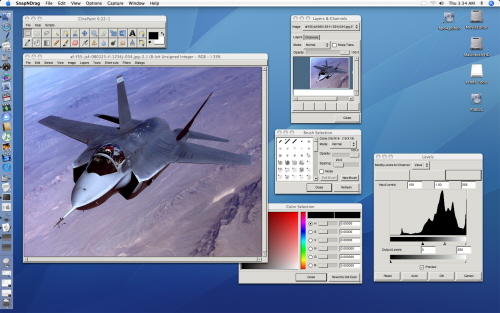
This is not only a good video editor used by large studios to create animated films, but also a powerful image editor with support for 32-bit high-definition color. There is currently no stable version for Windows. Pixia Pixia's interface was originally in Japanese, but there is also an English version. Although this editor has been sharpened for processing anime / manga, it can be used to edit any image. Although some tools are not very intuitive, there are many English tutorials online. Pixia runs on Windows. Pixen

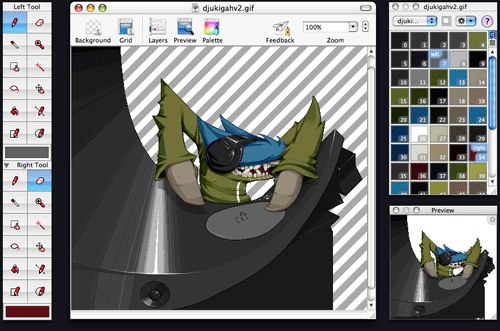
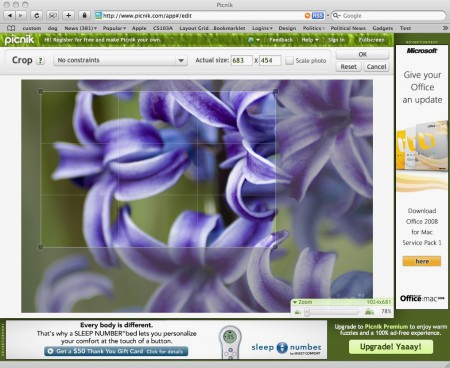
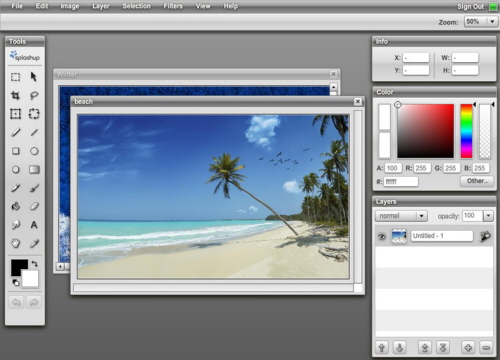
This editor was first created for the masters of pixel graphics, but it was refined to a pleasant and full-featured editor. It is definitely better suited for animation if that is your style. Pixen only works on Mac (10.4x and older) Picnik Picnik - of web-based photo editor that started to develop in the light of cooperation with Flickr. It has all the basic tools, plus advanced ones like layers and special effects. This editor is cross-platform, since it only needs a browser to work. Splashup Another web application has a powerful set of tools (including layers) and is somewhat reminiscent of Photoshop. Splashup integrates seamlessly with photo hosting and, like Picnik, cross-platform. Adobe Photoshop Express
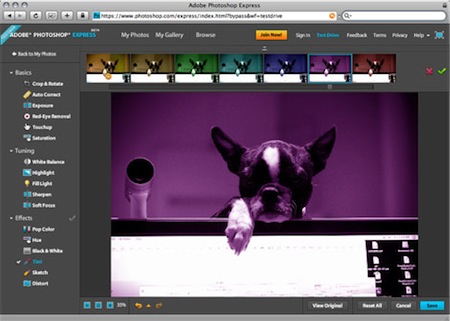
Adobe actually has a free web-based photo editor. It has the basic functionality that was expected of him, as well as a number of additional tools (but no layers). Integrated with photo hosting. And, again, completely cross-platform. (c) source
GIMP
GIMP stands for “GNU image manipulation program”. This is one of the oldest and most famous Photoshop replacements. It implements most of its functions. GIMP is cross-platform and community supported.
If GIMP seems unusual, then you should pay attention to another alternative - GIMPShop . The difference between them is in the interface: it is as close as possible to Photoshop. Krita
Krita is praised for ease of use, and he won the Akademy Award as the Best App of 2006. It is slightly weaker than Photoshop or GIMP, but has its own unique features. Paint.NET Paint.NET has grown from a renowned MSPaint development project into a full-fledged image editor. Paint.NET runs on Windows. ChocoFlop ChocoFlop is an application developed only for Mac and optimized for its architecture. It is fast and very functional. The editor is not free, but before the release of the stable version (currently in beta), the developers allow using it for free. Already, ChocoFlop is pretty stable. If you are one of those who are not afraid to stumble upon a mistake, then it is worth a try. Cinepaint
This is not only a good video editor used by large studios to create animated films, but also a powerful image editor with support for 32-bit high-definition color. There is currently no stable version for Windows. Pixia Pixia's interface was originally in Japanese, but there is also an English version. Although this editor has been sharpened for processing anime / manga, it can be used to edit any image. Although some tools are not very intuitive, there are many English tutorials online. Pixia runs on Windows. Pixen
This editor was first created for the masters of pixel graphics, but it was refined to a pleasant and full-featured editor. It is definitely better suited for animation if that is your style. Pixen only works on Mac (10.4x and older) Picnik Picnik - of web-based photo editor that started to develop in the light of cooperation with Flickr. It has all the basic tools, plus advanced ones like layers and special effects. This editor is cross-platform, since it only needs a browser to work. Splashup Another web application has a powerful set of tools (including layers) and is somewhat reminiscent of Photoshop. Splashup integrates seamlessly with photo hosting and, like Picnik, cross-platform. Adobe Photoshop Express
Adobe actually has a free web-based photo editor. It has the basic functionality that was expected of him, as well as a number of additional tools (but no layers). Integrated with photo hosting. And, again, completely cross-platform. (c) source