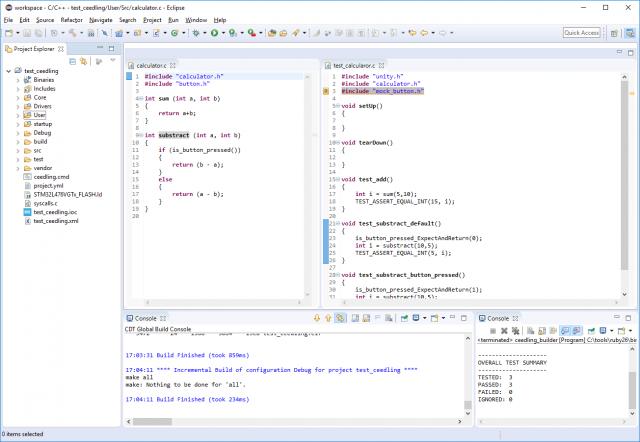
Ceedling + Eclipse or unit tests for microcontrollers

Programming microcontrollers? Read about TDD or just tired of looking for bugs and rewriting the code again?
Friend, try the tests.
This article will show how to integrate Ceedling into Eclipse / SW4STM32 so that the code goes through the tests during each build.
What prompted me to write an article?
I could not find detailed instructions, but I couldn’t follow the instructions found, due to their superficial or outdated contents (for example, ceedling is no longer run by the rake command).
The instructions for integrating ceedling into eclipse from developers are very meager and the only instruction found was paid (this was the last straw):

The instructions for integrating ceedling into eclipse from developers are very meager and the only instruction found was paid (this was the last straw):
Installation
For example, OS Windows, CubeMX and SW4STM32.
Install Chocolatey
Open PowerShell.exe and execute:
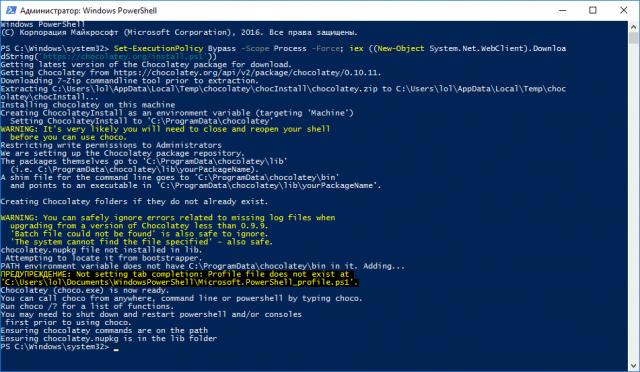
Set-ExecutionPolicy Bypass -Scope Process -Force; iex ((New-Object System.Net.WebClient).DownloadString('https://chocolatey.org/install.ps1'))Install MinGW
Open PowerShell.exe and execute:
choco install mingwInstall ruby
Open PowerShell.exe and execute:
choco install rubyInstall gem ceedling
Restarting PowerShell!
Open PowerShell.exe and execute:
Open PowerShell.exe and execute:
gem install ceedlingHealth Check
Open PowerShell.exe and execute:
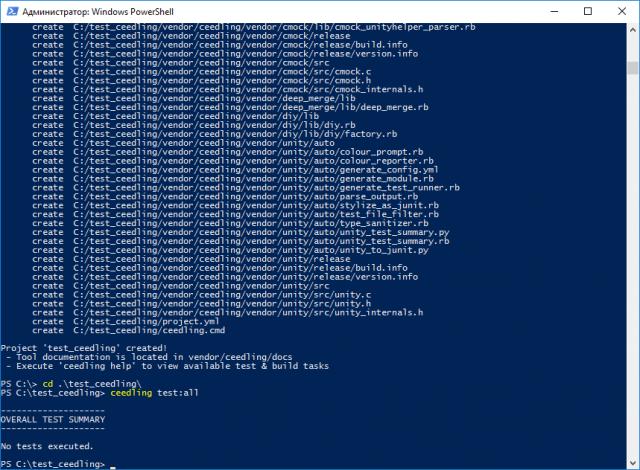
cd /ceedling new test_ceedlingcd test_ceedlingceedling test:allProject creation
Create a project using CubeMX
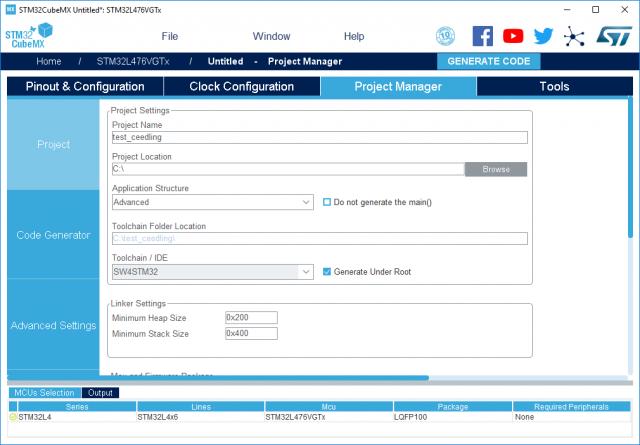
Create a project in CubeMX under toolchain / ide SW4STM32.
Run CubeMX on behalf of the administrator to create a project in the C: /
Application structere -> advanced directory (otherwise the project will not be built right away).
Run CubeMX on behalf of the administrator to create a project in the C: /
Application structere -> advanced directory (otherwise the project will not be built right away).
We initialize ceedling into the project:
cd /ceedling new test_ceedlingLet's create the following structure and c./h in the project. files, add the paths to project.yml:
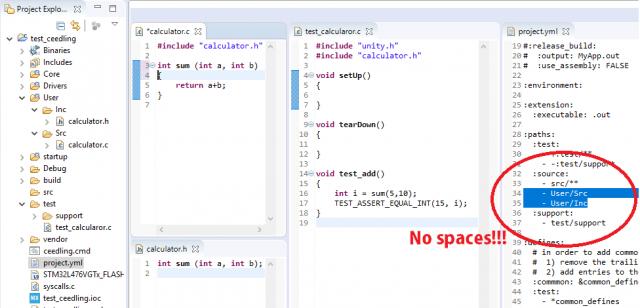
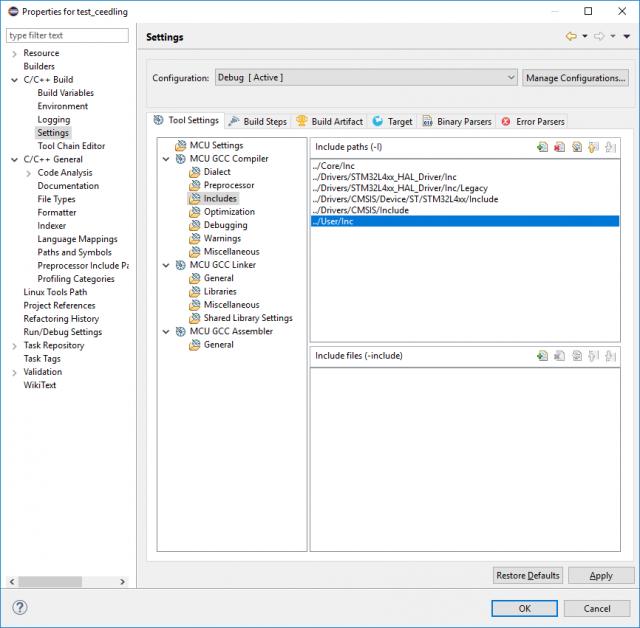
Add source location & includes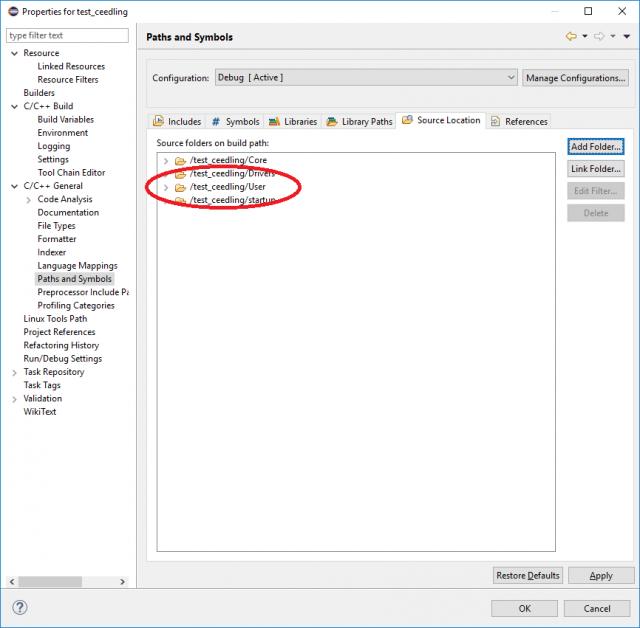
Create a new Builder:
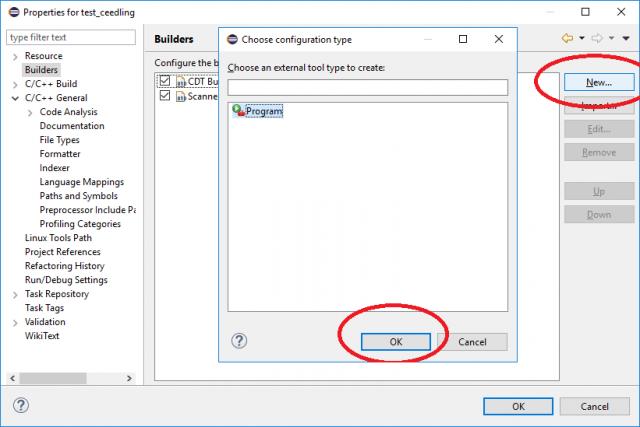
Arguments -> test: all
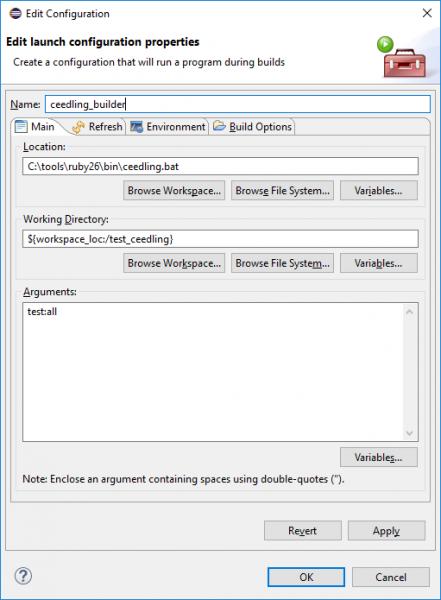
Launch
Let's create another console window for tests:
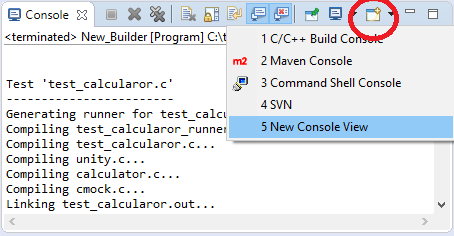
Switch it to display the results of Ceedling builder: Press
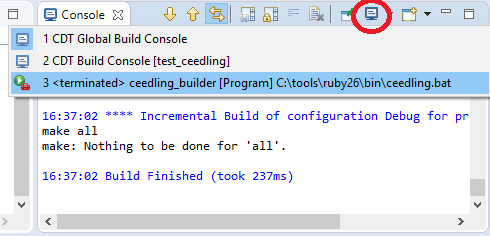
ctrl + B and see the test results in the console:
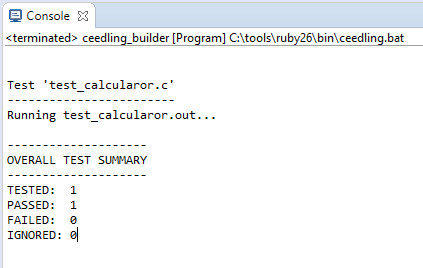
Add peripherals
Often, the result of a function depends on external components.
In addition to the test generation tool, Unity, Ceedling supports CMock, a generator of mock objects and stubs.
Imagine that our calculator when calculating the difference,
a - bif the button is pressed, it is considered differently.
b - aThen, in this case, our tests may look as follows:
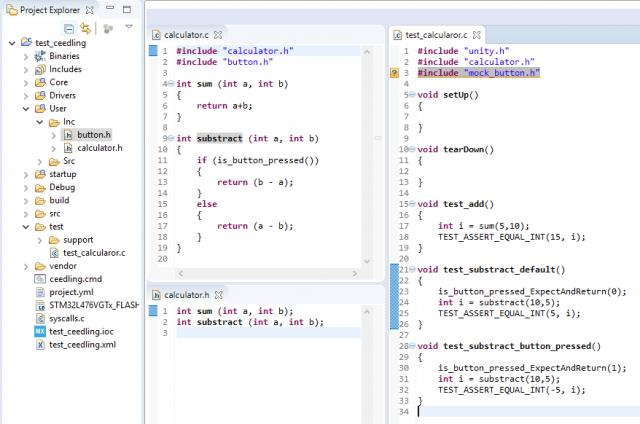
The button click verification function was declared, but not implemented (not written).
Press ctrl + B and see the test results in the console:
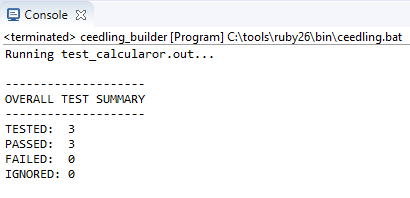
In this case, we created an imitation of a button that can be replaced by UART, SPI, I2C, etc.
Conclusion
Now, with each application assembly on the right in the corner, you can observe the result of the tests performed: