February 16, 2015 at 17:52
PC buyer's guide 2015: Motherboards, Chipsets, and Sockets
The crisis is a crisis, and the hardware should be updated sooner or later. Sometimes it’s just because productivity is not enough, and sometimes for more sad reasons: for example, something died, and buying a new processor at old prices at current prices may seem crazy - it's easier to update everything immediately and forget about this problem for a few years.
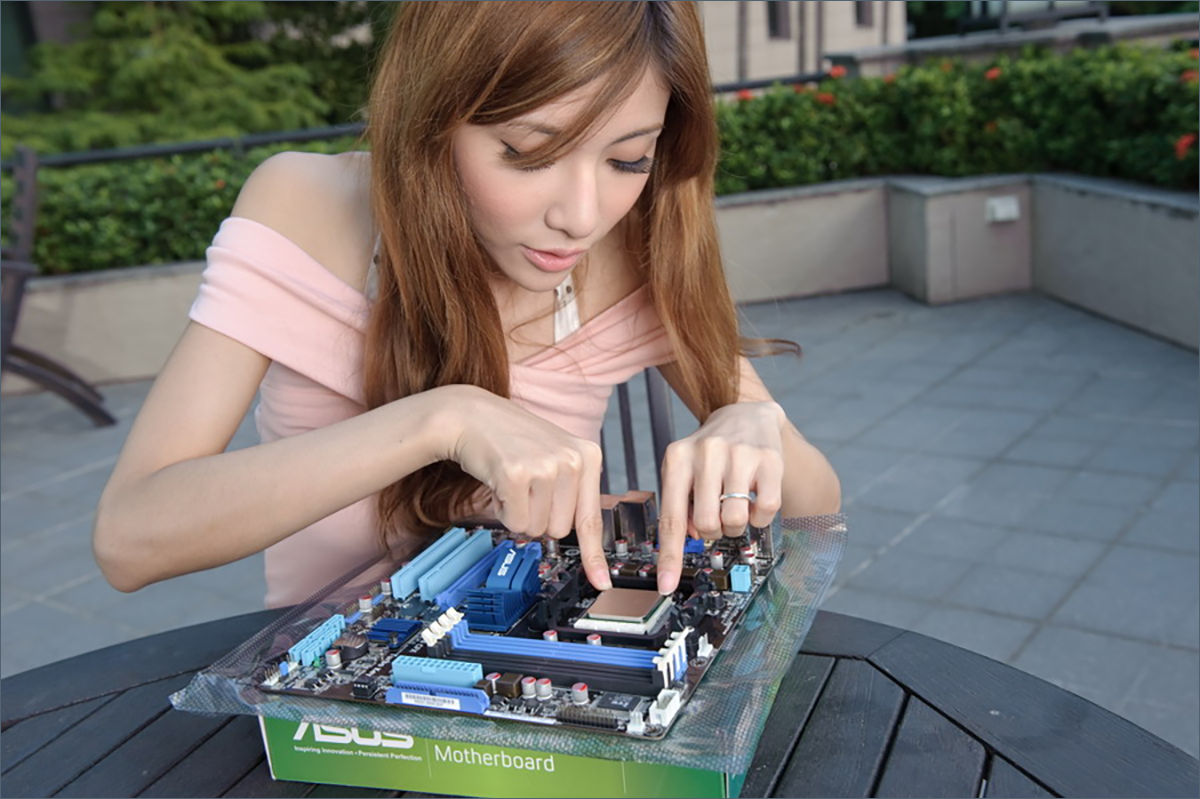
One way or another, if you do not follow the hardware every month, do not sit on specialized resources or just your destiny is software, not hard, it can be quite difficult to choose the right components. We have prepared for you a whole series of articles, thanks to which everyone will be able to more or less understand the current state of the computer parts market, and choose a new iron horse for its means and needs.
Motherboard is the basis of everything. Without it, the rest of the set of iron can be arbitrarily expensive and cool, but it won’t work. It just so happened that today there are only two processor manufacturers on the consumer market, each of which, to the best of its ability and means, is at war with our wallets: technologies, prices, and productivity.

The question is as old as the first pentium. At one time, Intel was the leader, then AMD was on the horse of performance, today the advantage in computing power is clearly on the side of blue and white. Unfortunately, they ask for a lot of money for top solutions, so comparing megahertz and megabytes at any cost is a little incorrect. Computing power can be easily divided into rubles in the price tag and get a kind of “exhaust-to-ruble”. And in the mid-price segment, the most interesting thing will begin. What is more profitable, an AMD quad-core or two dual-threaded cores, but in the form of Intel i3? Where does a reasonable price end, but an unreasonable one begins? Unfortunately, in order to answer all these questions, first you need to deal with this thing. You cannot buy a processor by yourself: you need to install it somewhere. Buying a new processor on an old "socket" is a so-so idea. Which motherboard to choose?
On the one hand, the "motherboard" is selected for the processor. On the other hand, a processor for needs and for the current generation of iron. Each of the manufacturers at the moment in the field of consumer (non-server) hardware has two relevant systems, each of which has one or several different chipsets. Now we need to figure out which area each of the possible options belongs to. We deliberately do not touch on the theme of "ancient" iron (even if it is only 5-6 years old), and we only talk about relevant and near-relevant models.
All AMD products in the field of motherboards and processors are divided into two groups: classical processors (CPUs), related motherboards based on the AM3 + chipset, and hybrid processors (APUs) plus their motherboards on the FM2 + socket. What's the Difference? In the first case, you get a processor, in the second - something similar to the heart of modern game consoles: a hybrid video card and a general-purpose central processor. There is no need to be afraid of “incompatible console hardware”: for classic OS (Windows, Linux), all this works as usual, and the application software can see the quad-core processor and video core separately. No problems.

So, AMD FM2 / FM2 +. Motherboards with this socket support as many as six sets of system logic: A55 / A58 (no longer manufactured, but there are still a lot of motherboards on them), A68H, A78 and A85X, A88X. They differ in performance and capabilities, but they have the same features in common. All of the above chipsets can work with DDR3 memory (maximum frequency 2133 MHz), support the “dual graphics” mode (more on that later), support SATA 3.0 and USB 3.0, support the expansion slot PCIe 2.0 (usually used to install discrete graphics cards).
In fact, FM2 / FM2 + is a modern and inexpensive platform for universal PCs that supports all relevant technologies. AMD AM3 +
SocketIt differs from the FM2 platform: firstly, the processors do not have integrated graphics cores, to work with such a processor, you need to connect an external video card (if the motherboard manufacturer did not distort or build something on its own, of course). Secondly, AM3 + supports the fastest AMD processors among the “desktop” line: 6- and 8-core AMD FX Black Edition.
Actual for AM3 + are AMD 970, AMD 990FX and AMD 760G chipsets. The first two are relatively modern systems for home and office computers, and the 760G is more likely a “crutch” used when a customer is extremely financially constrained or requires support for old hardware. It supports both modern technologies and a set of obsolete interfaces to ensure compatibility with memory and peripherals, which today, to put it mildly, are somewhat irrelevant.
Intel likes to break backward and forward compatibility by changing chipsets and sockets like gloves. Today, systems on the processor sockets LGA 1150 and LGA 2011-3 are relevant. The first one is very versatile, and allows you to build both cheap jobs and modest computers in terms of their capabilities, as well as powerful gaming computers and workstations. The second, rather, is needed by geeks and those who can really utilize the capabilities of iron by several kilodollars. In fact, systems on sockets 2011 and 2011-3 are "servers" in the civilian world: the only thing that the motherboard really "lost" when descending from the server segment to the consumer segment is the support of several processors on one board. If you read this article and learn a lot of new things, then with a probability of 99% of the system on the socket 2011 / 2011-3 it is not for you.

We figured out the sockets, it is time to briefly go through the current processors.
Celeron g- the line of the lowest performance CPUs. Below are only Atom 's, and even those usually come as “embedded” solutions. Pentium G is a bit better. Both Celerons and Pentiums are manufactured in a dual-core version, but lack Hyper-Threading support : so that only two streams of calculations can be performed at a time.
Next come i3 , i5 , i7 with different numbers and letters at the end. They provide at least 4 threads of computation: i3 - two cores with Hyper-Threading, i5 - the same 4 threads, but each core is already “real”, and in i7, due to hyperthreading with 4 cores, you can count on as many as 8 computational streams.
The fact is that in ordinary “consumer” tasks, the processor, basically, does not rest on the physical capabilities of folding zeros and ones, but on working with other subsystems: memory, disks, a video adapter, and waiting for input / output from the periphery. Therefore, Intel introduced technology that allows the processor to idle less and do more useful work.
For Core i3, this problem is relevant in view of its dual-core, and for i7 - due to the specifics of the application: you can get a performance increase on Core i7 compared to the top i5 only in case of really maximum computing power.
The format for writing indexes for the i-processor family is approximately the following: i5-4670K. The first digit is the generation of systems (more newer). The three-digit number after indicates the abstract performance within a given generation and brand (i3 / i5 / i7). The letter at the end is a modification of the processor. T - models with reduced frequencies and limited heat (up to 45 watts). Only needed if you are building a silent computer with passive cooling. S - instances with reduced heat (up to 65 watts). K - models with an unlocked multiplier, designed for overclocking. Without a letter - simple universal CPUs, without overclocking potential or maximum frequency limitations due to heat pack.
Almost all Intel processors (except the most high-end) have an integrated video adapter. It can be Intel HD4000, HD4400, Iris or Iris Pro, depending on the CPU model. All of them are designed for work and multimedia, but playing them with modern toys really will not work. No, of course, all sorts of “tanks” will start up at the minimum settings, and the farm in vk.com will also grow, but you can safely forget about the speedforce and other battlefields before buying a normal discrete graphics card. In this regard, the AMD A-series line is much more interesting, there is a "piece of a full-fledged video card", and it copes with 3D graphics better.
1150- amazingly flexible architecture. The socket is already “two generations” (note: it has two generations of processors), it is dearly loved by both overclocking fans and home users. Do not forget about him in the corporate segment.
Actual for the purchase of a new motherboard are the B85 , H97 and Z97 chipsets . The new processors will work with the chipsets of the previous generation (H81, H87, Z87), but their operation may require a UEFI / BIOS flashing. Unfortunately, without the available processor, with which the computer will successfully “start up”, updating the motherboard firmware is very difficult, so let's focus on the actual hardware.
For several years now, Intel has been successfully fighting the “mess” in the name of the chipsets. Now there are only four letters: B, H, Z, X and a two-digit index (though, next year it may become three-digit, but this will not change the essence). The letter in the name of the chipset means its “purpose” and capabilities:
B - the least gifted line of all. It is mainly used in low-cost computers and workstations. Opportunities for "overclocking" iron are reduced to zero, the presence of additional interfaces is also. The most correct description: nothing more. There is support for current DDR3 memory (if the manufacturer did not provide “crutches” for DDR2) , connection to hard drives, working with the network via the built-in network adapter, working with graphics integrated into the processor core, several USB ports.
Z is the exact opposite of the B series: the latest interfaces, an abundance of peripherals, ample opportunities for overclocking iron, in some models even two chips with BIOS / UEFI for the ability to restore the motherboard after extreme experiments.
H is the "younger brother" of the Z-line. It differs in the absence of overclocking potential, but in the rest it is practically inferior in nothing. In addition, it usually costs less.
X - chipsets for Socket 2011 / 2011-3.
With letters more or less sorted out. The first digit in the index (B 8 5, H 97) indicates the generation of the system. The second one is a kind of "performance index", which usually differs only in chipsets with the letter B, for the rest it is "frozen" at the maximum value for the line: 7 for H and Z, 9 for X.

Choosing a specific line of processors, motherboards for them, sets of RAM is not an easy task. To begin with, let's define needs. For convenience, we have prepared just such a matrix tablet.
Choose your use case, financial situation, and there it will be more or less visible. Some models were deliberately removed from the tablet: their purchase entails a certain responsibility, and those who really need such iron know more about it than is described in this article :)
For AMD processors, we can advise something like this:
AMD A4, AMD A6 :
Gigabyte GA-F2A , ~ 3,000 rubles. Inexpensive. Works. Three year warranty. What else do you need from an entry-level motherboard?
AMD A8, AMD A10 :
Gigabyte G1.Sniper A88X , ~ 6 900 rubles. An excellent motherboard that will allow you to squeeze out all the juices from the top models of the A-series and connect a second video card (including the Dual Graphics mode, which combines the computing capabilities of certain models built into the APU video processor and AMD video drive from AMD, more about this - in one of the following issues).
AMD FX4300, AMD FX6300 :
ASRock 970 Extreme3, ~ 5,000 rubles. Great for FX6300 models. Four-thousandths have not the most pleasant price / performance balance, but it will suit them.
AMD FX8320 / 8350 :
ASUS M5A99FX , ~ 7 800 rubles. Top solutions - the appropriate motherboard. Its price is well combined both with the price of the proposed CPU for it, and with their capabilities. It looks especially good against the background of prices of older i3 and younger i5.
If you settled on Intel, then you should pay attention to the following models, depending on the intended processor:
Celeron G / Pentium G:
In the current pricing environment, the utility of buying a Celeron G remains in question. Nevertheless, if you own such a processor or (for reasons unknown to us) your choice rested on it ...
MSI H81M-E33 , ~ 2,700 rubles, and you will have where to put it. There is a necessary minimum, it supports up to 16 GB of RAM, an external video card, in which case, you can put it. Cheap and cheerful. And there is a COM port, for some it is important.
ASRock B85M Pro4 , ~ 4 000 rubles. An excellent motherboard for Pentium G processors. Unlike a regular B85M, it has 4 slots for RAM, while it’s more expensive for two bottles of Coke. :)
Core i3 :
MSI H97 PC Mate , ~ 5,300 rubles. There is everything you need, build quality for a solid four.
Core i5 :
MSI H97 PC Mate - if the budget is running out, Gigabyte GA-H97M-D3H for ~ 5 800 rubles - if there is not enough space. ASUS H97-PRO , ~ 7,200 rubles, if you are not constrained by either finances or the size of the system unit. Excellent quality, the processor power path is well assembled, there is support for progressive PCI Express 3.0 (for the newest video cards).
Core i7 :
ASUS H97-PRO , in fact, is still on horseback. If you need a motherboard for a compact, silent system unit - you should pay attention to Gigabyte products: Gigabyte GA-H97M-D3HSupports all modern processors, and do not be bothered by its price. Acceleration lovers do not need this guide, but those who assemble their computer for the first or second time will have enough of its capabilities.
The article deliberately omitted some models of processors, chipsets, motherboards and other hardware: if you did not know about them before, then you should not bother yourself with any stupidity. And if you did, you'll soon forget. :)
We will definitely continue our series of articles: we will talk more about processors and their performance, compare “exhaust-to-ruble” on the most popular models, and talk about video cards and their capabilities. Do not forget about the RAM and, of course, discuss such an important thing as power supplies. Stay in touch, and together we will surely collect something beautiful!

Previous article from the PC Buyer's guide 2015
series : "I twist and twist, I want to confuse. We understand the lines of HDD
One way or another, if you do not follow the hardware every month, do not sit on specialized resources or just your destiny is software, not hard, it can be quite difficult to choose the right components. We have prepared for you a whole series of articles, thanks to which everyone will be able to more or less understand the current state of the computer parts market, and choose a new iron horse for its means and needs.
motherboards
Motherboard is the basis of everything. Without it, the rest of the set of iron can be arbitrarily expensive and cool, but it won’t work. It just so happened that today there are only two processor manufacturers on the consumer market, each of which, to the best of its ability and means, is at war with our wallets: technologies, prices, and productivity.
AMD vs Intel
The question is as old as the first pentium. At one time, Intel was the leader, then AMD was on the horse of performance, today the advantage in computing power is clearly on the side of blue and white. Unfortunately, they ask for a lot of money for top solutions, so comparing megahertz and megabytes at any cost is a little incorrect. Computing power can be easily divided into rubles in the price tag and get a kind of “exhaust-to-ruble”. And in the mid-price segment, the most interesting thing will begin. What is more profitable, an AMD quad-core or two dual-threaded cores, but in the form of Intel i3? Where does a reasonable price end, but an unreasonable one begins? Unfortunately, in order to answer all these questions, first you need to deal with this thing. You cannot buy a processor by yourself: you need to install it somewhere. Buying a new processor on an old "socket" is a so-so idea. Which motherboard to choose?
End justifies the means
On the one hand, the "motherboard" is selected for the processor. On the other hand, a processor for needs and for the current generation of iron. Each of the manufacturers at the moment in the field of consumer (non-server) hardware has two relevant systems, each of which has one or several different chipsets. Now we need to figure out which area each of the possible options belongs to. We deliberately do not touch on the theme of "ancient" iron (even if it is only 5-6 years old), and we only talk about relevant and near-relevant models.
AMD
All AMD products in the field of motherboards and processors are divided into two groups: classical processors (CPUs), related motherboards based on the AM3 + chipset, and hybrid processors (APUs) plus their motherboards on the FM2 + socket. What's the Difference? In the first case, you get a processor, in the second - something similar to the heart of modern game consoles: a hybrid video card and a general-purpose central processor. There is no need to be afraid of “incompatible console hardware”: for classic OS (Windows, Linux), all this works as usual, and the application software can see the quad-core processor and video core separately. No problems.
So, AMD FM2 / FM2 +. Motherboards with this socket support as many as six sets of system logic: A55 / A58 (no longer manufactured, but there are still a lot of motherboards on them), A68H, A78 and A85X, A88X. They differ in performance and capabilities, but they have the same features in common. All of the above chipsets can work with DDR3 memory (maximum frequency 2133 MHz), support the “dual graphics” mode (more on that later), support SATA 3.0 and USB 3.0, support the expansion slot PCIe 2.0 (usually used to install discrete graphics cards).
In fact, FM2 / FM2 + is a modern and inexpensive platform for universal PCs that supports all relevant technologies. AMD AM3 +
SocketIt differs from the FM2 platform: firstly, the processors do not have integrated graphics cores, to work with such a processor, you need to connect an external video card (if the motherboard manufacturer did not distort or build something on its own, of course). Secondly, AM3 + supports the fastest AMD processors among the “desktop” line: 6- and 8-core AMD FX Black Edition.
Actual for AM3 + are AMD 970, AMD 990FX and AMD 760G chipsets. The first two are relatively modern systems for home and office computers, and the 760G is more likely a “crutch” used when a customer is extremely financially constrained or requires support for old hardware. It supports both modern technologies and a set of obsolete interfaces to ensure compatibility with memory and peripherals, which today, to put it mildly, are somewhat irrelevant.
Intel
Intel likes to break backward and forward compatibility by changing chipsets and sockets like gloves. Today, systems on the processor sockets LGA 1150 and LGA 2011-3 are relevant. The first one is very versatile, and allows you to build both cheap jobs and modest computers in terms of their capabilities, as well as powerful gaming computers and workstations. The second, rather, is needed by geeks and those who can really utilize the capabilities of iron by several kilodollars. In fact, systems on sockets 2011 and 2011-3 are "servers" in the civilian world: the only thing that the motherboard really "lost" when descending from the server segment to the consumer segment is the support of several processors on one board. If you read this article and learn a lot of new things, then with a probability of 99% of the system on the socket 2011 / 2011-3 it is not for you.
We figured out the sockets, it is time to briefly go through the current processors.
Celeron g- the line of the lowest performance CPUs. Below are only Atom 's, and even those usually come as “embedded” solutions. Pentium G is a bit better. Both Celerons and Pentiums are manufactured in a dual-core version, but lack Hyper-Threading support : so that only two streams of calculations can be performed at a time.
Next come i3 , i5 , i7 with different numbers and letters at the end. They provide at least 4 threads of computation: i3 - two cores with Hyper-Threading, i5 - the same 4 threads, but each core is already “real”, and in i7, due to hyperthreading with 4 cores, you can count on as many as 8 computational streams.
The fact is that in ordinary “consumer” tasks, the processor, basically, does not rest on the physical capabilities of folding zeros and ones, but on working with other subsystems: memory, disks, a video adapter, and waiting for input / output from the periphery. Therefore, Intel introduced technology that allows the processor to idle less and do more useful work.
For Core i3, this problem is relevant in view of its dual-core, and for i7 - due to the specifics of the application: you can get a performance increase on Core i7 compared to the top i5 only in case of really maximum computing power.
The format for writing indexes for the i-processor family is approximately the following: i5-4670K. The first digit is the generation of systems (more newer). The three-digit number after indicates the abstract performance within a given generation and brand (i3 / i5 / i7). The letter at the end is a modification of the processor. T - models with reduced frequencies and limited heat (up to 45 watts). Only needed if you are building a silent computer with passive cooling. S - instances with reduced heat (up to 65 watts). K - models with an unlocked multiplier, designed for overclocking. Without a letter - simple universal CPUs, without overclocking potential or maximum frequency limitations due to heat pack.
Almost all Intel processors (except the most high-end) have an integrated video adapter. It can be Intel HD4000, HD4400, Iris or Iris Pro, depending on the CPU model. All of them are designed for work and multimedia, but playing them with modern toys really will not work. No, of course, all sorts of “tanks” will start up at the minimum settings, and the farm in vk.com will also grow, but you can safely forget about the speedforce and other battlefields before buying a normal discrete graphics card. In this regard, the AMD A-series line is much more interesting, there is a "piece of a full-fledged video card", and it copes with 3D graphics better.
1150- amazingly flexible architecture. The socket is already “two generations” (note: it has two generations of processors), it is dearly loved by both overclocking fans and home users. Do not forget about him in the corporate segment.
Actual for the purchase of a new motherboard are the B85 , H97 and Z97 chipsets . The new processors will work with the chipsets of the previous generation (H81, H87, Z87), but their operation may require a UEFI / BIOS flashing. Unfortunately, without the available processor, with which the computer will successfully “start up”, updating the motherboard firmware is very difficult, so let's focus on the actual hardware.
For several years now, Intel has been successfully fighting the “mess” in the name of the chipsets. Now there are only four letters: B, H, Z, X and a two-digit index (though, next year it may become three-digit, but this will not change the essence). The letter in the name of the chipset means its “purpose” and capabilities:
B - the least gifted line of all. It is mainly used in low-cost computers and workstations. Opportunities for "overclocking" iron are reduced to zero, the presence of additional interfaces is also. The most correct description: nothing more. There is support for current DDR3 memory (if the manufacturer did not provide “crutches” for DDR2) , connection to hard drives, working with the network via the built-in network adapter, working with graphics integrated into the processor core, several USB ports.
Z is the exact opposite of the B series: the latest interfaces, an abundance of peripherals, ample opportunities for overclocking iron, in some models even two chips with BIOS / UEFI for the ability to restore the motherboard after extreme experiments.
H is the "younger brother" of the Z-line. It differs in the absence of overclocking potential, but in the rest it is practically inferior in nothing. In addition, it usually costs less.
X - chipsets for Socket 2011 / 2011-3.
With letters more or less sorted out. The first digit in the index (B 8 5, H 97) indicates the generation of the system. The second one is a kind of "performance index", which usually differs only in chipsets with the letter B, for the rest it is "frozen" at the maximum value for the line: 7 for H and Z, 9 for X.
What to choose if ...
Choosing a specific line of processors, motherboards for them, sets of RAM is not an easy task. To begin with, let's define needs. For convenience, we have prepared just such a matrix tablet.
Choose your use case, financial situation, and there it will be more or less visible. Some models were deliberately removed from the tablet: their purchase entails a certain responsibility, and those who really need such iron know more about it than is described in this article :)
| Economically | Inexpensive | Is reasonable | Spit on the crisis | |
| A universal solution for the home: work with documents, web browsing, watching videos, simple toys. | AMD A4, A6 | AMD A8, AMD FX4300 | AMD A10, AMD FX6300 | Core i5 |
| Workhorse: web development, layout, vector graphics. | AMD A8, Pentium G | AMD A10, Core i3 | AMD A10, Core i3 | AMD FX-8300, Core i5 |
| Workstation: programming, work with graphics and photographs. | AMD A10, Core i3 | AMD FX-8300, Core i5 | AMD FX-8300, Core i5 | Core i7 |
| Gaming PC | AMD A8, AMD FX4300 | AMD A10, AMD FX6300, Core i3 | AMD FX-8300, Core i5 | Core i7 |
| Silent high-performance computer | Core i3-t | Core i5-t | Core i5-t | Core i7-t |
Recommended Motherboards
For AMD processors, we can advise something like this:
AMD A4, AMD A6 :
Gigabyte GA-F2A , ~ 3,000 rubles. Inexpensive. Works. Three year warranty. What else do you need from an entry-level motherboard?
AMD A8, AMD A10 :
Gigabyte G1.Sniper A88X , ~ 6 900 rubles. An excellent motherboard that will allow you to squeeze out all the juices from the top models of the A-series and connect a second video card (including the Dual Graphics mode, which combines the computing capabilities of certain models built into the APU video processor and AMD video drive from AMD, more about this - in one of the following issues).
AMD FX4300, AMD FX6300 :
ASRock 970 Extreme3, ~ 5,000 rubles. Great for FX6300 models. Four-thousandths have not the most pleasant price / performance balance, but it will suit them.
AMD FX8320 / 8350 :
ASUS M5A99FX , ~ 7 800 rubles. Top solutions - the appropriate motherboard. Its price is well combined both with the price of the proposed CPU for it, and with their capabilities. It looks especially good against the background of prices of older i3 and younger i5.
If you settled on Intel, then you should pay attention to the following models, depending on the intended processor:
Celeron G / Pentium G:
In the current pricing environment, the utility of buying a Celeron G remains in question. Nevertheless, if you own such a processor or (for reasons unknown to us) your choice rested on it ...
MSI H81M-E33 , ~ 2,700 rubles, and you will have where to put it. There is a necessary minimum, it supports up to 16 GB of RAM, an external video card, in which case, you can put it. Cheap and cheerful. And there is a COM port, for some it is important.
ASRock B85M Pro4 , ~ 4 000 rubles. An excellent motherboard for Pentium G processors. Unlike a regular B85M, it has 4 slots for RAM, while it’s more expensive for two bottles of Coke. :)
Core i3 :
MSI H97 PC Mate , ~ 5,300 rubles. There is everything you need, build quality for a solid four.
Core i5 :
MSI H97 PC Mate - if the budget is running out, Gigabyte GA-H97M-D3H for ~ 5 800 rubles - if there is not enough space. ASUS H97-PRO , ~ 7,200 rubles, if you are not constrained by either finances or the size of the system unit. Excellent quality, the processor power path is well assembled, there is support for progressive PCI Express 3.0 (for the newest video cards).
Core i7 :
ASUS H97-PRO , in fact, is still on horseback. If you need a motherboard for a compact, silent system unit - you should pay attention to Gigabyte products: Gigabyte GA-H97M-D3HSupports all modern processors, and do not be bothered by its price. Acceleration lovers do not need this guide, but those who assemble their computer for the first or second time will have enough of its capabilities.
Instead of a conclusion
The article deliberately omitted some models of processors, chipsets, motherboards and other hardware: if you did not know about them before, then you should not bother yourself with any stupidity. And if you did, you'll soon forget. :)
We will definitely continue our series of articles: we will talk more about processors and their performance, compare “exhaust-to-ruble” on the most popular models, and talk about video cards and their capabilities. Do not forget about the RAM and, of course, discuss such an important thing as power supplies. Stay in touch, and together we will surely collect something beautiful!
Previous article from the PC Buyer's guide 2015
series : "I twist and twist, I want to confuse. We understand the lines of HDD