November 1, 2017 at 11:04
Introducing loghouse, an open source logging system for Kubernetes
Serving many Kubernetes installations in projects of various sizes, we are faced with the problem of collecting and viewing logs from all containers in the cluster. Having studied the available solutions, we came to the need to create a new one - reasonable in the consumption of resources and disk space, as well as offering a convenient interface for viewing logs in real time with the possibility of filtering them according to the necessary criteria.
So the loghouse project was born , and I am pleased to present its alpha version to DevOps engineers and system administrators who are familiar with the indicated problems.
The loghouse was based on the wonderful open-source column database system ClickHouse , for which special thanks to colleagues from Yandex.As you might guess, the same circumstance became the reason for the name of the new project. ClickHouse's focus on Big Data and the corresponding optimizations in performance and data storage approach are vital for the Kubernetes log collector that we needed.
Another important component of the current loghouse implementation is fluentd - an Open Source project with the CNCF foundation, which, providing good performance (10 thousand records per second with 300 MB in memory) , helps in collecting and processing logs, as well as their subsequent sending to ClickHouse .
Finally, since the solution is focused on Kubernetes, it uses its basic mechanisms to integrate various loghouse components into a single system that can be easily and quickly deployed to a cluster.
Opportunities
- Efficient log collection and storage in Kubernetes. Fluentd has already been written about, but here are examples of the place occupied by the logs in ClickHouse: 3.7 million records - 1.2 GB, 300 million - 13 GB, 5.35 billion - 54 GB.
- Support for logs in JSON format .
- A simple query language for selecting records with matching keys with specific values and regular expressions, supporting many conditions via AND / OR.
- Ability to select records for additional container data from the Kubernetes API (namespace, labels, etc.).
- A simple deployment to Kubernetes using ready-made Dockerfile and Helm charts.
How it works?
The Russian-language project documentation explains the essence:

On each cluster node, Kubernetes is installed under with fluentd to collect logs. Technically, for this, a DaemonSet is created in Kubernetes , which has tolerations for all possible taints and falls on all nodes of the cluster. Directories with logs from all host systems are mounted in fluentd pods from this DaemonSet , where the fluentd service "monitors" them. For all Docker container logs , the kubernetes_metadata filter is applied , which collects additional information about containers from the Kubernetes API. After that, the data is converted using the record_modifier filter .. After data conversion, they get into the fluentd output plugin, which calls the clickhouse-client console utility located in the container with fluentd to write data to ClickHouse.
An important architectural note is that it currently supports writing to the only instance of the ClickHouse DBMS - Deployment , which by default gets to a random K8s node. You can select a specific node for its placement using nodeSelector and tolerations . In the future, we plan to implement other installation options (with ClickHouse instances on each cluster node and as a ClickHouse cluster).
Web interface
The custom part of the loghouse, which we call loghouse-dashboard, consists of two components:
- frontend - nginx with basic authorization (used to differentiate user rights);
- backend is a Ruby application where you can view logs from ClickHouse.
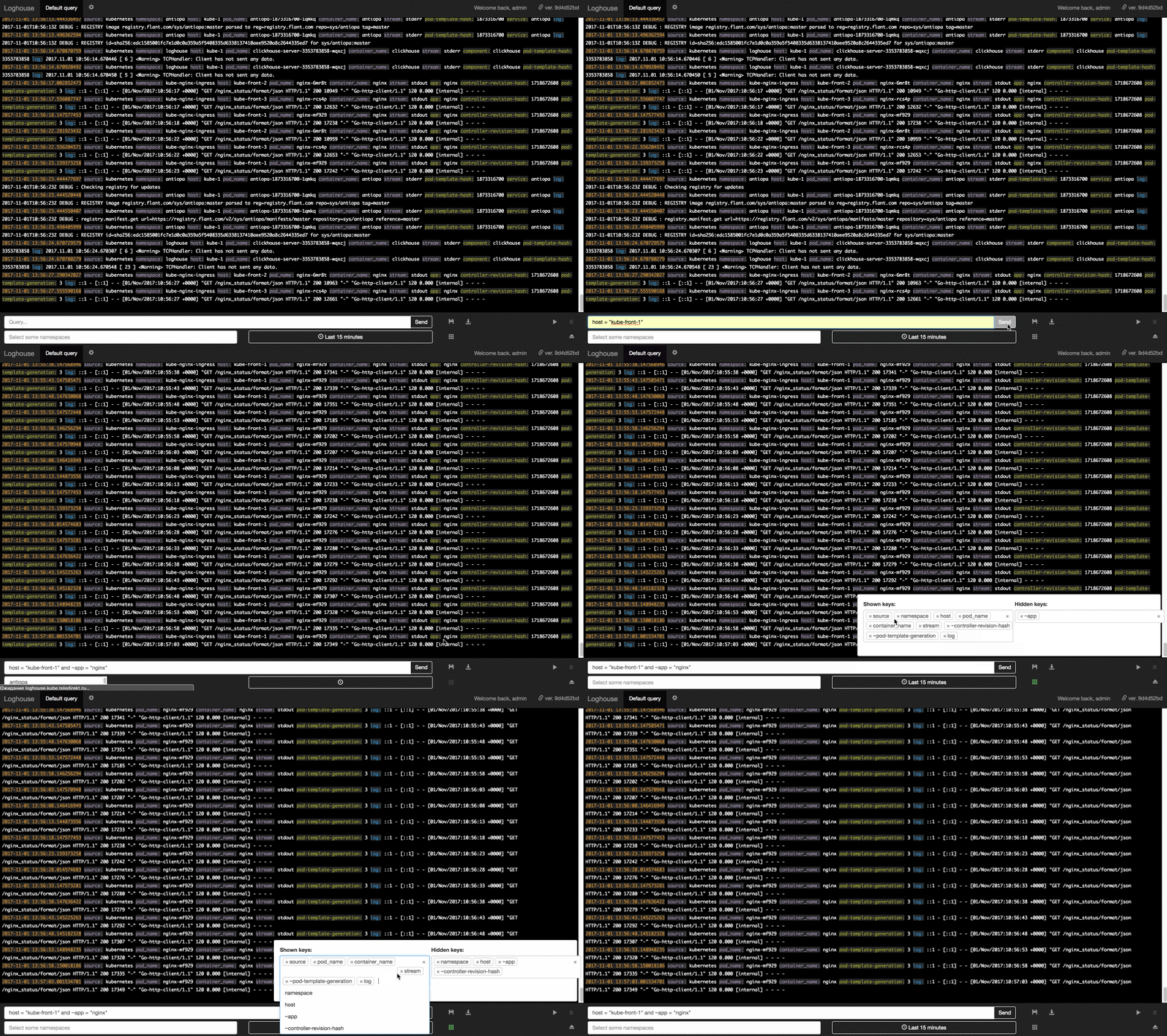
The interface is designed in the style of Papertrail:

A small video with the interface in action can be viewed here (3 MB Gif).
Among the available features are the choice of the period (for the specified “from and to” or the last hour, day, etc.), endless scrolling of records, saving arbitrary queries, restricting access to users for the specified Kubernetes namespaces, exporting the results of the current query to CSV.
Installation and use
The official status is the alpha version , and we ourselves use loghouse in production for the second month. To install loghouse, you will need Helm in the simplest case:
# helm repo add loghouse https://flant.github.io/loghouse/charts/
# helm fetch loghouse/loghouse --untar
# vim loghouse/values.yaml
# helm install -n loghouse loghouse
(See the documentation for more details .)
After installation, the web interface will be raised, accessible at the
values.yamladdress ( loghouse_host) specified in the config with basic authentication in accordance with the parameter authfrom the same one values.yaml.Development plan
Among the planned improvements to the loghouse:
- additional installation options: ClickHouse instances on each node, ClickHouse cluster;
- support for parentheses in the query language;
- uploading data to other formats (JSON, TSV) and in compressed form;
- unloading archives with logs in S3;
- Web front end migration to AngularJS
- Go backend migration to Go
- console interface;
- ...
A more detailed plan will appear in the near future in the form of issues on the GitHub project.
Conclusion
The source code for loghouse is published on GitHub under the free Apache License 2.0. As in the case of dapp , we invite DevOps engineers and Open Source enthusiasts to participate in the project - especially since he is still very young and therefore doubly needs an “active” outside view. Ask questions (you can right here in the comments) , point out problems , suggest improvements . Thanks for attention!
PS
Read also in our blog:
- “We officially represent dapp - DevOps-utility for supporting CI / CD ”;
- “ We assemble Docker images for CI / CD quickly and conveniently with dapp (review and video) ”;
- " Our experience with Kubernetes in small projects " (video report, which includes an introduction to the Kubernetes technical device).