
 April 20, 2017 at 10:03
ESP8266 as MQTT broker for mobile application
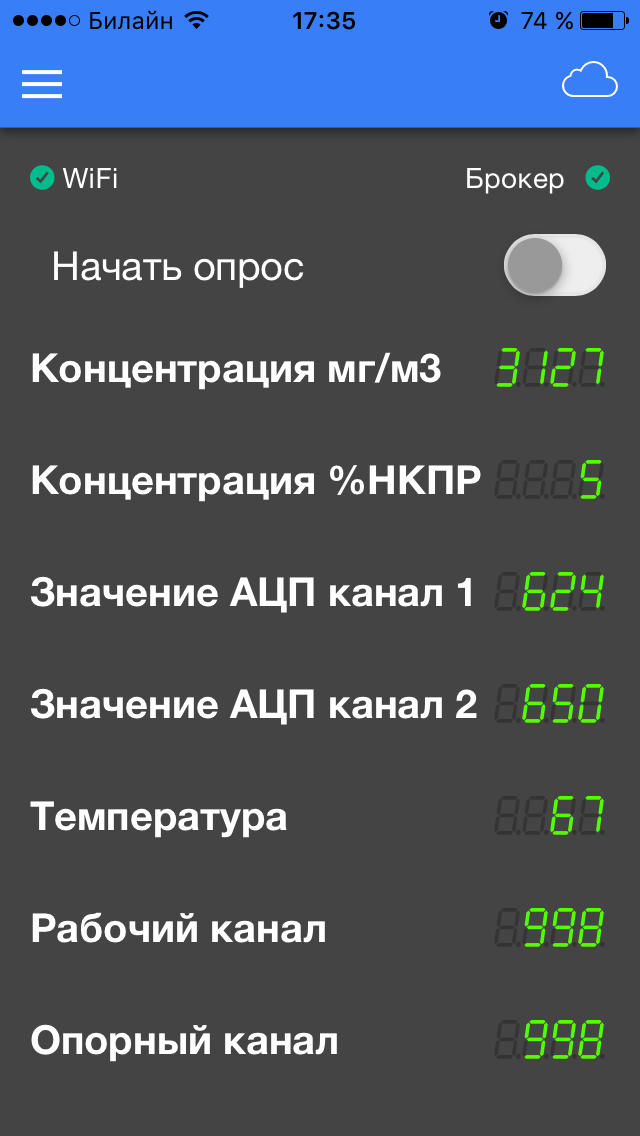 As they say, laziness is the engine of progress. To make life easier, I’m making myself a small device in the form of an ESP8266 module and an RS485 converter for communicating with gas sensors using the Modbus protocol. In production, there is constantly a need to connect to devices to perform various kinds of diagnostics via the 485 interface, but it is inconvenient to carry a laptop with you every time, but the mobile phone is always in your pocket.
 In the process of development, we got a library that allows you to connect directly from the phone to the module and exchange data through the MQTT client application. Perhaps this solution is also useful to someone, because there is no need to have a third-party MQTT broker (whether it is a local broker on Raspberry or a broker on the Internet) and an Internet connection, which is the most important thing in my case.
Application for the phone
As an application, I chose IoTmanager. The main feature is a very flexible widget customization using HTML5 + CSS, all settings are made in devices, not in the application. Topics are sent in JSON format and contain header names, values, and display styles. Perhaps it will be inconvenient for someone, but I liked this approach.
The application can run on two MQTT libraries: Paho.js and MQTT.js. Immediately, I managed to establish a WebSocket connection through the Paho library, and I remained working on it. If you select MQTT in the settings, the connection does not occur, I suspect that you need to dig into the WebSocketServer library.
I despised Arduino for a long time, but still gave up
I don’t want to raise a discussion about the choice of environment, I’ll just say that for me an important role in choosing the Arduino IDE for writing ESP8266 firmware was played by the availability of tons of ready-made libraries and documentation. Everything is simple and fast, the benefit of the project promises to be not complicated.
Offtopic
Believe it or not, even rockets fly into space with microcontrollers programmed in the Arduino environment. The decisive role is often played by the speed of development - plugging ready-made libraries into the path.
Open Source is our all
GitHub Repository . The library is still damp, in some cases, widget settings cause IoTmanager reconnect, the reason for which I can’t find yet, maybe joint development will go faster.
The project contains two library implementations:
MQTTbroker.h is an attempt to implement a real broker with subscription control. That is, when a message arrives in the topic, the broker goes through all clients and their subscriptions and looks for matches (including masks / + /) and sends messages only to those whose subscriptions match the topic name, not forgetting about himself.
MQTTbroker_lite.hIt works a little faster due to the fact that it lacks automatic logic for processing subscriptions. All incoming messages are redirected to the callback function of the main program, and there, if necessary, we process them ourselves. For my particular case, I need just such an implementation: one device - one connected client, I know what it is signed for and what it expects from me.
An example of work

 We take any module with ESP8266 (I have this NodeMcu) and load an example sketch from the library into it. I suggest disabling the port for debugging in Arduino IDE tools, otherwise the library will send a bunch of debugging messages, then look at them. Open the serial port and observe the IP address.
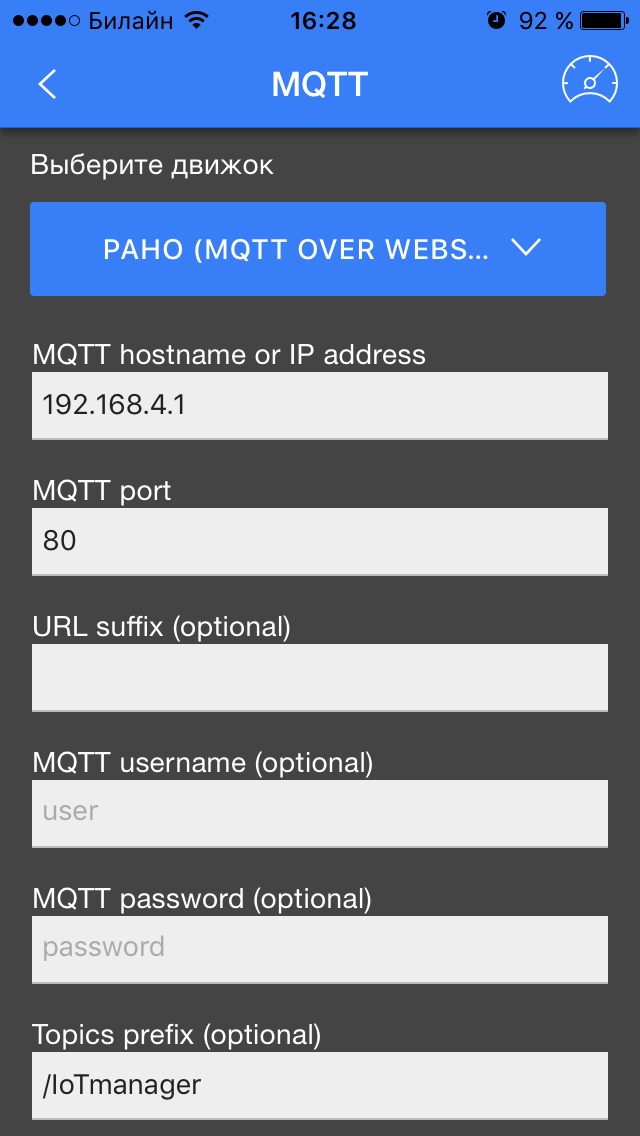
On the phone, we connect to the created Wi-Fi access point. In the IoTmanager application, go to the connection settings: select the PAHO engine, drive the module IP address, port 80, the topic / IoTmanager prefix and disable SSL / TLS a little lower.
Click on the speedometer in the corner, after a short delay it should connect and display the switches. If it doesn’t connect, try to kill and restart the application. On the first switch, I have an LED configured (see video).
Sometimes there is a delay when connecting. I think this is due to the fact that IoTmanager issues all the initial messages at a time, ESP hangs a little, processing them, and then it works without brakes.
Short description
Both parts of the library are very similar, I will give a description of the _lite version:
typedef void(*callback_t)(uint8_t num, Events_t event , String topic_name, uint8_t * payload, uint8_t length_payload); //функция callback'a должна иметь такой вид
MQTTbroker_lite(WebSocketsServer * webSocket); //конструктору класса передаем указатель на WebSocket
void setCallback(callback_t cb); //установка функции callback'a
void begin(void); //начальная инициализация (обнуление массивов)
void parsing(uint8_t num, uint8_t * payload, uint8_t length); //парсинг пришедшего в WS сообщения
void publish(uint8_t num, String topic, uint8_t* payload, uint8_t length); //публикация сообщения клиенту num
void disconnect(uint8_t num); //отключение клиента
bool clientIsConnected(uint8_t num); //проверка клиента на соединение
Video demonstration
Thanks for attention. Join the development, the library is still damp.
You can contact Telegram oWart for help.
Links:
1. GitHub project
2. Description of IoTmanager widgets
3. Protocol specification MQTT v.3.1.1