
Hibernate for beginners
I encountered (and not only me) the problem of deploying Hibernate and decided to try to cover this topic. Hibernate is a popular framework whose goal is to link OOP and relational database. Working with Hibernate will reduce project development time compared to regular jdbc.
Setting up a framework is often a hassle for a programming novice. Helping the community cover basic issues will help beginners learn programming languages faster. This article is intended only for beginners in Java who are the first to deploy hibernate. I deployed hibernate based on a licensed IDEA.
Maven framework for automating the assembly of a POM-based project, which allows you to connect dependencies from the Internet without downloading libraries to the project. POM (project object model) - a declarative description of the project. Copy the name of the libraries in xml format from mvnrepository.com .
First, create the maven project structure:
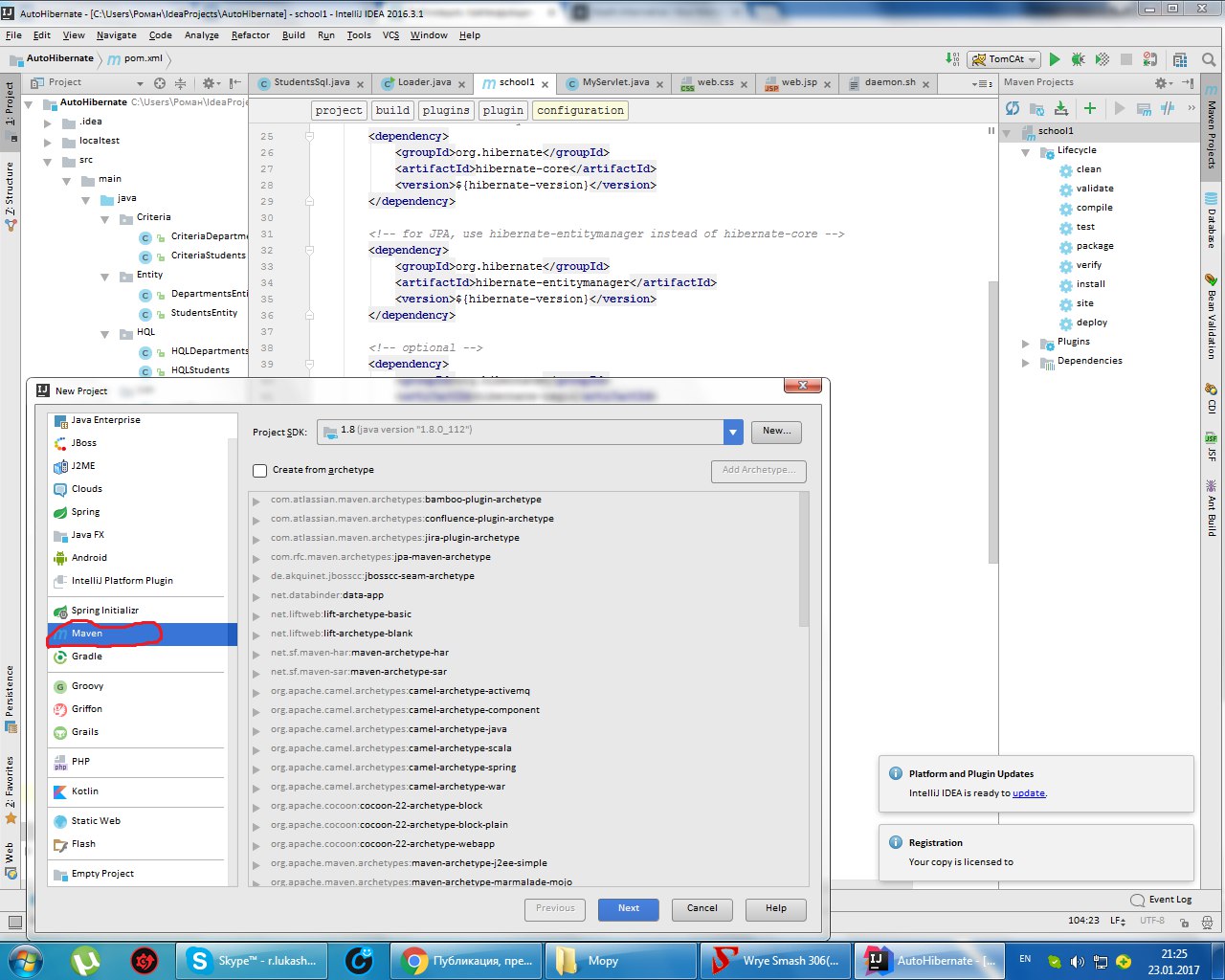
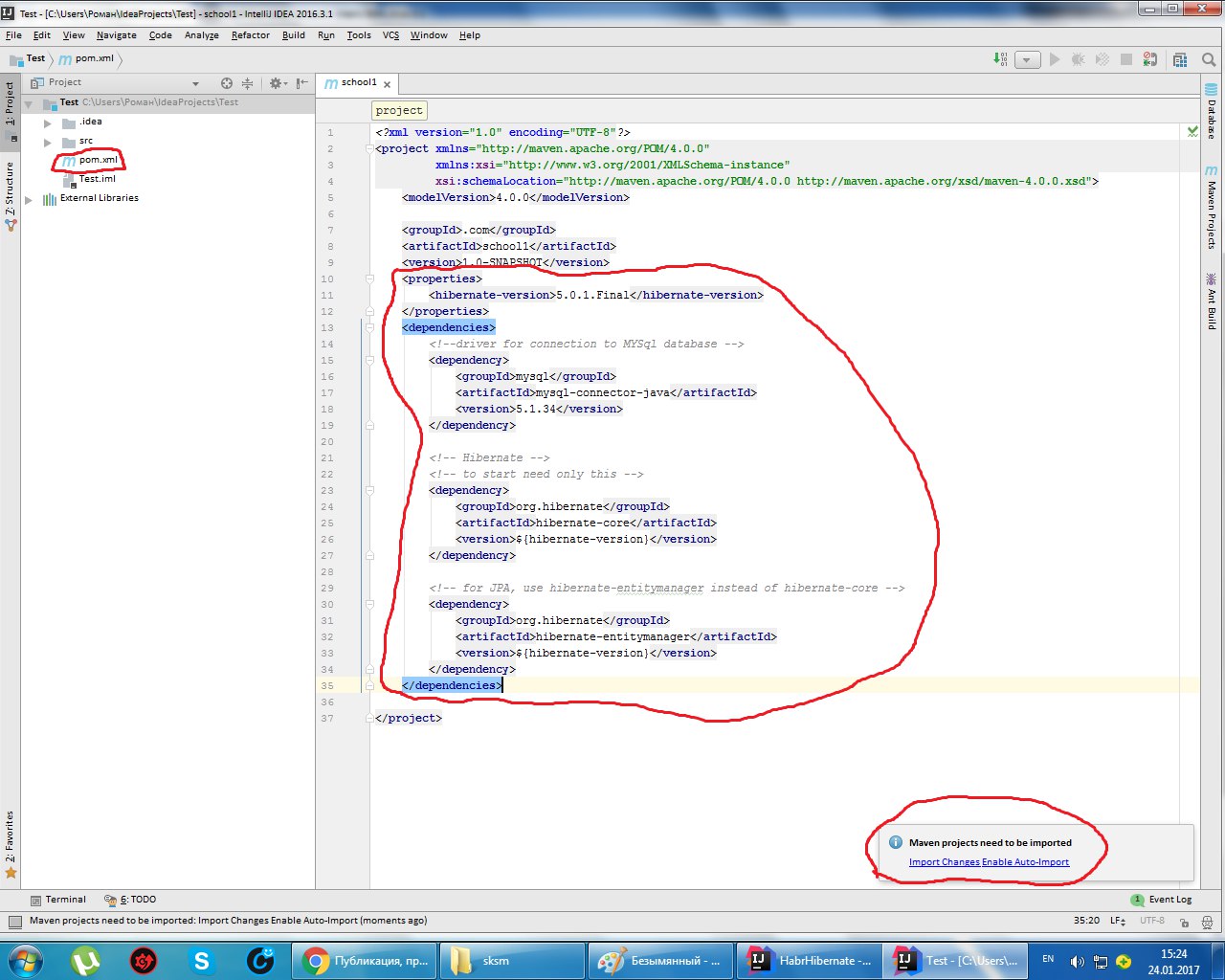
Then insert it into pom.xml. We will need two dependencies: hibernate-core and mysql-connector, but if you want more functionality, you must connect more dependencies.
There are standard guidelines for connecting dependencies individually, but I do not.
And click on Import Changes Enable Auto-Import, automatically importing the changes.
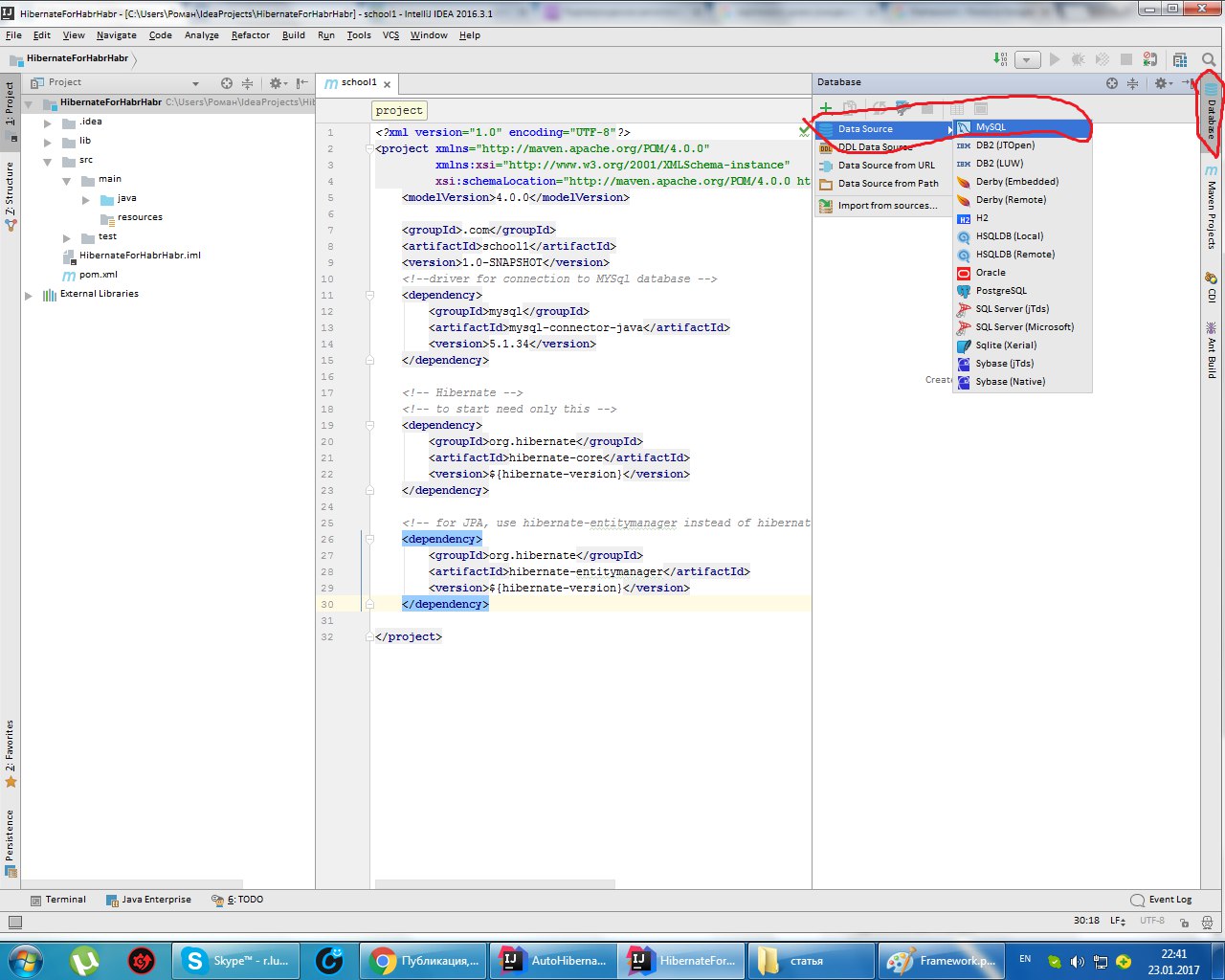
We are connected to the database, which is deployed on the local computer, and we select the MySQL database provider.
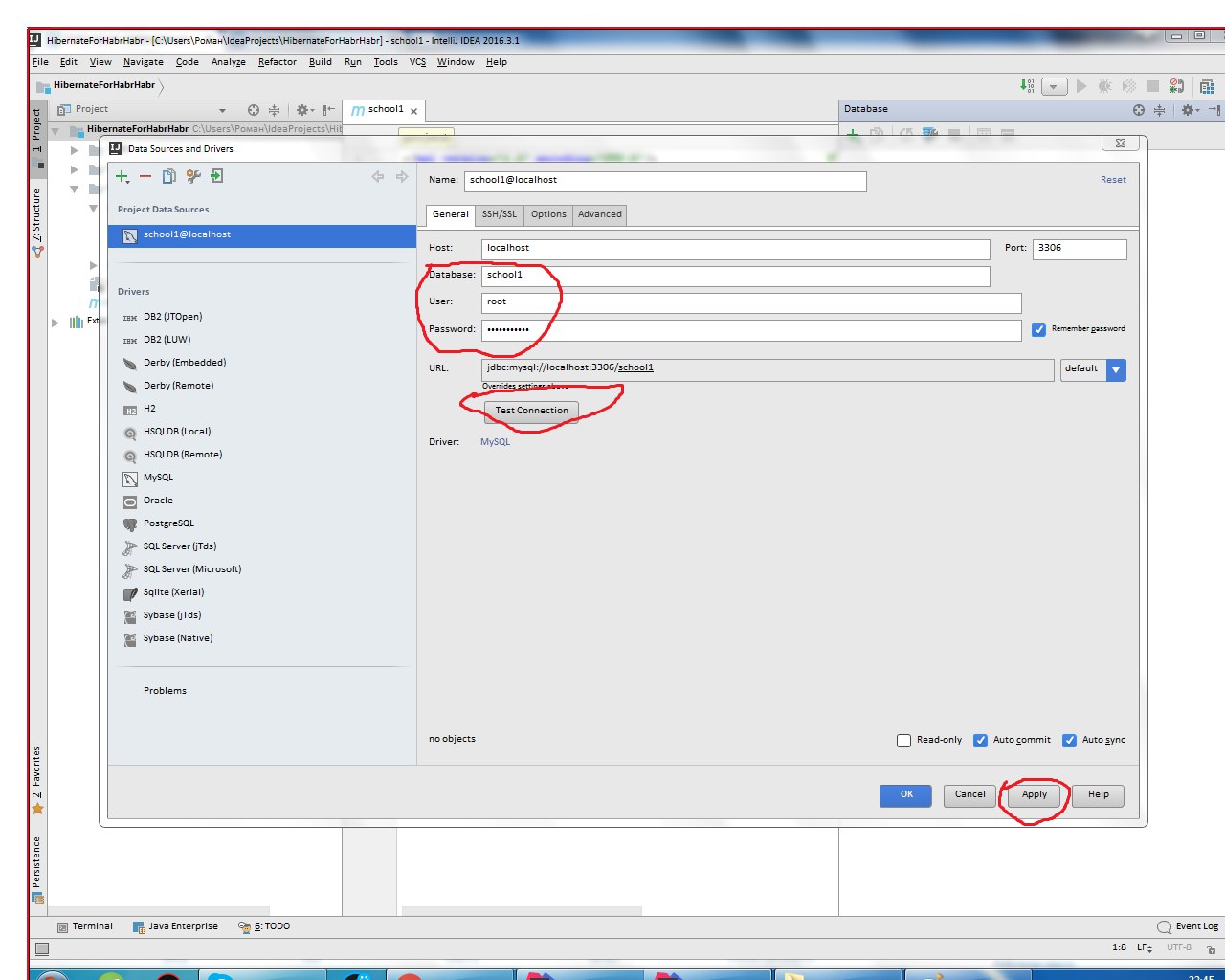
Enter the database name, username and password. Test the connection.
We select the project and through framework support we ask the hibernate to create Entity files and classes for us with Getter and Setter for us.
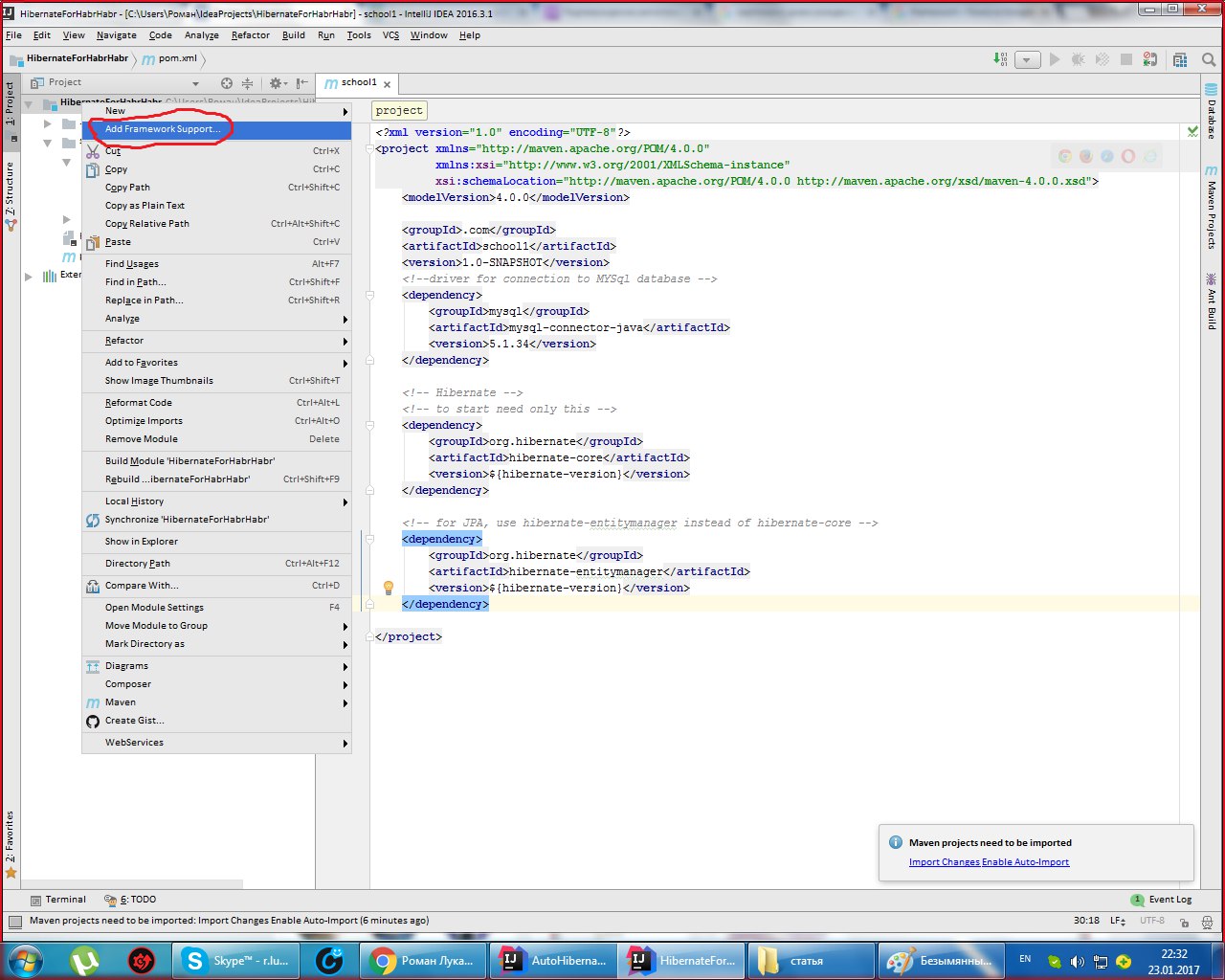
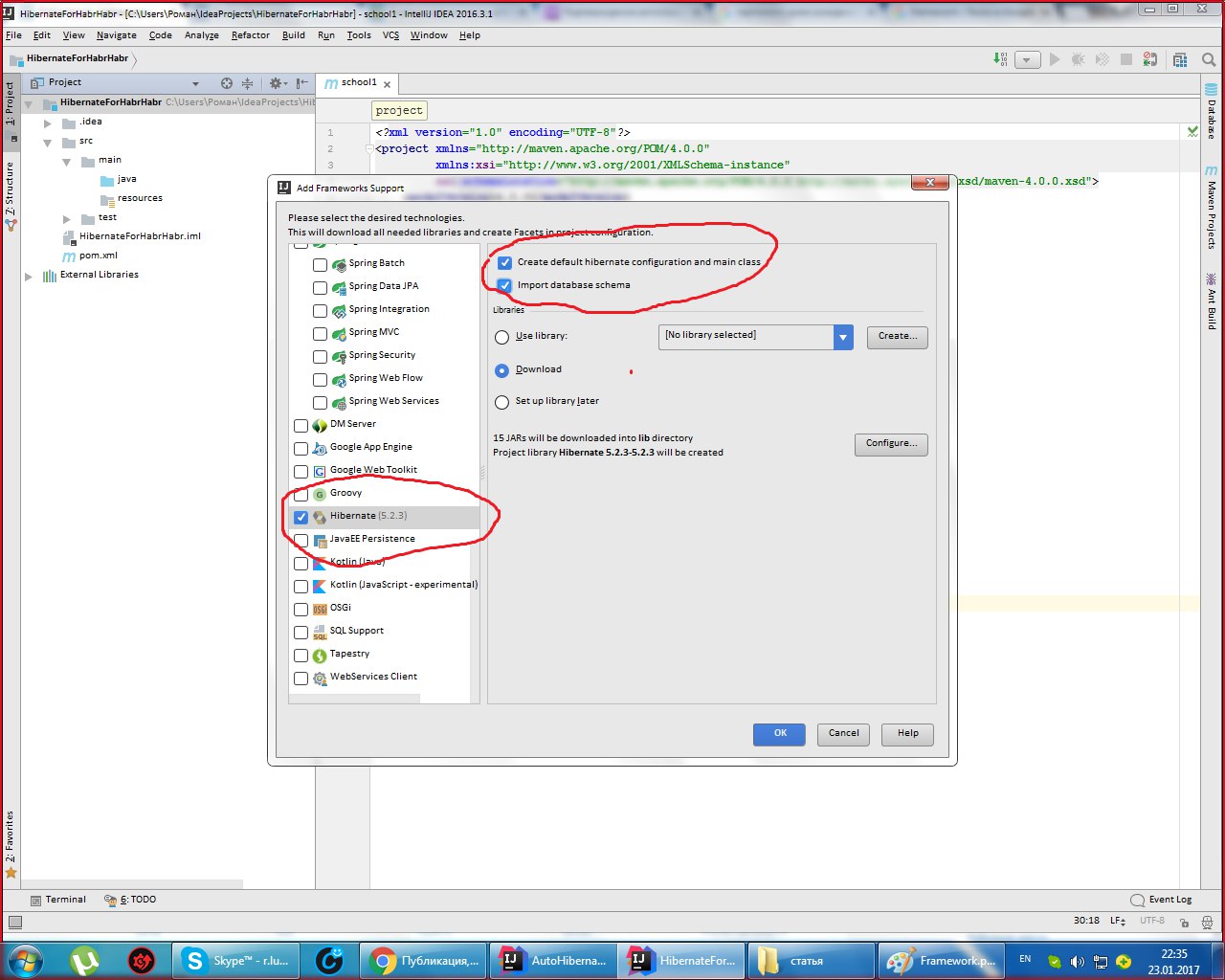
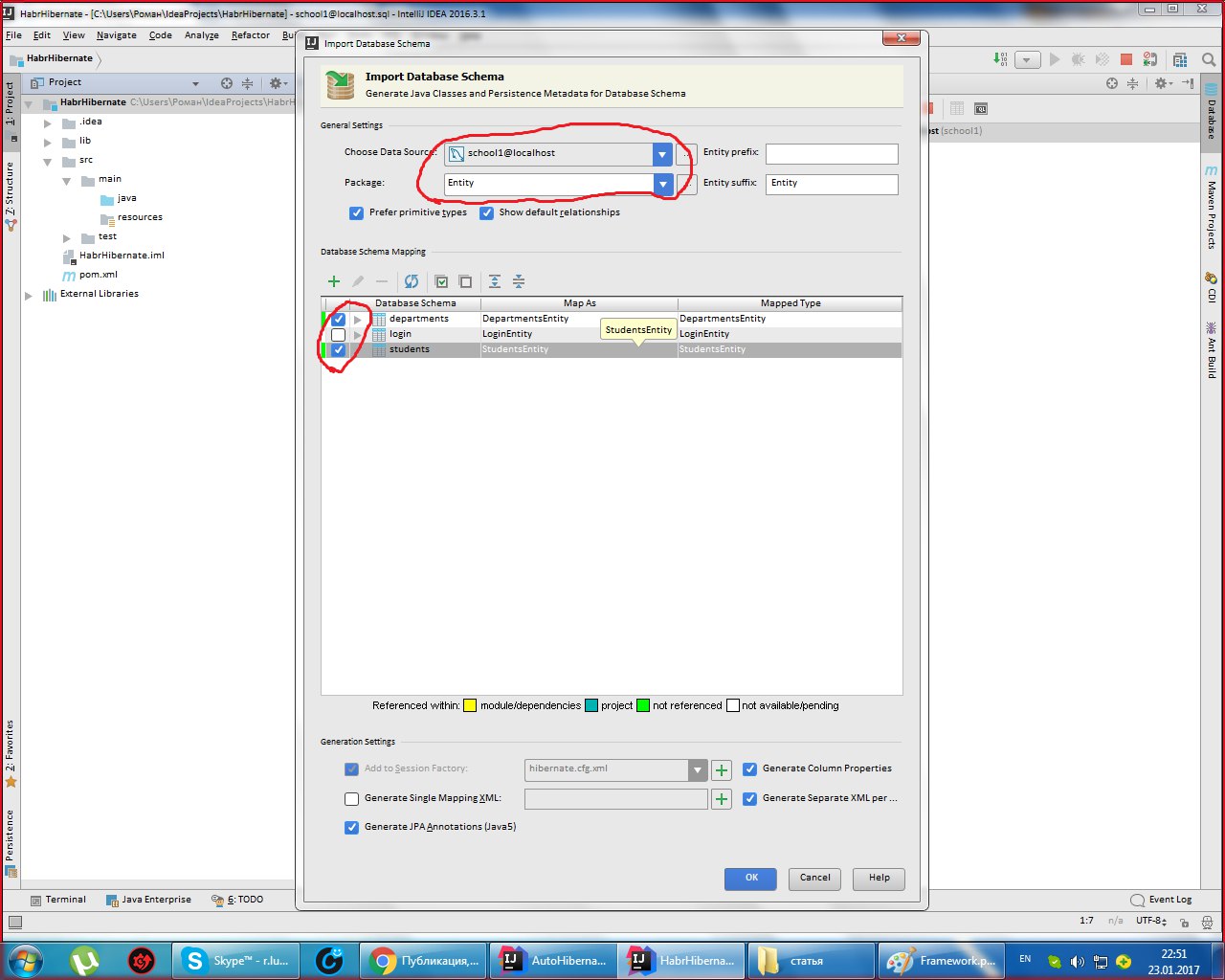
Select Generate Persistence Mapping through the Persistence masonry, select jenerate Persistance Mapping, and in the window that appears, prescribe the database schema, select prefix and
sufix to the automatically generated names. The names of xml files and classes with annotations will be generated:
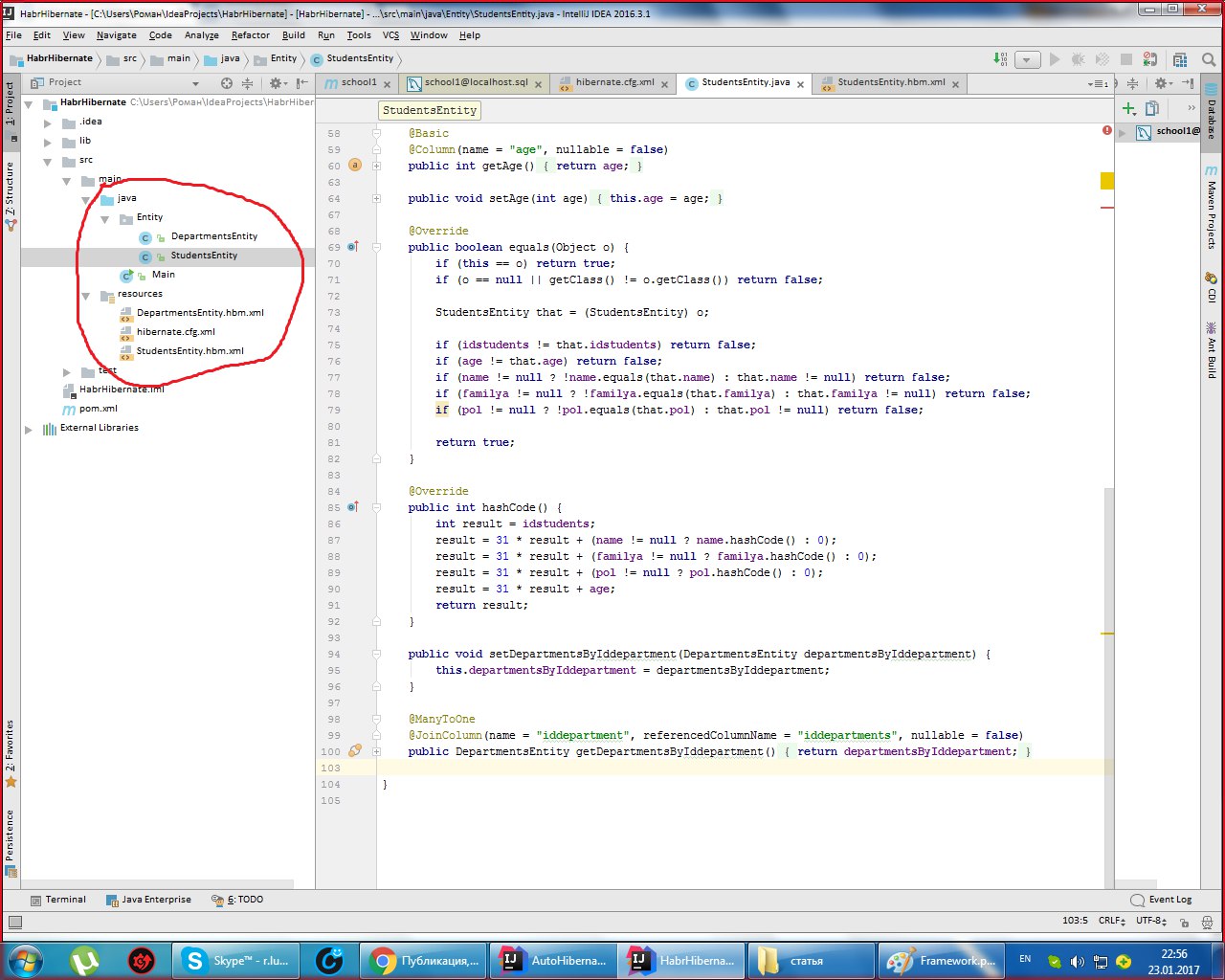
Scatter the files in this order:.xml files should be located in the resource folder, and entities in the java folder.
We add username and password in hibernate.cfg (I set the stars, and write in the usual font).
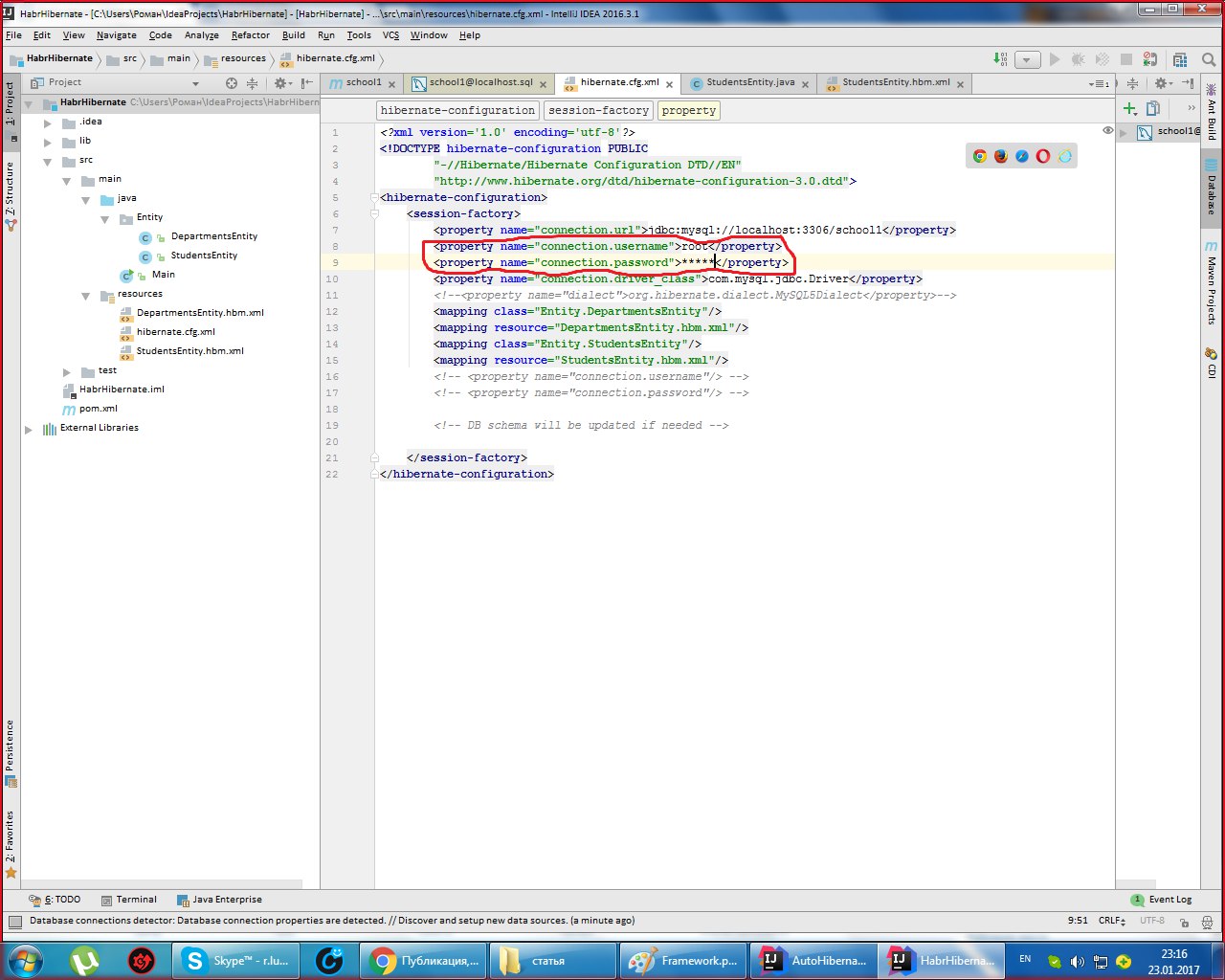
That's all! Next, through the main class, run the project.
This is my first article. I count on sound criticism.
Setting up a framework is often a hassle for a programming novice. Helping the community cover basic issues will help beginners learn programming languages faster. This article is intended only for beginners in Java who are the first to deploy hibernate. I deployed hibernate based on a licensed IDEA.
Maven framework for automating the assembly of a POM-based project, which allows you to connect dependencies from the Internet without downloading libraries to the project. POM (project object model) - a declarative description of the project. Copy the name of the libraries in xml format from mvnrepository.com .
First, create the maven project structure:
Then insert it into pom.xml. We will need two dependencies: hibernate-core and mysql-connector, but if you want more functionality, you must connect more dependencies.
There are standard guidelines for connecting dependencies individually, but I do not.
5.0.1.Final mysql mysql-connector-java 5.1.34 org.hibernate hibernate-core ${hibernate-version} org.hibernate hibernate-entitymanager ${hibernate-version} And click on Import Changes Enable Auto-Import, automatically importing the changes.
We are connected to the database, which is deployed on the local computer, and we select the MySQL database provider.
Enter the database name, username and password. Test the connection.
We select the project and through framework support we ask the hibernate to create Entity files and classes for us with Getter and Setter for us.
Select Generate Persistence Mapping through the Persistence masonry, select jenerate Persistance Mapping, and in the window that appears, prescribe the database schema, select prefix and
sufix to the automatically generated names. The names of xml files and classes with annotations will be generated:
Scatter the files in this order:.xml files should be located in the resource folder, and entities in the java folder.
We add username and password in hibernate.cfg (I set the stars, and write in the usual font).
That's all! Next, through the main class, run the project.
This is my first article. I count on sound criticism.