January 13, 2017 at 09:42
HPE Synergy Pro - Part V. Management
HPE Synergy Pro - Part V. Management.
Start:
I started writing this part back in October, but then the “heat of the end of the year” on the projects went, and then the New Year procrastination overcame, but already in January, and we need to make the final effort =).
It would be logical to divide this part into three sections, in each section describe the SY Composer, SY Image Streamer and SY Frame Link Module (FLM) modules.
Let's start with the main device - Synergy Composer (one thing is required for installation).
As I wrote earlier, the developers tried to attach the main meaning of this device, “composer,” to the name, in translation from English - the composer (there are still meanings - the author-writer and synthesizer). So, Synergy Composer is a small blade server, which is also mounted in the chassis, and on board, in addition to some OS, it has an expanded HPE OneView functional module that manages all the resources of the chassis - computing, data transfer and storage. In addition, I quote "it is a fully programmable interface which will integrate into popular management tools such as Microsoft SystemsCenter and VMWare vCenter and into open source automation and DevOps tools such as Chef, Docker, and OpenStack."
From a Composer server and chassis perspective:
In terms of networks:
From the point of view of information storage:
Supported external equipment is separately indicated:
In terms of integration with third-party software products:
The main question is why did you need to fence this whole garden? HPE promises that this will work in the form of “Infrastructure-as-code”, that is, at the level of writing software, you can set all the parameters of interest and their variations for the deployment of this software. For example, write directly in code in software: we deploy a farm of 10 web servers, processors so much, memory so much, disk so much, firmware - such and such, OS - such and such version with such and such patches (take it from Image Streamer), such and such drivers. After that, through the Synergy Composer API, all this should work correctly and quickly. The idea is interesting, it all depends on the implementation, because there were already a lot of “Software-defined-something” projects, and not all of them came to success. If the implementation succeeds, it can be a breakthrough, if it is, for example, with the Helion CloudSystem, to put it mildly,
What else can I add about Composers? For fault tolerance it is recommended to take a second Composer (even for one chassis, but then Image Streamer cannot be installed); Single-sign-on (SSO) for iLO is supported; Composers can be backed up (?); I see support only at the level of 24x7 and higher.
SDKs for REST-based Unified APIs are available for Java, PowerShell and Python.
We smoothly proceed to the addition of the first module - the second module, aka Synergy Image Streamer. It is also a small blade server, which is also mounted in the chassis. What is on board is not yet known. The appearance is the same as that of Composer, only the information sticker is different.
On Image Streamer, as in the repository, the following is stored:
In general, the functional role of the module emerges as the role of the OS and software repository plus the iSCSI-boot-from functionality (here I will quote separately - “Unlike traditional boot-from-SAN environments, HPE Image Streamer requires no additional manual setup or configuration (like multipath support, adapter configuration, access control, and SAN array configuration in typical SAN environments) "). The picture is as follows: in software, we code the deployment plan of a software farm, push to Composer, which determines the presence of the software itself, OS and settings on Image Streamer, from it we push this data to the server.
There can be several modules in the installation, the maximum installation is promised in 21 chassis. At the moment, the connection between the 10/20 Gbit / s control modules (separate from the rest of the chassis modules) is promised to be overclocked to hundreds.
Next up is the Synergy Frame Link Module (FLM). In a good way, it made sense to consider it in the second part, as part of the chassis, but in this case the section turned out to be logically unbalanced, so let's look here.
The FLM task is to create a management network with the topology “10GbE private management network ring” for the chassis control modules SY Composer and SY Image Streamer between the various chassis based on a set of these modules (FLM). Chassis in one rack can be connected with CAT6 cables, between the racks require CAT7. The figure shows that on the front panel of the module there are two RJ-45 ports: the upper one is MGMT (control), the lower one is LINK (communication between the modules). Each chassis contains one module; to connect two or more, a second FLM module is required, respectively.
And finally, I’ll tell you about three interesting documents that I didn’t know about when I started writing / reading this cycle, but which can help in studying the infrastructure with HPE Synergy:
The first document consists of 12 pages and contains a brief description of all the glands and comparative tables with them - useful as a short cheat sheet.
The second document is much more serious - 71 pages, and describes the principles and examples of installations. Here it can be noted that now I have two documents, the first of April 2016 and there are 51 pages with theoretical examples, and the second is the one to which the link is given, this is fresh from December 2016, 71 pages, worked out in more detail, apparently using experience gained.
The third document is already from the series “Kill me with a dance, my idol!”, I read it with interest, immediately took a few explanatory pictures in good quality from there for this article.
In general, a general link to all available product documentation ishttp://www.hpe.com/info/synergy-docs (I think I’ve found that I’ll be reading the next couple of months - the 500-page HPE OneView 3.0 User Guide). Not all documentation is ready, instead of some documents there are stub links, but it already makes sense to note the high level of sophistication of the section, in December 2016 most of the documentation was released, which was not in October (when I was just starting to write a draft of this article).
PS Dear HPE company, just yesterday announced at the end of January “HPE Synergy - technical details. Demonstration of a pre-industrial sample "- really ?! Perhaps after this event, there is enough information to write another article in which you can briefly consider the existing solution configurations and planning methods.
PPSBefore publication, a colleague sent a link to the description of the two-day course 01064178 “ HPE Synergy Solutions, Rev. 16.21 ”, it turned out that to put it mildly, I wrote the first day of the course.
PPPS - here the Khabrovsk citizen began to write about the experience of real operation
- I hope it will be interesting - habrahabr.ru/post/319590
Start:
Part I (Introduction) - habrahabr.ru/post/308224
Part II (Chassis and servers) - habrahabr.ru/post/310092
Part III - D3940 disk storage and SAS switches - habrahabr.ru/post/310564
Part IV - Our Networks - habrahabr.ru/post/313240
I started writing this part back in October, but then the “heat of the end of the year” on the projects went, and then the New Year procrastination overcame, but already in January, and we need to make the final effort =).
It would be logical to divide this part into three sections, in each section describe the SY Composer, SY Image Streamer and SY Frame Link Module (FLM) modules.
Let's start with the main device - Synergy Composer (one thing is required for installation).
Synergy Composer industrial prototype photo
Synergy drawing with Composer and Streamer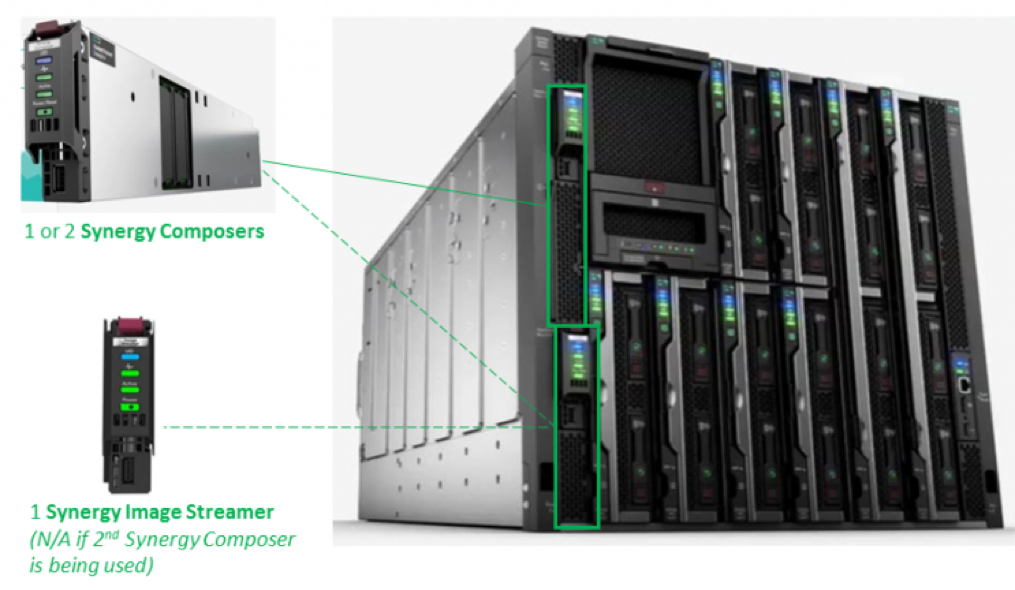
Composer 3D Model Appearance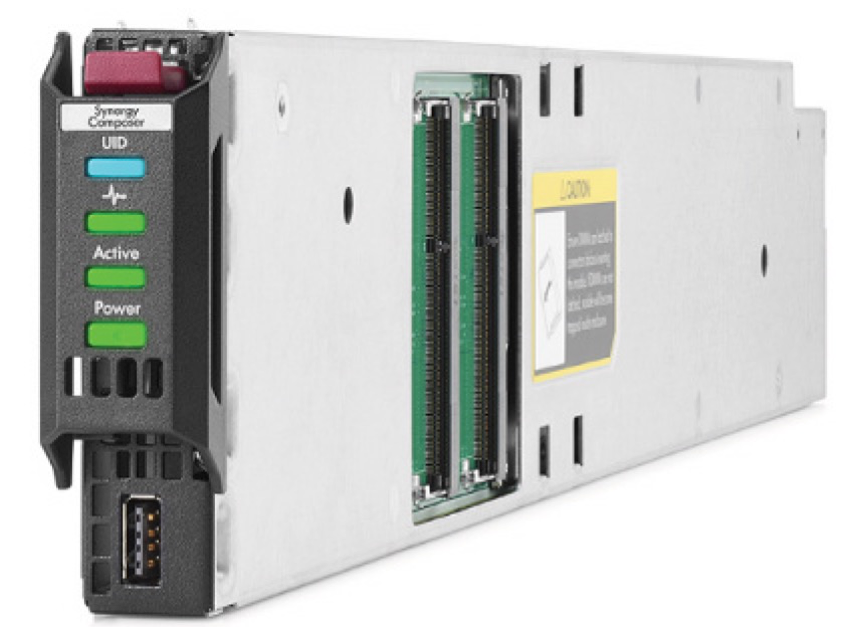
B / W drawing of Composer's projection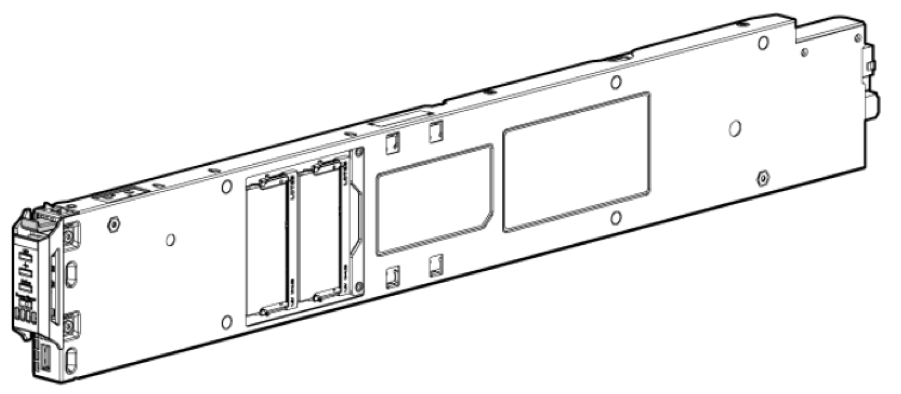
As I wrote earlier, the developers tried to attach the main meaning of this device, “composer,” to the name, in translation from English - the composer (there are still meanings - the author-writer and synthesizer). So, Synergy Composer is a small blade server, which is also mounted in the chassis, and on board, in addition to some OS, it has an expanded HPE OneView functional module that manages all the resources of the chassis - computing, data transfer and storage. In addition, I quote "it is a fully programmable interface which will integrate into popular management tools such as Microsoft SystemsCenter and VMWare vCenter and into open source automation and DevOps tools such as Chef, Docker, and OpenStack."
From a Composer server and chassis perspective:
- manages the connected chassis (in the plural) and the servers in these chassis, including auto-detection of the installed equipment;
- stores, for subsequent download to the server, server firmware options;
- uses a certain functional “logical enclosures”, which is not described in detail. I’ll venture to suggest that it allows you to create logical computing entities based on the iron of several frames;
- It stores in itself, for subsequent download, options for drivers of operating systems;
- also allows monitoring and logging of the system as a whole and its components;
- It contains a reporting module with a certain set of standard reports, with the possibility of exporting them to CSV or MS Excel;
- Contains an HPE Unified REST API element for processing external management commands
- contains a module for interacting with SY Image Streamer, i.e. a module where image files of operating system disks with preinstalled software are stored - for quick deployment of the OS on servers (I recall that the control modules are connected by a 10-gigabyte network separate from the rest of the chassis).
In terms of networks:
- supports the configuration of HPE VirtualConnect, switches and pass-thru modules;
- manages connections between master modules and satellites;
- controls link aggregation between the chassis (Multi-module link aggregation, MLAG);
- manages the discovery of network equipment and its scaling into existing infrastructure;
- supports updating logical connections without stopping traffic transfer.
From the point of view of information storage:
- controls the use of DAS or SAN storage. Separately, it is indicated that some storage is managed through Composer, but should initially be configured independently of it.
- manages the capacity and tiering levels based on DAS 3940 disk modules, for a chassis with a VSA “pulled” over them (raw volume limit is up to 614 TB, and volume distribution between different chassis is possible);
- manages Boot-from-SAN for Fiber Channel (FC);
- Manages storage area network zoning policies
- monitors and logs SAN systems and storage systems in general and at the component level;
Supported external equipment is separately indicated:
- storage - StoreServe 3PAR (FC switched), StoreVirtual VSA and P4000 (iSCSI);
- SAN networks - Brocade SAN switches, HPE 5900cp / af and 5930 SAN switches, Cisco Nexus 5500/6000 and MDS SAN switches (FC / FCoE).
In terms of integration with third-party software products:
- HPE OneView for VMware vCenter 8.1 supports Synergy systems;
- HPE OneView for Microsoft System Center 8.1 supports Synergy systems;
- HPE Helion CloudSystem 10 supports Synergy systems.
The main question is why did you need to fence this whole garden? HPE promises that this will work in the form of “Infrastructure-as-code”, that is, at the level of writing software, you can set all the parameters of interest and their variations for the deployment of this software. For example, write directly in code in software: we deploy a farm of 10 web servers, processors so much, memory so much, disk so much, firmware - such and such, OS - such and such version with such and such patches (take it from Image Streamer), such and such drivers. After that, through the Synergy Composer API, all this should work correctly and quickly. The idea is interesting, it all depends on the implementation, because there were already a lot of “Software-defined-something” projects, and not all of them came to success. If the implementation succeeds, it can be a breakthrough, if it is, for example, with the Helion CloudSystem, to put it mildly,
What else can I add about Composers? For fault tolerance it is recommended to take a second Composer (even for one chassis, but then Image Streamer cannot be installed); Single-sign-on (SSO) for iLO is supported; Composers can be backed up (?); I see support only at the level of 24x7 and higher.
SDKs for REST-based Unified APIs are available for Java, PowerShell and Python.
We smoothly proceed to the addition of the first module - the second module, aka Synergy Image Streamer. It is also a small blade server, which is also mounted in the chassis. What is on board is not yet known. The appearance is the same as that of Composer, only the information sticker is different.
Appearance according to the 3D model of Image Streamer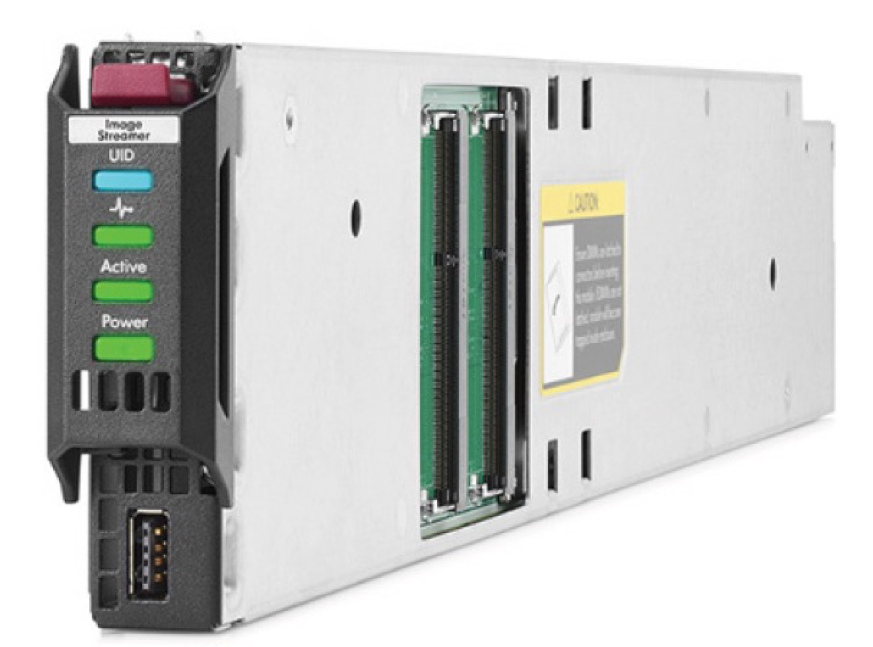
On Image Streamer, as in the repository, the following is stored:
- Profile - server profiles that include different versions of BIOS settings and different versions of firmware;
- Golden Image - "Golden Snapshots" of the OS - the basic boot versions of the OS with I / O drivers. There is a separate note - “If your golden image captures your application stack, then your application stack can also be deployed and / or updated with HPE Image Streamer.”
- Personality - personalized OS snapshots with applications and configurations (hostname, IP config, etc).
In general, the functional role of the module emerges as the role of the OS and software repository plus the iSCSI-boot-from functionality (here I will quote separately - “Unlike traditional boot-from-SAN environments, HPE Image Streamer requires no additional manual setup or configuration (like multipath support, adapter configuration, access control, and SAN array configuration in typical SAN environments) "). The picture is as follows: in software, we code the deployment plan of a software farm, push to Composer, which determines the presence of the software itself, OS and settings on Image Streamer, from it we push this data to the server.
Composer, Image Streamer, and servers in the chassis interaction diagram
There can be several modules in the installation, the maximum installation is promised in 21 chassis. At the moment, the connection between the 10/20 Gbit / s control modules (separate from the rest of the chassis modules) is promised to be overclocked to hundreds.
Next up is the Synergy Frame Link Module (FLM). In a good way, it made sense to consider it in the second part, as part of the chassis, but in this case the section turned out to be logically unbalanced, so let's look here.
B / W FLM projection drawing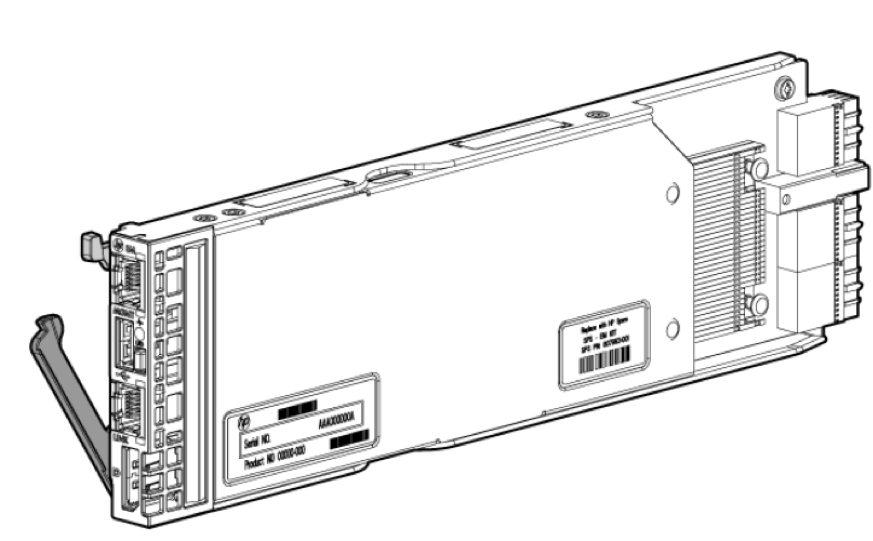
Appearance according to the 3D model FLM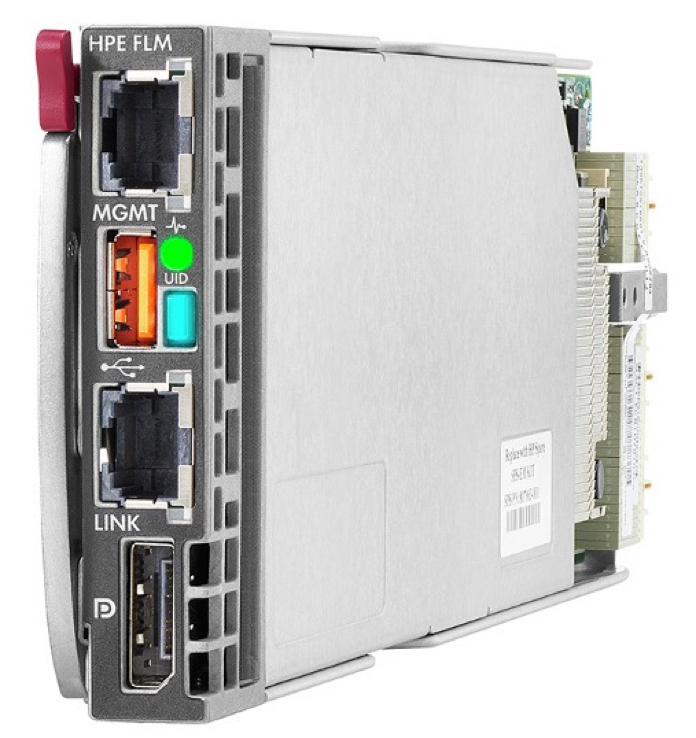
The FLM task is to create a management network with the topology “10GbE private management network ring” for the chassis control modules SY Composer and SY Image Streamer between the various chassis based on a set of these modules (FLM). Chassis in one rack can be connected with CAT6 cables, between the racks require CAT7. The figure shows that on the front panel of the module there are two RJ-45 ports: the upper one is MGMT (control), the lower one is LINK (communication between the modules). Each chassis contains one module; to connect two or more, a second FLM module is required, respectively.
And finally, I’ll tell you about three interesting documents that I didn’t know about when I started writing / reading this cycle, but which can help in studying the infrastructure with HPE Synergy:
- Five steps to building a composable Infrastructure with HPE Synergy
- Configuration and Compatibility Guide
- HPE Synergy For Dummies
The first document consists of 12 pages and contains a brief description of all the glands and comparative tables with them - useful as a short cheat sheet.
The second document is much more serious - 71 pages, and describes the principles and examples of installations. Here it can be noted that now I have two documents, the first of April 2016 and there are 51 pages with theoretical examples, and the second is the one to which the link is given, this is fresh from December 2016, 71 pages, worked out in more detail, apparently using experience gained.
The third document is already from the series “Kill me with a dance, my idol!”, I read it with interest, immediately took a few explanatory pictures in good quality from there for this article.
In general, a general link to all available product documentation ishttp://www.hpe.com/info/synergy-docs (I think I’ve found that I’ll be reading the next couple of months - the 500-page HPE OneView 3.0 User Guide). Not all documentation is ready, instead of some documents there are stub links, but it already makes sense to note the high level of sophistication of the section, in December 2016 most of the documentation was released, which was not in October (when I was just starting to write a draft of this article).
PS Dear HPE company, just yesterday announced at the end of January “HPE Synergy - technical details. Demonstration of a pre-industrial sample "- really ?! Perhaps after this event, there is enough information to write another article in which you can briefly consider the existing solution configurations and planning methods.
PPSBefore publication, a colleague sent a link to the description of the two-day course 01064178 “ HPE Synergy Solutions, Rev. 16.21 ”, it turned out that to put it mildly, I wrote the first day of the course.
PPPS - here the Khabrovsk citizen began to write about the experience of real operation
- I hope it will be interesting - habrahabr.ru/post/319590