July 25, 2016 at 08:50
Retrieving a key from a non-retrievable key token

Quite often, when issuing certificates of electronic signature keys, one can observe an obsessive PR of tokens with an unrecoverable key. Vendors from certification centers assure that by buying from them CryptoPRO CSP cryptographic information protection system and token with non-removable key ( Rutoken EDS or JaCarta GOST ), we will receive certified cryptographic information protection certificates that provide 100% protection against key theft from the token. But is it really so? To answer this question, we will conduct a simple experiment ...
Testbed configuration
We will assemble a test bench with a configuration typical for machines involved in electronic document management (EDO):
- OS Windows 7 SP1
- Cryptocurrency Protection Tool Crypto PRO CSP 3.9.8423
- Rootoken drivers for Windows (x86 and x64). Version: v.4.1.0.0 from 06/20/2016, WHQL-certified
- JaCarta Single Client and JaCarta SecurLogon. Version 2.9.0 build 1531
- CryptoARM Standard Plus 5. Version 5.2.0.8847.
For testing, tokens with a non-removable key will be used:
- Rutoken EDS. Version 02/19/14.00 (02)
- JaCarta GOST. Model Number JC001-2.F09 v2.1
Testing methodology
We simulate a typical process of preparation by the Information Security Administrator of key documents for the organization of EDI:
- a private key container and a request for a public key certificate are generated;
- after passing the certification procedure in the certification center, the certificate is obtained from the request;
- the certificate, together with the private key container, forms key information ready for use. This key information recorded on the medium will be called the original key document ;
- copies are made from the original key document , which are recorded on disposable media (hereinafter we will call them working key documents ) and transmitted to authorized users;
- after the necessary number of working key documents has been prepared, the original key document is destroyed or deposited with the cryptographic information protection authority.
In our case, we will not use the services of certification centers, but we will generate a key container with a self-signed certificate and place it in the computer registry (workstation for generating key information), this will be the original key document . Then we copy the key information to Rutoken EDS and JaCarta GOST, having produced working key documents . After that, destroy the original key document by deleting the key container from the registry. And finally, let's try to copy key information from working key documents back to the registry.
Testing
1. Create the original key document .
Description
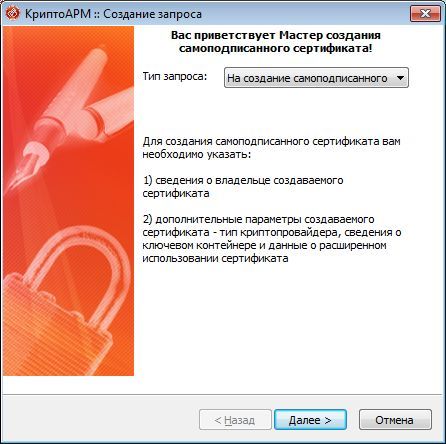
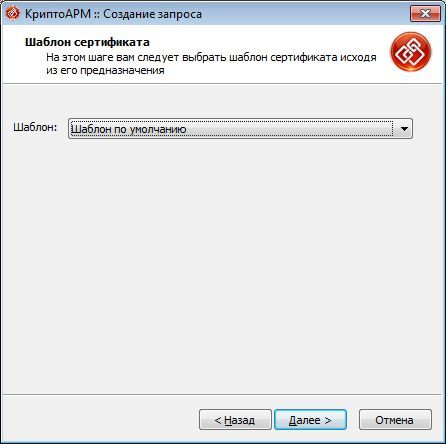
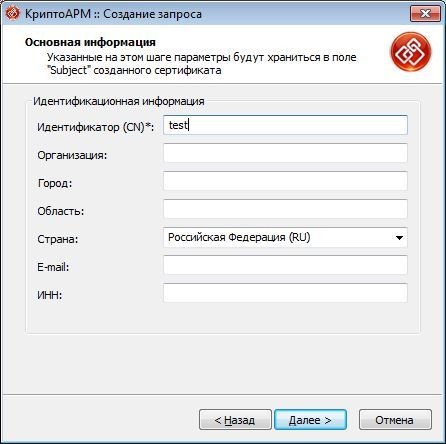
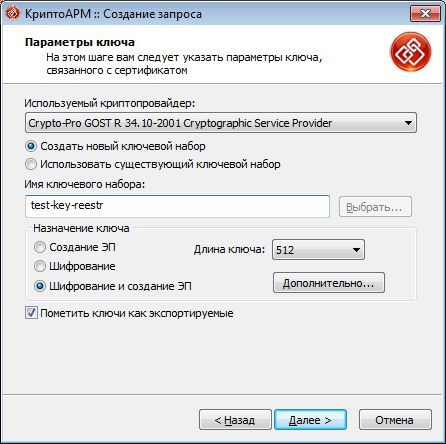
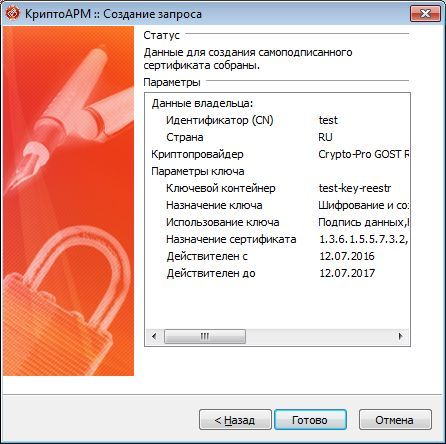
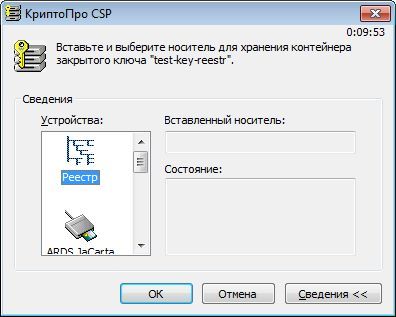
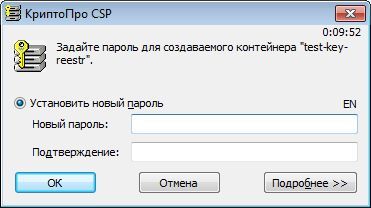
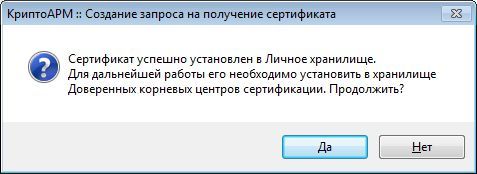
To do this, using CryptoARM, create a private key container test-key-reestr in the registry containing a self-signed certificate (CN = test)
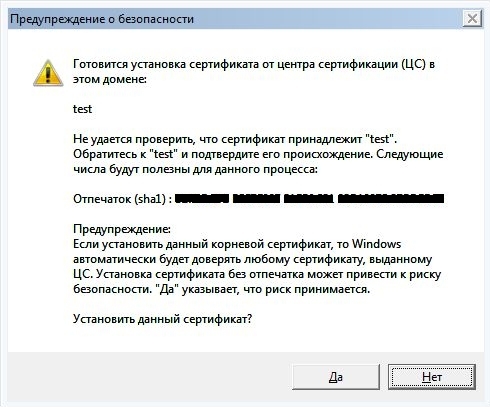
2. We will form working key documents .
Description
Using the standard CryptoPro CSP cryptographic information protection tools (Start -> Control Panel -> CryptoPro CSP), copy the test-key-reestr key container to the key carriers Rutoken EDS and JaCarta GOST. We will assign the names test-key-rutoken and test-key-jacarta to key containers on key media, respectively.
The description is given in relation to JaCarta GOST (actions are similar for Rutoken EDS):
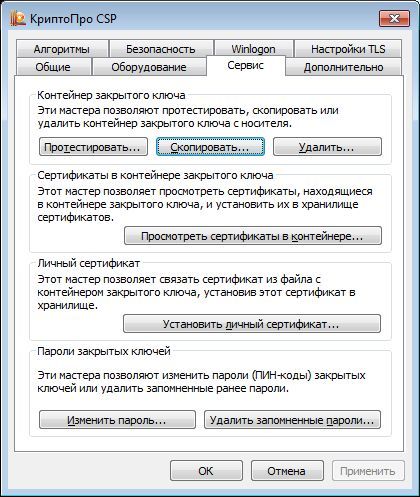
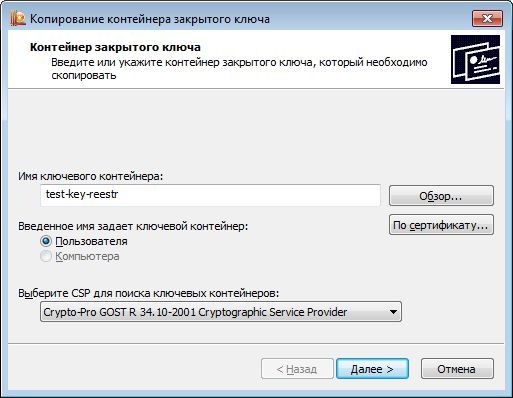
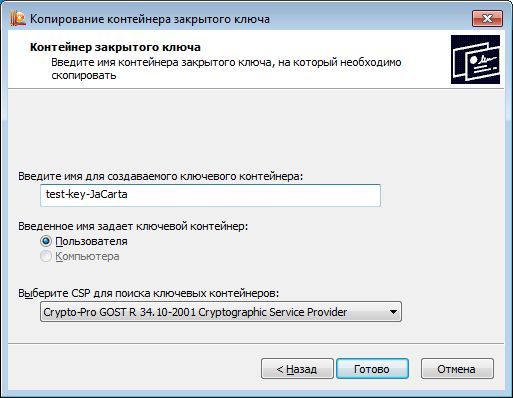
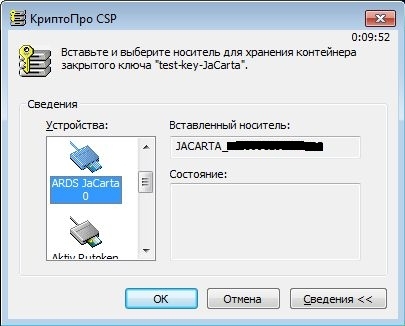
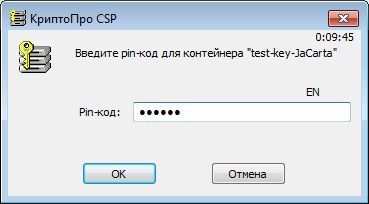
Thus, we obtained working key documents for JaCarta GOST (test-key-jacarta container) and Rutoken EDS (test-key-rutoken container).
The description is given in relation to JaCarta GOST (actions are similar for Rutoken EDS):
Thus, we obtained working key documents for JaCarta GOST (test-key-jacarta container) and Rutoken EDS (test-key-rutoken container).
3. Destroy the original key document
Description
Using the standard means of CryptoPRO CSP, we will remove the key container test-key-reestr from the registry.
4. Copy key information from working key documents
Description
Let's try to copy the key containers test-key-rutoken and test-key-jacarta back to the registry.
The description is given for JaCarta GOST (for Rutoken EDS actions are similar).
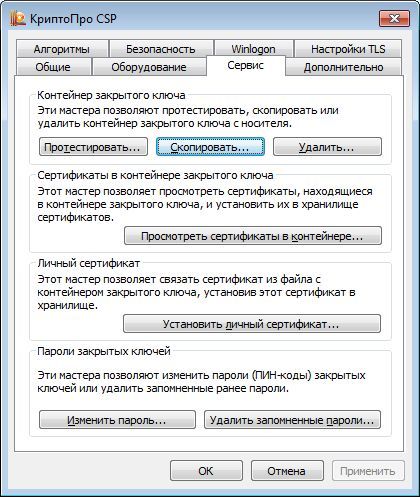
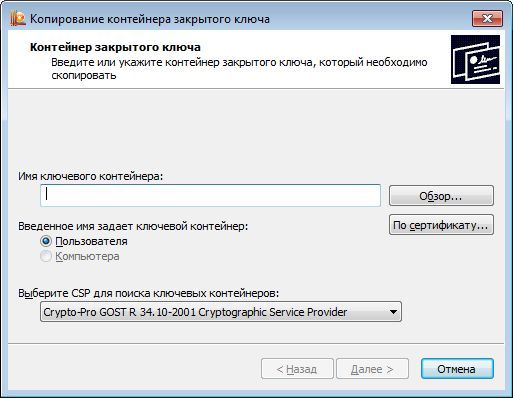
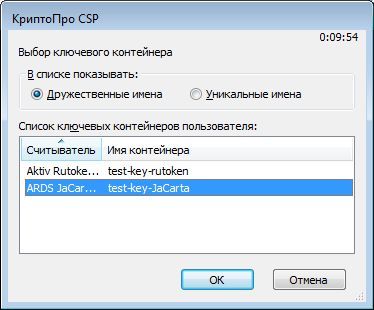
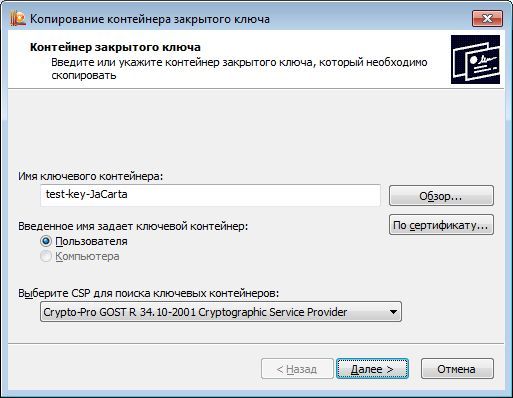


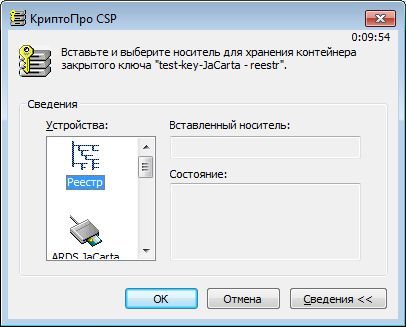
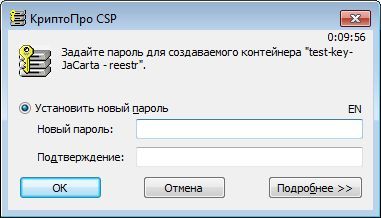
The description is given for JaCarta GOST (for Rutoken EDS actions are similar).
As we can see, the key information was successfully copied or, in another language, extracted from tokens with an unrecoverable key. It turns out that manufacturers of tokens and cryptocurrencies are lying? Actually, no, and the situation is more complicated than it seems at first glance. We study the materiel for tokens.
Materiel
What is commonly called a token with a non-retrievable key on the market is correctly called a functional key carrier (FCN) ( additional info ).
The main difference between the FCN and ordinary tokens ( Rutoken S , JaCarta PKI , ...) is that when performing cryptographic transformations (for example, generating an electronic signature), the private key does not leave the device. While using ordinary tokens, the private key is copied from the token to the computer's memory.
The use of FCN requires a special organization of interaction between the applied cryptographic software and the cryptographic information protection library (cryptographic provider or, in other words, CSP).
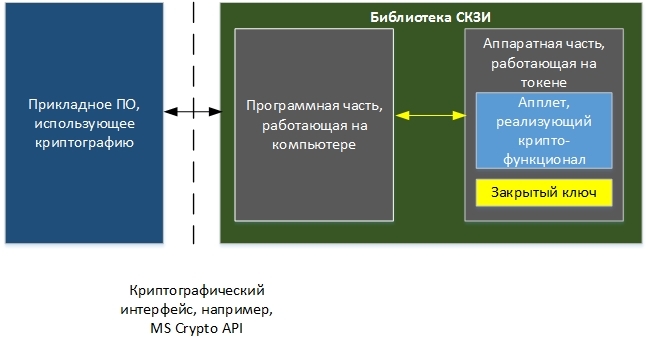
It is important to see here that the software part of the SKZI library should be aware of the existence of an applet on the token that implements cryptographic functionality (for example, key generation, data signing, etc.) and be able to work with it.
Take a fresh look at our test bench.
Rutoken EDS was used as one of the key carriers. The following information can be obtained about him through the “Rutoken Control Panel”:
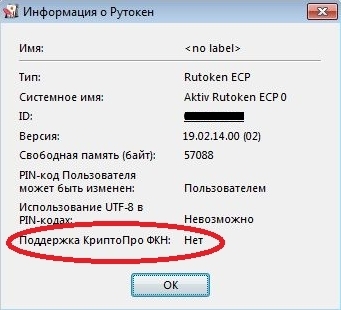
The last line contains the phrase “Support for CryptoPRO FCN: No”, which means that the token does not have an applet that CryptoPRO CSP can work with. Thus, the implementation of FCN technology using cryptographic information protection tools and tokens described in the testbed configuration is not possible.
A similar situation is with JaCarta GOST. Moreover, CryptoPro PRO CSP, at least the version that was used in the test bench, uses these key carriers as “ordinary tokens”, which, in turn, are simply key carriers.
This statement is very simple to confirm. To do this, put CryptoPro PRO CSP on a clean machine without drivers from tokens and connect the JaCarta GOST token. Windows 7 will detect the JaCarta GOST token as "Microsoft Usbccid Smart Card Reader (WUDF)." Now you can try to create a key on the token and copy it to the computer registry. All the functionality of the CIPF will successfully work out.
How to make everything good?
In order to implement the FKN technology using the products of Crypto-PRO LLC, you must:
1. Buy a special version of the cryptographic information protection library:
- for Rutoken EDS - Cryptographic Information Protection System CryptoPro Rutoken CSP .
- for JaCarta GOST - CryptoPro FCN CSP .
2. Simultaneously with the CPSI library, it is necessary to purchase specially prepared tokens containing software parts (applets) that CryptoPro Rootoken CSP or CryptoPro FKN CSP can work with, respectively.
It turns out that Rutoken EDS and JaCarta GOST are not tokens with a non-retrievable key?
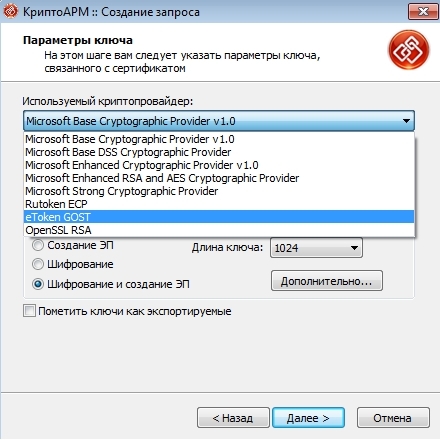
No again. These devices can implement the functionality of the FCN (but, possibly, to a lesser extent than when using them in conjunction with CryptoPRO CIP), but for this you need software that can work with applets placed on tokens. CryptoARM Standard 5 Plus can be such software . He knows how . When generating a key pair in the CryptoARM wizard, you can select the cryptographic provider that will be used, for example, Rutoken ECP or eToken GOST. This will allow using the token as a FCN.
conclusions
- Do not believe the sellers, you are bullshit. Using the usual versions of the cryptographic provider CryptoPro CSP and the usual Rutoken EDS or JaCarta GOSt do not allow the implementation of FCN technology.
- To use the FKN technology together with the products of Crypto-PRO LLC, you need both specially prepared tokens containing an applet that SKZI can work with , as well as special versions of the CryptoPRO CSP cryptographic provider that can work with the applet on tokens.
- Rutoken EDS and JaCarta GOST can independently implement the FCN technology, but this requires special software.