May 15, 2015 at 19:10
Windows 10 on Raspberry Pi 2, first impressions
On April 29, I received a letter from Microsoft saying that the first beta adaptation of Windows 10 for raspberry pi2 was finally released. Probably many events were waiting for this, including me. How will it look like? How will it work? Fast - not fast. Yes, in general, it's damn intriguing!
By April 29, I already had a box on my desk with a 7-inch Chinese monitor, a controller for it and the actual device itself the size of a credit card. What goals did I pursue by combining all this? I worked, and continue to work on my own CarPC project. But I will write about this later, when it is ready and there will be something to show, now about something else, now about Windows 10.
So. The first attempts to establish a 10-ku were unsuccessful. My first mistake was an attempt to install 10-ku only on the device, without installing it on the main computer - the donor. The dism utility did not want to do this in any way, no matter how I undertook it, no matter how I conjured. Incidentally, it should be noted that such attempts to do this were not only mine. Someone even succeeded. Here is a thread on the official forum. www.raspberrypi.org/forums/viewtopic.php?f=105&t=109160
How did it end? Yes, as in a joke about Petka and Chapaev. In it, Chapaev sends Petka to Japan to learn hypnosis. The test was one. Make our plumber play the button accordion. And Petka did not succeed. After the fifth attempt and the fifth year of training, the plumber began to play. He held the battery in his hands and controlled it like a button accordion, while saying, “Well, I don’t know how to play the button accordion.” So Windows 10, did not know how to install without a donor computer similar to it, as a result I tortured it and put it on drive C. dism demolished it "partitioned" completely.
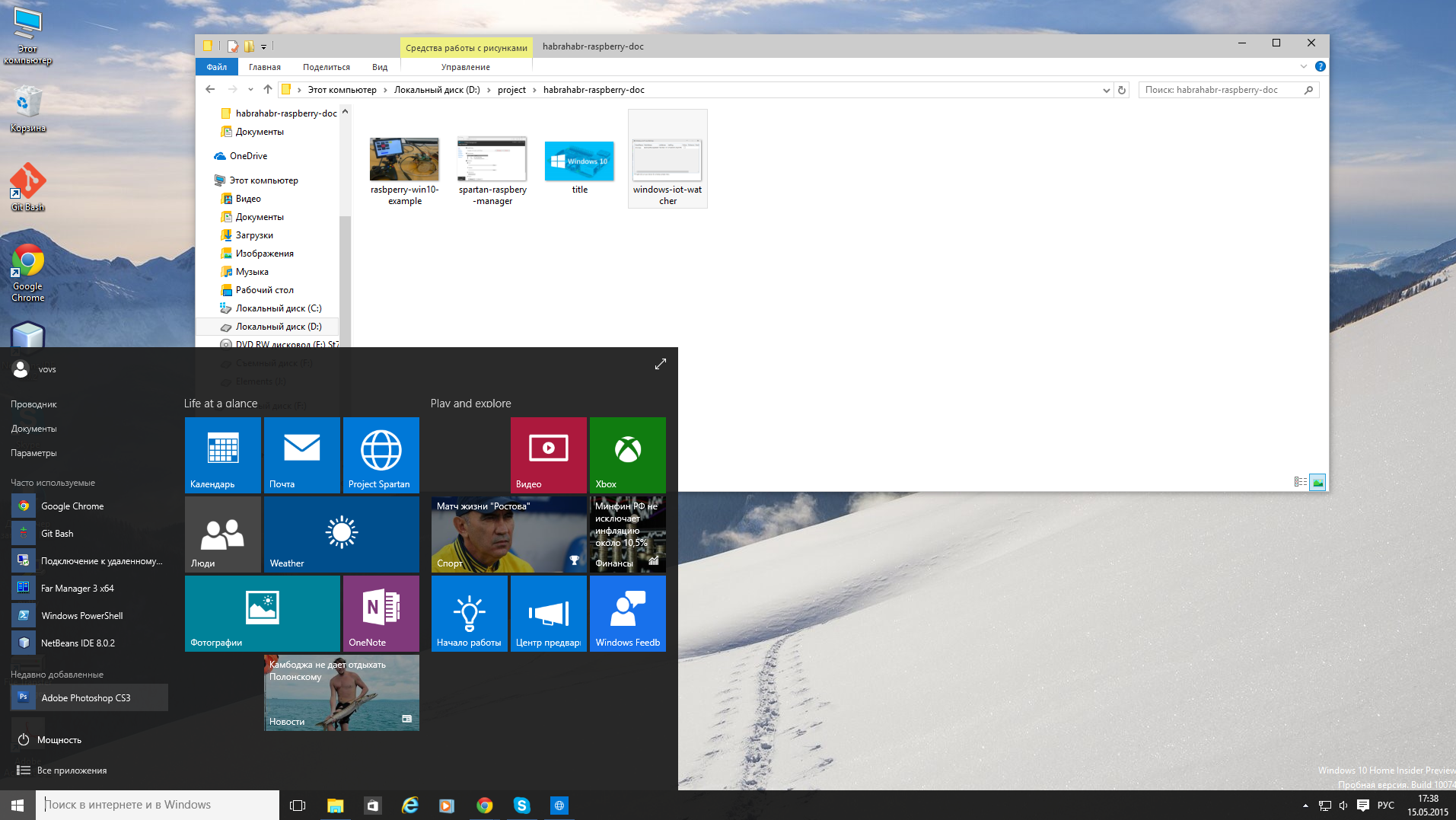
Well. We install Windows 10 on the main computer. System as a system. Start returned. And also there is a Spartan browser. It, the infection, as soon as it starts up, it always puts itself “in charge”, whether you want it or not. And, the infection, it is his operating system that launches, and not my beloved Chrome, which, by the way, is “by default”.
But back to our "sheep." The dism utility worked just fine. OS is worth it. And now - voila, I see a screen saver. On it is drawn “Rasberi” and general information is given. IP address, computer name, etc. We study further. What is this? And here I was waiting for the first disappointment. I was waiting for another. If raspberry OS is Linux, it is a full-fledged, multi-tasking operating system. It’s not here. I really expected to see something like a screen saver with tiles, like on Mobile Windows, but there is nothing here.

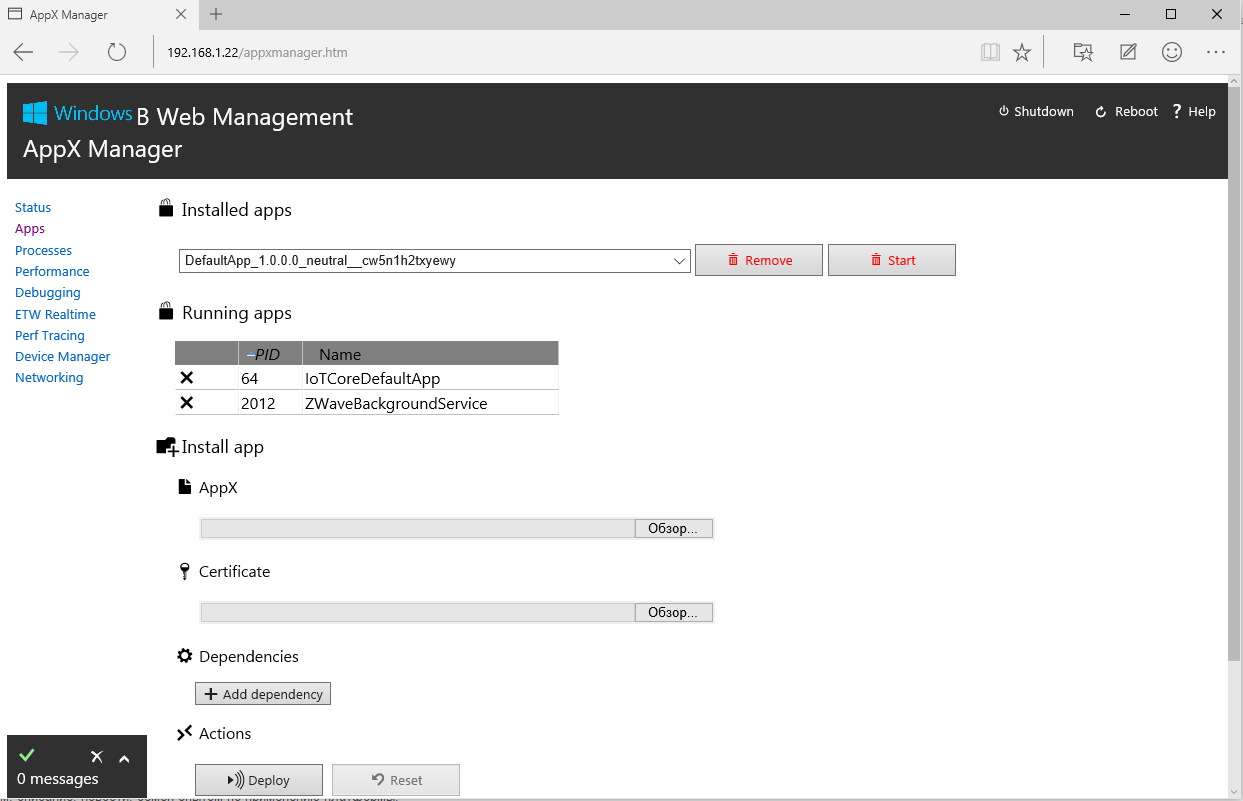
Management of the "operating system" is carried out through a web interface. We type in the browser, say 192.168.1.14, and see this. On the device itself, nothing of this can be seen.
Well. Let's write HelloWord! What do we need for this?
1. Install Microsoft Visual Studio. Microsoft offers version 15. We put.
dev.windows.com/en-US/downloads/install-dev-tools-visual-studio-2015
2. Enable development mode
msdn.microsoft.com/library/windows/apps/xaml/dn706236.aspx
3. Install the module package MVS for development under Rasbery
connect.microsoft.com/windowsembeddedIoT/Downloads
(Do not forget to register with Microsoft Connect, otherwise it will not work * .MSI)
4. Now we need to establish a connection with Rasberi. Roughly speaking, connect the donor computer to the device. This is done in PowerShell.
Here is the instruction.
ms-iot.github.io/content/win10/samples/PowerShell.htm
Next. Open MVS. And follow this instruction
ms-iot.github.io/content/win10/samples/HelloWorld.htm
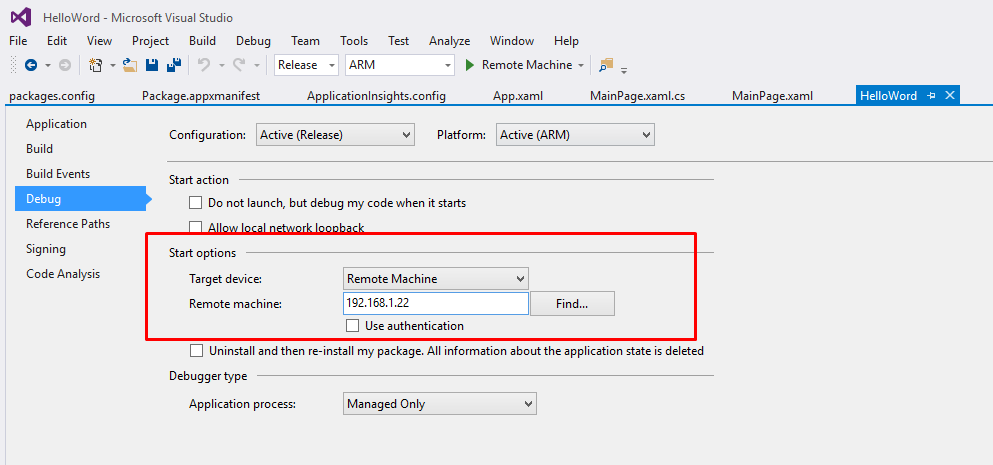
With a few changes. If you follow the instructions word for word, then launch the application on the device will not work. At least, it didn’t work out for me. It is not clear why they have x86 in the settings.
And so it starts.
And further. From the moment I clicked on the Remote Mashine button and my application appeared on the device, it took ... only 2 minutes.
In conclusion. Why Windows 10 after all? Yes, for the same as Arduino. Same. The same LEDs. Drives Sensors No more. Still, I cannot call it the Operating System. Is it needed for one application? Even MS DOS knew more. Is it necessary?
By April 29, I already had a box on my desk with a 7-inch Chinese monitor, a controller for it and the actual device itself the size of a credit card. What goals did I pursue by combining all this? I worked, and continue to work on my own CarPC project. But I will write about this later, when it is ready and there will be something to show, now about something else, now about Windows 10.
So. The first attempts to establish a 10-ku were unsuccessful. My first mistake was an attempt to install 10-ku only on the device, without installing it on the main computer - the donor. The dism utility did not want to do this in any way, no matter how I undertook it, no matter how I conjured. Incidentally, it should be noted that such attempts to do this were not only mine. Someone even succeeded. Here is a thread on the official forum. www.raspberrypi.org/forums/viewtopic.php?f=105&t=109160
How did it end? Yes, as in a joke about Petka and Chapaev. In it, Chapaev sends Petka to Japan to learn hypnosis. The test was one. Make our plumber play the button accordion. And Petka did not succeed. After the fifth attempt and the fifth year of training, the plumber began to play. He held the battery in his hands and controlled it like a button accordion, while saying, “Well, I don’t know how to play the button accordion.” So Windows 10, did not know how to install without a donor computer similar to it, as a result I tortured it and put it on drive C. dism demolished it "partitioned" completely.
Well. We install Windows 10 on the main computer. System as a system. Start returned. And also there is a Spartan browser. It, the infection, as soon as it starts up, it always puts itself “in charge”, whether you want it or not. And, the infection, it is his operating system that launches, and not my beloved Chrome, which, by the way, is “by default”.
But back to our "sheep." The dism utility worked just fine. OS is worth it. And now - voila, I see a screen saver. On it is drawn “Rasberi” and general information is given. IP address, computer name, etc. We study further. What is this? And here I was waiting for the first disappointment. I was waiting for another. If raspberry OS is Linux, it is a full-fledged, multi-tasking operating system. It’s not here. I really expected to see something like a screen saver with tiles, like on Mobile Windows, but there is nothing here.
Management of the "operating system" is carried out through a web interface. We type in the browser, say 192.168.1.14, and see this. On the device itself, nothing of this can be seen.
Well. Let's write HelloWord! What do we need for this?
1. Install Microsoft Visual Studio. Microsoft offers version 15. We put.
dev.windows.com/en-US/downloads/install-dev-tools-visual-studio-2015
2. Enable development mode
msdn.microsoft.com/library/windows/apps/xaml/dn706236.aspx
3. Install the module package MVS for development under Rasbery
connect.microsoft.com/windowsembeddedIoT/Downloads
(Do not forget to register with Microsoft Connect, otherwise it will not work * .MSI)
4. Now we need to establish a connection with Rasberi. Roughly speaking, connect the donor computer to the device. This is done in PowerShell.
Here is the instruction.
ms-iot.github.io/content/win10/samples/PowerShell.htm
Next. Open MVS. And follow this instruction
ms-iot.github.io/content/win10/samples/HelloWorld.htm
With a few changes. If you follow the instructions word for word, then launch the application on the device will not work. At least, it didn’t work out for me. It is not clear why they have x86 in the settings.
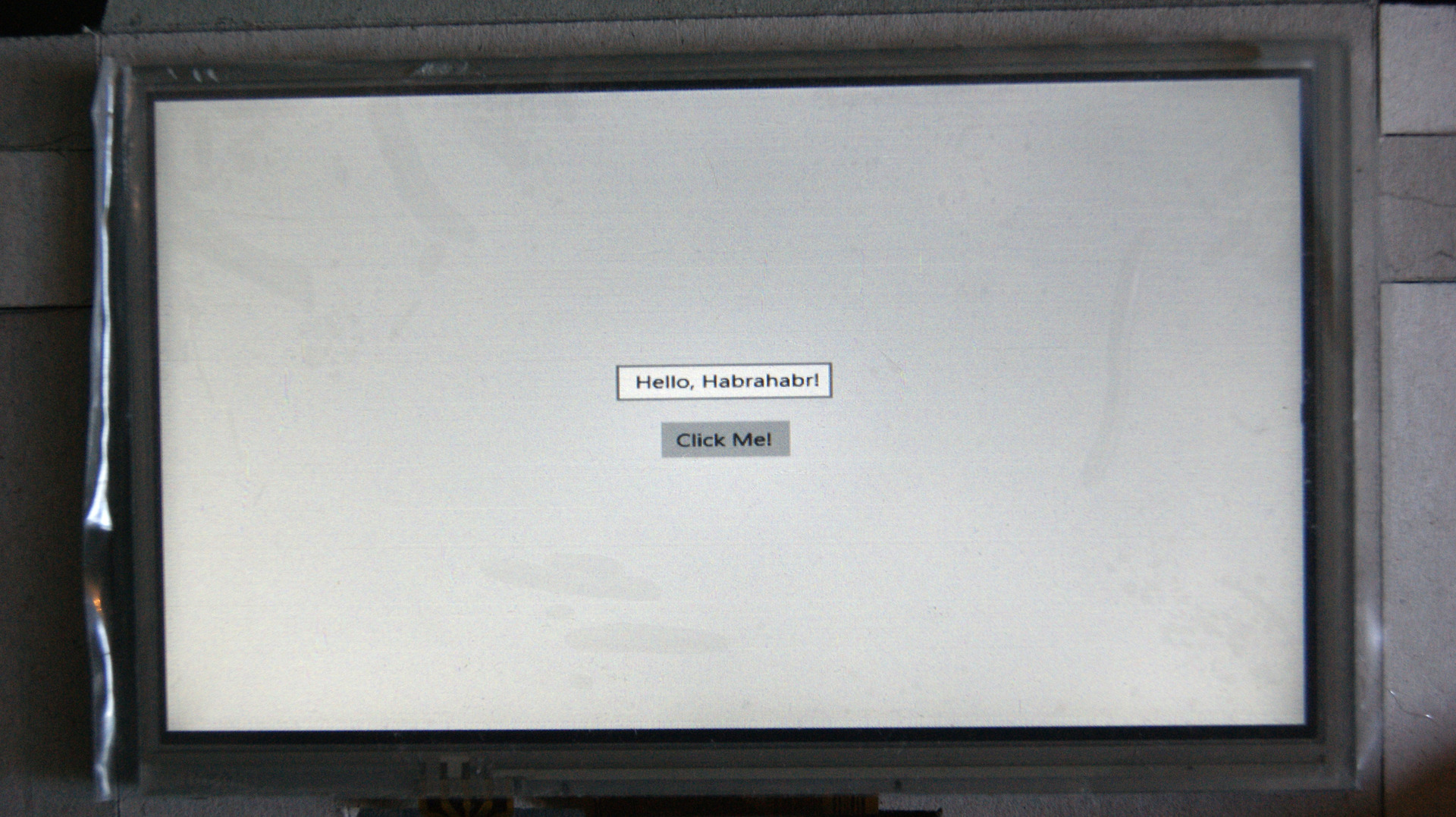
And so it starts.
And further. From the moment I clicked on the Remote Mashine button and my application appeared on the device, it took ... only 2 minutes.
In conclusion. Why Windows 10 after all? Yes, for the same as Arduino. Same. The same LEDs. Drives Sensors No more. Still, I cannot call it the Operating System. Is it needed for one application? Even MS DOS knew more. Is it necessary?