All serious
Samsung introduced the premium laptop, NP900X3A , on the market for wealthy people who prefer everything at once. The result is a high-quality alloy of modern technology - here you have a new processor, a chipset and a solid-state drive. Let's find out how all this is suitable for everyday use.
Caution, traffic is inside 50 photos.
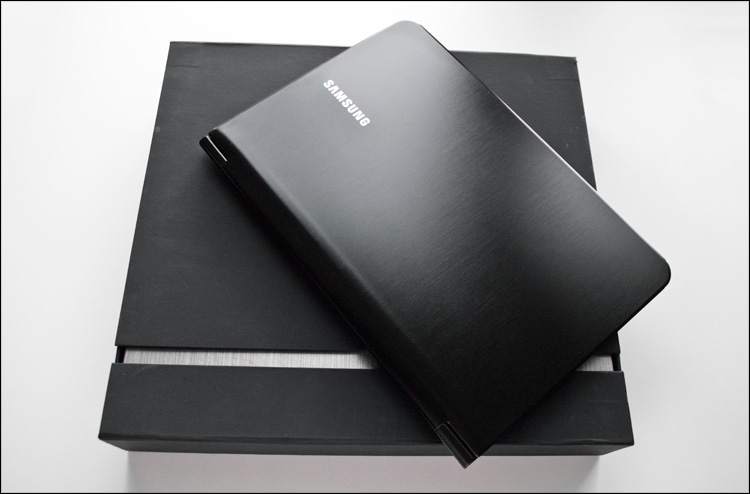
The "breed" begins to be felt even with the black square box in which the device is sold. Matte cardboard, a lid with a magnetic fastener, and the smell ... At the very beginning of the acquaintance, even such a trifle as “unboxing” will give its owner a couple of pleasant moments. Inside was:
- Laptop
- Ethernet adapter
- AC adapter
- DVD-ROM for system recovery
- Papers (warranty, color instruction and safety instruction)
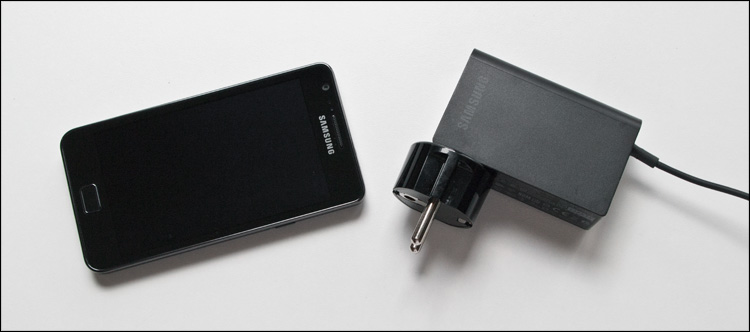
The power adapter (Input: 100-240V, 1A / Output: 19V, 2.1A) compares favorably with traditional laptop solutions - it only has one wire side of the adapter, on the other hand only a removable plug. As a result - small size and weight, comparable to charging from a phone.
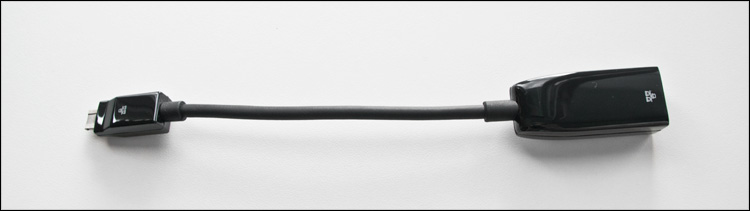
The laptop is really very thin, therefore, for the harmonious presence of a “high” RJ-45 connector, there simply would not be a place. But at the same time, it would be foolish to deprive the user of the possibility of a wired connection, so the bundle comes with a kind of compromise, an Ethernet adapter (the so-called "Gigabit LAN Dongle").
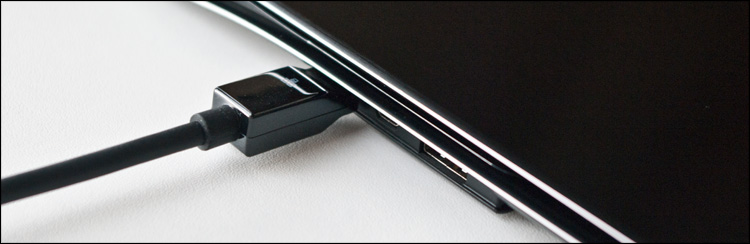
For the same reason, there are no traditional VGA and DVI connectors on the laptop, so you still have to tinker with connecting an external device for image output - there is no necessary adapter in the kit, it is sold separately.
According to the manufacturer, in the manufacture of the laptop case, two materials were used: magnesium-aluminum alloy for the bottom and duralumin for everything else. It’s hard to somehow verify this, but in practice the laptop is almost always cool.
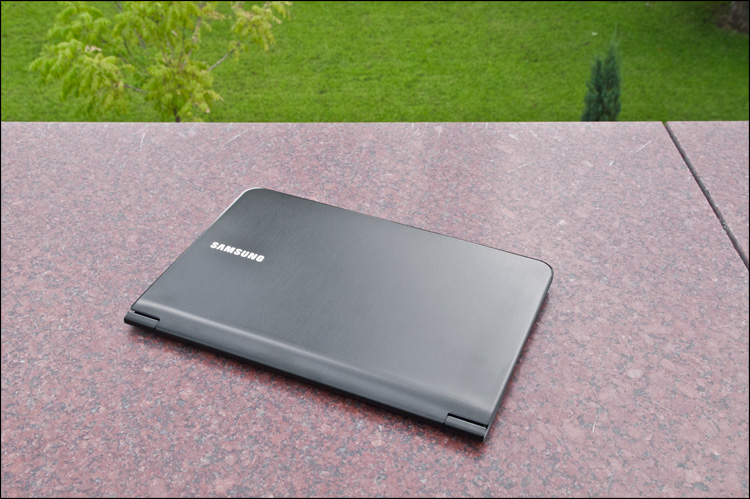
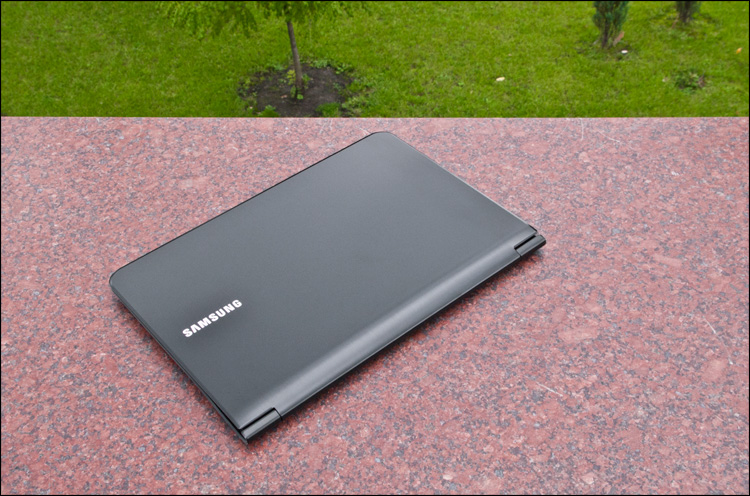
The lid is painted black and has a fine-polished texture - there is no gloss, but the prints, unfortunately, remain even from light touches. Keep this in mind if the aesthetic appearance of the device for you is not in last place.
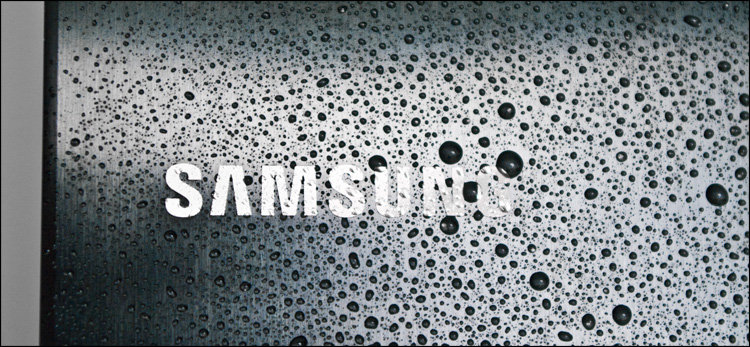
The embossed inscription SAMSUNG is located on one edge - if at least a ray of light hits it, the recesses from laser engraving create a rather bewitching spectacle.
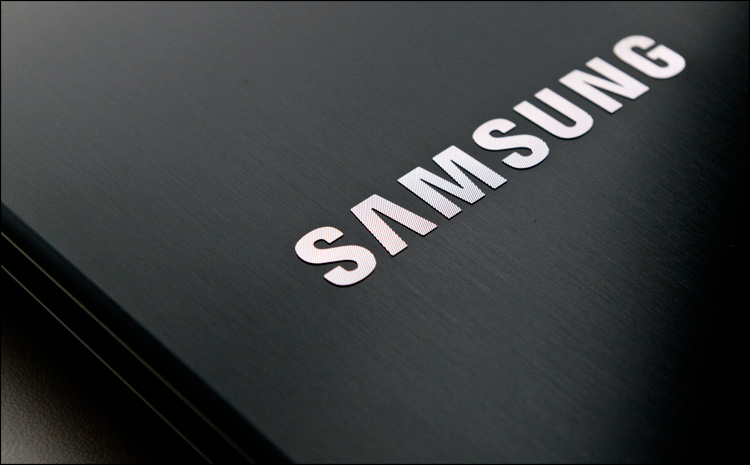
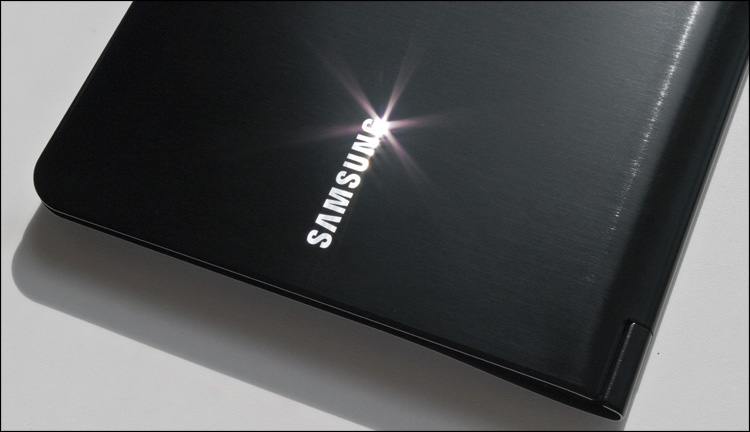
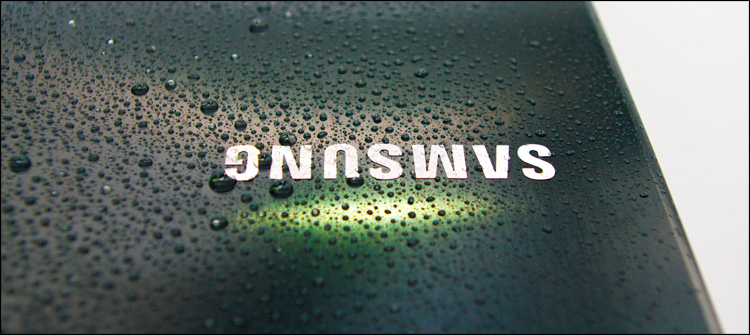
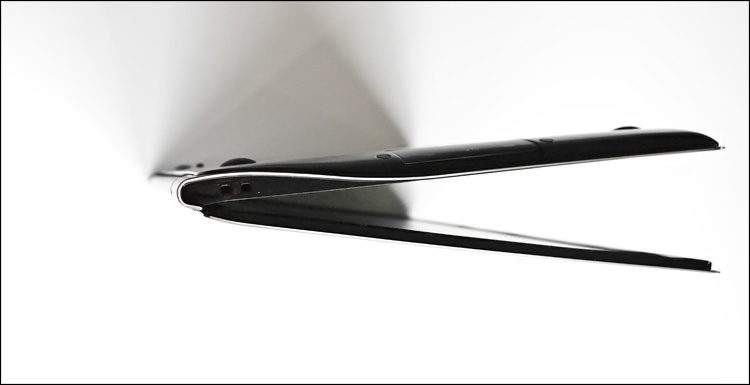
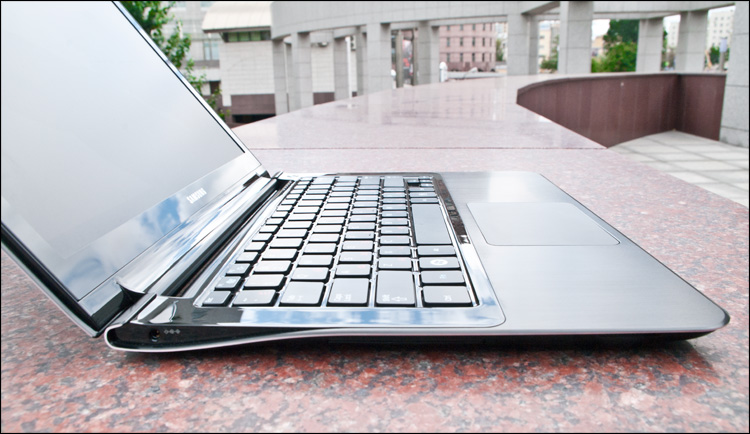
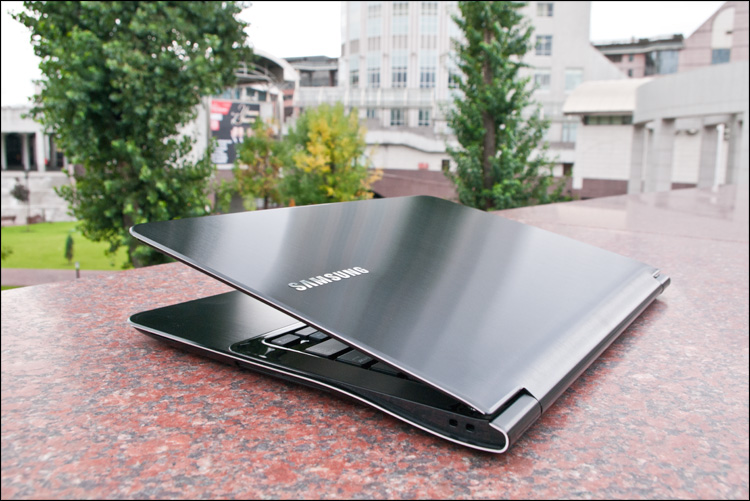
The lid smoothly goes into the hinge and from there it goes into the bottom in the same way - from the side it all has a rather unusual drop-like shape. The hinge is far from the most massive, but confidently performs its task.
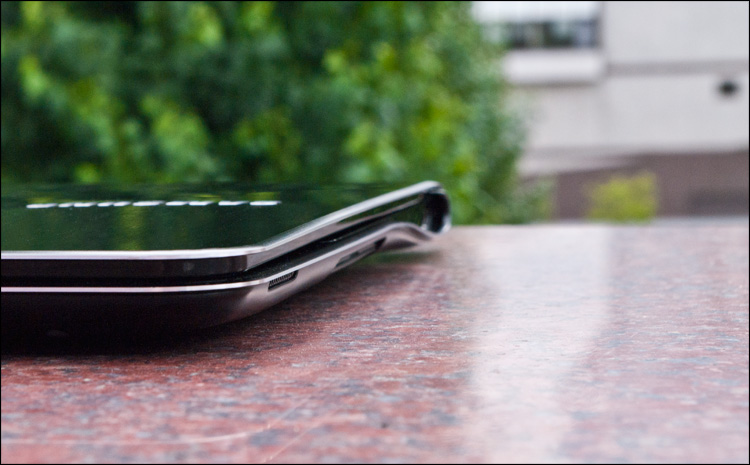
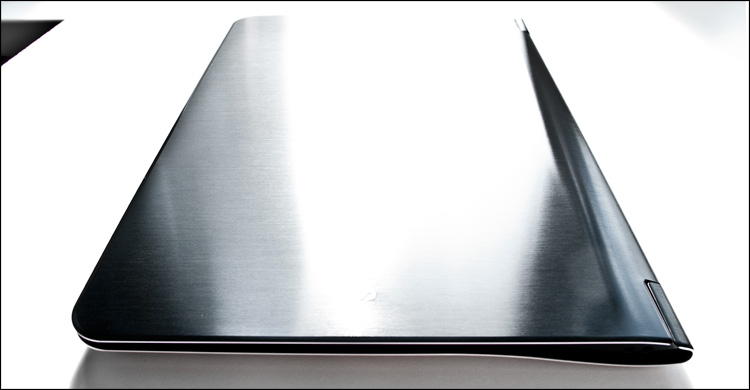
On a black background, sharp metal edges look stylish, but in reality they are also practical. There is a convenient gap here - the device can always be easily opened even with one hand. Accordingly, the laptop could be even thinner if it did not have this “convenient layer” (which, by and large, is formed by a frame around the screen) - the metal cover would fully provide the necessary rigidity.

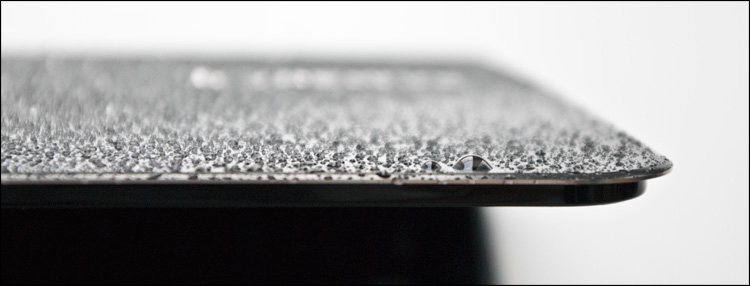
A laptop without any decorative elements - all in an adult way, nothing more. The matte screen has a diagonal of 13.3 inches, around it there is a glossy frame. Moreover, if usually the frame around the screen is made of cheap plastic, then here, most likely, gorilla glass is used. A rubber gasket neatly goes around the perimeter - so that when closed the parts of the laptop do not rub against each other and do not form scratches.
Above the screen is the optional 1.3-megapixel webcam, perfect for talking on Skype. At the very bottom - a microphone, status indicators and a power button.
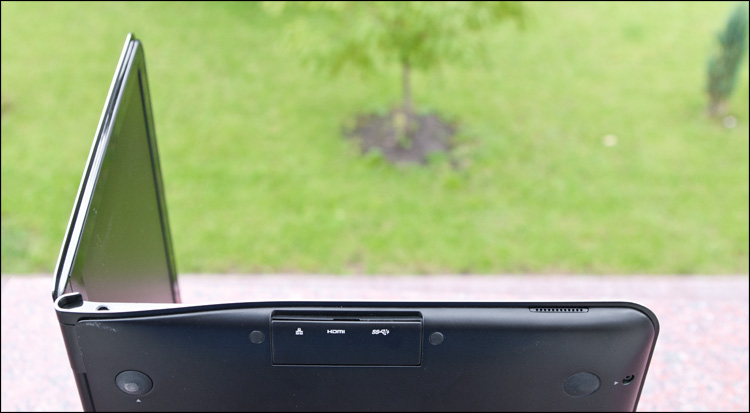
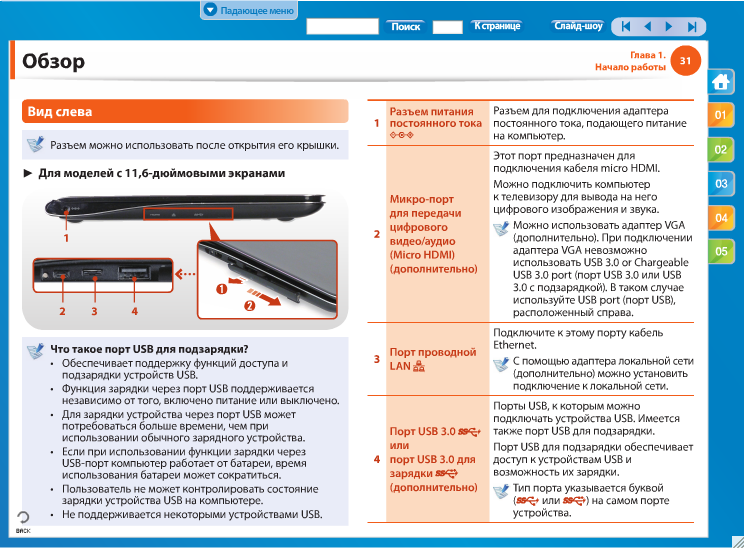
The unity of strict lines spoils, perhaps, the DC Jack on the left side of the device, that is, the DC power connector. Everything else is hidden behind the hinged decorative plugs - a beautiful, but rather controversial in terms of convenience solution - it is almost impossible to insert the same flash drive without looking at it. Yes, and hidden, in fact, there are not so many things. But how thin!
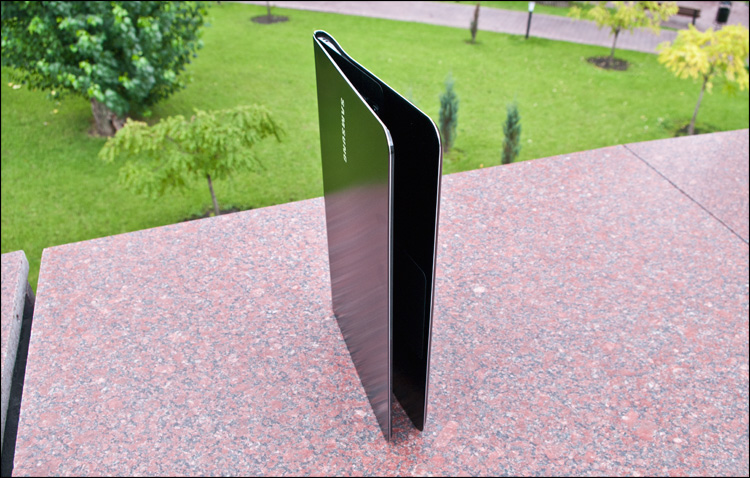
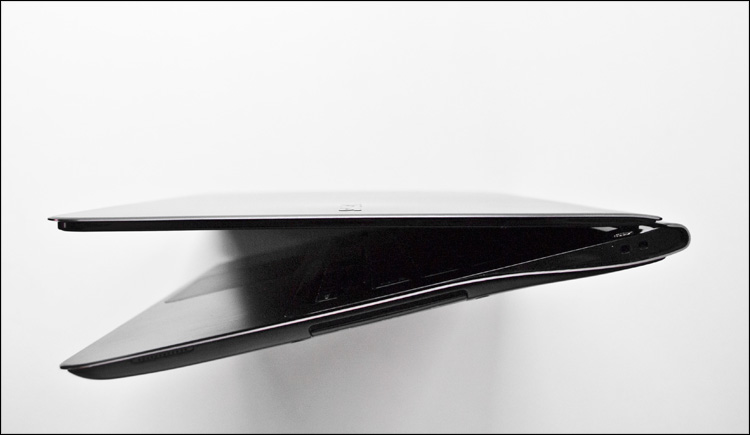
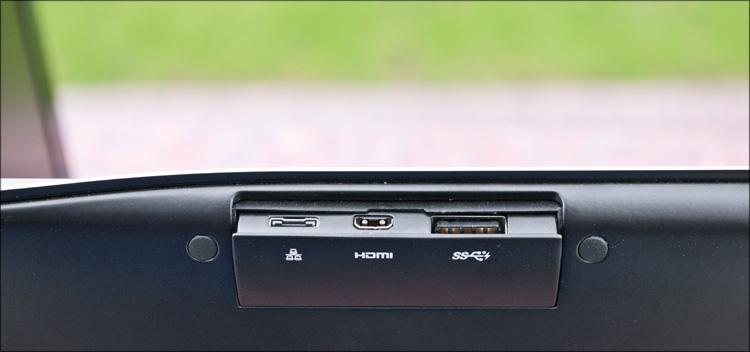
On the left is one USB port version 3.0, a network connector (Wired LAN Port), and an HDMI modification. I have to see the last two connectors for the first time, and if the first adapter comes with the adapter mentioned above, then I have to buy a wire for the second separately. Many mistakenly take it for miniHDMI (which can often be found in video cards, players and phones), but here it is precisely microHDMI that has to be.
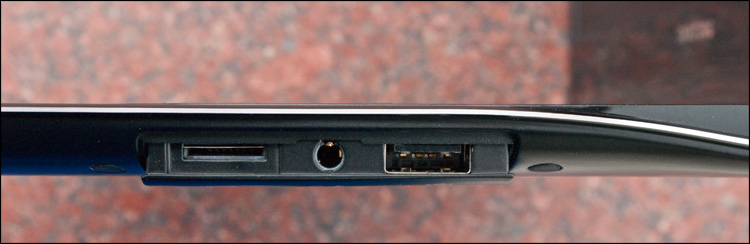
Simpler to the right is another USB port (already version 2.0), a microSD card slot (unusual solution), and a combined audio jack (for headphones and a microphone).
Well, on each side of the dynamics - from them are visible only small slots along the body.
As you can see, a rather limited set of connectors - with this it would be right to offer some kind of stylish docking station, but what is not, isn’t. On the other hand, more is not needed for everyday work.
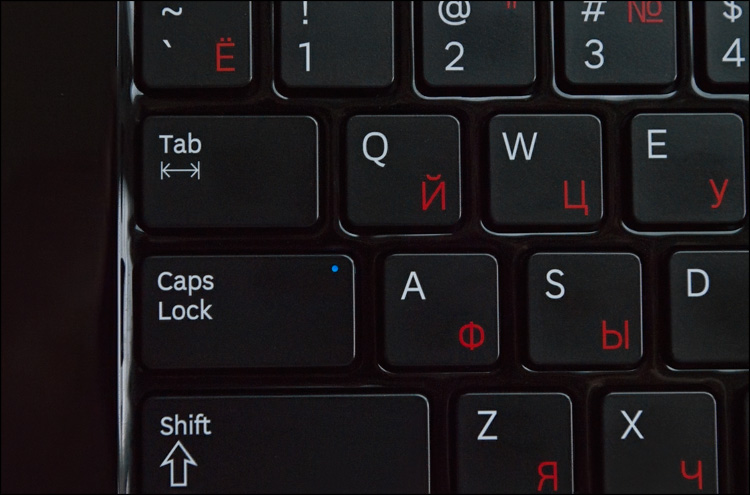
The keyboard consists of island type buttons. They are of a standard size, have a very small and quiet stroke - if you wish, you can print almost silently. The main characters are marked in white, the Cyrillic layout is in unusual red, and all actions with the FN button are in blue.
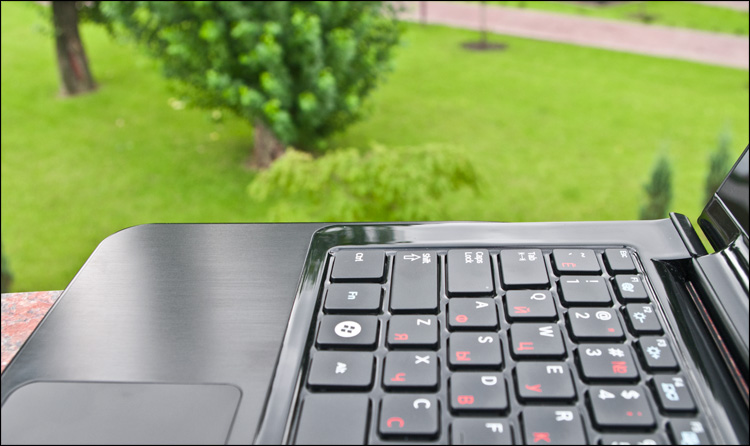
Among the Fn functions are launching the Control Center (about it later), changing the screen brightness and keyboard backlight, switching screens (CRT / LCD) and device performance mode, volume and Wi-Fi.

The most convenient layout of the existing ones - when there are large Backspace, slash, Enter and Shift on the right, and the same Shift on the left, but without a duplicated slash - this was the layout of my first keyboard, which served faithfully for many years. Unless it had Win and Fn buttons, but here they fit very well. I didn’t like the glossy plastic around the buttons, but these are trifles.
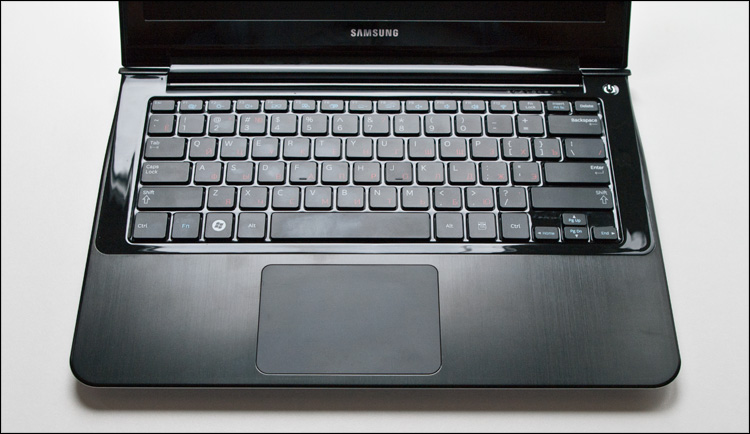
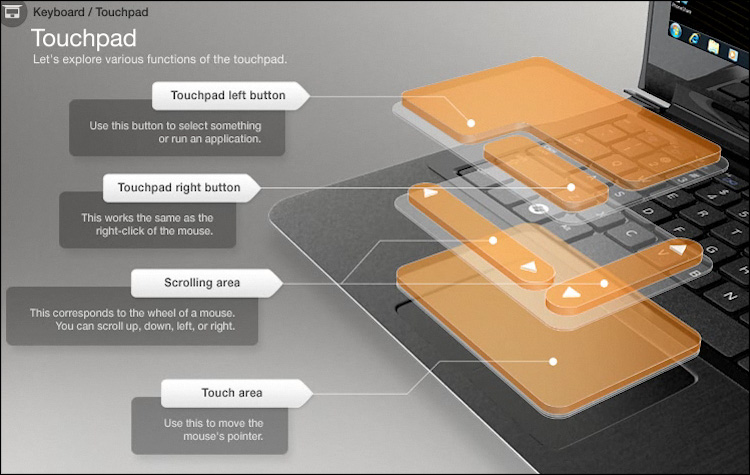
The touchpad from Synaptics is very large (100x68 mm), it occupies about a third of the surface under the keyboard - located directly under the space bar. It has a very pleasant texture, but it is almost not highlighted in any way - the dust will not accumulate.
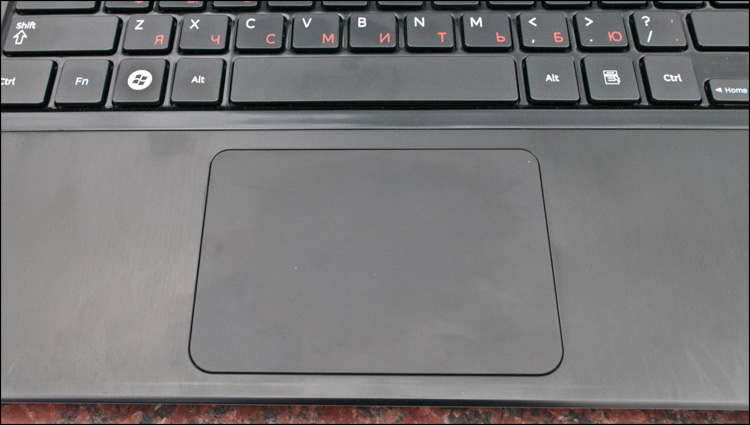
The click is quite loud and resilient, and of the interesting features is the ability to click it anywhere (the entire area of the touch panel is one big button). Naturally, there is multisensorism and support for gestures (scrolls, zooms, turns, turning pages).
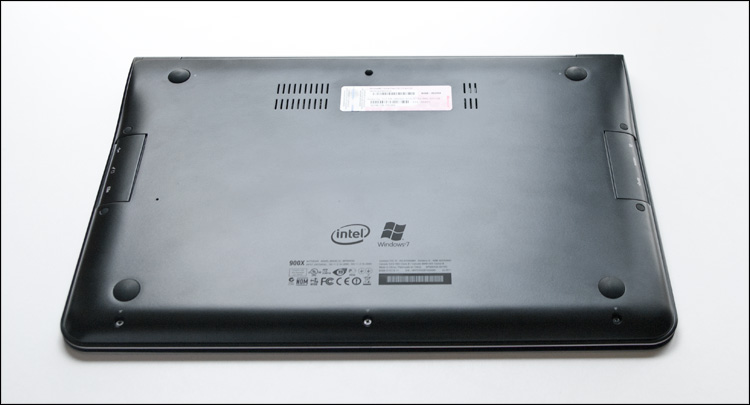
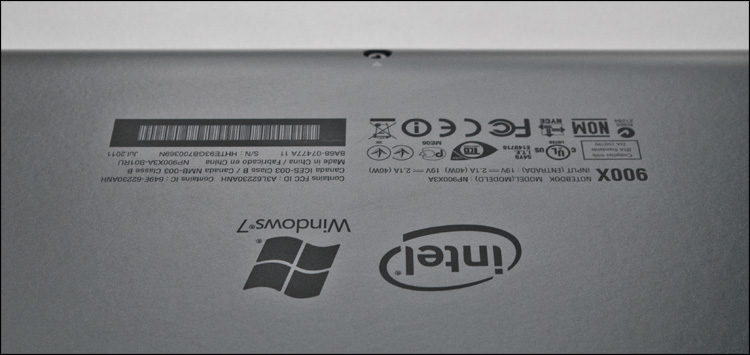
On the reverse side are four rubber washer legs, a pair of ventilation holes and Intel / Windows 7 logos.
And let's, by the way, take a Phillips screwdriver and look inside.
Disassembly of the laptop begins by unscrewing the screws on the bottom, some of them are hidden behind the rubber legs.

The bottom itself is one large case made of magnesium alloy, the weight of which is just over 100 grams!
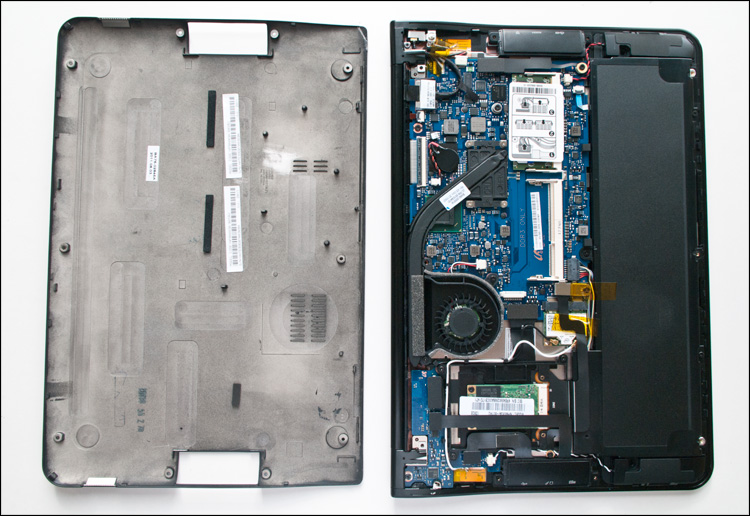
There is nothing surprising inside, but the attitude to the little things is pleasantly pleasing - the free space (which, by the way, is very small here) is used rationally, everything is neatly so. About 2/3 of the “engine compartment” space is occupied by the main system board, the rest are flat elements of a lithium-polymer battery. All the screws (on the case and on the boards) of the same size - this is convenient.
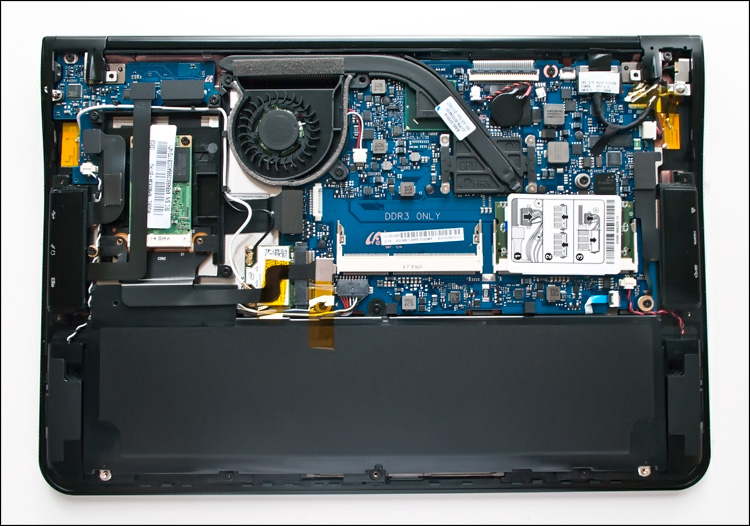
The presence of a system cooler came as a surprise - at first the thought involuntarily crept in that it did not work, because it was not heard during the tests. Then it turned out that:
- he is very quiet
- it turns on quite rarely - only in the load
- quiet background music sowed confusion :)
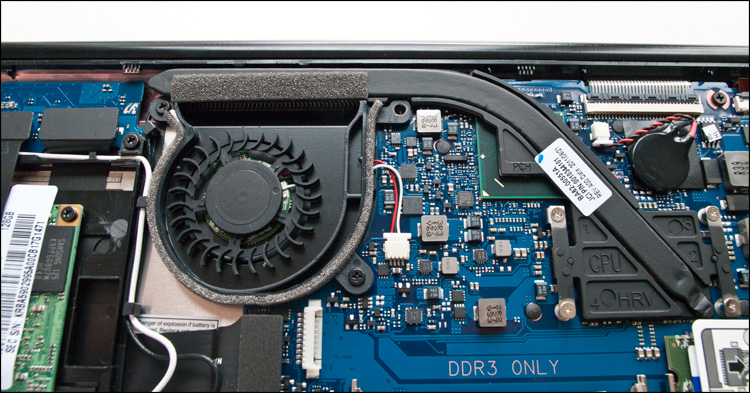
On the one hand, this is good, on the other hand - such a cooling system does not always cope with its main task. There are two unpleasant consequences - there is a restriction on the operation of the remarkable Intel Turbo Boost technology (which increases the clock frequencies of the graphics and processor cores within the permissible temperature limits) and a noticeable heating of the device case under load. The laptop will not overheat, but with a long load it simply will not be able to use its full potential - in both cases it will come to the rescue, for example, a cooling stand.
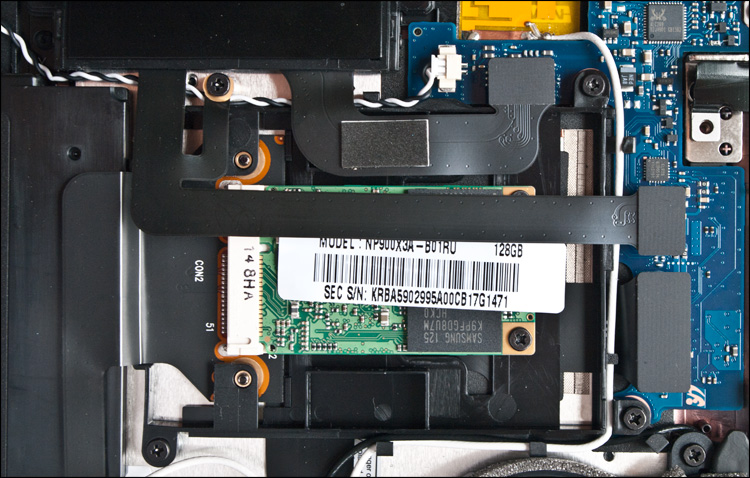
Unlike competitors, memory chips are not soldered to the motherboard. So, a Mini Card form factor solid state drive is used as a data storage device, which, if you wish (except in pursuit of disk space), can be changed to a more traditional (if mSATA can be considered as such) 1.8 form factor hard drive ''. RAM is represented by one 4GB module - if this is not enough, there is a second slot on board to double the amount of RAM (Sandy Bridge processors easily support 8GB of DDR3-1333 memory).
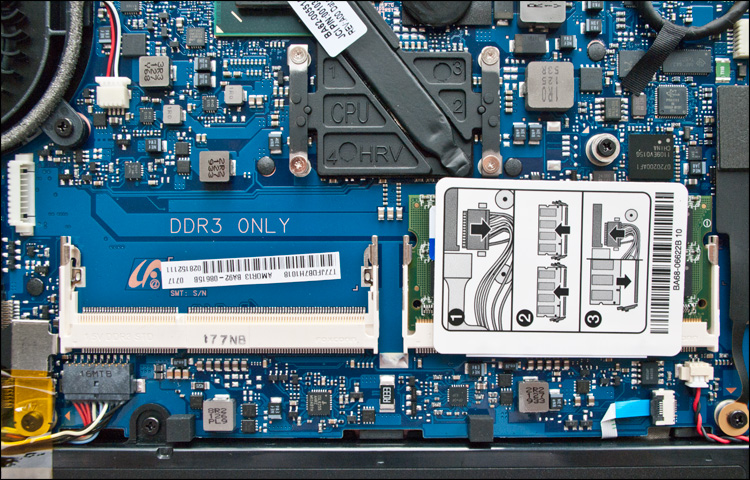
Memory, SSD-drive, matrix - all your own, native :)
The operating system uses Windows 7 Home Premium. Despite the abundance of pre-installed software, the laptop is fully turned on in 15 seconds. But in the future, as an option, the device can be "put to sleep" - it will wake up much faster.
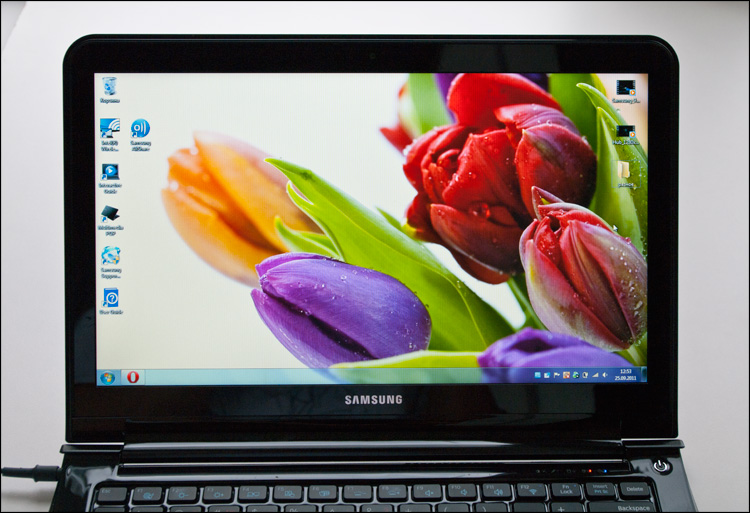
At CeBIT 2011, Samsung made a statement that it intends to use only high-quality screens in its future laptops - the new TN-matrix SuperBright PlusThe NP900X3A is a clear example of this. The first thing that catches your eye is the high brightness, the maximum value of which (400 nits, according to the manufacturer) is enough to talk on Skype in complete darkness - the interlocutor will see you like in the afternoon. Such brightness is needed except in the open sun, where the laptop also performs well - the screen is matte!
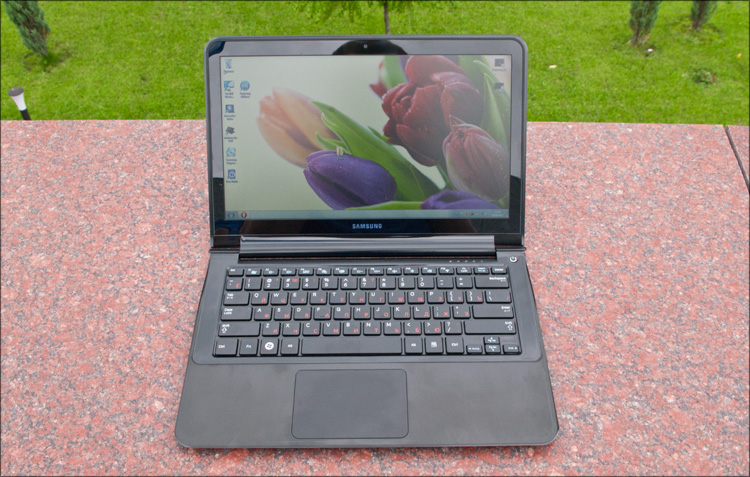
In all other cases, the minimum brightness level, that is, the most economical mode, will be enough.
The screen size is 13.3 ", while the resolution is quite high - 1366x768. It is capable of displaying up to 16 million colors, and black is the real black, just darkness (0.8 cd / m2). The viewing angles are also good - both vertically and horizontally, although they are clearly inferior to expensive IPS-matrices. The image is very contrasting (630: 1), juicy and saturated - it is a pity that all this beauty cannot be conveyed in photographs, it must be seen.
The second thing that attracts attention is the keyboard backlight. It has 9 gradations - from barely noticeable to quite intense. The white light illuminating the buttons around the perimeter will help to work comfortably with the keyboard in the dark, but you can turn it off if you wish - to save energy.
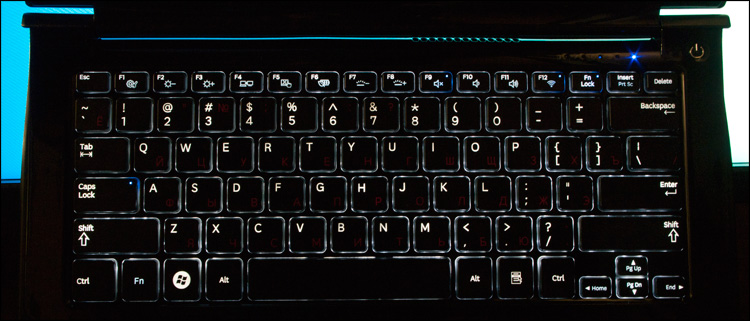
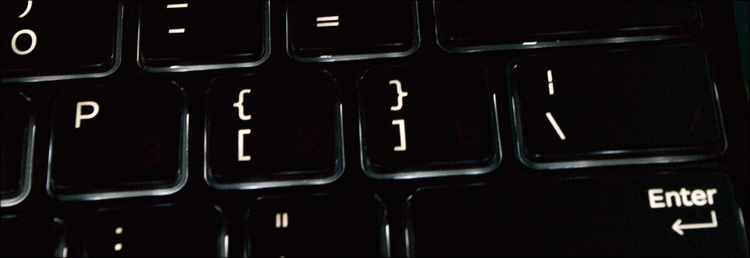
True, only English letters are highlighted on the buttons - the Cyrillic alphabet is simply painted. A number of buttons contain small “dots” - if you pressed Caps Lock, turned off Wi-Fi or the backlight, they will light up in blue.

Well, the last moment with the “light” - the laptop has a light sensor, which, depending on external conditions, will set the desired screen brightness and keyboard backlight. If the idea of a comfortable brightness level at the sensor does not match yours, everything can be adjusted manually.
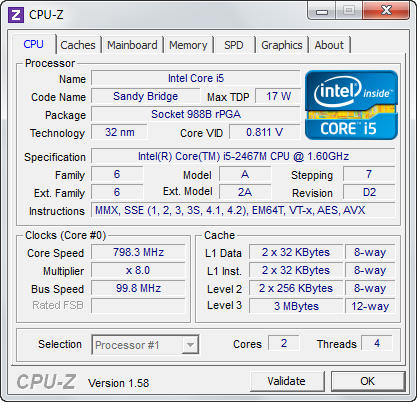
The heart of the Samsung NP900X3A laptop is the Intel Core i5-2467M dual-core processor announced earlier this year .with a standard clock frequency of 1.6 GHz. It supports Turbo Boost 2.0 technology, so the processor frequency can go up to 2 GHz - when both cores are working, and up to 2.3 GHz when only one core is under load. If not enough, another modification of this notebook was recently announced , but with Core i7.
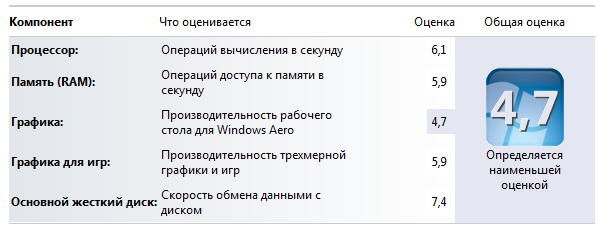
The performance index is 4.7 points, and everything depends on the integrated video - the rest of the indicators are at least a point higher.
Like all Sandy Bridge generation processors, the Core i5-2467M has an onboard DDR3 memory controller and an integrated Intel HD Graphics 3000 graphics core. И если даже штатного объема памяти (4096 Мб) будет достаточно для любых задач, то вот “видеокарта” демонстрирует, прямо скажем, не самые лучшие результаты в плане производительности. В “попугаях” это 2800 баллов в 3DMark 06 (при разрешении 1280х768), из чего можно сделать очевидный вывод, что видеоподсистема ноутбука явно не для современных игр, хотя со многими мультимедийными задачами запросто справится.
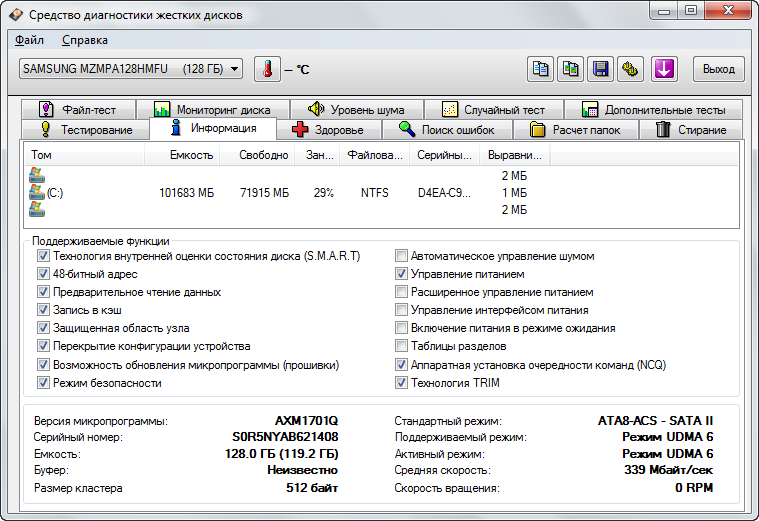
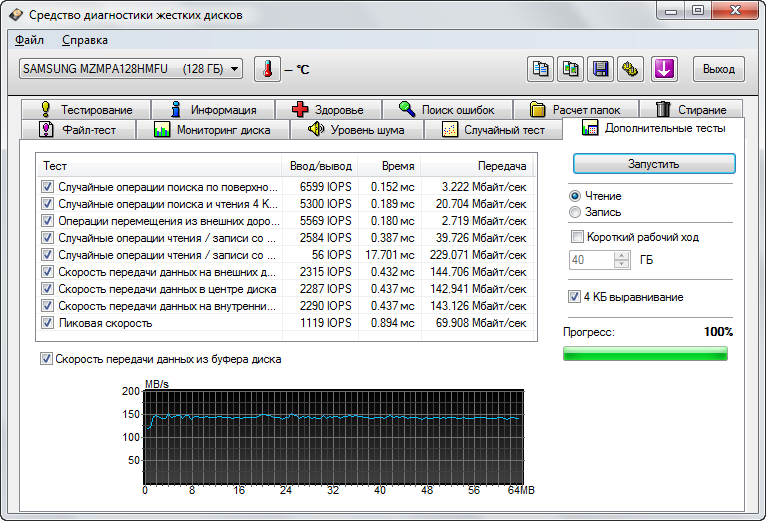
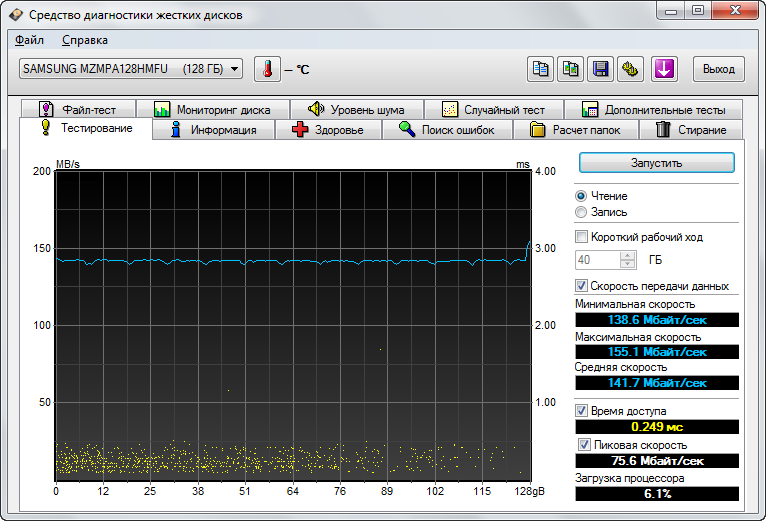
Благодаря использованию твердотельного накопителя, единственным источником шума в NP900X3A является вентилятор системы охлаждения — как уже было сказано выше, он очень тихий. Говоря же о производительности самого накопителя (емкость которого в данной модели составляет 128Гб), то показатели следующие (еще: 1 | 2 | 3 ):
The following applications can be distinguished from non-standard software:
Samsung Update Plus - a program for searching, downloading and installing updates for a laptop.
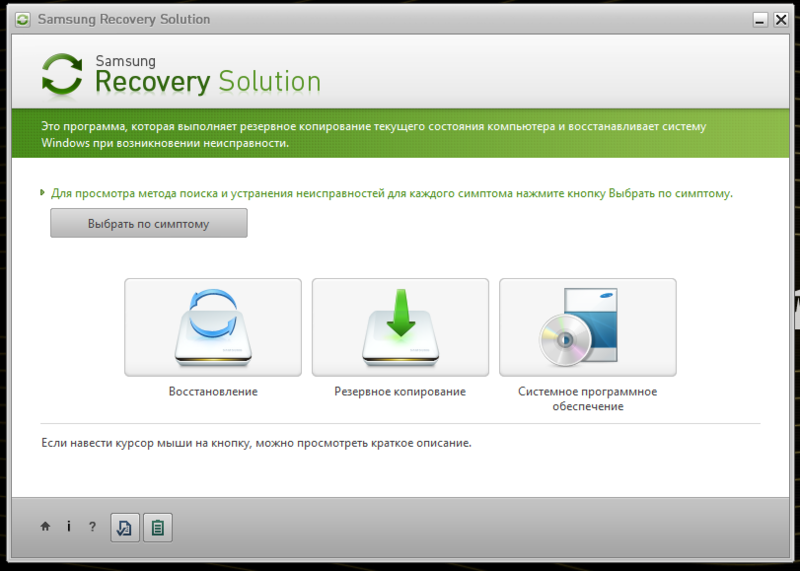
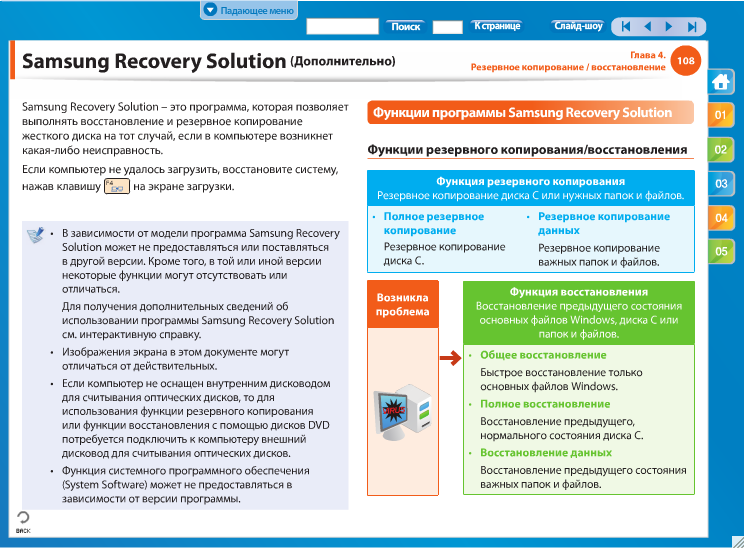
Samsung Recovery Solution - utility for backup and data recovery. It does not make sense to talk about them in detail - in the first case it will often be much faster to find the files you need manually, and for the second case there are long time-tested more functional applications.
Easy File Share - feature for quick and easy file sharing. Specify a code of several digits and tell his colleague - he enters these numbers in the same application (but already on his computer) and now you can transfer files between your devices.

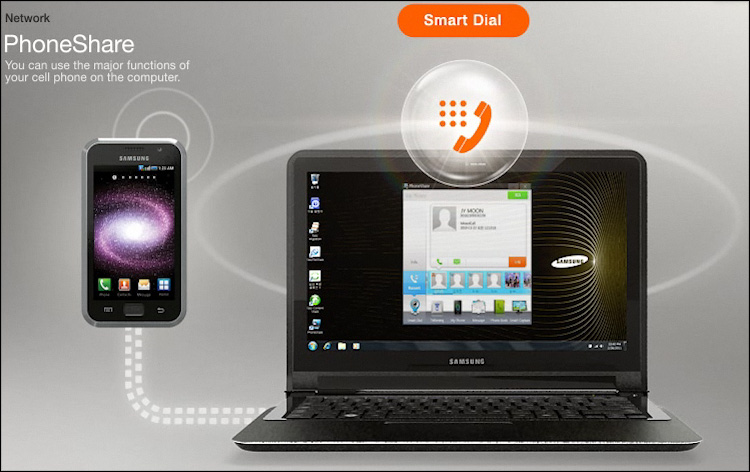
Can putPhone Share , then all-all-all from your mobile phone (including SMS, file sharing, creating wallpapers in a couple of clicks, tethering, etc.) will be available to you on your laptop.
Easy Migration will help transfer everything you need from an old computer to a new one, and this can be done via USB or via a network.
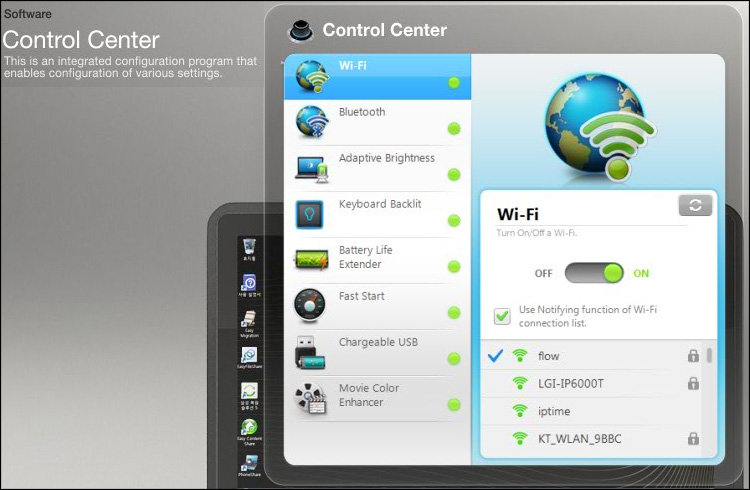
You can mention the Control Center , called by pressing the Fn + F1 key combination - a small convenient utility in which you can configure everything-everything-everything that concerns a laptop - Wi-Fi, Bluetooth, screen brightness and keyboard backlighting, etc. USB charging is also activated here. If desired, you can enable the Battery Life Extender setting- with it, the laptop will only charge up to 80% all the time, which should extend the battery life.
The electronic user manual written in as many as 30 languages deserves special praise. It is interesting in that it is very detailed and executed very high quality - there are many interactive clips created specifically for this model of laptop.
Well, the last thing we left for dessert is battery life. Information about the parameters of the battery becomes known only after opening the device, but what good is it - you won’t jump with a non-removable battery in terms of autonomy "above your head"! However, Samsung managed to achieve excellent results in relation to the power consumption of the new product - in the economy mode (without Wi-Fi, with minimal screen brightness and without the keyboard backlight) the device works for 9.5 hours, and in the more familiar mode (with Wi-Fi) - honest 6- 7 o'clock. In video viewing mode (at higher brightness), the laptop runs for at least 5 hours, which is a very good result for a laptop with such dimensions and filling.
As a result. The device turned out to be very compact, but at the same time productive and autonomous. About this I imagined the “Laptop” with a capital letter.
Processor: Intel Core i5-2467M (two cores, 1.6-2.3 GHz, 3 MB L3, 32 nm, TDP 17 W, Intel 64)
Chipset: Intel HM65
Graphics: Intel HD Graphics 3000
RAM: 4096 MB, DDR3 PC3- 10700, 1333 MHz, two slots (up to 8 GB)
Data storage: Samsung MZMPA128HMFU 128 GB SSD (PCI-E)
Operating system: Microsoft Windows 7 Home Premium 64bit
Display: 13.3 ", 1366x768 (WXGA, 16: 9) , 400 nits, matte, LED-backlight with SuperBright Plus technology
Drive: none
Connectors: 1xUSB (3.0), 1xUSB (2.0), microHDMI, Ethernet (via adapter), combined audio jack (headphones and microphone).
Wireless interfaces: Bluetooth 3.0 + HS, Wi-Fi 802.11a / b / g / n ( Intel Centrino Advanced-N 6230 ), support for Intel Wireless Display
Card reader: microSD
Camera: 1.3 MP
Additionally: keyboard backlight, light sensor at the display
Case material: duralumin and magnesium alloy
Battery: Li-Pol 6200 mAh (6 cells, 46 Wh, 7.4 V), non-removable
Dimensions: 16.3 x 328 x 227 mm
Weight: 1.31 kg (with battery) / 1.5 kg (with adapter)
Price : from 50 000 rubles depending on the configuration.
As an option, there is a “younger” 11-inch model Samsung NP900X1B- it is cheaper, but also simpler. Well, more compact.
Compact size. The laptop will not fit in a women's cosmetic bag; in all other cases, there will definitely be enough space. This is also a miniature adapter.
Metal case. It is not only beautiful, but also practical.
Silent work. There is a system cooler, but in most cases it simply does not make itself felt.
Bright screen.
Keyboard. There are no piling up of buttons, and the existing layout is very convenient. So it's still backlit!
Performance. An integrated video system may not work wonders, but a bunch of a processor and an SSD can do wonders.
Autonomy.At the maximum backlight and in the load (that is, the very-very minimum) - more than 5 hours. In a more gentle mode - up to 9.
✘ Marking surface. Despite the predominantly matte materials, the case is quite easily soiled.
✘ Heats up during high load. However, this is typical of all laptops, especially with a metal case. And even with integrated graphics.
✘ Few interfaces. All common video connectors fell victim to compactness - microHDMI is used instead, and two USB ports may not be enough for all. And you can’t attach a docking station in any way.
✘ High price. The cost of this laptop is exactly twice the average "psychological level of 30 thousand rubles per laptop."
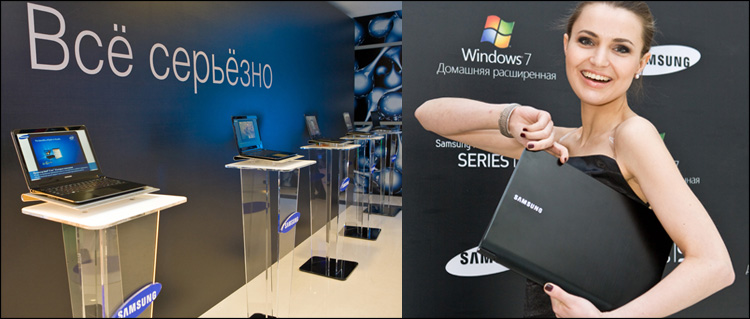
Surely, many have already seen this laptop under the slogan " Everything is serious " - and you can’t argue, everything is really serious!
Reviews for the Samsung NP900X3A Laptop at Other Sites: NotebookCheck | 3DNews | [email protected]
What to tell about next time?
Caution, traffic is inside 50 photos.
The "breed" begins to be felt even with the black square box in which the device is sold. Matte cardboard, a lid with a magnetic fastener, and the smell ... At the very beginning of the acquaintance, even such a trifle as “unboxing” will give its owner a couple of pleasant moments. Inside was:
- Laptop
- Ethernet adapter
- AC adapter
- DVD-ROM for system recovery
- Papers (warranty, color instruction and safety instruction)
The power adapter (Input: 100-240V, 1A / Output: 19V, 2.1A) compares favorably with traditional laptop solutions - it only has one wire side of the adapter, on the other hand only a removable plug. As a result - small size and weight, comparable to charging from a phone.
The laptop is really very thin, therefore, for the harmonious presence of a “high” RJ-45 connector, there simply would not be a place. But at the same time, it would be foolish to deprive the user of the possibility of a wired connection, so the bundle comes with a kind of compromise, an Ethernet adapter (the so-called "Gigabit LAN Dongle").
For the same reason, there are no traditional VGA and DVI connectors on the laptop, so you still have to tinker with connecting an external device for image output - there is no necessary adapter in the kit, it is sold separately.
Samsung NP900X3A | Appearance
According to the manufacturer, in the manufacture of the laptop case, two materials were used: magnesium-aluminum alloy for the bottom and duralumin for everything else. It’s hard to somehow verify this, but in practice the laptop is almost always cool.
The lid is painted black and has a fine-polished texture - there is no gloss, but the prints, unfortunately, remain even from light touches. Keep this in mind if the aesthetic appearance of the device for you is not in last place.
The embossed inscription SAMSUNG is located on one edge - if at least a ray of light hits it, the recesses from laser engraving create a rather bewitching spectacle.
The lid smoothly goes into the hinge and from there it goes into the bottom in the same way - from the side it all has a rather unusual drop-like shape. The hinge is far from the most massive, but confidently performs its task.
On a black background, sharp metal edges look stylish, but in reality they are also practical. There is a convenient gap here - the device can always be easily opened even with one hand. Accordingly, the laptop could be even thinner if it did not have this “convenient layer” (which, by and large, is formed by a frame around the screen) - the metal cover would fully provide the necessary rigidity.
A laptop without any decorative elements - all in an adult way, nothing more. The matte screen has a diagonal of 13.3 inches, around it there is a glossy frame. Moreover, if usually the frame around the screen is made of cheap plastic, then here, most likely, gorilla glass is used. A rubber gasket neatly goes around the perimeter - so that when closed the parts of the laptop do not rub against each other and do not form scratches.
Above the screen is the optional 1.3-megapixel webcam, perfect for talking on Skype. At the very bottom - a microphone, status indicators and a power button.
The unity of strict lines spoils, perhaps, the DC Jack on the left side of the device, that is, the DC power connector. Everything else is hidden behind the hinged decorative plugs - a beautiful, but rather controversial in terms of convenience solution - it is almost impossible to insert the same flash drive without looking at it. Yes, and hidden, in fact, there are not so many things. But how thin!
On the left is one USB port version 3.0, a network connector (Wired LAN Port), and an HDMI modification. I have to see the last two connectors for the first time, and if the first adapter comes with the adapter mentioned above, then I have to buy a wire for the second separately. Many mistakenly take it for miniHDMI (which can often be found in video cards, players and phones), but here it is precisely microHDMI that has to be.
Simpler to the right is another USB port (already version 2.0), a microSD card slot (unusual solution), and a combined audio jack (for headphones and a microphone).
Well, on each side of the dynamics - from them are visible only small slots along the body.
As you can see, a rather limited set of connectors - with this it would be right to offer some kind of stylish docking station, but what is not, isn’t. On the other hand, more is not needed for everyday work.
The keyboard consists of island type buttons. They are of a standard size, have a very small and quiet stroke - if you wish, you can print almost silently. The main characters are marked in white, the Cyrillic layout is in unusual red, and all actions with the FN button are in blue.
Among the Fn functions are launching the Control Center (about it later), changing the screen brightness and keyboard backlight, switching screens (CRT / LCD) and device performance mode, volume and Wi-Fi.
The most convenient layout of the existing ones - when there are large Backspace, slash, Enter and Shift on the right, and the same Shift on the left, but without a duplicated slash - this was the layout of my first keyboard, which served faithfully for many years. Unless it had Win and Fn buttons, but here they fit very well. I didn’t like the glossy plastic around the buttons, but these are trifles.
The touchpad from Synaptics is very large (100x68 mm), it occupies about a third of the surface under the keyboard - located directly under the space bar. It has a very pleasant texture, but it is almost not highlighted in any way - the dust will not accumulate.
The click is quite loud and resilient, and of the interesting features is the ability to click it anywhere (the entire area of the touch panel is one big button). Naturally, there is multisensorism and support for gestures (scrolls, zooms, turns, turning pages).
On the reverse side are four rubber washer legs, a pair of ventilation holes and Intel / Windows 7 logos.
And let's, by the way, take a Phillips screwdriver and look inside.
Samsung NP900X3A | Inside
Disassembly of the laptop begins by unscrewing the screws on the bottom, some of them are hidden behind the rubber legs.
The bottom itself is one large case made of magnesium alloy, the weight of which is just over 100 grams!
There is nothing surprising inside, but the attitude to the little things is pleasantly pleasing - the free space (which, by the way, is very small here) is used rationally, everything is neatly so. About 2/3 of the “engine compartment” space is occupied by the main system board, the rest are flat elements of a lithium-polymer battery. All the screws (on the case and on the boards) of the same size - this is convenient.
The presence of a system cooler came as a surprise - at first the thought involuntarily crept in that it did not work, because it was not heard during the tests. Then it turned out that:
- he is very quiet
- it turns on quite rarely - only in the load
- quiet background music sowed confusion :)
On the one hand, this is good, on the other hand - such a cooling system does not always cope with its main task. There are two unpleasant consequences - there is a restriction on the operation of the remarkable Intel Turbo Boost technology (which increases the clock frequencies of the graphics and processor cores within the permissible temperature limits) and a noticeable heating of the device case under load. The laptop will not overheat, but with a long load it simply will not be able to use its full potential - in both cases it will come to the rescue, for example, a cooling stand.
Unlike competitors, memory chips are not soldered to the motherboard. So, a Mini Card form factor solid state drive is used as a data storage device, which, if you wish (except in pursuit of disk space), can be changed to a more traditional (if mSATA can be considered as such) 1.8 form factor hard drive ''. RAM is represented by one 4GB module - if this is not enough, there is a second slot on board to double the amount of RAM (Sandy Bridge processors easily support 8GB of DDR3-1333 memory).
Memory, SSD-drive, matrix - all your own, native :)
Samsung NP900X3A | Work and software
The operating system uses Windows 7 Home Premium. Despite the abundance of pre-installed software, the laptop is fully turned on in 15 seconds. But in the future, as an option, the device can be "put to sleep" - it will wake up much faster.
At CeBIT 2011, Samsung made a statement that it intends to use only high-quality screens in its future laptops - the new TN-matrix SuperBright PlusThe NP900X3A is a clear example of this. The first thing that catches your eye is the high brightness, the maximum value of which (400 nits, according to the manufacturer) is enough to talk on Skype in complete darkness - the interlocutor will see you like in the afternoon. Such brightness is needed except in the open sun, where the laptop also performs well - the screen is matte!
In all other cases, the minimum brightness level, that is, the most economical mode, will be enough.
The screen size is 13.3 ", while the resolution is quite high - 1366x768. It is capable of displaying up to 16 million colors, and black is the real black, just darkness (0.8 cd / m2). The viewing angles are also good - both vertically and horizontally, although they are clearly inferior to expensive IPS-matrices. The image is very contrasting (630: 1), juicy and saturated - it is a pity that all this beauty cannot be conveyed in photographs, it must be seen.
The second thing that attracts attention is the keyboard backlight. It has 9 gradations - from barely noticeable to quite intense. The white light illuminating the buttons around the perimeter will help to work comfortably with the keyboard in the dark, but you can turn it off if you wish - to save energy.
True, only English letters are highlighted on the buttons - the Cyrillic alphabet is simply painted. A number of buttons contain small “dots” - if you pressed Caps Lock, turned off Wi-Fi or the backlight, they will light up in blue.
Well, the last moment with the “light” - the laptop has a light sensor, which, depending on external conditions, will set the desired screen brightness and keyboard backlight. If the idea of a comfortable brightness level at the sensor does not match yours, everything can be adjusted manually.
The heart of the Samsung NP900X3A laptop is the Intel Core i5-2467M dual-core processor announced earlier this year .with a standard clock frequency of 1.6 GHz. It supports Turbo Boost 2.0 technology, so the processor frequency can go up to 2 GHz - when both cores are working, and up to 2.3 GHz when only one core is under load. If not enough, another modification of this notebook was recently announced , but with Core i7.
The performance index is 4.7 points, and everything depends on the integrated video - the rest of the indicators are at least a point higher.
Like all Sandy Bridge generation processors, the Core i5-2467M has an onboard DDR3 memory controller and an integrated Intel HD Graphics 3000 graphics core. И если даже штатного объема памяти (4096 Мб) будет достаточно для любых задач, то вот “видеокарта” демонстрирует, прямо скажем, не самые лучшие результаты в плане производительности. В “попугаях” это 2800 баллов в 3DMark 06 (при разрешении 1280х768), из чего можно сделать очевидный вывод, что видеоподсистема ноутбука явно не для современных игр, хотя со многими мультимедийными задачами запросто справится.
Благодаря использованию твердотельного накопителя, единственным источником шума в NP900X3A является вентилятор системы охлаждения — как уже было сказано выше, он очень тихий. Говоря же о производительности самого накопителя (емкость которого в данной модели составляет 128Гб), то показатели следующие (еще: 1 | 2 | 3 ):
The following applications can be distinguished from non-standard software:
Samsung Update Plus - a program for searching, downloading and installing updates for a laptop.
Samsung Recovery Solution - utility for backup and data recovery. It does not make sense to talk about them in detail - in the first case it will often be much faster to find the files you need manually, and for the second case there are long time-tested more functional applications.
Easy File Share - feature for quick and easy file sharing. Specify a code of several digits and tell his colleague - he enters these numbers in the same application (but already on his computer) and now you can transfer files between your devices.
Can putPhone Share , then all-all-all from your mobile phone (including SMS, file sharing, creating wallpapers in a couple of clicks, tethering, etc.) will be available to you on your laptop.
Easy Migration will help transfer everything you need from an old computer to a new one, and this can be done via USB or via a network.
You can mention the Control Center , called by pressing the Fn + F1 key combination - a small convenient utility in which you can configure everything-everything-everything that concerns a laptop - Wi-Fi, Bluetooth, screen brightness and keyboard backlighting, etc. USB charging is also activated here. If desired, you can enable the Battery Life Extender setting- with it, the laptop will only charge up to 80% all the time, which should extend the battery life.
The electronic user manual written in as many as 30 languages deserves special praise. It is interesting in that it is very detailed and executed very high quality - there are many interactive clips created specifically for this model of laptop.
Well, the last thing we left for dessert is battery life. Information about the parameters of the battery becomes known only after opening the device, but what good is it - you won’t jump with a non-removable battery in terms of autonomy "above your head"! However, Samsung managed to achieve excellent results in relation to the power consumption of the new product - in the economy mode (without Wi-Fi, with minimal screen brightness and without the keyboard backlight) the device works for 9.5 hours, and in the more familiar mode (with Wi-Fi) - honest 6- 7 o'clock. In video viewing mode (at higher brightness), the laptop runs for at least 5 hours, which is a very good result for a laptop with such dimensions and filling.
As a result. The device turned out to be very compact, but at the same time productive and autonomous. About this I imagined the “Laptop” with a capital letter.
Samsung NP900X3A | Specifications
Processor: Intel Core i5-2467M (two cores, 1.6-2.3 GHz, 3 MB L3, 32 nm, TDP 17 W, Intel 64)
Chipset: Intel HM65
Graphics: Intel HD Graphics 3000
RAM: 4096 MB, DDR3 PC3- 10700, 1333 MHz, two slots (up to 8 GB)
Data storage: Samsung MZMPA128HMFU 128 GB SSD (PCI-E)
Operating system: Microsoft Windows 7 Home Premium 64bit
Display: 13.3 ", 1366x768 (WXGA, 16: 9) , 400 nits, matte, LED-backlight with SuperBright Plus technology
Drive: none
Connectors: 1xUSB (3.0), 1xUSB (2.0), microHDMI, Ethernet (via adapter), combined audio jack (headphones and microphone).
Wireless interfaces: Bluetooth 3.0 + HS, Wi-Fi 802.11a / b / g / n ( Intel Centrino Advanced-N 6230 ), support for Intel Wireless Display
Card reader: microSD
Camera: 1.3 MP
Additionally: keyboard backlight, light sensor at the display
Case material: duralumin and magnesium alloy
Battery: Li-Pol 6200 mAh (6 cells, 46 Wh, 7.4 V), non-removable
Dimensions: 16.3 x 328 x 227 mm
Weight: 1.31 kg (with battery) / 1.5 kg (with adapter)
Price : from 50 000 rubles depending on the configuration.
As an option, there is a “younger” 11-inch model Samsung NP900X1B- it is cheaper, but also simpler. Well, more compact.
| Pros and cons
Compact size. The laptop will not fit in a women's cosmetic bag; in all other cases, there will definitely be enough space. This is also a miniature adapter.
Metal case. It is not only beautiful, but also practical.
Silent work. There is a system cooler, but in most cases it simply does not make itself felt.
Bright screen.
Keyboard. There are no piling up of buttons, and the existing layout is very convenient. So it's still backlit!
Performance. An integrated video system may not work wonders, but a bunch of a processor and an SSD can do wonders.
Autonomy.At the maximum backlight and in the load (that is, the very-very minimum) - more than 5 hours. In a more gentle mode - up to 9.
✘ Marking surface. Despite the predominantly matte materials, the case is quite easily soiled.
✘ Heats up during high load. However, this is typical of all laptops, especially with a metal case. And even with integrated graphics.
✘ Few interfaces. All common video connectors fell victim to compactness - microHDMI is used instead, and two USB ports may not be enough for all. And you can’t attach a docking station in any way.
✘ High price. The cost of this laptop is exactly twice the average "psychological level of 30 thousand rubles per laptop."
| Conclusion
Surely, many have already seen this laptop under the slogan " Everything is serious " - and you can’t argue, everything is really serious!
Reviews for the Samsung NP900X3A Laptop at Other Sites: NotebookCheck | 3DNews | [email protected]
What to tell about next time?