April 21, 2016 at 15:26
Choosing a budget tablet computer with an Intel Core M processor
Last year, Intel pleased the new processors of the Intel Core M series, which allowed the tablets to reach a new level both in terms of performance and battery life. These processors heat up much less, so many of them managed to get rid of additional cooling, which, in turn, affected both the appearance and the duration of the work. On tablets from China, you can find either Intel Core M-5Y10 or Intel Core M3-6Y30. The first modification is from the 5th generation of processors, and the second from the 6th, that is, the last.
I chose 5 tablets for comparison: 3 on Intel Core M-5Y10 processors, although they are slightly outdated, but they are much nicer in price and the 2 most powerful on Intel Core M3-6Y30. By the way, the Macbook 12 also has an Intel Core M 5th series, but we won’t talk about it today.
First you need to understand what the difference is between the 5th and 6th generation.
Not so big if you think about it. Now let's look at the presented models.
Here we have 3 excellent tablets, they are located in approximately the same price segment, but each has its own set of advantages. These are Teclast X2 Pro, Onda V116w and Onda V919. We look.
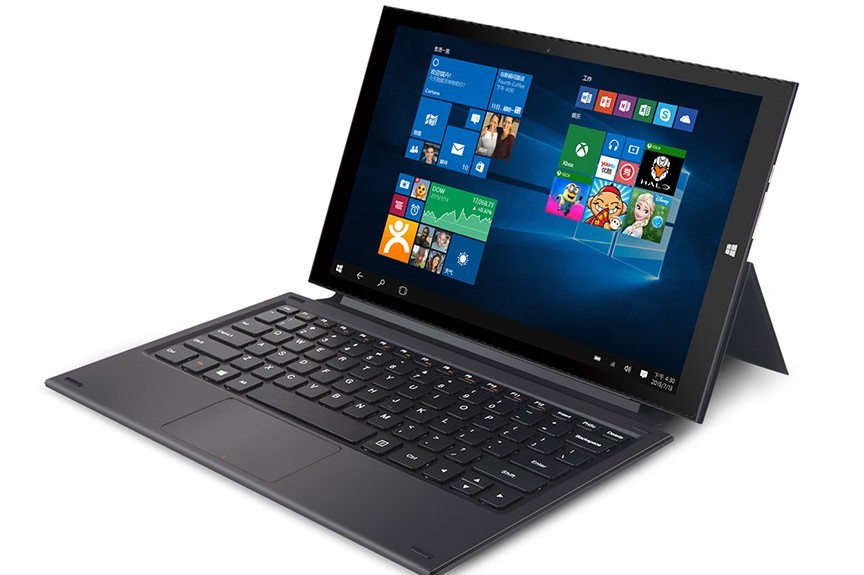

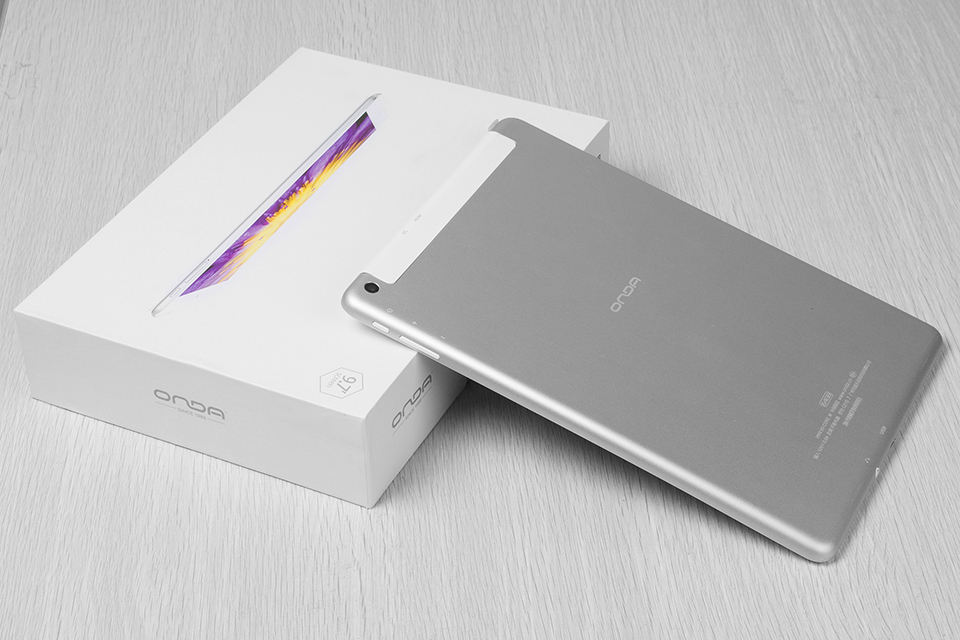
Everything is simple here - the tablets are very similar, but the Onda V116w is a bit more expensive due to the larger amount of memory on board, but the Teclast X2 Pro has both USB ports - high-speed, which is also very attractive. And it’s worth noting that the Teclast X2 Pro has a rear camera, so you can use it not only for Skype calls. But Onda V919 will appeal to those who appreciate the best screen resolution and lightness, since it weighs only 583 grams, which is about 2 times less than its competitors, but you can not find USB on its case. Everywhere compromises.

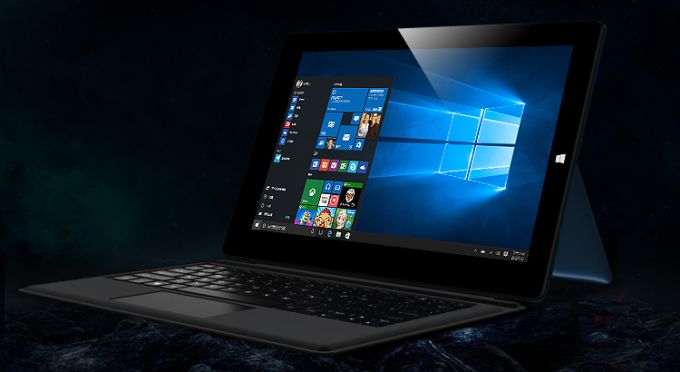
A 128 GB SSD + the same amount on the card, full Windows 10, up to 8 gig of RAM, etc. Looking at these tablet computers, you understand that we have lived to see the time when a tablet is enough for full-fledged work. It remains to compare them in detail and choose your future.
Of course, the first thing that catches your eye is the size of the screen. The Cube i9 offers us a decent 12-inch screen, while the Teclast X3 Pro decided to offer a more compact, but still rather big solution with a half-inch screen, that is, 11.6 against 12.2. Together with the difference in the diagonal, we get the difference in resolution, which is logical for products of such a high level.
The second and last significant difference is the RAM, where Teclast X3 Pro offered as much as 8GB, versus 4 for the Cube i9. Obviously, this should provide a more operational tablet.
By other parameters, the tablets are almost identical, so if you decide to buy a high-quality tablet computer for $ 500, it remains to choose what is more important for you - the diagonal and resolution or an increased amount of RAM.
That's all, with you there was a simple service for choosing complex Dronk.Ru equipment . Do not forget to subscribe to our blog , there will be many more interesting things.
ps * - links marked with an asterisk referral, so that you can additionally save by returning cashback to 3%. Read more at Dronk.ru/cashback/ or you can get up to 30% for any purchases by purchasing them through the LetyShops cashback service . Read more about who such cashback services are in our article. Choose cashback service for the 6th anniversary of Aliexpress. Other our publications

I chose 5 tablets for comparison: 3 on Intel Core M-5Y10 processors, although they are slightly outdated, but they are much nicer in price and the 2 most powerful on Intel Core M3-6Y30. By the way, the Macbook 12 also has an Intel Core M 5th series, but we won’t talk about it today.
First you need to understand what the difference is between the 5th and 6th generation.
| Processor number | Cache memory | Clock frequency | Number of cores / threads | Max. calc. power / power | Types of memory | Graphics Adapters |
|---|---|---|---|---|---|---|
| Intel Core m3-6Y30 Processor (4M Cache, up to 2.20 GHz) | 4 MB | 900 MHz | 2/4 | 4.5 watts | LPDDR3-1866, DDR3L-1600 | Intel® HD Graphics 515 |
| Intel® Core ™ m-5Y10 Processor (4M Cache, up to 2.00 GHz) | 4 MB | 800 GHz | 2/4 | 4.5 watts | LPDDR3 1333/1600 DDR3L / DDR3L-RS 1600 | Intel® HD Graphics 5300 |
Intel Core M 5Y10C tablets
Here we have 3 excellent tablets, they are located in approximately the same price segment, but each has its own set of advantages. These are Teclast X2 Pro, Onda V116w and Onda V919. We look.
Teclast X2 Pro
Onda V116w
Onda V919
Comparison of Teclast X2 Pro, Onda V116w and Onda V919
| Teclast X2 Pro | Onda V116w | Onda V919 | |
| Axis | Windows 10 | Windows 10 | Windows 10 |
| CPU | Intel Core M 5Y10C | Intel 5Y10C | Intel 5Y10C |
| Graphics | Intel HD Graphics 5300 | Intel HD Graphics 5300 | Intel HD Graphics 5300 |
| Core | 800MHz, Dual Core | 800MHz, Dual Core | 800MHz, Dual Core |
| Memory | |||
| Operational | 4GB | 4GB | 4GB |
| Built-in | 64GB | 128GB | 64GB |
| External | TF cards up to 128GB (not included) | TF cards up to 128GB (not included) | TF cards up to 128GB (not included) |
| Communication | |||
| Supported | Wifi | Built-in 3G, WiFi | 2G, Built-in 3G, WiFi |
| WIFI | 802.11b / g / n | 802.11b / g / n | 802.11b / g / n |
| Bluetooth | Yes | Yes | Yes |
| Screen | |||
| A type | Capacitive IPS | Capacitive IPS | Retina, IPS |
| The size | 11.6 inch | 11.6 inch | 9.7 inch |
| Resolution | 1920 x 1080 | 1920 x 1080 | 2048 x 1536 |
| Camera | |||
| Back | 5.0mp | not | 5.0mp |
| Front | 2.0mp | 2.0mp | 2.0mp |
| Slots | |||
| Memory card | Yes | Yes | Yes |
| USB | Yes (2 x USB 3.0 Host) | Yes (USB 2.0 USB 3.0) | Not |
| Micro hdmi | Yes | Yes | Yes |
| SIM Card Slot | Not | Yes | Yes |
| Battery | |||
| Working hours | 8 hours of video viewing | 8 hours of video viewing | 8 hours of video viewing |
| Capacity (mAh) | 12000 mAh | 8000 mAh | 8000 mAh |
| Dimensions | |||
| The size | 30.30 x 18.53 x 1.05 cm | 29.90 x 17.90 x 1.08 cm | 24.00 x 17.00 x 0.89 cm |
| Weight | 0.915 kg | 1.190 kg | 0.583 kg |
| Price | $ 366.54 (+ return $ 14 ) | $ 407.18 (+ return $ 15 ) | $ 357.92 (+ return $ 14 ) |
Everything is simple here - the tablets are very similar, but the Onda V116w is a bit more expensive due to the larger amount of memory on board, but the Teclast X2 Pro has both USB ports - high-speed, which is also very attractive. And it’s worth noting that the Teclast X2 Pro has a rear camera, so you can use it not only for Skype calls. But Onda V919 will appeal to those who appreciate the best screen resolution and lightness, since it weighs only 583 grams, which is about 2 times less than its competitors, but you can not find USB on its case. Everywhere compromises.
Intel Core M3-6Y30 Tablets
Teclast X3 Pro
Cube i9
Comparison of Teclast X3 Pro and Cube i9
A 128 GB SSD + the same amount on the card, full Windows 10, up to 8 gig of RAM, etc. Looking at these tablet computers, you understand that we have lived to see the time when a tablet is enough for full-fledged work. It remains to compare them in detail and choose your future.
| Teclast X3 Pro | Cube i9 | |
| Axis | Windows 10 | Windows 10 |
| CPU | Intel Core m3-6Y30 | Intel Core m3-6Y30 |
| Graphics | Gen9LP HD515 | Gen9LP HD515 |
| Core | 900MHz, Dual Core | 900MHz, Dual Core |
| Memory | ||
| Operational | 8GB | 4GB |
| Built-in | 128GB | 128GB |
| External | TF cards up to 128GB (not included) | TF cards up to 128GB (not included) |
| Communication | ||
| WIFI | 802.11b / g / n | 802.11b / g / n |
| Bluetooth | Yes | Yes |
| Screen | ||
| Screen type | Capacitive IPS | Capacitive IPS |
| The size | 11.6 inch | 12.2 inch |
| Screen resolution | 1920 x 1080 | 1920 x 1200 |
| Camera | ||
| Back | 2.0MP | 5.0MP |
| Front | 5.0MP | 2.0MP |
| Slots | ||
| TF card | Yes | Yes |
| Type-C charge | Not | Yes |
| USB slot | Yes (2x USB 3.0) | Yes (USB 3.0) |
| Micro hdmi | Yes | Not |
| Battery | ||
| Working hours | 5 hours of watching video | 5 hours of watching video |
| Capacity (mAh) | 4500mAh | 5000mAh |
| Size and weight | ||
| The size | 30.38 x 18.61 x 1.01 cm | 30.29 x 19.49 x 9.15 cm |
| Weight | 0.860 kg | 0.970 kg |
| Price | $ 477.13 (+ return $ 18 ) | $ 531.54 (+ return $ 20 ) |
Of course, the first thing that catches your eye is the size of the screen. The Cube i9 offers us a decent 12-inch screen, while the Teclast X3 Pro decided to offer a more compact, but still rather big solution with a half-inch screen, that is, 11.6 against 12.2. Together with the difference in the diagonal, we get the difference in resolution, which is logical for products of such a high level.
The second and last significant difference is the RAM, where Teclast X3 Pro offered as much as 8GB, versus 4 for the Cube i9. Obviously, this should provide a more operational tablet.
By other parameters, the tablets are almost identical, so if you decide to buy a high-quality tablet computer for $ 500, it remains to choose what is more important for you - the diagonal and resolution or an increased amount of RAM.
That's all, with you there was a simple service for choosing complex Dronk.Ru equipment . Do not forget to subscribe to our blog , there will be many more interesting things.
ps * - links marked with an asterisk referral, so that you can additionally save by returning cashback to 3%. Read more at Dronk.ru/cashback/ or you can get up to 30% for any purchases by purchasing them through the LetyShops cashback service . Read more about who such cashback services are in our article. Choose cashback service for the 6th anniversary of Aliexpress. Other our publications