Simple alarm clock with web interface on Asterisk
The idea to create an alarm clock based on Asterisk was a long time ago, because waking up from an ordinary alarm clock was not always possible, unlike a call. The idea is this: on the website we set our phone number and time when we need to wake up (taking into account the days of the week). When hour X and minute Y arrive, Asterisk calls the indicated number and plays an abusive record about the need for an early rise.

Asterisk supports automatic calling through the formation of call-files.
A .call file is a text file that when placed in a specific directory (by default / var / spool / asterisk / outgoing /) forces Asterisk to make an outgoing call.
Based on this function, an alarm clock with a web interface was implemented.
The entire software part of the alarm clock consists of 3 files:
index.php- The web interface of the alarm clock through which it is possible to view, add or remove alarms.
alarm.list - a file that contains the current list of alarms in CSV format. The file structure is as follows:
Time format: hours: minutes.
Let's look at an example. Create an alarm on Monday 16:30 and Friday 18:40 for number 81234567890. The following entry will appear in the alarm.list file:
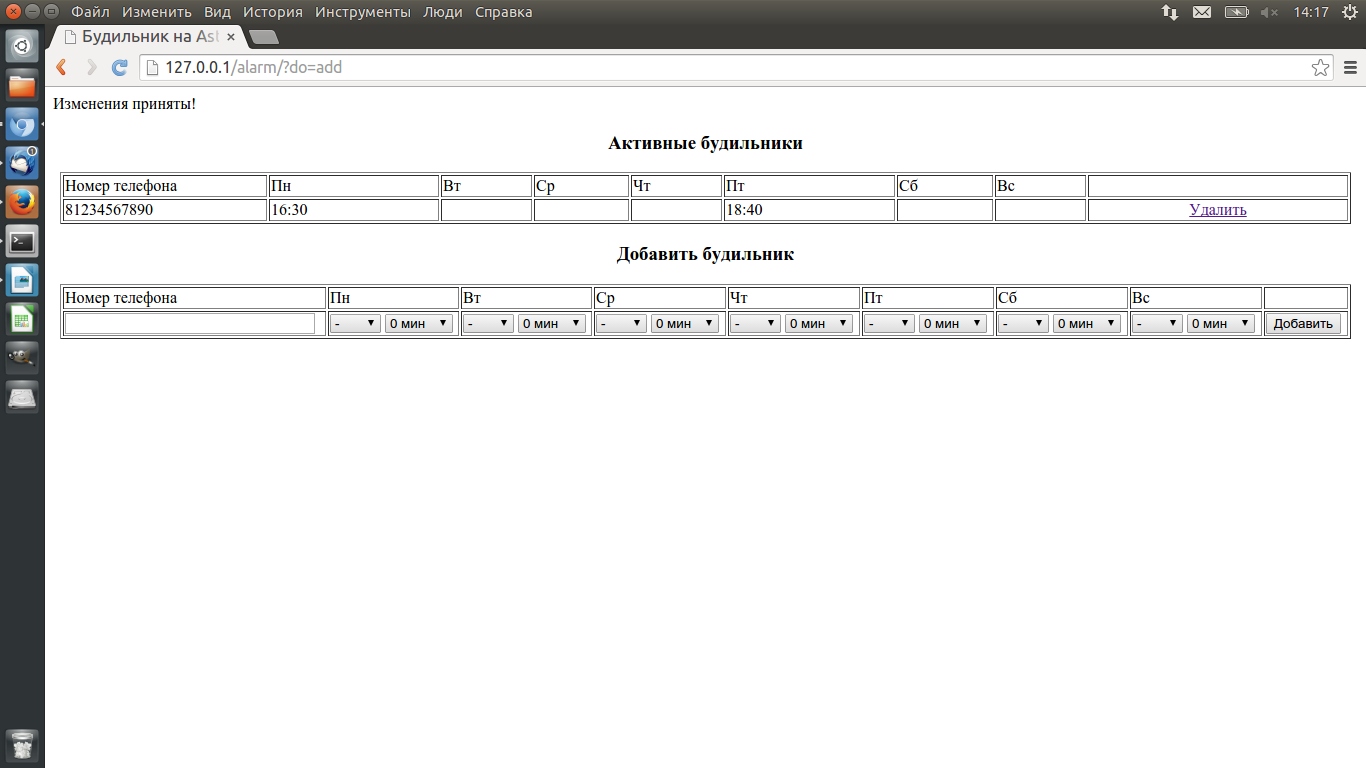
Asterisk will call this number every Monday at 16:30 and Friday 18:40.
parsing.sh - a script that parses data from alarm.list and creates call-files for Asterisk. This file also contains the variables necessary for generating a call-file:
To run the script, you need to pass it the path to alarm.list:
In response (if the DEBUG variable is uncommented) the script will list active alarms.

This file should be added to CZK to run once a minute. An example entry in / etc / crontab:
Archive with all files can be downloaded here .
Asterisk supports automatic calling through the formation of call-files.
A .call file is a text file that when placed in a specific directory (by default / var / spool / asterisk / outgoing /) forces Asterisk to make an outgoing call.
Based on this function, an alarm clock with a web interface was implemented.
The entire software part of the alarm clock consists of 3 files:
index.php- The web interface of the alarm clock through which it is possible to view, add or remove alarms.
alarm.list - a file that contains the current list of alarms in CSV format. The file structure is as follows:
phone_number, Mon_Time, Tue_Time, Wed_Time, Thu_Time, Fri_Time, Sat_Time, All_Time
Time format: hours: minutes.
Let's look at an example. Create an alarm on Monday 16:30 and Friday 18:40 for number 81234567890. The following entry will appear in the alarm.list file:
81234567890.16: 30 ,,,, 18:40 ,,
Asterisk will call this number every Monday at 16:30 and Friday 18:40.
parsing.sh - a script that parses data from alarm.list and creates call-files for Asterisk. This file also contains the variables necessary for generating a call-file:
CALLPATH = '/ var / spool / asterisk / outgoing' # Asterisk call file directory
CHANNEL = 'Dongle / dongle0' # Channel through which we will call
MAXRETRIES = '2' # Number of dialing attempts
RETRYTIME = '240' # Delay between attempts
WAITTIME = '30 '# Response timeout
DATA =' / var / lib / asterisk / sounds / ru / wakeup '# Path to the playing audio file
To run the script, you need to pass it the path to alarm.list:
/var/www/alarm/parsing.sh /var/www/alarm/alarm.list
In response (if the DEBUG variable is uncommented) the script will list active alarms.
This file should be added to CZK to run once a minute. An example entry in / etc / crontab:
#Alarm
* * * * * root /var/www/alarm/parsing.sh /var/www/alarm/alarm.list
Archive with all files can be downloaded here .