Partitioning in ClickHouse: How to Manage Data at the Folder Level
1. Why Partitioning — Data Isolation by Time Periods
Imagine you store all bets from an online casino for the last three years. That's billions of rows. The business owner suddenly says: "We only need data for the last 6 months; delete everything older."
In a regular database, you'd write DELETE FROM bets WHERE created_at < '2025-01-01'. In ClickHouse, such a query would take... a very long time. Because DELETE in ClickHouse is not instant deletion but an asynchronous rewriting of data parts without the marked rows.
But there is a way to make deletion instant — partitioning. If data is split into partitions (logical chunks, each physically stored in a separate folder on disk), then DROP PARTITION deletes an entire folder in milliseconds. No need to scan rows, no rewriting — just rm -rf at the file system level.
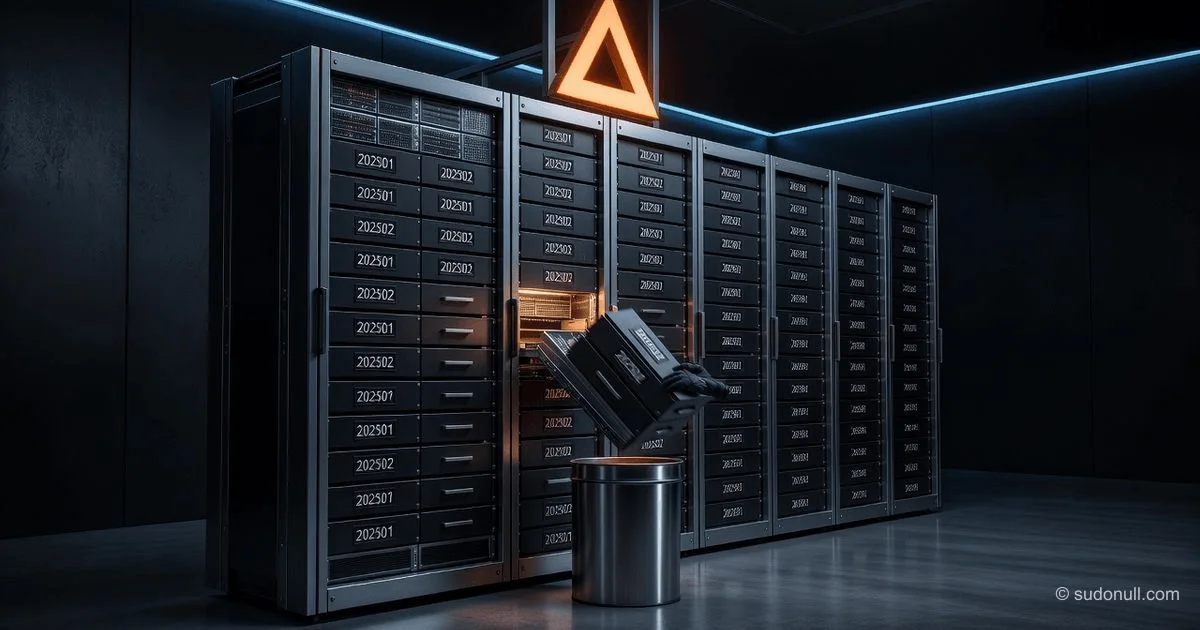
Real-life analogy: Imagine you have paper archives spanning several years. They are stored in boxes, each box for one month. If you need to delete data for January 2024, you simply take the box labeled "January 2024" to the dumpster. No need to go through each sheet. Partitions in ClickHouse are those boxes.
Why else do you need partitioning:
- Backups — you can freeze (
FREEZE) only the required partition. - Data movement — hot data (frequently queried) on fast SSDs, cold data (rare) on slow HDDs or cloud storage (S3).
- SELECT acceleration — if the WHERE clause includes the partitioning column, ClickHouse immediately knows which folders to read and which to ignore.
2. PARTITION BY — Syntax and Examples
Partitioning is defined when creating a table using PARTITION BY. The most common pattern is splitting by date.
-- Create a bets table with monthly partitions
CREATE TABLE bets
(
    user_id     UInt64,
    amount      Decimal(18,2),
    created_at  DateTime
)
ENGINE = MergeTree()
PARTITION BY toYYYYMM(created_at)   -- Partition = year + month, e.g., 202512
ORDER BY (user_id, created_at);
What's happening here:
toYYYYMM(created_at)— a ClickHouse function that converts a datetime2025-12-15 14:30:00into the number202512(year 2025, month 12). All rows with the same202512go into one partition.- The partition name is just a string. ClickHouse will create a folder on disk with a name like
202512_1_1_0(details not important, but internally it's tied to202512).
Other time-based partitioning options:
-- By day (caution! may create too many partitions)
PARTITION BY toYYYYMMDD(created_at)   -- 20251215

-- By hour (very granular, almost never needed)
PARTITION BY toStartOfHour(created_at)   -- 2025-12-15 14:00:00

-- By week
PARTITION BY toWeek(created_at)   -- Week number in year

-- By year
PARTITION BY toYear(created_at)   -- 2025
What happens if you don't specify PARTITION BY at all? ClickHouse creates a single partition named all. All data resides in one folder. You can only delete via DELETE (slow) or TRUNCATE (all at once). For most time-series tables, this is a bad idea.
3. Partition Selection Strategy — The Sweet Spot
Why partitions shouldn't be too small?
ClickHouse doesn't like too many partitions (recommended no more than 1000–2000). Because:
- Each partition is a separate folder with metadata.
- On data insertion, ClickHouse may create parts in different partitions.
- Background merges work within a partition, not between them.
- The
system.partstable (metadata about parts) will be huge.
What happens if you partition by hour with a load of 1 million rows per hour? In a year, you get 365 * 24 = 8760 partitions. That's already bad. On each insert, ClickHouse will open file descriptors for thousands of folders. SELECT with date filtering will be fast, but system operations (backups, deletion, listing partitions) will slow down.
Why partitions shouldn't be too large?
If a partition is a year, then DROP PARTITION deletes everything for that year instantly. That's convenient, but:
- Even a SELECT for a single day will have to scan the entire yearly partition.
- You can't quickly delete a single month — you'd have to delete the year or use DELETE (slow).
- Moving "hot" and "cold" data (e.g., last month on SSD, rest on HDD) is impossible at the monthly level.
Rule of Thumb
| Load | Partition Size | Example |
|---|---|---|
| Billions of rows per month | Day (toYYYYMMDD) | IoT sensor data, CDN logs |
| Hundreds of millions per month | Month (toYYYYMM) | Casino bets, transactions |
| Tens of millions per month | Month or quarter | Sales analytics |
| Thousands of rows per month | Year | Slowly changing reference data |
Main criterion: After partitioning, you should have between 100 and 1000 partitions per server. If you have 10,000 partitions, you've overdone it.
4. Viewing Partitions — system.parts
To see which partitions exist in a table and how much data they contain, use the system table system.parts.
-- View all partitions of the bets table
SELECT
    partition,                          -- Partition name (e.g., 202512)
    name,                               -- Specific part name
    rows,                               -- Number of rows in this part
    bytes_on_disk,                      -- Size on disk in bytes
    modification_time,                  -- Last modification time
    active                              -- Whether the part is active (1) or deleted (0)
FROM system.parts
WHERE table = 'bets' AND active = 1    -- only active parts
ORDER BY partition DESC;
Breaking it down:
partition— what you specified inPARTITION BY. Useful for grouping.name— internal name of the data part, contains partition number and version.active = 1— the part is used for reading. If 0, the part is marked for deletion but still exists physically.bytes_on_disk— shows how much space the partition consumes.
Why can there be multiple parts in one partition? Because you insert data in batches. ClickHouse doesn't merge them instantly. Within a single partition (202512), there may be 5–10 small parts that will eventually merge into one large one.
Aggregated query — sum by partition:
SELECT
    partition,
    sum(rows) AS total_rows,
    sum(bytes_on_disk) AS total_bytes,
    formatReadableSize(sum(bytes_on_disk)) AS human_size
FROM system.parts
WHERE table = 'bets' AND active = 1
GROUP BY partition
ORDER BY partition DESC;
5. Partition Operations — DROP, DETACH, ATTACH, FREEZE
This is the main reason partitioning is so popular. You can do things with partitions that are not possible at the row level.
DROP PARTITION — Instant Deletion
-- Delete all data for December 2025
ALTER TABLE bets DROP PARTITION '202512';

-- Delete data older than 90 days (dynamically)
-- First compute the partition name for 90 days ago
ALTER TABLE bets DROP PARTITION toYYYYMM(today() - interval 90 day);
After this command, the partition folder disappears from disk. The operation takes milliseconds, regardless of how many rows were inside — a million or a billion.
Why is this safe? Because partitions are isolated. Deleting one does not affect others.
DETACH PARTITION — Temporary Disabling
-- Detach the partition (data stays on disk but is unavailable for SELECT)
ALTER TABLE bets DETACH PARTITION '202512';
The partition moves to the detached subfolder. It doesn't participate in queries, but you can bring it back.
When is this needed:
- You suspect data corruption and want to temporarily hide it.
- You want to copy the partition to another server (then ATTACH it on the new server).
ATTACH PARTITION — Restoring a Detached Partition
-- Bring the partition back (if it's in the detached folder)
ALTER TABLE bets ATTACH PARTITION '202512';
FREEZE PARTITION — Instant Backup
-- Create a backup of the December 2025 partition
ALTER TABLE bets FREEZE PARTITION '202512';
ClickHouse creates hard links to the partition files in the shadow/ folder. This is not copying data (fast), just creating additional pointers to the same blocks on disk. Then you can copy shadow to another server.
Why is this better than a regular backup? Because you don't need to stop writes and it doesn't waste space on data duplication.
MOVE PARTITION — For Tiered Storage
More details in section 6.
6. MOVE PARTITION — Tiered Storage (SSD → HDD → S3)
In ClickHouse, you can configure multiple storage tiers with different cost and speed. For example:
- Hot data (last month) — on fast NVMe SSDs
- Warm data (2–6 months) — on regular HDDs
- Cold data (older than 6 months) — in cloud S3 (cheap but slow)
Partitions allow you to move data between these tiers with a single command.
Configuration in config.xml (simplified):
<storage_configuration>
    <disks>
        <ssd>
            <path>/mnt/ssd/clickhouse/</path>
        </ssd>
        <hdd>
            <path>/mnt/hdd/clickhouse/</path>
        </hdd>
    </disks>
    <policies>
        <hot_to_cold>
            <volumes>
                <hot>
                    <disk>ssd</disk>
                </hot>
                <cold>
                    <disk>hdd</disk>
                </cold>
            </volumes>
        </hot_to_cold>
    </policies>
</storage_configuration>
Moving a partition from SSD to HDD:
-- Data for January 2025 (no longer needed fast) move to HDD
ALTER TABLE bets MOVE PARTITION '202501' TO VOLUME 'cold';
What happens: ClickHouse physically moves the partition folder from SSD to HDD. SELECT continues to work but will be slightly slower (due to HDD). DROP PARTITION remains fast.
Analogy: You move old folders from a fast cabinet next to you to a distant archive cabinet. Access is still possible, but it takes longer to get there.
7. Partitioning by Multiple Columns
Sometimes you need to split data not only by time but also by another dimension. For example, you have a multi-brand platform (several casinos in one database). You want to delete old data separately for each brand and possibly store them on different disks.
-- Bets table for 5 brands, partitions by month AND brand
CREATE TABLE bets_multi_brand
(
    brand_id    UInt8,          -- 1 = casino_A, 2 = casino_B, ...
    user_id     UInt64,
    amount      Decimal(18,2),
    created_at  DateTime
)
ENGINE = MergeTree()
PARTITION BY (toYYYYMM(created_at), brand_id)   -- Two columns!
ORDER BY (brand_id, user_id, created_at);
How it works:
- Each unique combination of
(year+month, brand_id)becomes a separate partition. - For December 2025 and brand 1 — partition
('202512', 1). - For December 2025 and brand 2 — partition
('202512', 2).
Why this is useful:
DROP PARTITIONcan delete data for a specific brand in a specific month.MOVE PARTITIONcan move old data for brand A to HDD, while keeping brand B (premium) on SSD.
How to delete a partition for a specific brand:
-- Delete data for casino_A for December 2025
ALTER TABLE bets_multi_brand DROP PARTITION ('202512', 1);
But there's a nuance: The partition name is now a tuple. When viewed in system.parts, it will appear as ('202512', '1'). That's normal.
8. How Partitioning Affects Performance
Impact on INSERT
When inserting data, ClickHouse looks at the PARTITION BY expression and routes the row to the appropriate partition. If you have 1000 partitions, it's fast. If you have 100,000, each insert must determine the correct folder, slowing down writes.
What happens if a single INSERT contains rows from different partitions? ClickHouse distributes them across different folders — that's normal, but slightly slower than if all rows were from one partition.
Tip: If you insert data in batches (e.g., once per minute), try to keep rows in a batch within a short time range. Then they'll fall into one or two partitions, making the insert faster.
Impact on SELECT
Partitioning speeds up SELECT only if the WHERE clause includes a condition on the partitioning column. ClickHouse uses partitions for rough pruning: it checks which partitions are needed and reads only their folders.
-- FAST: partition prunes all data outside December 2025
SELECT count() FROM bets
WHERE created_at BETWEEN '2025-12-01' AND '2025-12-31';

-- SLOW: partition not used, scanning all partitions
SELECT count() FROM bets
WHERE amount > 1000;   -- no filter on created_at
Why not always partition very finely? Because:
- Reading from 1000 small partitions (e.g., by day over 3 years) can be slower than from 36 large ones (by month) if the query covers a wide range. ClickHouse opens one file descriptor per partition.
- Indexes (primary key) are often more effective than fine partitioning.
Rule of thumb: Optimize ORDER BY (index) first, then partitioning. Partitions are for data management (DROP, MOVE), not just for speeding up SELECT.
9. Common Mistake: Overly Granular Partitioning
This is the most frequent pain point for ClickHouse beginners.
Example of a wrong approach:
-- BAD: daily partitions for a table with 10 million rows per day
CREATE TABLE logs_bad
(
    created_at DateTime,
    message String
)
ENGINE = MergeTree()
PARTITION BY toYYYYMMDD(created_at)   -- Caution!
ORDER BY created_at;
Over 3 years, you get 365 * 3 = 1095 partitions. That's still tolerable (but borderline). Over 10 years — 3650 partitions, which is bad. The system will start to slow down.
Even worse — by hour for data with a load of 1 million records per hour:
In a year, 8760 partitions. On each insert, ClickHouse will look for or create a folder for the current hour. SELECT * FROM system.parts will take seconds. Background merges will choke.
Signs you have too many partitions:
- Query
SELECT * FROM system.parts WHERE table = 'mytable'takes longer than 1 second. - ClickHouse logs show warnings:
Too many parts (300+). ALTER TABLE ... DROP PARTITIONdoesn't work instantly but takes several seconds.
What to do if you've already partitioned too finely?
You can merge partitions via ALTER TABLE ... MODIFY PARTITION BY ..., but it's complex. Easier to create a new table with proper partitioning, migrate data, and rename.
10. Script for Automatic Deletion of Old Partitions
In practice, you need to keep data only for, say, the last 90 days. Reminding yourself every month to delete old partitions is not an option. You need automation.
Option 1: Periodic Query via cron or Task
-- Delete all partitions older than 90 days
-- Run once a day at 3:00 AM
ALTER TABLE bets DROP PARTITION WHERE partition < toYYYYMM(today() - interval 90 day);
How it works:
toYYYYMM(today() - interval 90 day)— computes the partition name for the date 90 days ago. For example, if today is 2026-06-11, then 90 days ago is 2026-03-13,toYYYYMMgives202603.partition < 202603— deletes all partitions with names 202602, 202601, 202512, etc.
Important: This query works only if partition names are numbers (year+month). For string names (e.g., '2025-12'), you need a different comparison.
Option 2: Safer Script Using Stored Lists
-- Find list of partitions older than N days
SELECT partition
FROM system.parts
WHERE table = 'bets'
  AND active = 1
  AND toDate(parseDateTimeBestEffort(partition)) < today() - interval 90 day
GROUP BY partition;

-- For each found partition, execute DROP (from an external script, not directly in SQL)
Why not do DROP PARTITION WHERE partition < ... with dynamic computation? Because if the table has partitions with non-standard names (e.g., 'all' or manually created), the condition might behave unexpectedly. Better to first view the list.
Full Example Script for Bash / Python:
#!/bin/bash
# Delete partitions older than 90 days for table bets

CLICKHOUSE_CLIENT="clickhouse-client --host localhost"
TABLE="bets"
DAYS_TO_KEEP=90

# Compute the boundary date
BORDER_DATE=$(date -d "today - $DAYS_TO_KEEP days" +%Y%m)

# Get list of partitions older than the boundary
PARTITIONS=$($CLICKHOUSE_CLIENT --query="
    SELECT DISTINCT partition
    FROM system.parts
    WHERE table = '$TABLE'
      AND active = 1
      AND partition < '$BORDER_DATE'
      AND partition != 'all'
    FORMAT TabSeparated
")

# Delete each partition
for PARTITION in $PARTITIONS; do
    echo "Dropping partition $PARTITION from $TABLE"
    $CLICKHOUSE_CLIENT --query="ALTER TABLE $TABLE DROP PARTITION '$PARTITION'"
done
Automation via cron:
# Run every day at 3:00
0 3 * * * /usr/local/bin/cleanup_clickhouse_partitions.sh >> /var/log/cleanup.log 2>&1
What's Next
Now you understand how partitioning turns data deletion from a painful operation into an instant action. Next topics:
- Advanced TTL (time-to-live) strategies — automatic deletion or movement of rows without your intervention.
- Configuring storage policies — how to automate MOVE of partitions from SSD to S3 on a schedule.
- Optimizing SELECT with partitions — how to write queries so ClickHouse prunes 99% of partitions.
Bottom line: Partitioning in ClickHouse is a tool for managing the data lifecycle, not just for speeding up queries. Choose partition size so that you have between 100 and 1000 partitions per server. Don't over-granulate, don't over-aggregate. And always check system.parts — it will tell you the truth.
← Previous: CollapsingMergeTree: How to Update Aggregates Without UPDATE in ClickHouse
→ Next: ORDER BY and PRIMARY KEY in ClickHouse: How to Get the Index Right
— Editorial Team










No comments yet.