CollapsingMergeTree: How to Update Aggregates Without UPDATE in ClickHouse
1. Why CollapsingMergeTree Is Needed — The Problem of Updating Aggregates
Let's go back to our online casino. Each player has a balance. When a player places a bet, the balance decreases. When they win, it increases. When an admin cancels a suspicious transaction, the balance changes again.
In a regular database (PostgreSQL), you would simply do UPDATE players SET balance = balance - 100 WHERE user_id = 123. Simple and clear.
But ClickHouse cannot update data. At all. Period. Why? Because ClickHouse is built for analytics, where data is append-only. Updates are painful for columnar storage, where data resides in compressed blocks. To change a single cell, entire blocks would need to be rewritten.
So how do you change the balance? You don't modify the old record. You add a NEW record that says: "cancel the previous change" and "add the new one." This is called materializing changes through cancellation.
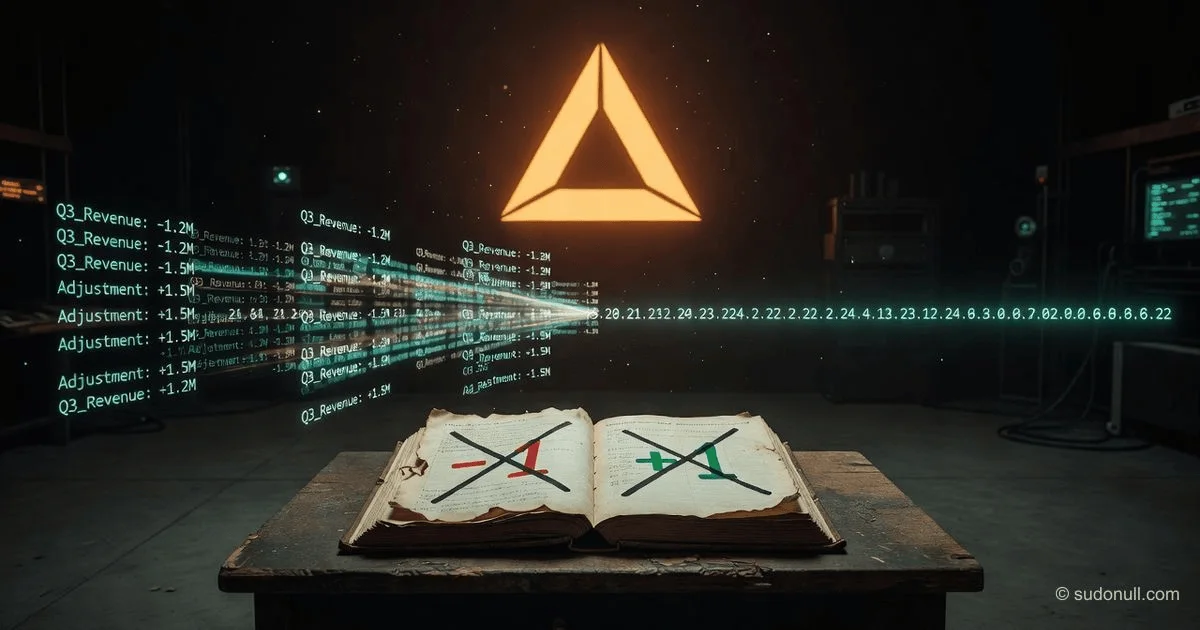
Real-life analogy: Imagine an accounting ledger where all entries are made in ink. You can't erase and correct. Instead, you write at the bottom: "Row #45 — erroneous, canceled. New row #46 — correct amount." Then when calculating the total, you read all rows, taking cancellations into account.
CollapsingMergeTree is a ClickHouse engine that automatically collapses pairs of "+1" and "-1" during background merges. It acts like that accountant: it sees a canceling pair and discards both rows.
2. The Principle of the sign Column — The Math of Cancellation
The main idea of CollapsingMergeTree is a special sign column with two possible values:
+1— "add" (current version)-1— "cancel" (obsolete version)
During a merge of data parts, ClickHouse looks for pairs of rows with the same sorting key (ORDER BY) where one has sign = +1 and the other sign = -1. When such a pair is found, both rows are deleted. Only rows without a pair remain — that is, those without a cancellation.
Why this works: Any data change is represented as canceling the old version and adding a new one. The pair (+1, -1) sums to zero. When you do SUM(amount * sign), old versions cancel out, and new ones remain.
Analogy with double-entry bookkeeping: In accounting, each transaction is recorded twice: debit and credit. CollapsingMergeTree does the same — every change has its opposite. When summing up, they cancel each other out.
3. CREATE TABLE — Breaking It Down
-- Create a table for player balance with change history
CREATE TABLE player_balance
(
    user_id      UInt64,              -- Player ID
    date         Date,                -- Date of balance change
    amount       Int64,               -- Balance change (+100, -50, etc.)
    balance_after Int64,              -- Balance after operation (optional)
    sign         Int8,                -- +1 — add, -1 — cancel
    updated_at   DateTime DEFAULT now()  -- Operation timestamp
)
ENGINE = CollapsingMergeTree(sign)    -- Collapsing engine, specify sign column
ORDER BY (user_id, date)              -- Key for grouping and collapsing
What's important here:
ENGINE = CollapsingMergeTree(sign)— the only mandatory parameter is the name of the sign column (usuallysignoris_active). This column must be of typeInt8(integer from -128 to 127), but only +1 and -1 are actually used.ORDER BY (user_id, date)— the columns in this key determine which rows are considered a "pair." Two rows with identical values in allORDER BYcolumns and oppositesign(+1 and -1) will be collapsed.
What happens if ORDER BY doesn't include all necessary fields? For example, if you don't include user_id, rows from different users could be collapsed — a disaster. All fields by which you want to distinguish operations must be in ORDER BY.
Why not PRIMARY KEY? Same reasons as with other MergeTree engines — ORDER BY controls physical order and merging, while PRIMARY KEY (if specified) only controls the index.
4. Insertion — How to Correctly Update Data
Suppose a player has a balance of 1000 rubles. They place a bet of 100 rubles. Instead of changing the balance in a single row, you make two inserts:
-- Step 1: Cancel the old version of the balance (was 1000, now should be 900)
-- Old version: user_id=123, date='2025-06-01', amount = 1000 (balance BEFORE operation)
-- To cancel, insert a row with sign = -1
INSERT INTO player_balance VALUES
    (123, '2025-06-01', 1000, 1000, -1, now());   -- Cancel old balance

-- Step 2: Add the new version of the balance (now 900 after bet)
INSERT INTO player_balance VALUES
    (123, '2025-06-01', -100, 900, +1, now());   -- New version: change -100, result 900
But this is inconvenient. In practice, it's easier to think in terms of "changes" rather than "full balance." Here's a more typical pattern:
-- Player places a bet of 100 rubles (balance decreases)
-- Insert only one row with sign = +1, where amount is the balance change (-100)
INSERT INTO player_balance VALUES
    (123, '2025-06-01', -100, 900, +1, now());

-- If you need to cancel this bet (e.g., due to a technical error)
-- Insert a canceling pair
INSERT INTO player_balance VALUES
    (123, '2025-06-01', -100, 900, -1, now()),   -- Cancel bet
    (123, '2025-06-01', +100, 1000, +1, now());   -- Restore balance
Why this works: When merge time comes, ClickHouse will find a pair of rows with the same user_id, date, and amount (if amount is in ORDER BY) and different sign — and delete them. Only the current balance remains.
Important: You must ensure the correctness of pairs yourself. ClickHouse does not verify that the sum of changes balances. It simply collapses rows with opposite sign and the same ORDER BY key.
5. SELECT with SUM of sign — How to Read Correctly
When reading data, you need to aggregate with the sign in mind. The main pattern:
-- Get the current balance of each player
SELECT
    user_id,
    SUM(amount * sign) AS current_balance
FROM player_balance
WHERE sign != 0   -- Filter out accidental zeros (shouldn't exist)
GROUP BY user_id;
Breaking down the logic:
amount * sign— if sign = +1, the term isamount; if sign = -1, the term is-amount(cancels the previous)SUM(...)— all canceling pairs cancel each other out in the sumGROUP BY user_id— aggregate by user
Why not FINAL? Unlike ReplacingMergeTree, for CollapsingMergeTree you always use aggregation with SUM(amount * sign). This works correctly both before and after merges because the sign math does not depend on whether rows are physically collapsed or not.
Real-life example:
-- Initial data (before merge):
-- (123, -100, +1)   — bet 100 rub
-- (123, -100, -1)   — cancel bet
-- (123, +100, +1)   — restore balance

-- Query: SUM(amount * sign) = (-100*1) + (-100*-1) + (100*1) = -100 + 100 + 100 = 100
-- Correct: balance increased by 100 (bet cancellation returned the money)
If you want to see the history without aggregation (e.g., all operations in chronological order), simply SELECT * will show all rows, including canceled ones. That's normal — it's by design.
6. Pitfalls — The Problem of Row Order
The biggest trap: CollapsingMergeTree requires that rows with the same key arrive in the correct order — first +1, then -1 (or vice versa? Let's figure it out).
ClickHouse does not check timestamps. It looks at the order of rows within each part during merging. If a part contains a pair (+1, -1), it will collapse it. But if +1 is in one part and -1 in another, they won't collapse until those parts merge into one (which may take a while).
Why is this a problem in a distributed system?
Imagine your data comes through Kafka (a message queue) from three different servers. Server #1 sent "bet 100 rub" (+1). Server #2 sent "cancel bet" (-1). Server #3 sent "restore balance" (+1). They may end up in different ClickHouse parts in different orders.
If one part contains only +1 and another contains -1, the balance will temporarily be incorrect (the sum will show extra money). When the parts merge, the data will correct itself, but that could take an hour.
Analogy: It's like putting letters into two different folders. One folder has "debt 100 rubles" (+1), the other has "debt forgiven" (-1). Until you merge the folders into one, your accounting system will think you are owed 100 rubles.
7. VersionedCollapsingMergeTree — Solving the Order Problem
To overcome the order problem, ClickHouse developers added VersionedCollapsingMergeTree. It adds a third column — version (usually version or timestamp).
CREATE TABLE player_balance_versioned
(
    user_id  UInt64,
    date     Date,
    amount   Int64,
    version  UInt64,          -- Monotonically increasing version number
    sign     Int8
)
ENGINE = VersionedCollapsingMergeTree(sign, version)   -- Two parameters!
ORDER BY (user_id, date);
How it works:
- During a merge, ClickHouse looks for pairs (+1, -1) with the same
ORDER BYkey and the same version. - If rows have the same key but different versions, they are NOT collapsed. Instead, the row with the highest version (the latest state) remains.
- The version allows correct handling even if rows arrive out of order — as long as the cancellation has the same version as the original operation.
Why this solves the order problem: Even if +1 arrives after -1, ClickHouse will see they have different versions (or the same — then it collapses). If versions are the same, pairs collapse regardless of physical order in parts. If versions differ, the newer one remains.
Example of using versions:
-- Operation 1: bet 100 rub (version 1001)
INSERT INTO player_balance_versioned VALUES (123, '2025-06-01', -100, 1001, +1);

-- Cancel the same bet (same version 1001, sign = -1)
INSERT INTO player_balance_versioned VALUES (123, '2025-06-01', -100, 1001, -1);

-- New correct bet 50 rub (version 1002)
INSERT INTO player_balance_versioned VALUES (123, '2025-06-01', -50, 1002, +1);
Now even if all three rows arrive in different orders and into different parts, during merging with the same versions, pairs will collapse. Only the 50 rub bet with version 1002 remains.
8. Real Use Case: Real-Time Player Balance in a Casino
Imagine you have a "Balance" microservice that must show the current player balance down to the penny with a delay of no more than 5 seconds.
Workflow:
-- Table for all balance operations
CREATE TABLE balance_operations
(
    user_id      UInt64,
    operation_id String,          -- Unique operation ID (bet, payout, cancellation)
    amount       Int64,           -- Change (+1000 win, -500 bet)
    version      UInt64,          -- Monotonic version number
    sign         Int8,            -- +1 = new operation, -1 = cancellation
    created_at   DateTime DEFAULT now()
)
ENGINE = VersionedCollapsingMergeTree(sign, version)
ORDER BY (user_id, operation_id, version);
Scenario 1: Player places a bet of 100 rub
-- Insert one row (sign = +1)
INSERT INTO balance_operations VALUES (123, 'bet_001', -100, 1001, +1, now());
Scenario 2: Player wins 500 rub (payout)
INSERT INTO balance_operations VALUES (123, 'win_001', +500, 1002, +1, now());Scenario 3: Admin cancels bet bet_001 (player cheated?)
-- Cancel the old bet (same operation_id, sign = -1, same version 1001)
INSERT INTO balance_operations VALUES (123, 'bet_001', -100, 1001, -1, now());
-- Add a corrective operation (return 100 rub)
INSERT INTO balance_operations VALUES (123, 'admin_correction_bet_001', +100, 1003, +1, now());
How to read the balance in real time:
-- Query for dashboard (runs every 3 seconds)
SELECT
    user_id,
    SUM(amount * sign) AS current_balance
FROM balance_operations
WHERE user_id = 123 AND created_at > now() - interval 1 day  -- limit by time
GROUP BY user_id;
With proper use of versions, this query will return the correct balance even with chaotic insertion order.
9. Comparison of Approaches: CollapsingMergeTree vs ReplacingMergeTree for Balance
Many beginners ask: "Why not just use ReplacingMergeTree and update the balance as a version of the row?"
Let's compare.
| Characteristic | CollapsingMergeTree | ReplacingMergeTree |
|---|---|---|
| How to represent a change | Two rows: cancel (-1) and new (+1) | One new row with a higher version |
| Need to store full history | Yes, until collapsed | Yes, until merged |
| Reading approach | SUM(amount * sign) |
argMax(amount, version) or FINAL |
| Insertion complexity | Higher (need to think about pairs) | Lower (just a new version) |
| Reading complexity | Lower (simple aggregation) | Higher (FINAL is slow or argMax) |
| Risk of error | Pairs don't match (logic error) | Version not monotonic (client error) |
When to choose CollapsingMergeTree:
- You need to frequently change the same keys (e.g., player balance changes 100 times per hour).
- You want to use simple aggregation
SUM(amount * sign)and don't want to depend on FINAL. - You have controlled insertion order or use
VersionedCollapsingMergeTree. - You need to roll back operations (cancel a bet) — in
ReplacingMergeTree, this would require inserting a new row with an increased version, which doesn't explicitly reflect "cancellation."
When ReplacingMergeTree is better:
- You have infrequent updates (e.g., order status: created → paid → delivered).
- You store non-numeric mutable attributes rather than numeric aggregates.
- You need to see the version history of each record.
Example for balance — which is better? For a high-load account (thousands of bets per second), VersionedCollapsingMergeTree is better. It provides predictable performance and correct behavior under chaotic order.
10. Performance and When It's Better Than UPDATE in PostgreSQL
Performance of CollapsingMergeTree
- Insertion: Very fast (regular INSERT, no locks). You pay for storing two rows instead of updating one — but in a columnar database, that's not so bad.
- Reading with aggregation: ClickHouse reads only the
amountandsigncolumns (columnar storage!), performs fast vectorized calculations. For a billion rows — fractions of a second. - Merging: Background work. Does not affect inserts.
Comparison with PostgreSQL
In PostgreSQL, updating a balance:
-- Atomic update with row lock
UPDATE players SET balance = balance - 100 WHERE user_id = 123;
Pros: simple, ACID guarantees (atomicity, consistency, isolation, durability), instant consistency.
Cons: At 10,000 updates per second — locks (row locks), WAL (write-ahead log), vacuum. You'll hit IO limits.
In ClickHouse with CollapsingMergeTree:
Pros: 100,000+ inserts per second on a single server, data compression (10:1), no locks, linear scaling.
Cons: No instant consistency (aggregation needed until merge), more complex logic (sign, version), eventual consistency — the system will reach the correct state, but not instantly.
When CollapsingMergeTree is better than PostgreSQL:
- You need very many updates (thousands to tens of thousands per second).
- A delay of a few seconds (for collapsing) is acceptable.
- You're already using ClickHouse for analytics.
When PostgreSQL is still better:
- You need strict instant consistency (bank transfer between accounts).
- Updates are few (<1000 per second).
- You don't want to complicate the architecture.
What's Next
Now you know about CollapsingMergeTree and its big brother VersionedCollapsingMergeTree. Next topics to explore:
- How to choose between CollapsingMergeTree and ReplacingMergeTree — a checklist for each task.
- Optimizing merges — settings like
merge_with_ttl_timeoutto make pairs collapse faster. - Pattern: materialized view + CollapsingMergeTree — for multi-level aggregates.
Summary: CollapsingMergeTree is a powerful but discipline-requiring tool. It doesn't forgive mistakes in insertion order or pair correctness. But if you set it up correctly (especially with versions), it delivers performance unattainable by traditional databases. Remember the golden rule: always check your queries with SUM(amount * sign) and use VersionedCollapsingMergeTree in distributed systems.
← Previous: SummingMergeTree and AggregatingMergeTree: Painless Incremental Aggregation
→ Next: Partitioning in ClickHouse: How to Manage Data at the Folder Level
— Editorial Team










No comments yet.