Writing a Package for PFSense: Controls
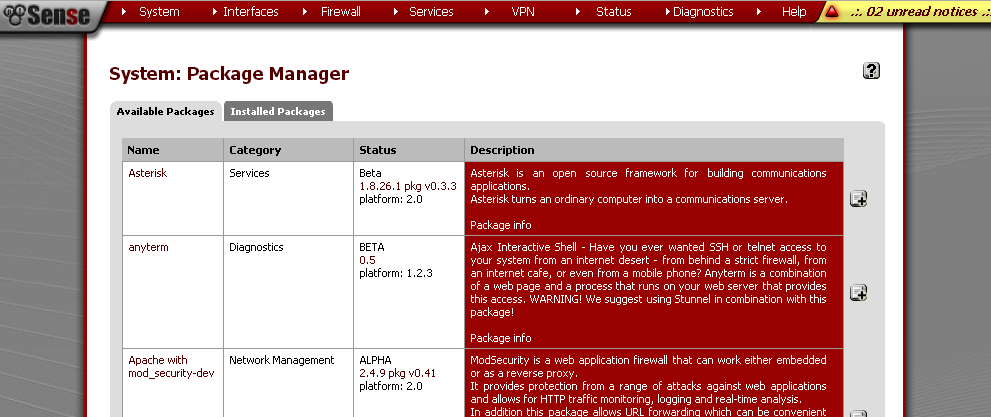
In a previous article , we looked at the process of creating a simple GUI package for pfSense. The package contained one single field with a control of the checkbox type, described in the fields XML section of the package file.
Before continuing, it is necessary to give some explanations on the structure of the fields section. This section describes the form fields of the current GUI page. Each field is described in the field node and contains elements:
- fielddescr - field name, displayed on the left side of the form in front of the control;
- fieldname - the name of the field under which it will be available in the system when processing the entered data;
- description - a comment describing this field is displayed under the control;
- type - the type of control used in this field.
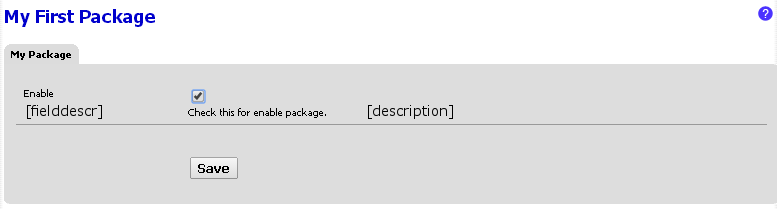
The figure below shows the correspondence between the XML elements of the package structure and the GUI elements.
Controls
Consider the simple pfSense package GUI controls:
- checkbox
- input
- password
- textarea
- select
- interfaces_selection
CHECKBOX element This
is a regular “checkbox” that allows the user to make a yes / no choice.
Enable enable Check this for enable package. checkbox INPUT element
Represents a simple text field for entering single-line text information. The size parameter allows you to set the window width of this element.
Login pkglogin Enter package login. input 30 The PASSWORD element
is a type of input element and is used to enter a password in the WEB form of the package. But the data entered here is displayed in the form of asterisks.
Password pkgpass Enter package password. password 30 TEXTAREA Element
Represents a multi-line text field. In addition to the standard XML options, the field structure contains cols and rows parameters in the description that specify the element sizes in columns and rows, respectively. There is also an encoding parameter indicating in which encoding the user entered data is saved. This is usually Base64 encoded .
Comments pkgcomments
Enter you coments here.
textarea 60 3 base64 SELECT element This
is a combo box of values that are set in the options section . The multiple modifier turns a regular combo box into a list box element that allows you to select multiple values at the same time (by pressing Control + Left click). The default_value parameter sets the default value from the list in the options section .
Age pkgage Choose your age. select adl Element INTERFACES_SELECTION
Is a special kind of select element . This list lists all the main pfSense network interfaces. As with the select element , additional multiple and default_value options are available here .
Interface pkginterface
Select interface(s) for using in the package. Use 'Ctrl' + L_click for multiple selection.
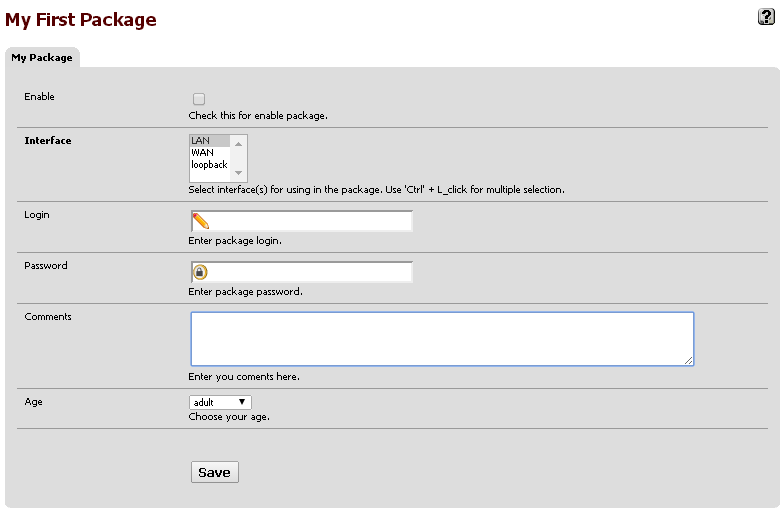
interfaces_selection lan Having collected the above descriptions of the controls in a single XML file, we get the following form of the Web interface:
In order for this form to perform any actions, you need to specify event handlers and write the appropriate PHP code. This will be discussed in the next article.
The source code of the XML file for the article.
mypkg My First Package Test 0.1 /usr/local/pkg/mypkg.inc My Package /pkg_edit.php?xml=mypkg.xml Enable enable Check this for enable package. checkbox Interface pkginterface Select interface(s) for using in the package. Use 'Ctrl' + L_click for multiple selection. interfaces_selection lan Login pkglogin Enter package login. input 30 Password pkgpass Enter package password. password 30 Comments pkgcomments
Enter you coments here.
textarea 60 3 base64 Age pkgage Choose your age. select adl PS: I apologize to my colleagues for such a fragmentation of the material, but I do not want to make long articles.









