August 29, 2011 at 18:12
Let's work with MongoDb
- Tutorial
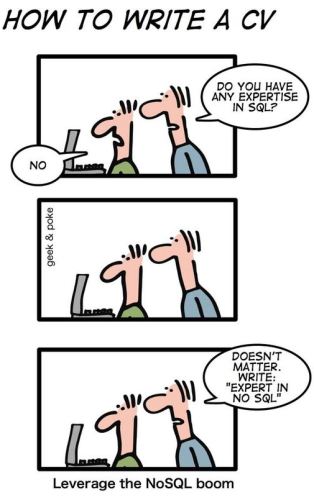
Currently, there are more and more high-load projects operating with a huge amount of data. And you can no longer do with the classical relational model for storing this information. NoSQL databases are becoming increasingly popular (NoSQL stands for Not only SQL). One of these databases is MongoDB, which has already earned the attention of such companies as Disney, craiglist, foursquare . In addition, they repeatedly wrote about it:
NoSQL using MongoDB, NoRM, and ASP.NET MVC
Sharding MongoDB on the fingers
MongoDB replication on the fingers
This is another article about working with MongoDb in the .net environment.
What you need:
1. Download ( http://www.mongodb.org/downloads ), unzip and run mongod (this is the server)
2. Driver ( https://github.com/mongodb/mongo-csharp-driver/downloads )
3. Let's go
Database creation.
By default, the database is located in the c: / data / db
folder. Run mongo.exe and create a new database:
use mongoblog
Immediately set the access parameters (username and password):
db.addUser("admin", "masterkey")
The peculiarity of MongoDb is that it is a document-oriented database and does not contain information about the structure, so here we are done. Immediately move on to the description of data models.
We will have two entities, Article and Comment, and the Article will contain many Comments:
public partial class Article
{
    [BsonId]
    public ObjectId Id { get; set; } //указывает что это свойство - id поле объекта
    public string Url { get; set; }
    public string Title { get; set; }
    public string Teaser { get; set; }
    public string Content { get; set; }
    public DateTime AddedDate { get; set; }
    public List Tags { get; set; }
    public bool IsPublished { get; set; }
    public string Bulk { get; set; }
    public List Comments { get; set; }
    public Article()
    {
        Id = ObjectId.GenerateNewId();
        Tags = new List();
        Comments = new List();
    }
}
public partial class Comment {
    [BsonId]
    public ObjectId Id { get; set; } //указывает что это свойство - id поле объекта
    public DateTime AddedDate { get; set; }
    public string Content { get; set; }
    public Comment() {
        Id = ObjectId.GenerateNewId();
    }
}
Next, consider working with MongoDB:
- connection to mongo
- adding article
- article change
- indexing
- delete article
- output of articles (filtering / paging / sorting)
- add comments
- delete comments
- Search
- backup base
# 1 Connection to the database.
By default, the database occupies port 27017 on the server (we have localhost as usual). Connect to the database:
public MongoDBContext(string ConnectionString, string User, string Password, string Database)
{
    var mongoUrlBuilder = new MongoUrlBuilder(ConnectionString);
    server = MongoServer.Create(mongoUrlBuilder.ToMongoUrl());
    MongoCredentials credentials = new MongoCredentials(User, Password);
    database = server.GetDatabase(Database, credentials);
}
# 2 / # 3 Adding / changing a record
To add an object to the collection you need to get a collection by name
var collection = database.GetCollection(table);
To add, you can run the command:
collection.Insert(obj);
or (as for change)
collection.Save(obj);
MongoDb independently adds the _id field - a unique parameter. If upon execution of the Save command the object has an existing Id already in the collection, then this object will be updated.
# 4 Indexing
For a quick search, we can add an index to a field. To index, use the command
collection.EnsureIndex(IndexKeys.Descending("AddedDate"));
This will speed up sorting by this field.
# 5 Removal
To delete by id, a query (Query) is created. In this case, it is
var query = Query.EQ("_id", id)
and the command is executed:
collection.Remove(query);
# 6 Output of articles
To display the values by applying a filter and sorted, and even with paging, the cursor is used.
For example, to select from the collection undeleted (IsDeleted = false) sorted by descending date (AddedDate desc) 10th page (skipping 90 items and displaying the next 10), the following cursor is drawn:
var cursor = collection.Find(Query.EQ("IsDeleted", false));
cursor.SetSortOrder(SortBy.Descending("AddedDate"));
cursor.Skip = 90;
cursor.Limit = 10;
foreach (var obj in cursor)
{
    yield return obj;
}
# 7 Adding comments.
Since MongoDb is a document-oriented database, there is no separate table with comments, and the comment is added to the comments array in the article, after which the article is saved:
var article = db.GetByID("Articles", articleId);
comment.AddedDate = DateTime.Now;
article.Comments.Add(comment);
db.Save("Articles", article);
# 8 Delete a comment.
A comment is deleted in the same way. We get the article object, remove the current comment from the list of comments, and save the object.
# 9 Search.
In order to find an element containing a given substring, you must specify the following query:
Query.Matches("Text", @".*искомое слово.*").
There are 2 problems since the search is case sensitive, i.e. Petya! = Petya, and besides, we have many fields.
The first problem can be solved using regular expressions.
But in order to get rid of both problems I immediately created a Bulk field where all fields + comments are written in lower case and I look for this field.
# 10 backup base.
It is backup and not replication. In order to have access to the database file, you need to execute lock (the database will continue to work, only at this moment all write commands will be cached, so that it will be executed later). Then the database can be copied, archived and laid out on ftp. After this procedure, the database must be unlocked (Unlock).
Teams:
public void Lock()
{
    var command = new CommandDocument();
    command.Add("fsync", 1);
    command.Add("lock", 1);
    var collection = server.AdminDatabase.RunCommand(command);
}
public void Unlock()
{
    var collection = server.AdminDatabase.GetCollection("$cmd.sys.unlock");
    collection.FindOne();
}
If something goes wrong, then the database server will need to be restarted with the command:
mongod --repair
Source code
A trial application (on asp.net mvc) can be found at:
https://bitbucket.org/chernikov/mongodbblog
Yes, and for performance relative to the others, here is a link .