 August 16, 2011 at 17:19
GitHub now allows editing code with syntax highlighting
- Transfer
It just became known that you can open file editing in the ACE Editor (formerly Mozilla Bespin) right on the spot in your favorite githubchig, edit and commit changes. Personally, this feature is often not enough for me when I need to do a pull request for a minor bugfix, and clone all sorts of laziness. On this occasion, the translation of the official announcement with instructions.


Should work: TAB - add indentation, Shift + TAB - decrease indentation, Command + / (OSX) or Control + / (Win / Linux) to comment out / uncomment the line.

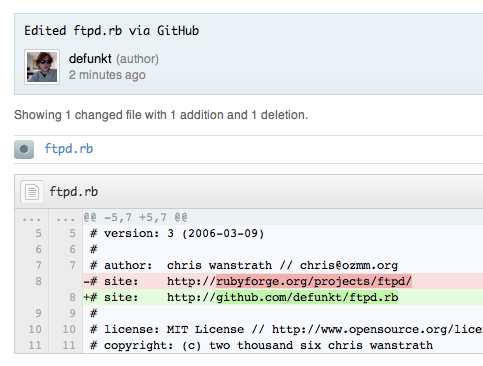
Although we are trying to define the code yourself with spaces or tabs, you can manually set this in the upper right of the editing window:

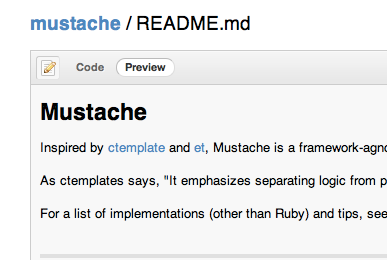
If you are editing Markdown, Textile, or another text format that GitHub supports, we will show a preview instead of diff:
If your favorite language is not yet highlighted, try adding the highlight for it yourself! Check out the wiki page Create or expand an edit mode
This is just the beginning. Help us make editing on GitHub even better by forking and improving Ace .
1. Click on the “Edit” button or hot key “e” on any file
2. Edit the code
Should work: TAB - add indentation, Shift + TAB - decrease indentation, Command + / (OSX) or Control + / (Win / Linux) to comment out / uncomment the line.
3. Preview changes
4. Commit!
Additionally
Although we are trying to define the code yourself with spaces or tabs, you can manually set this in the upper right of the editing window:
Richtext
If you are editing Markdown, Textile, or another text format that GitHub supports, we will show a preview instead of diff:
More modes
If your favorite language is not yet highlighted, try adding the highlight for it yourself! Check out the wiki page Create or expand an edit mode
Ace
This is just the beginning. Help us make editing on GitHub even better by forking and improving Ace .









