 February 12, 2011 at 15:51
Android nine-patch - stretch android
 Recommendations for creating UI widgets and some application blocks for Android OS require us to use blocks with rounded corners and / or with the effect of volume, casting shadows. What tools does the SDK give us for implementing such interfaces?
 When describing simple vector shapes without additional decoration of the corners and edges of the block, it is recommended to use shape shapes . If the block has complex graphic elements at the corners or from the edges of the block, you can use Nine-patch images, which will be discussed in this article. In case of complex block design, for example, as a single object, it remains to use only a fixed image, which will reduce the scale of the scale and will not allow changing the aspect ratio of the block.
So what exactly is 9-path? In fact, this is a normal image (.png), in which 1-pixel edges contain some overhead information that the Android graphics subsystem can interpret.
This service information is divided into two components: information for the correct scaling of the block and information about the content placement area in the block. If the first one is absent, the image will be scaled in its entirety (you must always specify both the horizontal and vertical zoom bars, or not both), and the second - the content will be placed over the entire image area.
Now about how this information is set. The upper and left parts of the frame define scalable areas, the right and bottom - the content display area. In this case, transparent pixels indicate an unmarked area, and black (# 000000) - marked. More details in the picture.
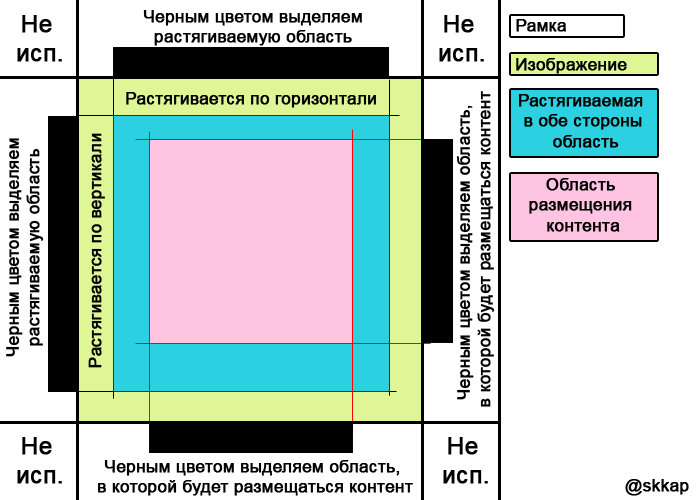
Now try to make your 9-patch image. As I wrote above, it should be a frame with complex angles and / or edges, so I googled this picture:

To make 9-patch out of this ordinary picture, you can use any graphics editor that supports * .png or a special draw9patch utility, which probably already lies in your tools folder in the installation location of the Android SDK. The advantage of this utility is that the scaling results and the content placement area are clearly displayed in the editor window. And also the utility allows you to edit only the frame, not allowing accidentally to be struck on the image.
Launch the application, open our frame (File> Open 9-patch) and mark the repeated areas and the area of content placement.

In the right block of the utility you can see the result of scaling.
Now you need to save the resulting image with the extension * .9.png. Then add to the project, in the / drawable / folder (if you do not provide for various image options for different ldpi / mdpi / hdpi devices) and use it as a background for various controls (without the .9 extension).
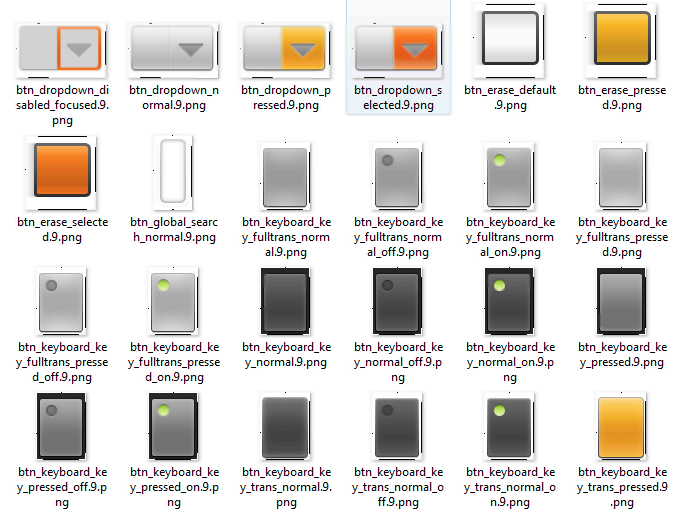
In Android OS, nine-path is used to determine the appearance of buttons, input fields, drop-down lists, etc. You can modify these images for your designs by taking them from the folder: android_sdk \ platforms \ android-8 \ data \ res \ drawable-hdpi.
Related links:
Android User Interface Guidelines
Android 2d graphics
Working with NinePatch Stretchable Graphics in Android
public class android.graphics.NinePatch
Draw 9-patch tool









