Perl and GUI. Toolkit Comparison
Despite the large number of modules in CPAN, Perl distributions (Strawberry Perl, ActivePerl, MinGW Perl) there are some uncertainties, one of which is the choice of a graphical toolkit for building a GUI (graphical user interface). This will be discussed.
Personally, I settled on ActivePerl from ActiveState . I also use Komodo IDE and Perl Dev Kit for work.
So, I have chosen four main modules for working with GUI, providing cross-platform.
Perl / Tk:
- is the interface to the Tk library . Works through DynaLoader / XS.
- object oriented approach.
- outdated appearance.
- good documentation.
- not updated since 2007.

An example program from the documentation: Tkx: - interface to Tk . A bridge in the form of a Tcl layer is used. - lower productivity, caused by the load of the second language. - A different approach to programming. You need to know the Tcl language. - You can use third-party packages. - “Native” design. - is the de facto core in ActivePerl. - there are tutorials. Sample code: WxPerl: - WxWidgets graphics library . - object oriented interface. - "native" design. - larger file size. - installation difficulties. Gtk: - uses Glib / Gtk.


- specific appearance.
- themes can be used.
- has installation problems.
- problems in Windows, OSX.
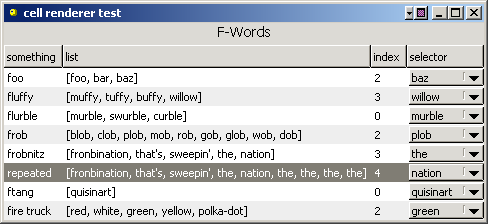
Helloworld example Unfortunately I did not succeed in installing and running this miracle. OS: Windows Vista. Therefore, I will give an official screenshot. Personally, I think that the best option is to use either Tk (if design is not critical) or Tkx.
Personally, I settled on ActivePerl from ActiveState . I also use Komodo IDE and Perl Dev Kit for work.
So, I have chosen four main modules for working with GUI, providing cross-platform.
Perl / Tk:
- is the interface to the Tk library . Works through DynaLoader / XS.
- object oriented approach.
- outdated appearance.
- good documentation.
- not updated since 2007.
An example program from the documentation: Tkx: - interface to Tk . A bridge in the form of a Tcl layer is used. - lower productivity, caused by the load of the second language. - A different approach to programming. You need to know the Tcl language. - You can use third-party packages. - “Native” design. - is the de facto core in ActivePerl. - there are tutorials. Sample code: WxPerl: - WxWidgets graphics library . - object oriented interface. - "native" design. - larger file size. - installation difficulties. Gtk: - uses Glib / Gtk.
#!/usr/bin/perl -w

use Tk;

use strict;


my $mw = MainWindow->new;

$mw->Label(-text => 'Hello, world!')->pack;

$mw->Button(

 -text => 'Quit',

 -command => sub { exit },

)->pack;

MainLoop;
use Tkx;

my $mw = Tkx::widget->new(".");

$mw->new_ttk__button(

 -text => "Hello, world",

 -command => sub { $mw->g_destroy; },

)->g_pack;

Tkx::MainLoop();
use Wx;
my $app = Wx::SimpleApp->new;
my $frame = Wx::Frame->new( undef, -1, 'Hello, world!' );
$frame->Show;
$app->MainLoop;- specific appearance.
- themes can be used.
- has installation problems.
- problems in Windows, OSX.
Helloworld example Unfortunately I did not succeed in installing and running this miracle. OS: Windows Vista. Therefore, I will give an official screenshot. Personally, I think that the best option is to use either Tk (if design is not critical) or Tkx.
use Gtk2 -init;

my $window = Gtk2::Window->new ('toplevel');

my $button = Gtk2::Button->new ('Hello world');

$button->signal_connect (clicked => sub { Gtk2->main_quit });

$window->add ($button);

$window->show_all;

Gtk2->main;








