April 6, 2007 at 15:25
Aqua dock
Aqua Dock is a free launchbar / taskbar for Windows XP made in the style of the Mac OSX dock: dock icons increase when you hover over them.

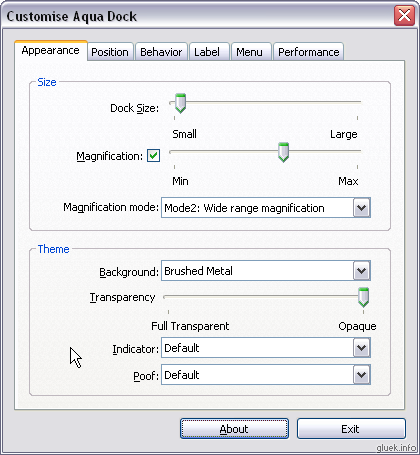
Programs are placed in the dock by simply dragging the shortcut to the dock, and removing, as it is logical to assume, we drag the unnecessary shortcut from the dock. Currently running programs are displayed in a small triangle. The settings are quite simple, but there is everything necessary for ease of use: Another nice feature of Aqua Dock is that it stores all the settings in ini-files in the program directory, i.e. can easily be placed on a USB flash drive. Actually, I have already added Aqua Dock to my Portable software collection . » Download Aqua Dock 1.0 (738 Kb)


Programs are placed in the dock by simply dragging the shortcut to the dock, and removing, as it is logical to assume, we drag the unnecessary shortcut from the dock. Currently running programs are displayed in a small triangle. The settings are quite simple, but there is everything necessary for ease of use: Another nice feature of Aqua Dock is that it stores all the settings in ini-files in the program directory, i.e. can easily be placed on a USB flash drive. Actually, I have already added Aqua Dock to my Portable software collection . » Download Aqua Dock 1.0 (738 Kb)