 December 8, 2017 at 13:28
What's New in DataGrip 2017.3
Hello! DataGrip closes the release chain of our IDEs, although you could already try what I’ll talk about in other products: all IDEs have database support except WebStorm (because it’s cheaper), CLion and AppCode (because they don’t ask) .
Not every day we close a ticket with a number less than 100. Now you can group data sources by pressing F6 .
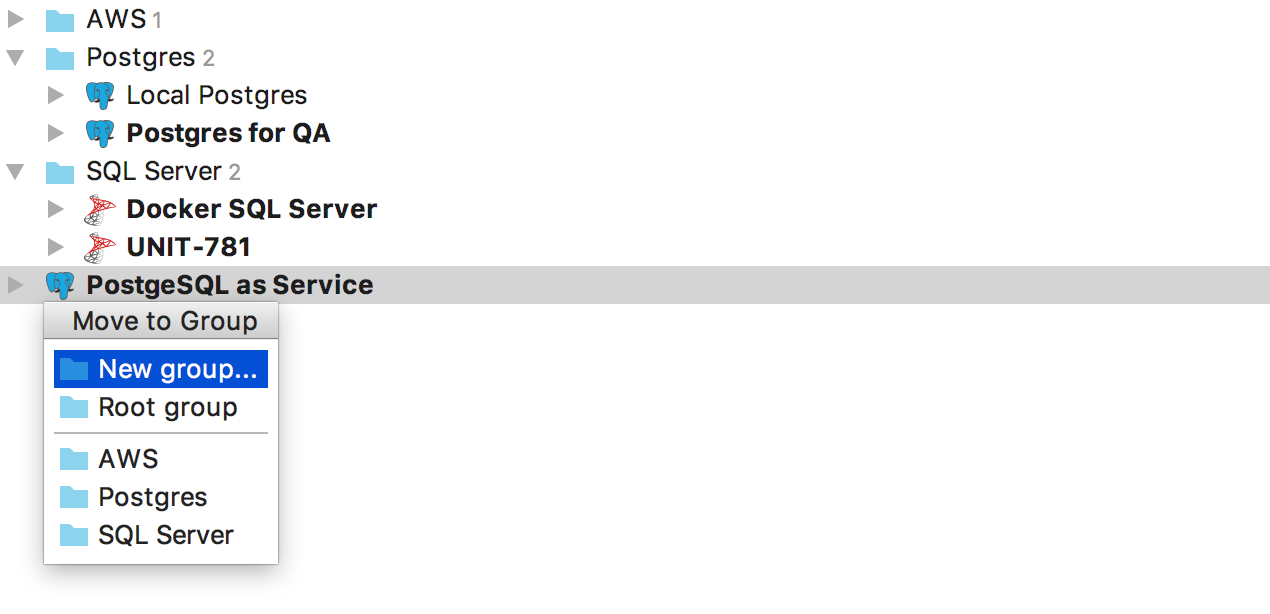
A group is an attribute of a data source, so you cannot create an empty folder and add sources there. To create a new group, select New Group from the menu that appears by F6 .
We replaced Schemas ... in the database tree with a lightweight hover that shows how many schemas are visible and how many there are. To add new schemes, click on the hover.
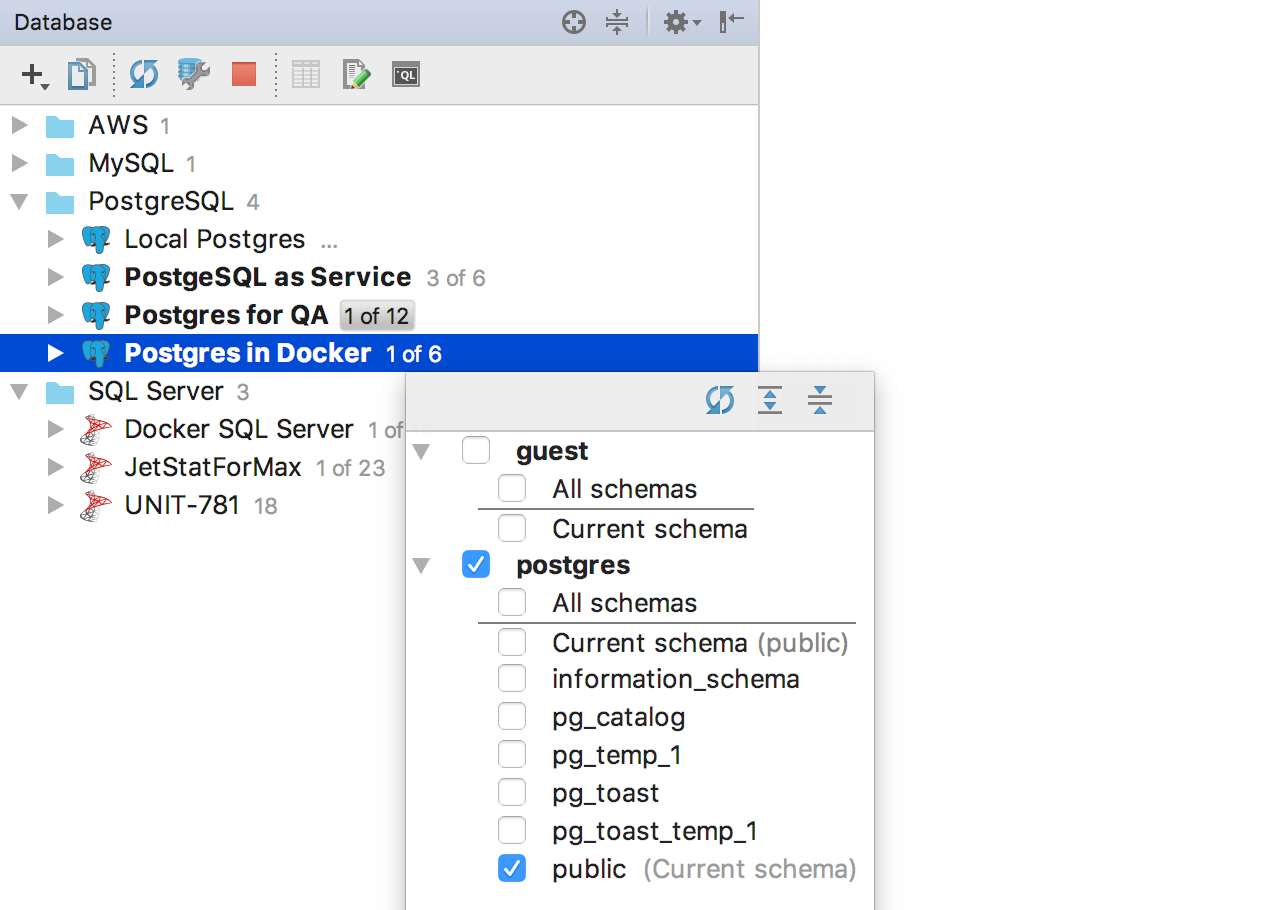
Or use the context menu item Database tools → Manage selected schemas . Another option: the Alt + the Enter → the Manage selected schemas.
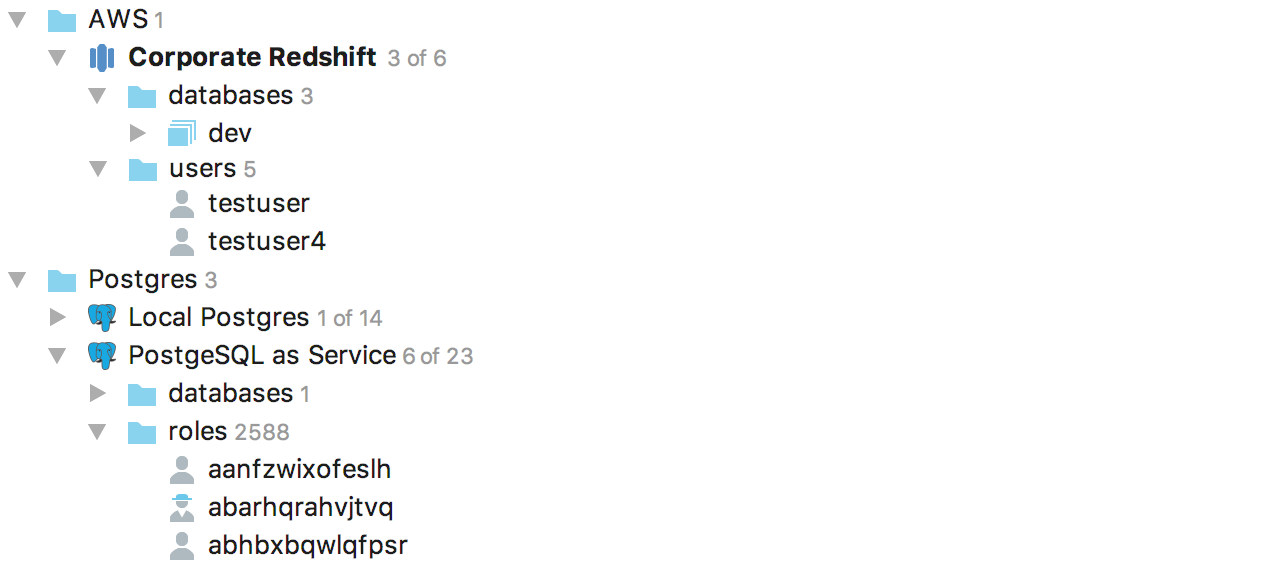
Users and roles are now displayed in the object tree.
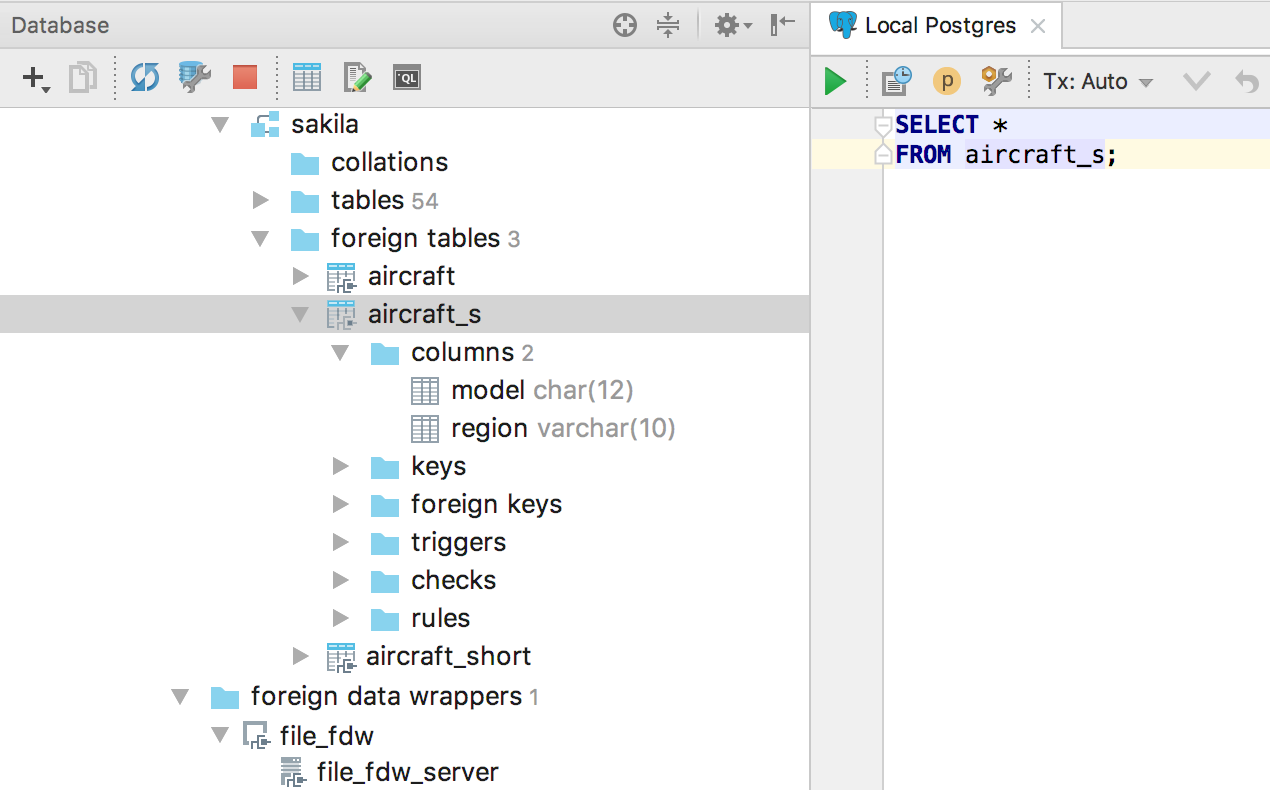
Added support for third-party data wrappers and, as a result, third-party tables for PostgreSQL .
Now you can drag several objects from the tree into the editor.
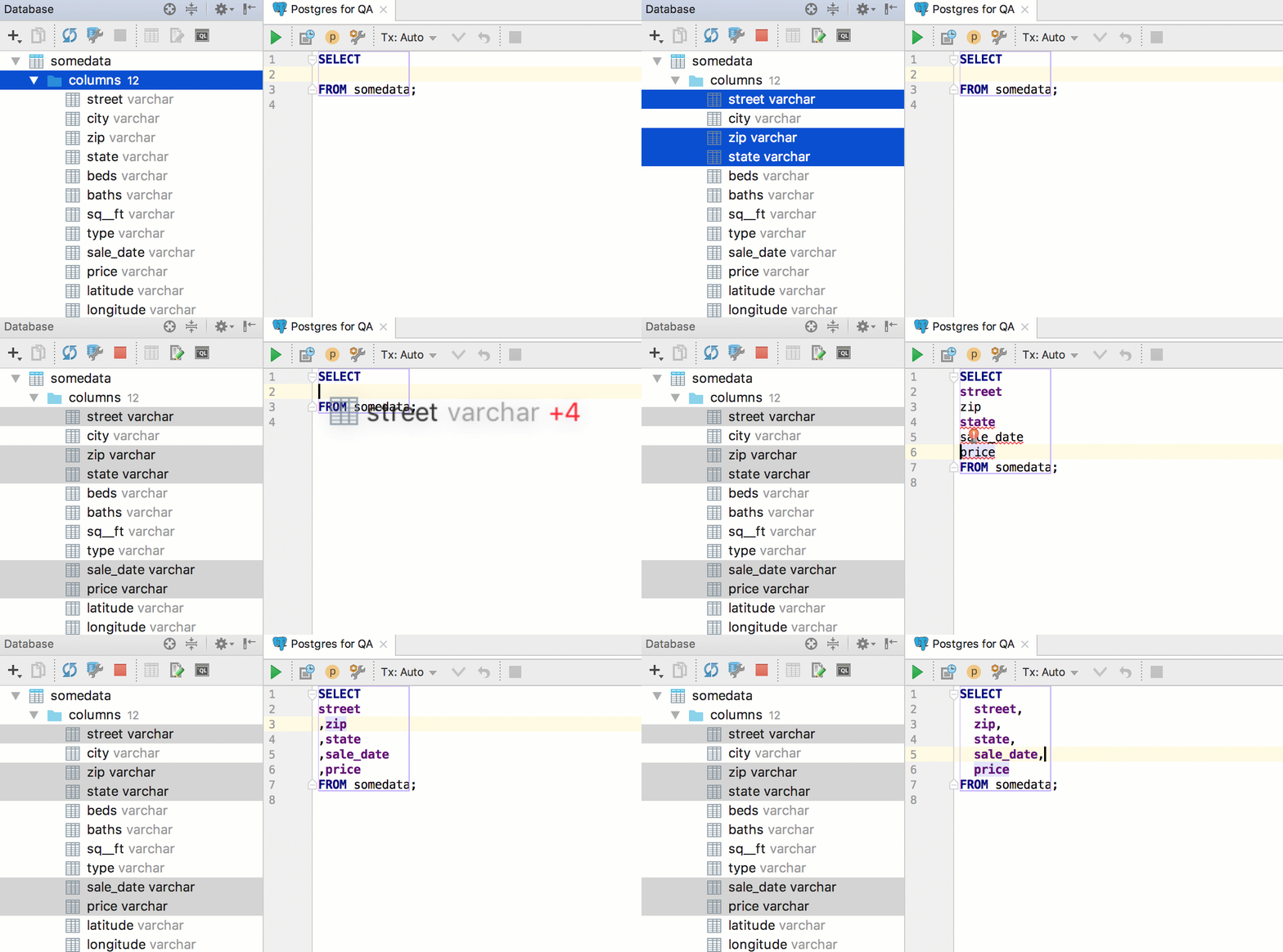
But if you need all the columns of the table, Alt + Enter on the asterisk → Expand column list is more suitable .
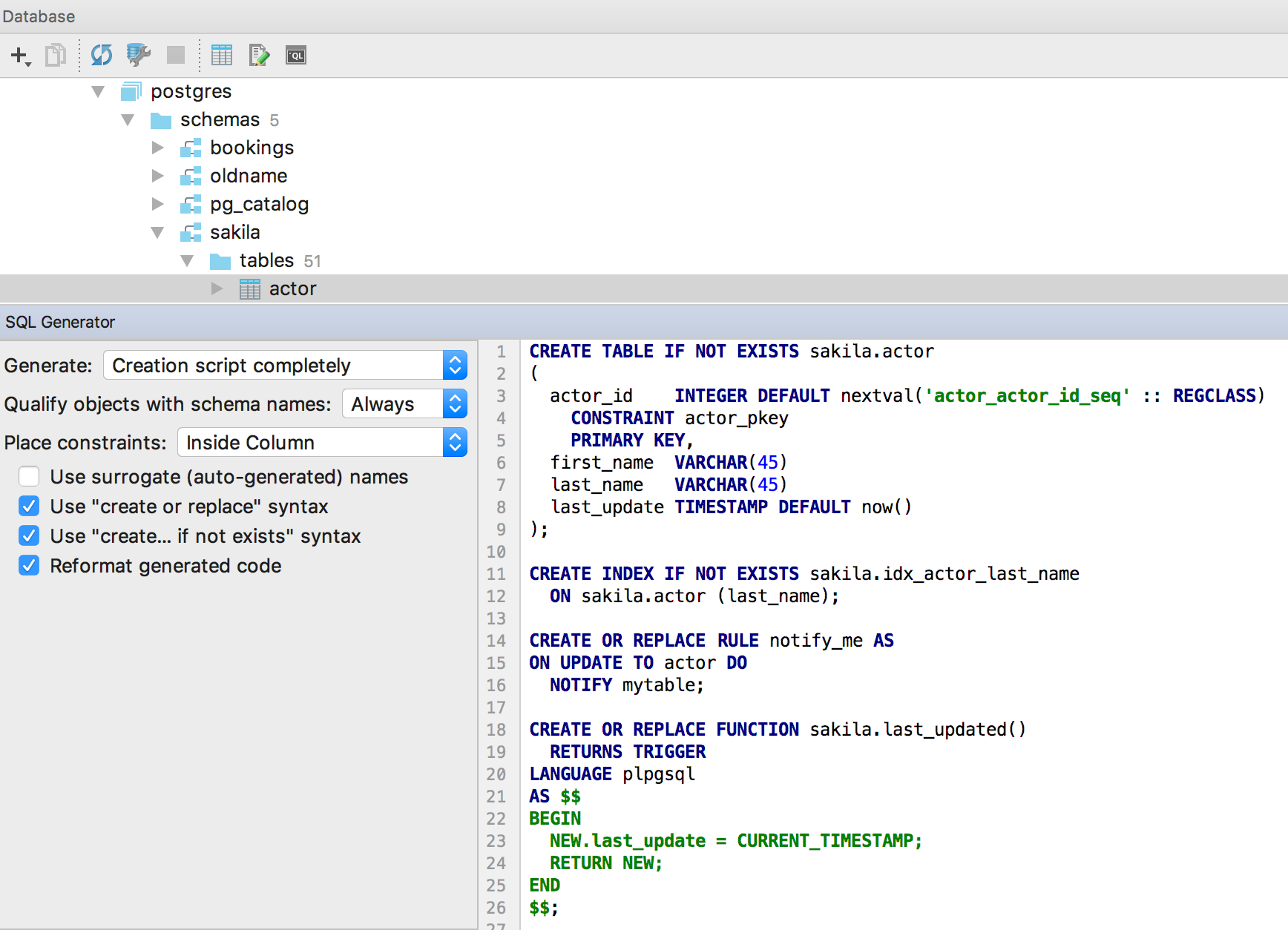
SQL-generator creates DDL scripts for objects from the tree. You can select multiple objects, or you can generate DDL for the entire schema. To do this, press Ctrl / Cmd + Alt + G or select SQL Scripts → SQL Generator from the context menu of the object ...
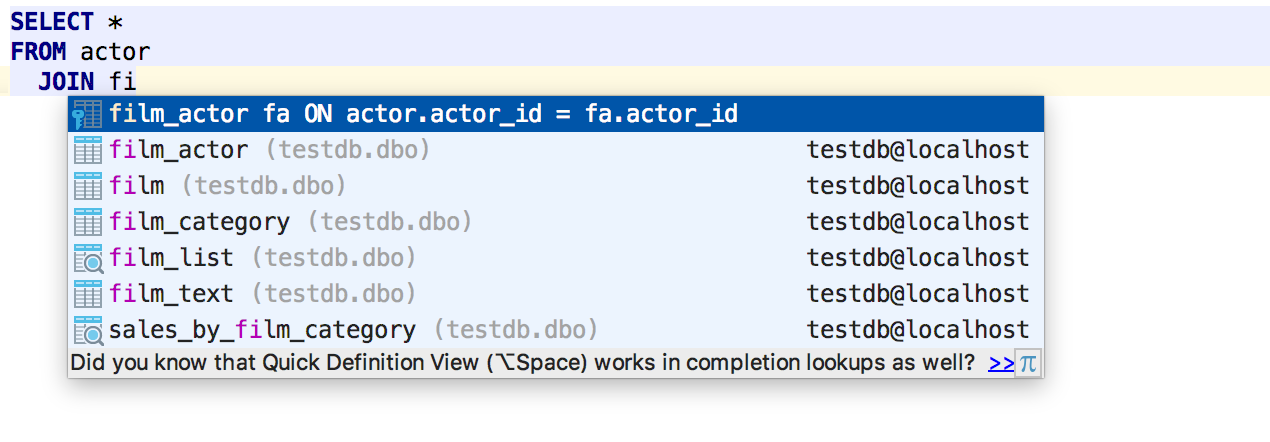
Improved auto-completion for JOIN , now the condition for foreign keys is offered not after ON , but immediately. Even substitutes aliases :)
And they also supported PostgreSQL 10 grammar.
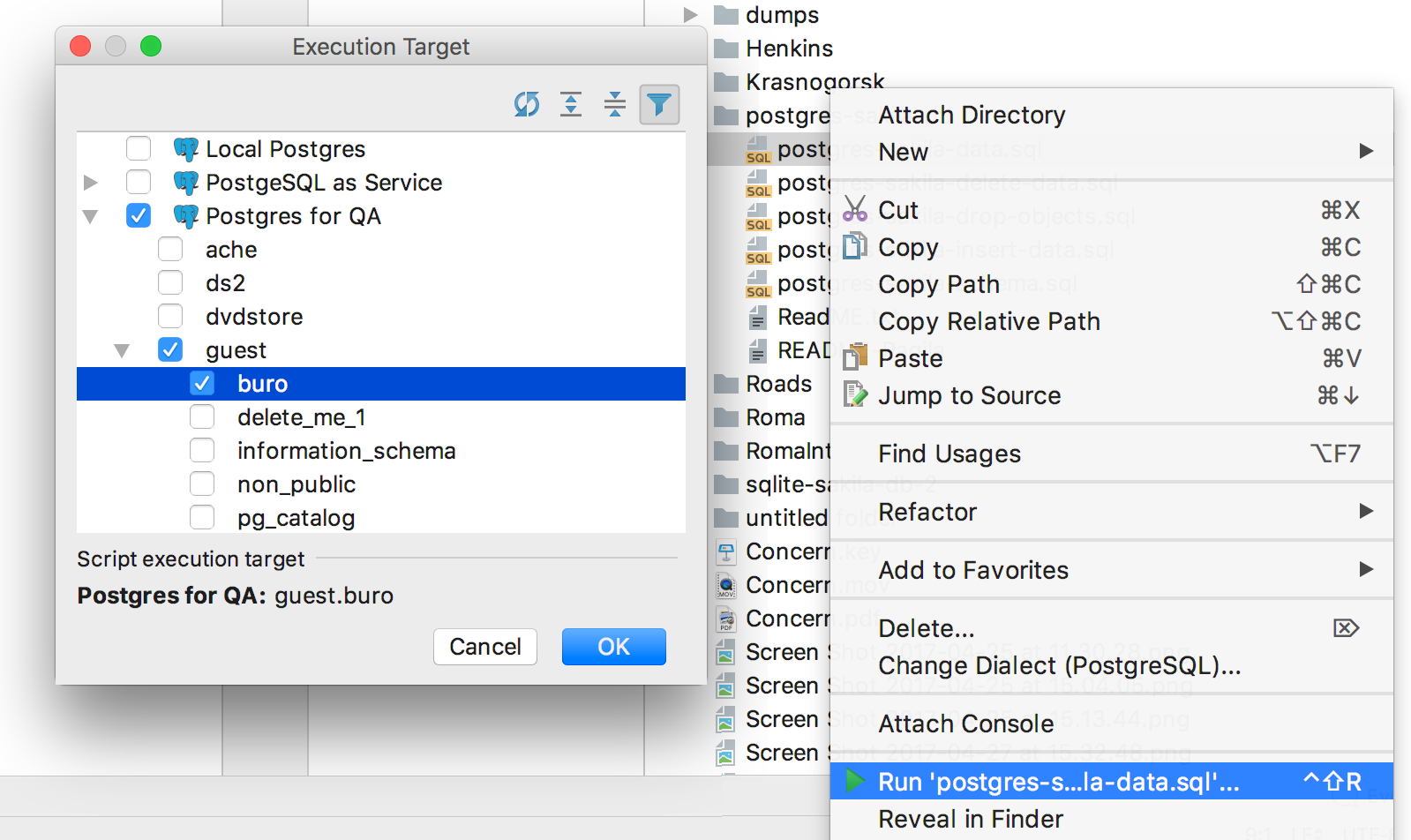
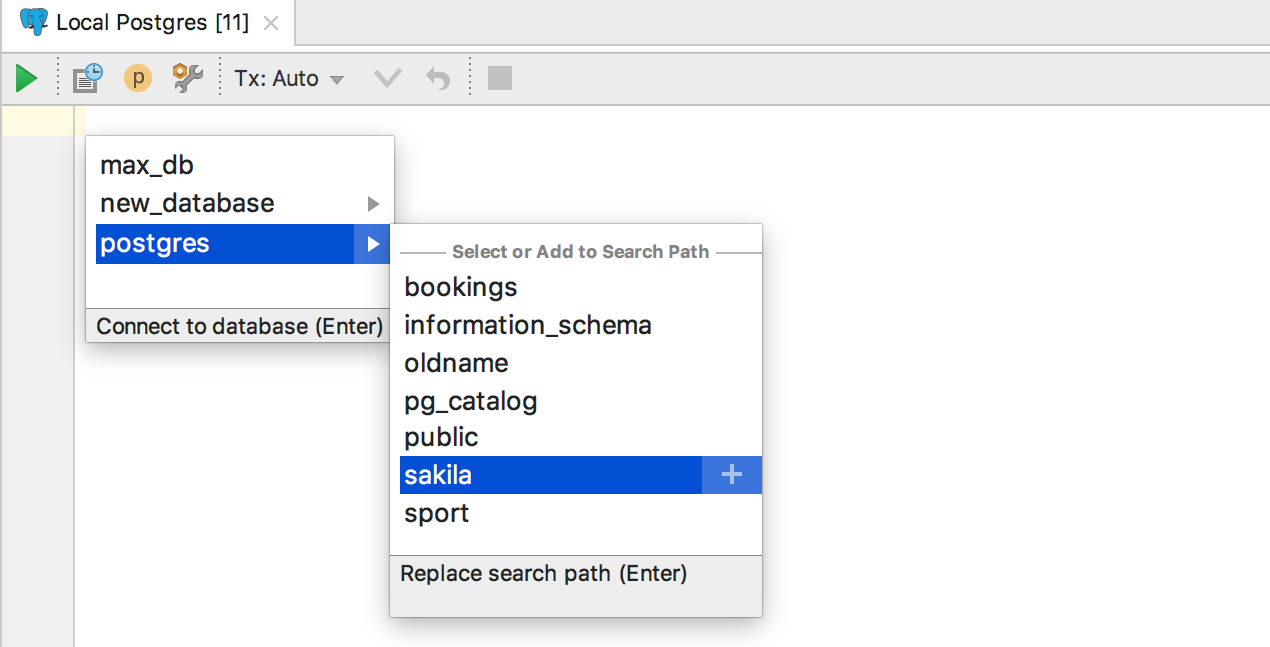
Large scripts are best run from the context menu, because if you open them, the IDE can analyze the code for a long time. Now in this menu, select not only the data source, but also the scheme.
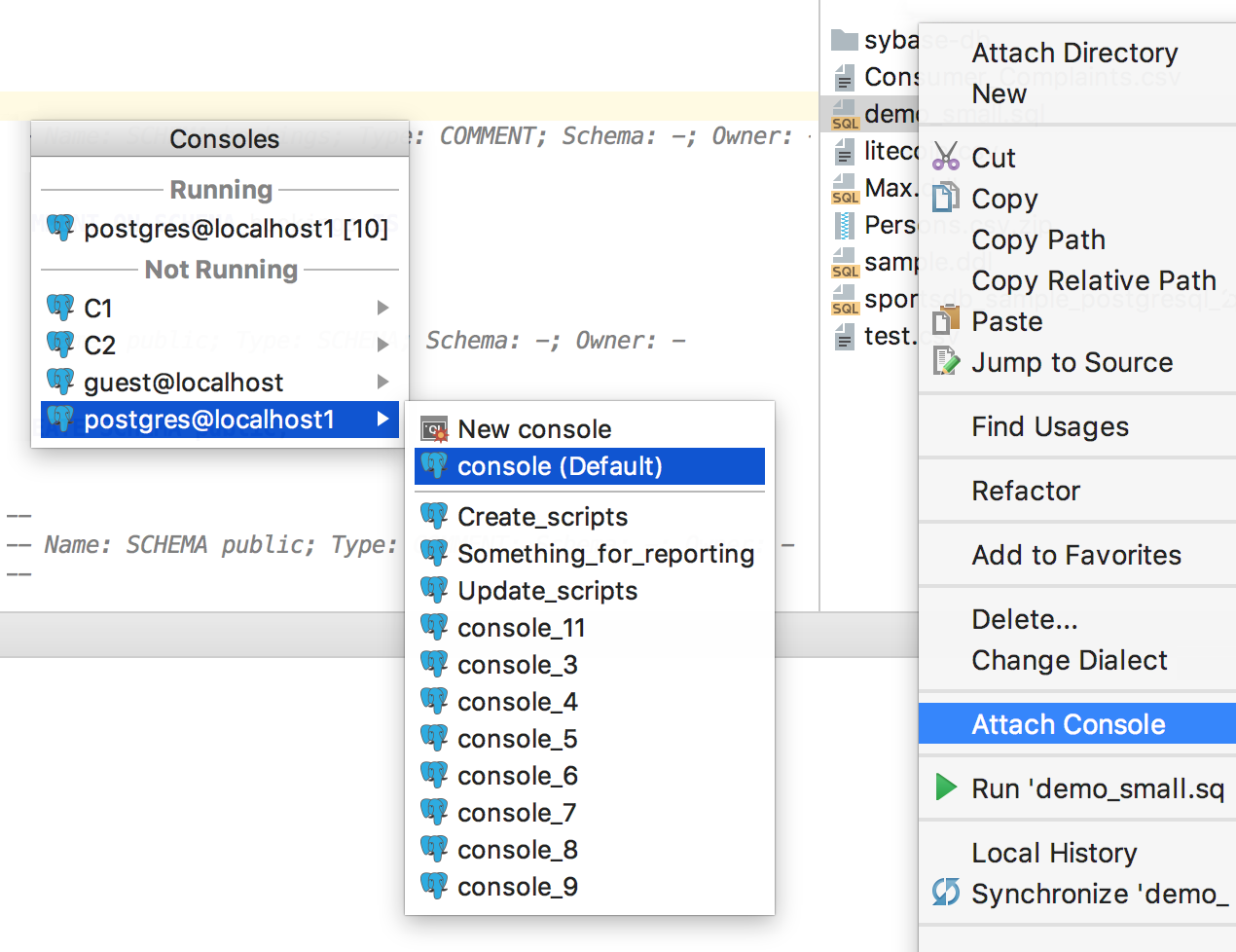
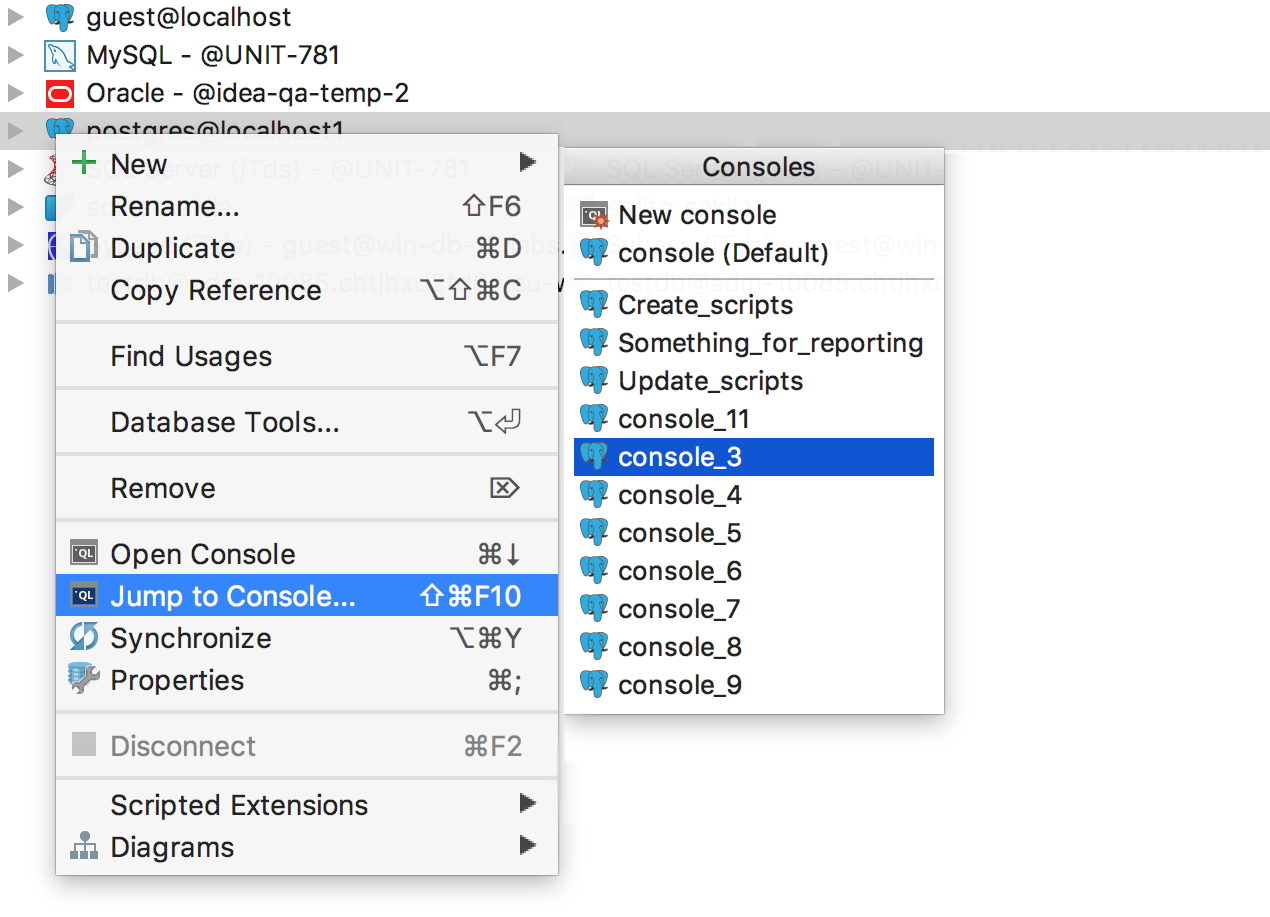
And if you attach a console to the file, a menu appears with data sources and all the consoles that are created for them.
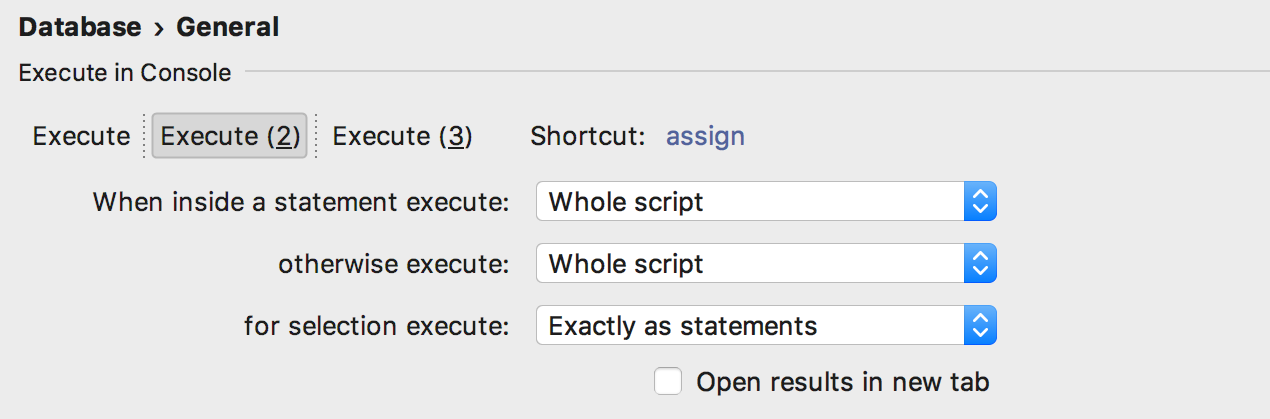
There used to be one custom behavior for executing queries - now three. Each can be assigned a separate key combination. For example, what by default (Ctrl / Cmd + Enter) will ask what request to execute if there are several of them. And on another keyboard shortcut, you can assign the execution of the entire script.
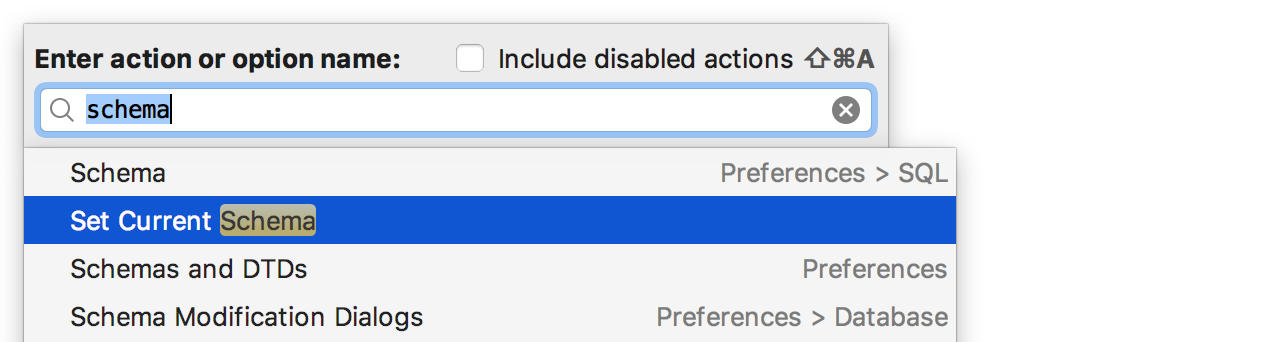
Added the Set Current Schema action for those who do not want to drive with the mouse to switch the schema for the SQL editor in the upper right corner.
For example, I assigned the keyboard shortcut Ctrl / Cmd + Up. The platform it shows a navigation bar, but if someone uses it, my advice - use the Recent Files on the Ctrl / Smd E + .
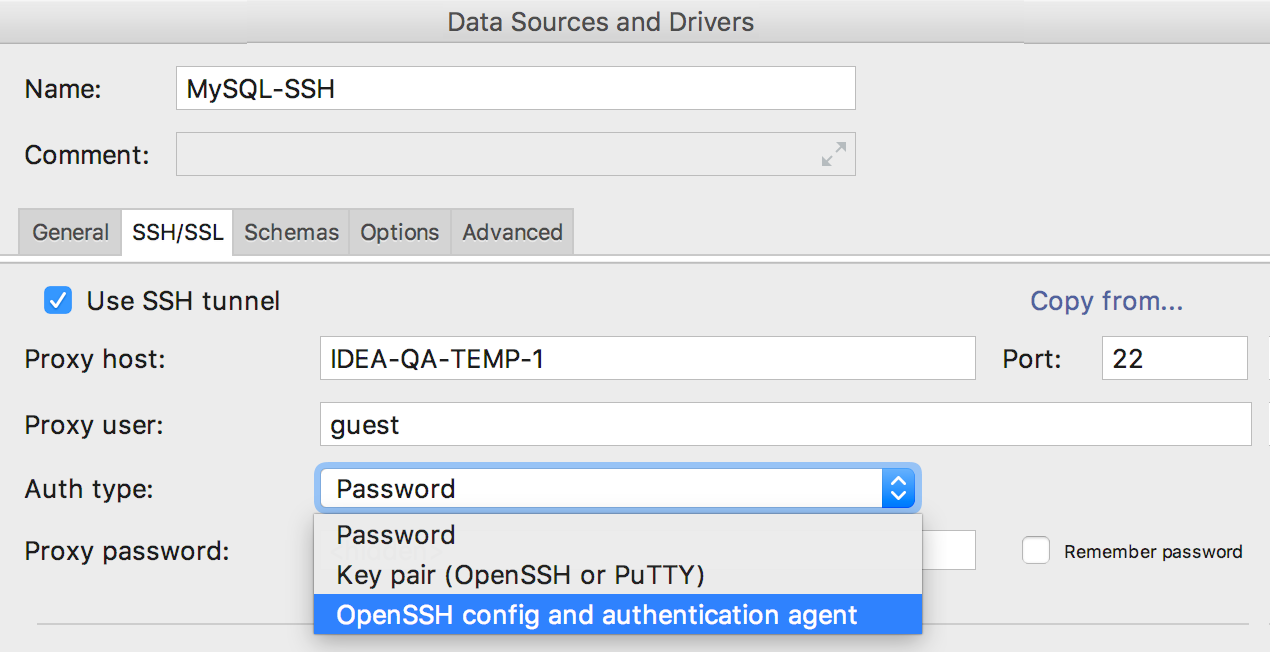
Added new features in SSH tunneling:
- Reading OpenSSH config files (~ / .ssh / config and / etc / ssh / ssh_config).
- Dialog for One Time Password.
- Using SSH-agent and Pageant for authentication.
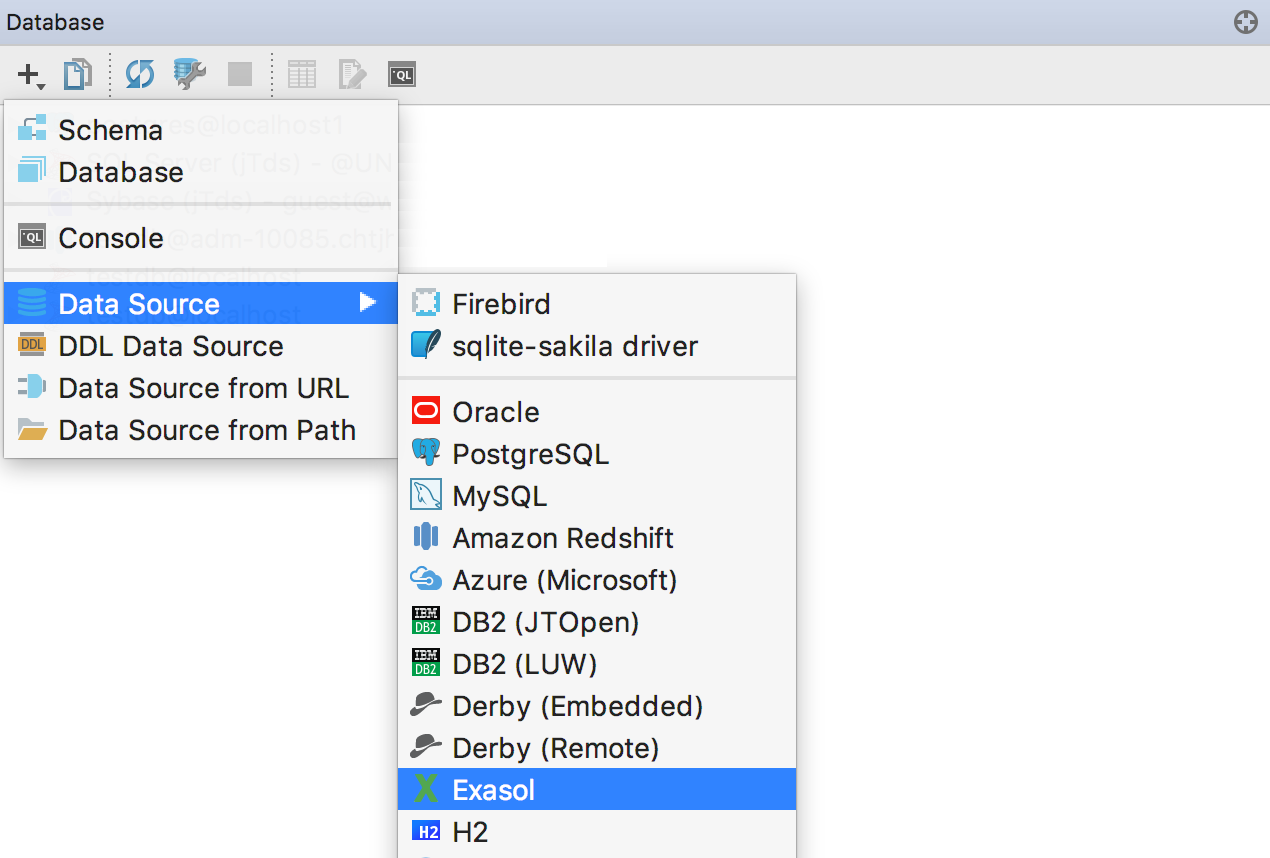
We also supported the Exasol database.
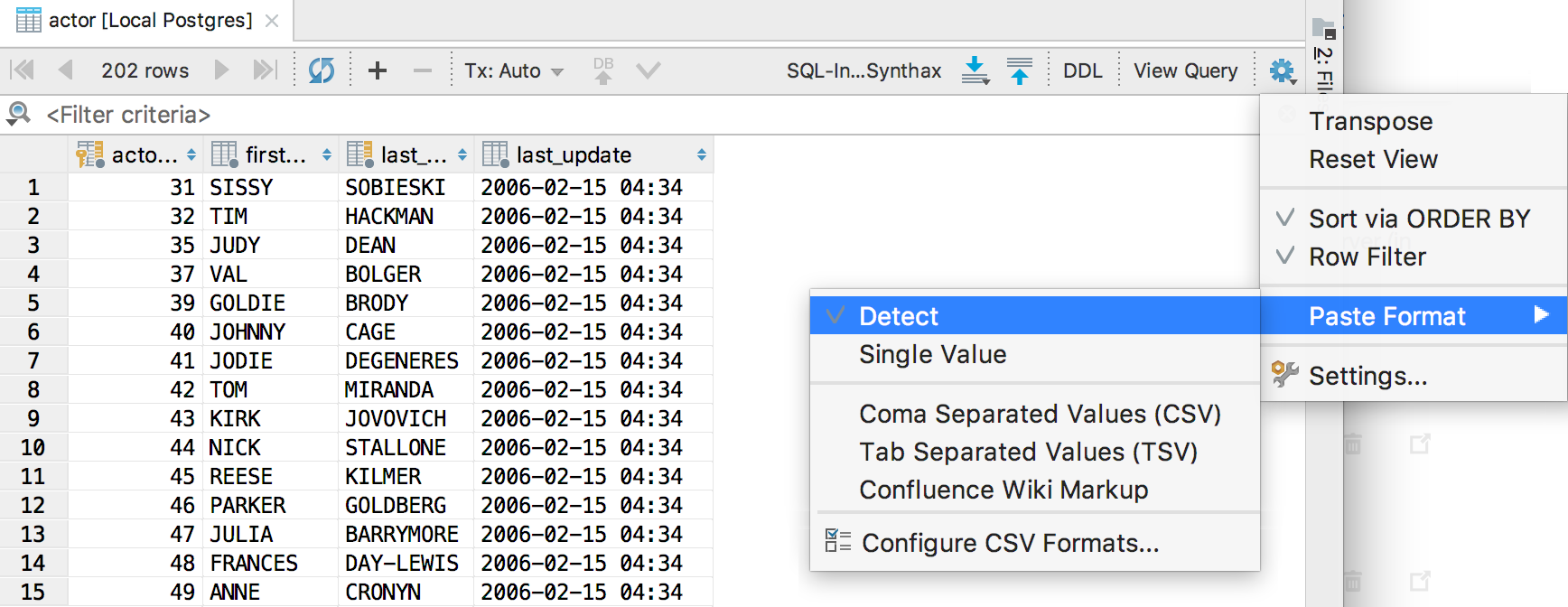
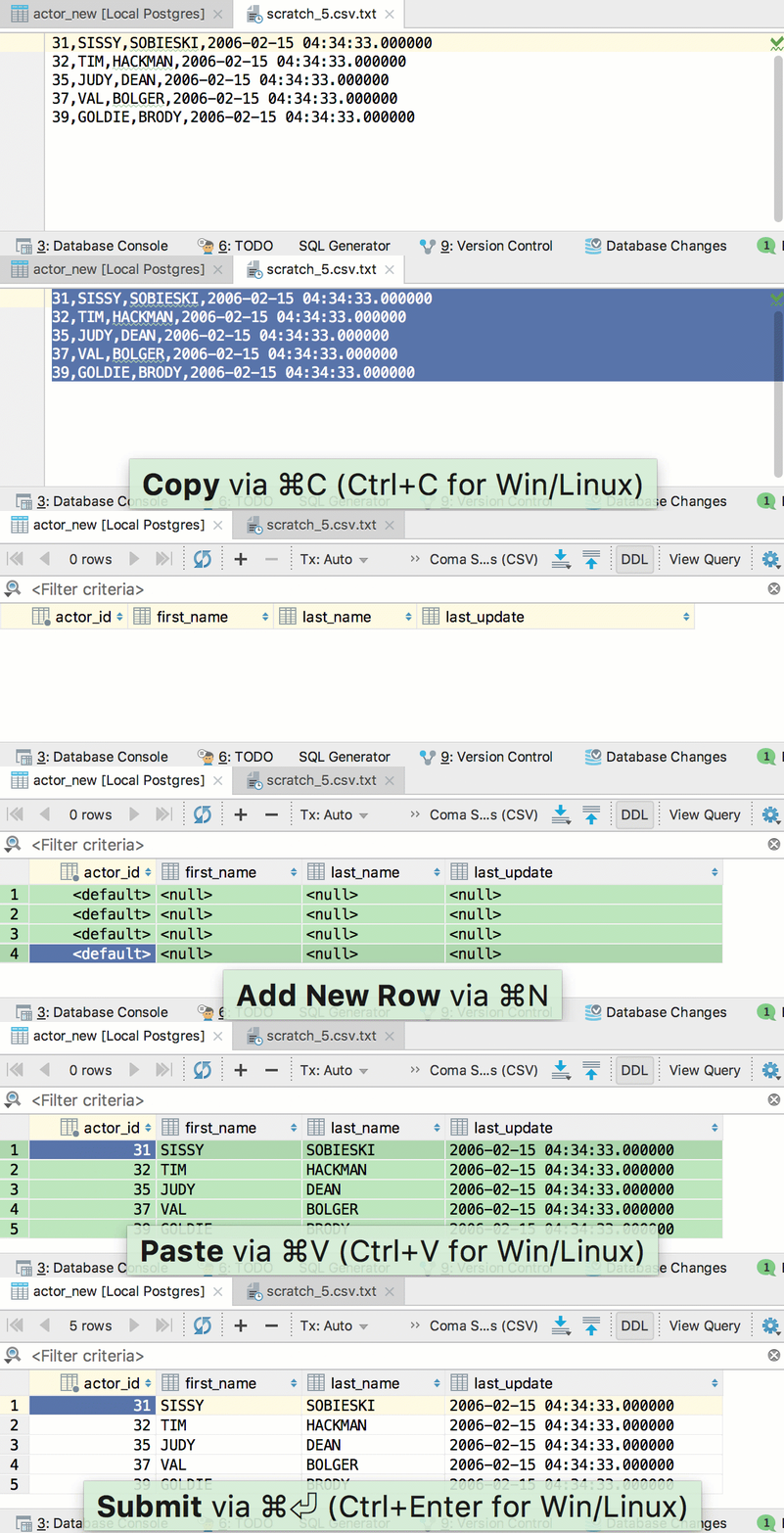
We were asked to make an insert from Excel. In general, this means being able to insert values in CSV format. Tell DataGrip in what format you will insert the values, or allow it to be determined automatically.
And go!
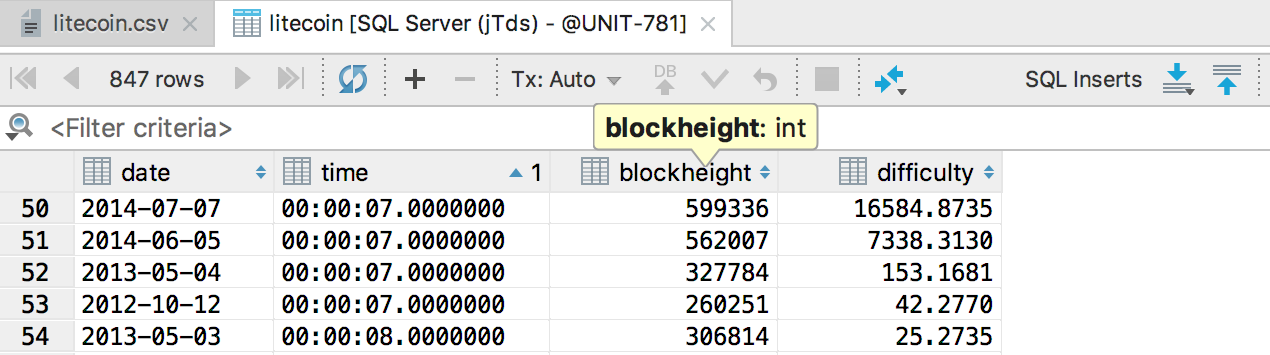
Numbers are now aligned right.
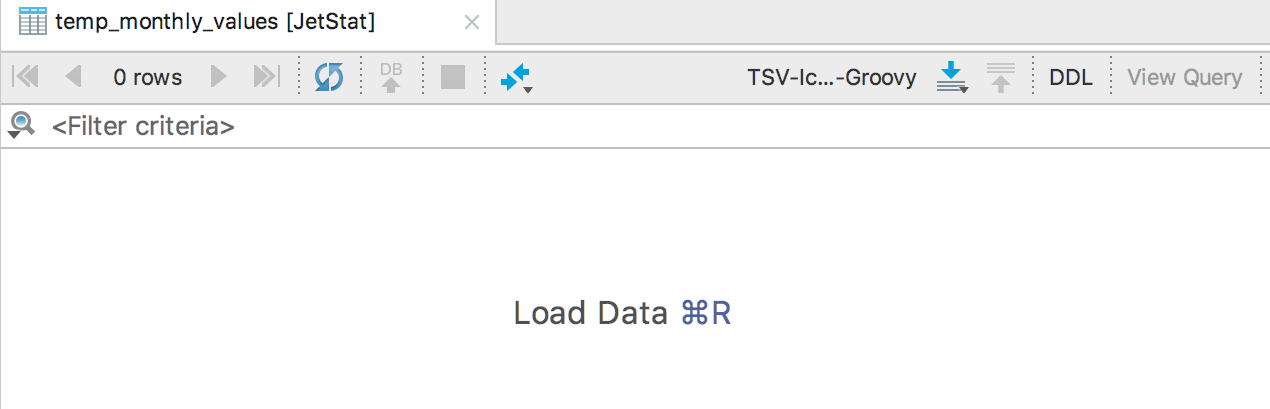
Tabs are restored after the IDE closes. Displaying data in them is not a good idea if you have opened ten tabs with the results of heavy queries. Load the data into tabs by a combination of keys Ctrl + F5 / Smd R + .
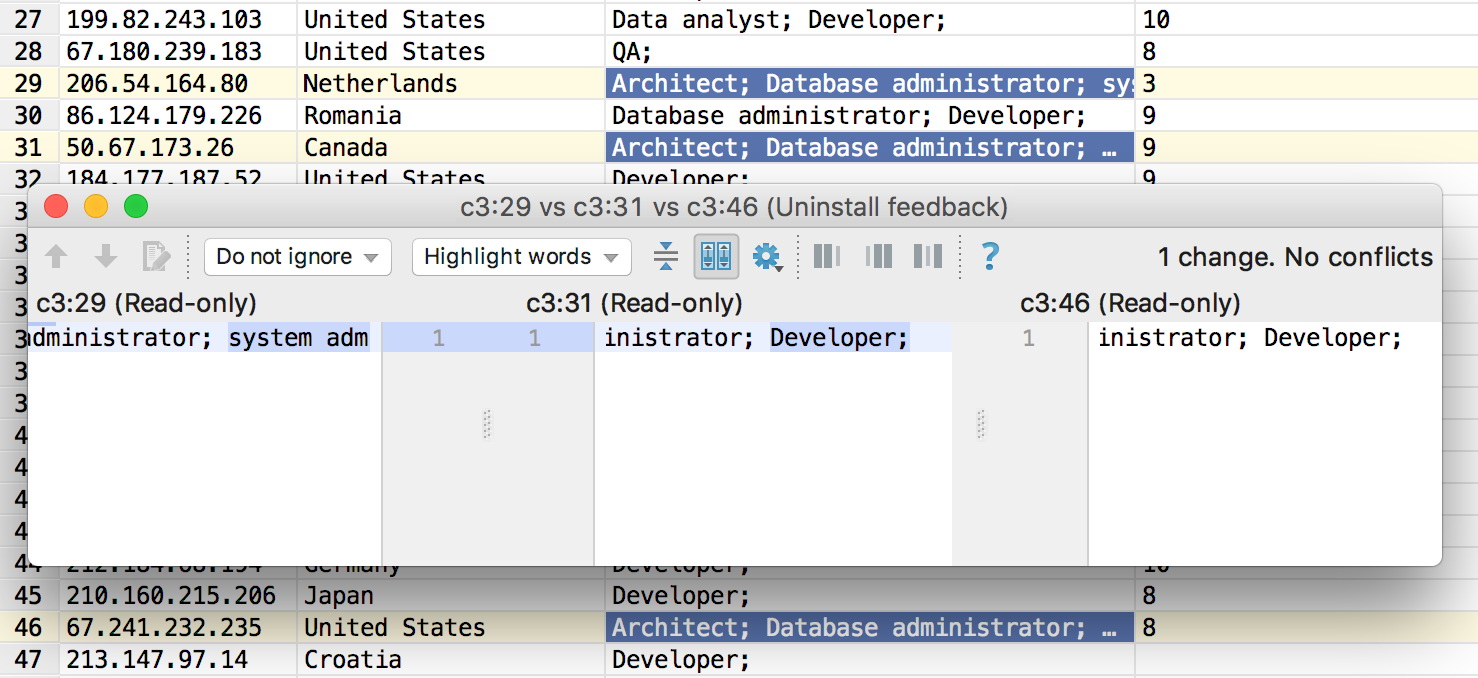
Compare the contents of two or three cells by Shift + Ctrl / Cmd + D.
In one of the previous updates, we redid the navigation - what is called Navigate to declaration in the platform (Ctrl / Cmd + B or Ctrl / Cmd + Click ), began to open the DDL editor, and not show the object in the tree.
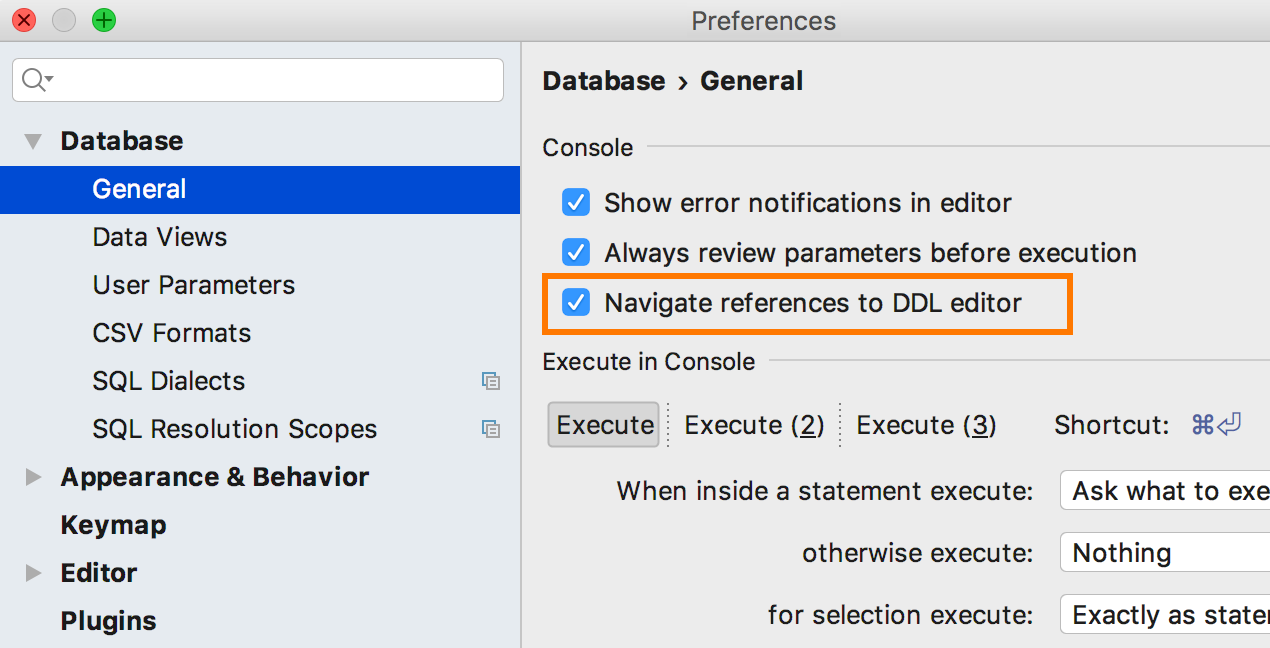
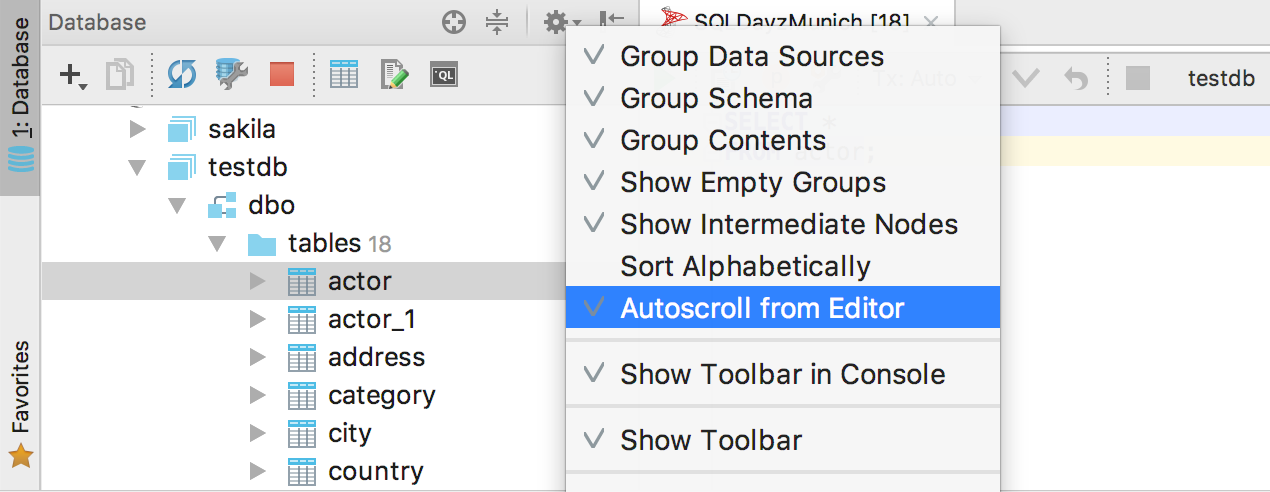
For those accustomed to the old behavior, they added a setting: Navigate references to DDL editor . Combining disabling this option with the Auto-scroll from Editor option , configure the behavior of the Navigate to declaration :
Navigate references to DDL editor On.
Auto-scroll from Editor On
The DDL editor of the object opens, and the object itself is highlighted in the database tree. Focus in the DDL editor.
Navigate references to DDL editor On
Auto-scroll from Editor Off
The DDL editor of the object opens, nothing is highlighted in the tree.
Navigate references to DDL editor Off
The object is highlighted in the database tree.
Do not forget about the Select in database view action , which selects an object in the tree, find it by Find Action (Ctrl / Cmd + Shift + A). I assign the keyboard shortcut Ctrl / Alt + D, by default there is no shortcut.
Now we hope that all desired navigation scenarios are covered. Write if not.
All associated consoles appeared in the context menu of the data source.
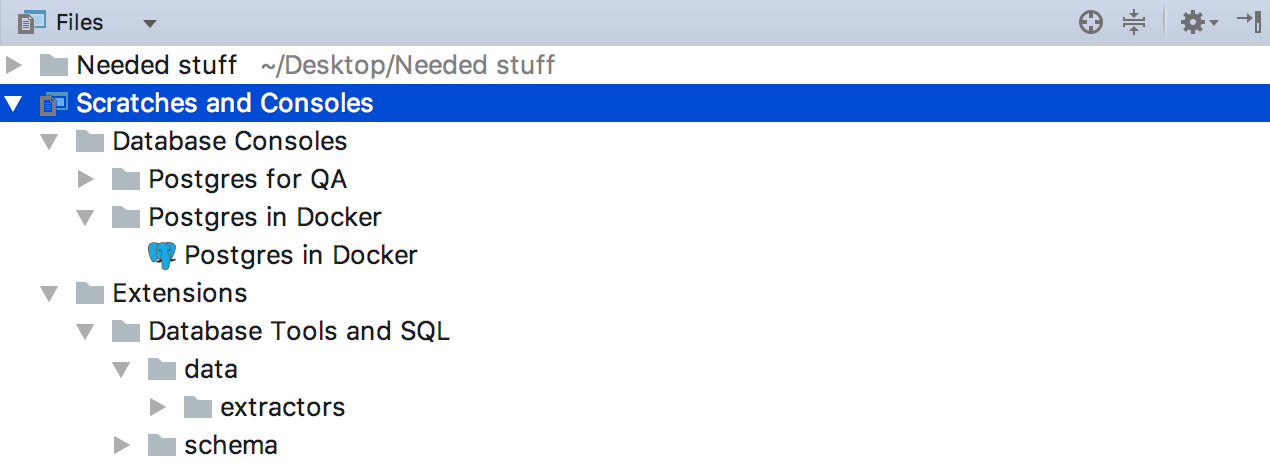
Scratch files and consoles are now in the Files tab, and not in a separate one.
- DDL generation for tables does not include views .
- DDL generation for MySQL works with escaped quotes. But it can work for a long time: more information here .
- DDL generation for a function in PostgreSQL includes all attributes (except obj_file and ink_symbol ).
- Sync settings between computers .
- The time is displayed in UTC.
- Improved PIVOT support .
- Asterisk expansion works with tabular aliases.
- SQL extractors take into account the style of the code from the settings.
- Opportunityspecify the current scheme for unsupported databases.
- In Replace in path, you can replace several selected occurrences at once.
We are waiting for your opinion on Twitter or here in the comments.
Maxim Sobolevsky and DataGrip team
Database Objects
Not every day we close a ticket with a number less than 100. Now you can group data sources by pressing F6 .
A group is an attribute of a data source, so you cannot create an empty folder and add sources there. To create a new group, select New Group from the menu that appears by F6 .
We replaced Schemas ... in the database tree with a lightweight hover that shows how many schemas are visible and how many there are. To add new schemes, click on the hover.
Or use the context menu item Database tools → Manage selected schemas . Another option: the Alt + the Enter → the Manage selected schemas.
Users and roles are now displayed in the object tree.
Added support for third-party data wrappers and, as a result, third-party tables for PostgreSQL .
Now you can drag several objects from the tree into the editor.
But if you need all the columns of the table, Alt + Enter on the asterisk → Expand column list is more suitable .
SQL
SQL-generator creates DDL scripts for objects from the tree. You can select multiple objects, or you can generate DDL for the entire schema. To do this, press Ctrl / Cmd + Alt + G or select SQL Scripts → SQL Generator from the context menu of the object ...
Improved auto-completion for JOIN , now the condition for foreign keys is offered not after ON , but immediately. Even substitutes aliases :)
And they also supported PostgreSQL 10 grammar.
Query execution
Large scripts are best run from the context menu, because if you open them, the IDE can analyze the code for a long time. Now in this menu, select not only the data source, but also the scheme.
And if you attach a console to the file, a menu appears with data sources and all the consoles that are created for them.
There used to be one custom behavior for executing queries - now three. Each can be assigned a separate key combination. For example, what by default (Ctrl / Cmd + Enter) will ask what request to execute if there are several of them. And on another keyboard shortcut, you can assign the execution of the entire script.
Added the Set Current Schema action for those who do not want to drive with the mouse to switch the schema for the SQL editor in the upper right corner.
For example, I assigned the keyboard shortcut Ctrl / Cmd + Up. The platform it shows a navigation bar, but if someone uses it, my advice - use the Recent Files on the Ctrl / Smd E + .
Base Connection
Added new features in SSH tunneling:
- Reading OpenSSH config files (~ / .ssh / config and / etc / ssh / ssh_config).
- Dialog for One Time Password.
- Using SSH-agent and Pageant for authentication.
We also supported the Exasol database.
Data editor
We were asked to make an insert from Excel. In general, this means being able to insert values in CSV format. Tell DataGrip in what format you will insert the values, or allow it to be determined automatically.
And go!
Numbers are now aligned right.
Tabs are restored after the IDE closes. Displaying data in them is not a good idea if you have opened ten tabs with the results of heavy queries. Load the data into tabs by a combination of keys Ctrl + F5 / Smd R + .
Compare the contents of two or three cells by Shift + Ctrl / Cmd + D.
Navigation
In one of the previous updates, we redid the navigation - what is called Navigate to declaration in the platform (Ctrl / Cmd + B or Ctrl / Cmd + Click ), began to open the DDL editor, and not show the object in the tree.
For those accustomed to the old behavior, they added a setting: Navigate references to DDL editor . Combining disabling this option with the Auto-scroll from Editor option , configure the behavior of the Navigate to declaration :
Navigate references to DDL editor On.
Auto-scroll from Editor On
The DDL editor of the object opens, and the object itself is highlighted in the database tree. Focus in the DDL editor.
Navigate references to DDL editor On
Auto-scroll from Editor Off
The DDL editor of the object opens, nothing is highlighted in the tree.
Navigate references to DDL editor Off
The object is highlighted in the database tree.
Do not forget about the Select in database view action , which selects an object in the tree, find it by Find Action (Ctrl / Cmd + Shift + A). I assign the keyboard shortcut Ctrl / Alt + D, by default there is no shortcut.
Now we hope that all desired navigation scenarios are covered. Write if not.
All associated consoles appeared in the context menu of the data source.
Scratch files and consoles are now in the Files tab, and not in a separate one.
Rest
- DDL generation for tables does not include views .
- DDL generation for MySQL works with escaped quotes. But it can work for a long time: more information here .
- DDL generation for a function in PostgreSQL includes all attributes (except obj_file and ink_symbol ).
- Sync settings between computers .
- The time is displayed in UTC.
- Improved PIVOT support .
- Asterisk expansion works with tabular aliases.
- SQL extractors take into account the style of the code from the settings.
- Opportunityspecify the current scheme for unsupported databases.
- In Replace in path, you can replace several selected occurrences at once.
We are waiting for your opinion on Twitter or here in the comments.
Maxim Sobolevsky and DataGrip team











