
 November 15, 2017 at 11:41
Levenshtein distance in MySQL and fuzzy search algorithms using PHP
The famous Soviet and Russian mathematician Vladimir Iosifovich Levenshtein (by the way, who passed away two and a half months ago) at the beginning of the second half of the last century introduced the concept of editing distance , which we still use in various fields - from search engines to bioinformatics. In this article, we will apply its principle for fuzzy searches in MySQL (since MySQL does not yet offer a built-in solution), having calculated the most efficient (i.e. fast) method from several found on the Internet, we will construct an algorithm for such a search and implement it on PHP
What we will use:
Obviously, there is no point in calculating the Levenshtein distance between the entered word and each word from the dictionary in the database during each search, because it will take a lot of time. By the way, several years ago a method was described on the Haber , in which, during each search, the entire dictionary from the database was driven into a PHP array, transliterated, and then similar words were selected, alternately using either the levenshtein function, then metaphone, then similar_text, or two at once. The solution of preliminary quick filtering and subsequent refining of the found options suggests itself.
Thus, the essence of the fuzzy search algorithm can be reduced to the following:
Each search will need to calculate the Levenshtein distance. To do this, find the fastest implementation of the algorithm for MySQL.
For all tests, the base of settlements was selected , 4 years ago pulled from Vkontakte. For tests, a city table was used, which contains more than 2.2 million entries, partially translated into 13 languages. Only columns with Russian translation were left, which contained many untranslated names. An index was also made on the city_id column.
The next step was the formation of a metaphone for each name. Since the metaphone is calculated only from lines containing letters of the English alphabet, each name must be previously converted: transliterated into Cyrillic, and Latin letters containing diacritical characters converted into letters of the English alphabet.
So the PHP code for adding a metaphone column is as follows:
For 2,246,813 lines, the calculation of the metaphone and its insertion took ~ 38 minutes.
An index was also made on the metaphone column, as further search operations will occur only in it.
As noted earlier, three implementations will be checked for speed - the Flattery request, the Rast function, and the Torres function.
For the tests, 5 words will be used (or rather, their misspelling), 3 of them in Cyrillic, and 2 in Latin:
In the last word, more mistakes were intentionally made so that the Levenshtein distance was 2 characters. If each method works correctly, when searching for the last word, 0 lines will be returned each time.
The first option is the most primitive of all three: here the Levenshtein distance principle (insert, delete and replace operations), which is simulated in an SQL query using a large number of LIKE statements, is taken as a basis. If a line (word) consists of characters (letters), the number of LIKE operators when looking for a Levenshtein distance of 1 character will be equal to
  (or
(or  when searching for Levenshtein distance <2 characters).
At the end of the article, the author offers a PHP function to automate the compilation of such SQL queries. This function has been changed for our metaphone search, but the principle remains the same:
LIKE was checked with both search patterns , both with an underscore and a percent sign.
The longer the word, the more time it takes to search for similar metaphones (which is obvious), but at the same time, the longer the word, the less time is spent on each letter (which is not obvious). Let's pretend that - the total time spent searching for similar metaphones, and - the total number of letters in the metaphone whose similarities we were looking for; if the first word is shorter than the second (
 ) and, accordingly, the total time spent searching for similar metaphones for the first word is less than for the second (
 ) then
The second option is the user-defined function levenshtein, which takes two parameters — two VARCHAR lines (255), and returns the number INT — the Levenshtein distance. An auxiliary function levenshtein_ratio is also proposed, which, based on the Levenshtein distance calculated by the previous function, returns the percentage of similarity of two lines (similar to the PHP function similar_text). We will test only the first function.
Let's try to find all the words with a Levenshtein distance of 1 character:
Searching for similar metaphones for the fourth name (which has the shortest metaphone) gave the same results as when searching using LIKE with the search template "_", but took ~ 66 minutes, so it was decided not to continue testing the rest of the words.
The third option is the implementation of a function written in C by Linus Torvalds . This function takes three parameters - two lines for comparison, and the integer INT is the upper bound, i.e. the maximum number of characters that will be taken from each line for comparison.
Set a universal upper bound for all metaphors from our test - 20 characters, and try to find all words with a Damerau-Levenshtein distance of 1 character:
Results:
The Torres function has shown excellent results in comparison with the Flattery request and especially in comparison with the Rast function. The second plus - Torres used the advanced Damerau-Levenshtein algorithm, where the transposition operation was added to the insert, delete and replace operations. Compare the results of the Torres function and the Flattery request:
The difference in the number of returned rows can be explained by the difference in the algorithms used (Levenshtein and Damerau-Levenshtein to query Blarney and the Torres function, respectively). In 5 cases out of 5, the Torres function became the winner, which is why it will be used in the final implementation in PHP, where the result is refined by the similar_text function.
The most accurate refining results can be obtained if the search query is not transliterated, i.e. after receiving similar words, they will be compared with the original. During the experiments, it was found that the similar_text function returns different results for words in the Cyrillic and Latin letters at the same Levenshtein distance. Therefore, for the purity of calculations, the utf8_to_extended_ascii function , originally proposed by luciole75w to solve the same problem when using the levenshtein PHP function, will be additionally used .
The result may look like this:
The fastest was the Damerau-Levenshtein distance implementation, written by Linus Torvalds in C and adapted by Diego Torres for MySQL as a user-defined function. In second place, with a small time difference, there is a primitive imitation of Levenshtein distance in the form of an SQL query with a large number of LIKE statements, author - Gordon Lesti. In third place, the user-defined function for MySQL by Jason Rast was far behind.
In conclusion, I would like to add that using the Levenshtein distance calculation in MySQL in production is necessary only in cases where the line with which you want to compare is short, and the table with the words to be compared with the line is small. Otherwise, a possible solution in the case of a table with a large dictionary may be its division into several tables, for example, by the first letter, or by the length of the word or its metaphone.
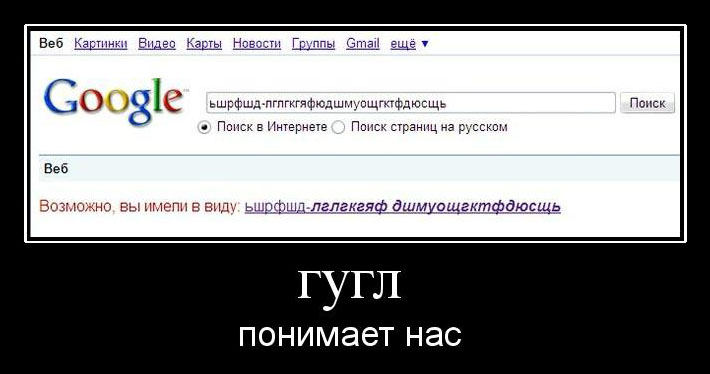
Most often, the field of application of fuzzy search algorithms on the web is searching for names and names in the existing dictionary, where it is highly likely that the user can make a typo or make at least 1 character mistake. In any case, try to foresee that the options offered by your script do not become the object of screenshots:

PS Another article with other custom MySQL functions for calculating Levenshtein distance.
PPS In the comments, YourChief suggests that for production it is much more efficient to use the Levenshtein automaton .
What we will use:
- Levenshtein distance and Damerau-Levenshtein distance : both represent the minimum number of operations for converting one line to another, differing in operations - Levenshtein suggested inserting , deleting and replacing one character, and Damerau added them with a transposition , i.e. when two adjacent characters are interchanged; The following implementations were proposed for MySQL:
- Levenshtein-style query by Gordon Lesti
- user-defined function for calculating the Levenshtein distance published in Get It Done With MySQL 5 & Up (ed. Peter Brawley and Arthur Fuller) by Jason Rust
- user-defined function for calculating the Damerau-Levenshtein distance, written based on a C function written by Linus Torvalds, author - Diego Torres
- Oliver's algorithm : calculates the similarity of two lines
- in PHP is represented by the similar_text function
- metaphone (metaphone) : phonetic principle of indexing a word, works only with the letters of the English alphabet
- in PHP is represented by the metaphone function
What we will not use
- soundex and its PHP function soundex : the algorithm is outdated (was proposed at the beginning of the last century), completely dissimilar words get the same index
- all remaining algorithms , as PHP has no corresponding functions
Fuzzy search algorithm
Obviously, there is no point in calculating the Levenshtein distance between the entered word and each word from the dictionary in the database during each search, because it will take a lot of time. By the way, several years ago a method was described on the Haber , in which, during each search, the entire dictionary from the database was driven into a PHP array, transliterated, and then similar words were selected, alternately using either the levenshtein function, then metaphone, then similar_text, or two at once. The solution of preliminary quick filtering and subsequent refining of the found options suggests itself.
Thus, the essence of the fuzzy search algorithm can be reduced to the following:
- Calculate the metaphone of the search query.
- Find all the words in the dictionary in the database by metaphone with a Levenshtein distance (or Damerau-Levenshtein distance) <2 characters.
- If nothing is found, the user has made too many mistakes in the word, stop torturing the database and write that the
user goes to the bathhouse andnothing is found. - If 1 word is found, return it.
- If found> 1 words, we refine: we find the percentage of similarity of the search query with each word found from the dictionary in the database; we find the maximum percentage of similarity; we return all words with this percentage (in case several words have the same percentage, which turns out to be the maximum).
Each search will need to calculate the Levenshtein distance. To do this, find the fastest implementation of the algorithm for MySQL.
DB preparation
For all tests, the base of settlements was selected , 4 years ago pulled from Vkontakte. For tests, a city table was used, which contains more than 2.2 million entries, partially translated into 13 languages. Only columns with Russian translation were left, which contained many untranslated names. An index was also made on the city_id column.
The next step was the formation of a metaphone for each name. Since the metaphone is calculated only from lines containing letters of the English alphabet, each name must be previously converted: transliterated into Cyrillic, and Latin letters containing diacritical characters converted into letters of the English alphabet.
So the PHP code for adding a metaphone column is as follows:
// отменяем ограничения по времени для выполнения скрипта
set_time_limit(0);
ini_set('max_execution_time', 0);
// определяем набор символов, которые нужно заменить
$from = ['а', 'б', 'в', 'г', 'д', 'е', 'ё',  'ж',  'з', 'и', 'й', 'к', 'л', 'м', 'н', 'о', 'п', 'р', 'с', 'т', 'у', 'ф', 'х', 'ц',  'ч',  'ш',  'щ',    'ъ', 'ы', 'ь', 'э', 'ю',  'я',  'á', 'ă', 'ắ', 'ặ', 'ằ', 'ẳ', 'ẵ', 'ǎ', 'â', 'ấ', 'ậ', 'ầ', 'ẩ', 'ẫ', 'ä', 'ǟ', 'ȧ', 'ǡ', 'ạ', 'ȁ', 'à', 'ả', 'ȃ', 'ā', 'ą', 'ᶏ', 'ẚ', 'å', 'ǻ', 'ḁ', 'ⱥ', 'ã', 'ɐ', 'ₐ', 'ḃ', 'ḅ', 'ɓ', 'ḇ', 'ᵬ', 'ᶀ', 'ƀ', 'ƃ', 'ć', 'č', 'ç', 'ḉ', 'ĉ', 'ɕ', 'ċ', 'ƈ', 'ȼ', 'ↄ', 'ꜿ', 'ď', 'ḑ', 'ḓ', 'ȡ', 'ḋ', 'ḍ', 'ɗ', 'ᶑ', 'ḏ', 'ᵭ', 'ᶁ', 'đ', 'ɖ', 'ƌ', 'ꝺ', 'é', 'ĕ', 'ě', 'ȩ', 'ḝ', 'ê', 'ế', 'ệ', 'ề', 'ể', 'ễ', 'ḙ', 'ë', 'ė', 'ẹ', 'ȅ', 'è', 'ẻ', 'ȇ', 'ē', 'ḗ', 'ḕ', 'ⱸ', 'ę', 'ᶒ', 'ɇ', 'ẽ', 'ḛ', 'ɛ', 'ᶓ', 'ɘ', 'ǝ', 'ₑ', 'ḟ', 'ƒ', 'ᵮ', 'ᶂ', 'ꝼ', 'ǵ', 'ğ', 'ǧ', 'ģ', 'ĝ', 'ġ', 'ɠ', 'ḡ', 'ᶃ', 'ǥ', 'ᵹ', 'ɡ', 'ᵷ', 'ḫ', 'ȟ', 'ḩ', 'ĥ', 'ⱨ', 'ḧ', 'ḣ', 'ḥ', 'ɦ', 'ẖ', 'ħ', 'ɥ', 'ʮ', 'ʯ', 'í', 'ĭ', 'ǐ', 'î', 'ï', 'ḯ', 'ị', 'ȉ', 'ì', 'ỉ', 'ȋ', 'ī', 'į', 'ᶖ', 'ɨ', 'ĩ', 'ḭ', 'ı', 'ᴉ', 'ᵢ', 'ǰ', 'ĵ', 'ʝ', 'ɉ', 'ȷ', 'ɟ', 'ʄ', 'ⱼ', 'ḱ', 'ǩ', 'ķ', 'ⱪ', 'ꝃ', 'ḳ', 'ƙ', 'ḵ', 'ᶄ', 'ꝁ', 'ꝅ', 'ʞ', 'ĺ', 'ƚ', 'ɬ', 'ľ', 'ļ', 'ḽ', 'ȴ', 'ḷ', 'ḹ', 'ⱡ', 'ꝉ', 'ḻ', 'ŀ', 'ɫ', 'ᶅ', 'ɭ', 'ł', 'ꞁ', 'ḿ', 'ṁ', 'ṃ', 'ɱ', 'ᵯ', 'ᶆ', 'ɯ', 'ɰ', 'ń', 'ň', 'ņ', 'ṋ', 'ȵ', 'ṅ', 'ṇ', 'ǹ', 'ɲ', 'ṉ', 'ƞ', 'ᵰ', 'ᶇ', 'ɳ', 'ñ', 'ó', 'ŏ', 'ǒ', 'ô', 'ố', 'ộ', 'ồ', 'ổ', 'ỗ', 'ö', 'ȫ', 'ȯ', 'ȱ', 'ọ', 'ő', 'ȍ', 'ò', 'ỏ', 'ơ', 'ớ', 'ợ', 'ờ', 'ở', 'ỡ', 'ȏ', 'ꝋ', 'ꝍ', 'ⱺ', 'ō', 'ṓ', 'ṑ', 'ǫ', 'ǭ', 'ø', 'ǿ', 'õ', 'ṍ', 'ṏ', 'ȭ', 'ɵ', 'ɔ', 'ᶗ', 'ᴑ', 'ᴓ', 'ₒ', 'ṕ', 'ṗ', 'ꝓ', 'ƥ', 'ᵱ', 'ᶈ', 'ꝕ', 'ᵽ', 'ꝑ', 'ʠ', 'ɋ', 'ꝙ', 'ꝗ', 'ŕ', 'ř', 'ŗ', 'ṙ', 'ṛ', 'ṝ', 'ȑ', 'ɾ', 'ᵳ', 'ȓ', 'ṟ', 'ɼ', 'ᵲ', 'ᶉ', 'ɍ', 'ɽ', 'ꞃ', 'ɿ', 'ɹ', 'ɻ', 'ɺ', 'ⱹ', 'ᵣ', 'ś', 'ṥ', 'š', 'ṧ', 'ş', 'ŝ', 'ș', 'ṡ', 'ṣ', 'ṩ', 'ʂ', 'ᵴ', 'ᶊ', 'ȿ', 'ꞅ', 'ſ', 'ẜ', 'ẛ', 'ẝ', 'ť', 'ţ', 'ṱ', 'ț', 'ȶ', 'ẗ', 'ⱦ', 'ṫ', 'ṭ', 'ƭ', 'ṯ', 'ᵵ', 'ƫ', 'ʈ', 'ŧ', 'ꞇ', 'ʇ', 'ú', 'ŭ', 'ǔ', 'û', 'ṷ', 'ü', 'ǘ', 'ǚ', 'ǜ', 'ǖ', 'ṳ', 'ụ', 'ű', 'ȕ', 'ù', 'ᴝ', 'ủ', 'ư', 'ứ', 'ự', 'ừ', 'ử', 'ữ', 'ȗ', 'ū', 'ṻ', 'ų', 'ᶙ', 'ů', 'ũ', 'ṹ', 'ṵ', 'ᵤ', 'ṿ', 'ⱴ', 'ꝟ', 'ʋ', 'ᶌ', 'ⱱ', 'ṽ', 'ʌ', 'ᵥ', 'ẃ', 'ŵ', 'ẅ', 'ẇ', 'ẉ', 'ẁ', 'ⱳ', 'ẘ', 'ʍ', 'ẍ', 'ẋ', 'ᶍ', 'ₓ', 'ý', 'ŷ', 'ÿ', 'ẏ', 'ỵ', 'ỳ', 'ƴ', 'ỷ', 'ỿ', 'ȳ', 'ẙ', 'ɏ', 'ỹ', 'ʎ', 'ź', 'ž', 'ẑ', 'ʑ', 'ⱬ', 'ż', 'ẓ', 'ȥ', 'ẕ', 'ᵶ', 'ᶎ', 'ʐ', 'ƶ', 'ɀ', 'ß' ];
// определяем набор символов, на которые нужно заменить
$to   = ['a', 'b', 'v', 'g', 'd', 'e', 'yo', 'zh', 'z', 'i', 'y', 'k', 'l', 'm', 'n', 'o', 'p', 'r', 's', 't', 'u', 'f', 'h', 'ts', 'ch', 'sh', 'shch', '',  'y', '',  'e', 'yu', 'ya', 'a', 'a', 'a', 'a', 'a', 'a', 'a', 'a', 'a', 'a', 'a', 'a', 'a', 'a', 'a', 'a', 'a', 'a', 'a', 'a', 'a', 'a', 'a', 'a', 'a', 'a', 'a', 'a', 'a', 'a', 'a', 'a', 'a', 'a', 'b', 'b', 'b', 'b', 'b', 'b', 'b', 'b', 'c', 'c', 'c', 'c', 'c', 'c', 'c', 'c', 'c', 'c', 'c', 'd', 'd', 'd', 'd', 'd', 'd', 'd', 'd', 'd', 'd', 'd', 'd', 'd', 'd', 'd', 'e', 'e', 'e', 'e', 'e', 'e', 'e', 'e', 'e', 'e', 'e', 'e', 'e', 'e', 'e', 'e', 'e', 'e', 'e', 'e', 'e', 'e', 'e', 'e', 'e', 'e', 'e', 'e', 'e', 'e', 'e', 'e', 'e', 'f', 'f', 'f', 'f', 'f', 'g', 'g', 'g', 'g', 'g', 'g', 'g', 'g', 'g', 'g', 'g', 'g', 'g', 'h', 'h', 'h', 'h', 'h', 'h', 'h', 'h', 'h', 'h', 'h', 'h', 'h', 'h', 'i', 'i', 'i', 'i', 'i', 'i', 'i', 'i', 'i', 'i', 'i', 'i', 'i', 'i', 'i', 'i', 'i', 'i', 'i', 'i', 'j', 'j', 'j', 'j', 'j', 'j', 'j', 'j', 'k', 'k', 'k', 'k', 'k', 'k', 'k', 'k', 'k', 'k', 'k', 'k', 'l', 'l', 'l', 'l', 'l', 'l', 'l', 'l', 'l', 'l', 'l', 'l', 'l', 'l', 'l', 'l', 'l', 'l', 'm', 'm', 'm', 'm', 'm', 'm', 'm', 'm', 'n', 'n', 'n', 'n', 'n', 'n', 'n', 'n', 'n', 'n', 'n', 'n', 'n', 'n', 'n', 'o', 'o', 'o', 'o', 'o', 'o', 'o', 'o', 'o', 'o', 'o', 'o', 'o', 'o', 'o', 'o', 'o', 'o', 'o', 'o', 'o', 'o', 'o', 'o', 'o', 'o', 'o', 'o', 'o', 'o', 'o', 'o', 'o', 'o', 'o', 'o', 'o', 'o', 'o', 'o', 'o', 'o', 'o', 'o', 'o', 'p', 'p', 'p', 'p', 'p', 'p', 'p', 'p', 'p', 'q', 'q', 'q', 'q', 'r', 'r', 'r', 'r', 'r', 'r', 'r', 'r', 'r', 'r', 'r', 'r', 'r', 'r', 'r', 'r', 'r', 'r', 'r', 'r', 'r', 'r', 'r', 's', 's', 's', 's', 's', 's', 's', 's', 's', 's', 's', 's', 's', 's', 's', 's', 's', 's', 's', 't', 't', 't', 't', 't', 't', 't', 't', 't', 't', 't', 't', 't', 't', 't', 't', 't', 'u', 'u', 'u', 'u', 'u', 'u', 'u', 'u', 'u', 'u', 'u', 'u', 'u', 'u', 'u', 'u', 'u', 'u', 'u', 'u', 'u', 'u', 'u', 'u', 'u', 'u', 'u', 'u', 'u', 'u', 'u', 'u', 'u', 'u', 'u', 'u', 'u', 'v', 'v', 'v', 'v', 'v', 'w', 'w', 'w', 'w', 'w', 'w', 'w', 'w', 'w', 'x', 'x', 'x', 'x', 'y', 'y', 'y', 'y', 'y', 'y', 'y', 'y', 'y', 'y', 'y', 'y', 'y', 'y', 'z', 'z', 'z', 'z', 'z', 'z', 'z', 'z', 'z', 'z', 'z', 'z', 'z', 'z', 'ss'];
// пишем функцию получения метафона
function mtphn($s){
	// переводим в нижний регистр и делаем замены
	return metaphone( str_replace($from, $to, mb_strtolower($s)) );
}
// устанавливаем соединение с БД
$conn = mysqli_connect('localhost','root','','test') or die(mysqli_error($conn));
// добавляем в таблицу колонку для метафона
mysqli_query($conn, "ALTER TABLE _cities ADD COLUMN metaphone VARCHAR(30) DEFAULT NULL");
// получаем все названия и их id
$q = mysqli_query($conn, "SELECT city_id, title_ru FROM _cities");
while ($row = mysqli_fetch_assoc($q))
	// находим метафон и записываем его в таблицу
	mysqli_query($conn, "UPDATE _cities
		SET metaphone='".mtphn($row['title_ru'])."'
		WHERE city_id=".$row['city_id']);
mysqli_close($conn);
// в конце показываем сколько секунд выполнялся скрипт
echo 'Готово. Скрипт выполнялся '.( microtime(true) - $_SERVER["REQUEST_TIME_FLOAT"] ).' сек.';
For 2,246,813 lines, the calculation of the metaphone and its insertion took ~ 38 minutes.
An index was also made on the metaphone column, as further search operations will occur only in it.
Choosing a Levenshtein distance implementation for MySQL
As noted earlier, three implementations will be checked for speed - the Flattery request, the Rast function, and the Torres function.
For the tests, 5 words will be used (or rather, their misspelling), 3 of them in Cyrillic, and 2 in Latin:
| No. | Correct writing | His metaphone | Misspelling | His metaphone | Levenshtein metaphone |
| 1. | Aleksandrovsk-Sakhalinsky | ALKSNTRFSKSHLNSK | Al and Xander and Su-sa g Olin of cue | ALKSNTRFSKS K LNSK | 1 |
| 2. | Semikarakorsk | SMKRKRSK | Semik about cancer in ck | SMKRK F SK | 1 |
| 3. | Charentsavan | XRNTSFN | W e Renz is, in a | XRNTS F | 1 |
| 4. | Bounounbougoula | BNNBKL | B o n u nb o g uv a | BNNBK F | 1 |
| 5. | Kampong tenaki kawang | KMPNKTNKKWNK | Kampo nt enaki Ka v ang | KMP NT NKK F NK | 2 |
Flattery Request
The first option is the most primitive of all three: here the Levenshtein distance principle (insert, delete and replace operations), which is simulated in an SQL query using a large number of LIKE statements, is taken as a basis. If a line (word) consists of
characters (letters), the number of LIKE operators when looking for a Levenshtein distance of 1 character will be equal to (or when searching for Levenshtein distance <2 characters). At the end of the article, the author offers a PHP function to automate the compilation of such SQL queries. This function has been changed for our metaphone search, but the principle remains the same:
// название с ошибками $input = 'Семикораковск'; // получаем его метафон $input_m = mtphn($input); // создаём массив, куда будем генерировать варианты LIKE для SQL-запроса // и сразу добавляем ему первый вариант $q_likes = [$input_m . '_']; // перебираем каждую букву метафона for ($i = 0, $len = strlen($input_m); $i < $len; $i++) // каждую букву подвергаем операциям вставки, удаления и замены for($n = 1; $n < 4; $n++) $q_likes[] = substr( $input_m, 0, $i ) . ($n & 1 ? '_' : '') . substr( $input_m, $i + ($n > 1 ? 1 : 0) ); // подключаемся к базе $conn = mysqli_connect('localhost','root','','test') or die(mysqli_error($conn)); // генерируем запрос + преобразовываем массив в строку для запроса $q = mysqli_query($conn, "SELECT city_id, title_ru FROM _cities WHERE metaphone LIKE '".implode("' OR metaphone LIKE '",$q_likes)."'"); // закрываем соединение mysqli_close($conn); // создаём массив для результатов $result = []; // складываем результаты в массив while($row = mysqli_fetch_assoc($q)) $result[] = [ $row['city_id'], $row['title_ru'] ]; // можно их распечатать // echo''; print_r($result); echo''; echo '
Готово. Скрипт выполнялся '.( microtime(true) - $_SERVER["REQUEST_TIME_FLOAT"] ).' сек';
LIKE was checked with both search patterns , both with an underscore and a percent sign.
| Word number | t for LIKE with "_", sec | Found | t for LIKE with "%", sec | Found |
| 1. | 24.2 | 1 | 24.6 | 1 |
| 2. | 14.1 | 1 | 14.8 | 4 |
| 3. | 11.9 | 188 | 12.3 | 224 |
| 4. | 11.9 | 70 | 12.8 | 87 |
| 5. | 18.1 | 0 | 19.6 | 0 |
- the total time spent searching for similar metaphones, and - the total number of letters in the metaphone whose similarities we were looking for; if the first word is shorter than the second () and, accordingly, the total time spent searching for similar metaphones for the first word is less than for the second () then
Rasta function
The second option is the user-defined function levenshtein, which takes two parameters — two VARCHAR lines (255), and returns the number INT — the Levenshtein distance. An auxiliary function levenshtein_ratio is also proposed, which, based on the Levenshtein distance calculated by the previous function, returns the percentage of similarity of two lines (similar to the PHP function similar_text). We will test only the first function.
Let's try to find all the words with a Levenshtein distance of 1 character:
SELECT city_id, title_ru FROM _cities WHERE levenshtein("BNNBKF",metaphone)=1Searching for similar metaphones for the fourth name (which has the shortest metaphone) gave the same results as when searching using LIKE with the search template "_", but took ~ 66 minutes, so it was decided not to continue testing the rest of the words.
Torres function
The third option is the implementation of a function written in C by Linus Torvalds . This function takes three parameters - two lines for comparison, and the integer INT is the upper bound, i.e. the maximum number of characters that will be taken from each line for comparison.
Set a universal upper bound for all metaphors from our test - 20 characters, and try to find all words with a Damerau-Levenshtein distance of 1 character:
SELECT city_id, title_ru FROM _cities WHERE damlevlim("BNNBKF",metaphone,20)=1Results:
| Word number | t for f-torres, sec | Found |
| 1. | 11.24 | 1 |
| 2. | 9.25 | 1 |
| 3. | 9.19 | 173 |
| 4. | 8.3 | 86 |
| 5. | 11.57 | 0 |
| Word number | t for request Flattery, sec | t for f-torres, sec | Query Flattery, words found | F. Torres, found words |
| 1. | 24.2 | 11.24 | 1 | 1 |
| 2. | 14.1 | 9.25 | 1 | 1 |
| 3. | 11.9 | 9.19 | 188 | 173 |
| 4. | 11.9 | 8.3 | 70 | 86 |
| 5. | 18.1 | 11.57 | 0 | 0 |
PHP implementation
The most accurate refining results can be obtained if the search query is not transliterated, i.e. after receiving similar words, they will be compared with the original. During the experiments, it was found that the similar_text function returns different results for words in the Cyrillic and Latin letters at the same Levenshtein distance. Therefore, for the purity of calculations, the utf8_to_extended_ascii function , originally proposed by luciole75w to solve the same problem when using the levenshtein PHP function, will be additionally used .
// поисковый запрос $input = 'Черенцева'; // функция для правильной работы similar_text с UTF-8 function utf8_to_extended_ascii($str, &$map){ $matches = array(); if (!preg_match_all('/[\xC0-\xF7][\x80-\xBF]+/', $str, $matches)) return $str; foreach ($matches[0] as $mbc) if (!isset($map[$mbc])) $map[$mbc] = chr(128 + count($map)); return strtr($str, $map); } // функция поиска похожих строк function damlev($input){ // получаем метафон поискового запроса $input_m = mtphn($input); // подключаемся к БД $conn = mysqli_connect('localhost','root','','test') or die(mysqli_error($conn)); // находим все строки с разницей Дамерау-Левенштейна 0 или 1 $q = mysqli_query($conn, 'SELECT city_id, title_ru FROM _cities WHERE damlevlim("'.$input_m.'",metaphone,20)<2'); // закрываем соединение mysqli_close($conn); // записываем результаты в массив while ($row = mysqli_fetch_assoc($q)) $damlev_result[] = [ $row['city_id'], $row['title_ru'] ]; // если результатов больше 1 - рафинируем if (count($damlev_result) > 1){ // перебираем массив foreach ($damlev_result as $v) // вычисляем похожесть каждого результата // с поисковым запросом и кладём её в массив similar_text( utf8_to_extended_ascii($input,$charMap), utf8_to_extended_ascii($v[1],$charMap), $similar_text_result[] ); // вычисляем максимальную похожесть $max_similarity = max($similar_text_result); // вычисляем ключи результатов с максимальной похожестью $most_similar_strings = array_flip( array_keys($similar_text_result, $max_similarity) ); // возвращаем результаты с этими ключами return array_intersect_key($damlev_result,$most_similar_strings); } // если результатов нет или он 1 - // возвращаем пустой массив или массив с 1 результатом else return $damlev_result; } echo 'Ищем название: '.$input; $output = damlev($input); // получаем массив с похожими названиями if (count($output) > 0){ // если он не пустой - foreach ($output as $v) // вывести его содержимое в виде ссылок $results_list[] = '' .$v[1].''; echo '
Возможно, Вы ищите: '.implode(', ',$results_list); } else // если он пустой - юзер, иди в баню echo'
Ничего не найдено, повторите поиск.';
The result may look like this:
| We are looking for the name: Cherentseva Perhaps you are looking for: Charentsavan , Cherentsovka |
Summary
The fastest was the Damerau-Levenshtein distance implementation, written by Linus Torvalds in C and adapted by Diego Torres for MySQL as a user-defined function. In second place, with a small time difference, there is a primitive imitation of Levenshtein distance in the form of an SQL query with a large number of LIKE statements, author - Gordon Lesti. In third place, the user-defined function for MySQL by Jason Rast was far behind.
In conclusion, I would like to add that using the Levenshtein distance calculation in MySQL in production is necessary only in cases where the line with which you want to compare is short, and the table with the words to be compared with the line is small. Otherwise, a possible solution in the case of a table with a large dictionary may be its division into several tables, for example, by the first letter, or by the length of the word or its metaphone.
Most often, the field of application of fuzzy search algorithms on the web is searching for names and names in the existing dictionary, where it is highly likely that the user can make a typo or make at least 1 character mistake. In any case, try to foresee that the options offered by your script do not become the object of screenshots:
PS Another article with other custom MySQL functions for calculating Levenshtein distance.
PPS In the comments, YourChief suggests that for production it is much more efficient to use the Levenshtein automaton .