
Combining video fragments from several cameras and synchronizing them in time
The remote surveillance system (DLS), which was reviewed in a previous article , uses a Kurento media server to control media streams, which allows recording streams, where each stream is a separate file. The problem is that when viewing the exam protocol, you need to play three streams simultaneously with the synchronization of streams in time (test subject’s webcam with sound, proctor’s webcam with sound and subject’s desktop), and each stream can be broken throughout the exam into several fragments. This article is about how to solve this problem, as well as organize the storage of videos on a WebDAV server with just one bash script.
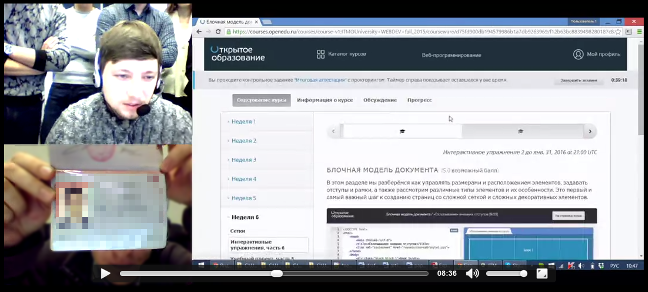
Kurento Media Serverit saves the media streams in their original form, as they are transmitted from the client, the stream is actually dumped to a webm file, vp8 and vorbis codecs are used (there is also support for mp4 format). This leads to the fact that the saved files have a variable video resolution and a variable bit rate, because WebRTC dynamically changes the encoding parameters of video and audio streams depending on the quality of communication channels. During each proctoring session, clients can establish a connection several times and interrupt the connection, which leads to the appearance of many files for each camera and screen, and also there is a time out of sync if later all these fragments are glued together.
For the correct playback of such videos, you must perform the following steps:
As a result, it will be possible to reproduce the recording only after transcoding, but in this task this is an acceptable option, as Nobody will be able to view recordings in the same second after recording. In addition, delayed transcoding reduces the load on the server during proctoring sessions, as the transcoding process can be scheduled for the night when the load is minimal.
Each proctoring session in the VDS has its own unique identifier, which is transmitted to Kurento when establishing a connection between the subject and the proctor. Within this session, three threads are created that can be interrupted and resumed for technical reasons or at the initiative of the proctor. The format “timestamp_camera-session.webm” (a mask in the form of a regular expression ^ [0-9] + _ [a-z0-9] + - [0-9a-f] {24 } .webm $), where timestamp is the timestamp of the file creation in milliseconds; camera - camera identifier to distinguish streams from the subject’s webcam (camera1), proctor's webcam (camera2) and stream with a desktop picture (screen); session - identifier of the proctoring session. After each proctoring session, a lot of video clips are saved,

Numbers 1-12 are some time stamps; bold line - video clips of various lengths; dashed line - missing fragments to be added; empty gaps - time intervals in which there are no video clips should be excluded from the final video recording.
The output video file is a block of three parts, two cameras with a resolution of 320x240 (4: 3) and one screen with a resolution of 768x480 (16:10). The original image should be scaled to the specified size. If the aspect ratio does not correspond to this format, then fit the entire image in the center of the specified rectangle, paint over the empty areas with black. As a result, the location of the cameras should look like in the picture below (blue and green - webcams, red - desktop).

As a result, each proctoring session, instead of many excerpts, has only one video file with the recording of the entire session. In addition, the output file takes up less space, because the frame rate of the video is reduced to a minimum acceptable number of 1-5 frames / s. The resulting file is uploaded to the WebDAV server, where the SDN requests this file through the appropriate interface, taking into account the necessary access rights. The WebDAV protocol is quite common, because the storage can be anything, you can even use Yandex.Disk for these purposes .
The implementation of all these functions was able to fit into a small bash script, for which the ffmpeg and curl utilities are additionally needed. First you need to transcode the video files with dynamic resolution and bit rate, setting the necessary parameters for each camera. The function of transcoding the original video file with a given resolution and the number of frames per second looks like this:
Particular attention should be paid to the ffmpeg scale filter, it allows you to adjust the picture to a given resolution, even if the aspect ratio is different, filling the resulting empty space with black. FRAME_RATE - a global variable in which the frame rate is set.
Next, we need a function that will create a stub file to fill in the gaps between the video files:
This creates a video track of a given resolution, duration (in milliseconds) and frame rate, as well as an audio track with silence. All this is encoded by the same codecs as the main video clips.
The resulting video fragments of each camera must be combined, for this the following function is used (OUTPUT_DIR - a global variable containing the path to the directory with video fragments):
You will also need a function to determine the duration of the video file in milliseconds, the ffprobe utility from the ffmpeg package is used here:
Now that there is a recoding function, a function for creating missing fragments of a given length, as well as a function for gluing all of these fragments, you need a synchronization function for video fragments from different cameras, which will decide which fragments and how long to recreate. The algorithm is as follows:
This algorithm is implemented by the following set of functions:
After you recreate the missing video clips, you can begin to merge them. To do this, you need the following function, which combines all the video files of one group (i.e. with one camera ID):
Now that there are all three video files synchronized in time, they need to be combined into one integrated screen by placing these files in the necessary parts of the integrated screen:
Here, using the ffmpeg filter, an empty black area (pad) is created, then cameras are placed on it in the specified order. The sound from the first two cameras is mixed.
After processing the video and receiving the output file, upload it to the server (the global variables STORAGE_URL, STORAGE_USER and STORAGE_PASS contain the WebDAV server address, username and password, respectively):
The full code of the considered scenario is posted on GitHub .
To check the operation of the algorithm, you can use the following generator, which creates video clips from the considered example:
As a result, the problem is solved, the resulting script can be placed on the Kurento server and run it on schedule. After successfully uploading the created video files to the WebDAV server, you can delete the source files, thus archiving the video for later viewing in a readable form.
Kurento Media Serverit saves the media streams in their original form, as they are transmitted from the client, the stream is actually dumped to a webm file, vp8 and vorbis codecs are used (there is also support for mp4 format). This leads to the fact that the saved files have a variable video resolution and a variable bit rate, because WebRTC dynamically changes the encoding parameters of video and audio streams depending on the quality of communication channels. During each proctoring session, clients can establish a connection several times and interrupt the connection, which leads to the appearance of many files for each camera and screen, and also there is a time out of sync if later all these fragments are glued together.
For the correct playback of such videos, you must perform the following steps:
- recode all video streams, indicating the static resolution for each camera (each camera has its own resolution, all fragments of the same camera have one resolution);
- add the missing video fragments to compensate for the out of sync during the subsequent combination of the fragments;
- glue all the fragments of each camera to get three video files;
- Combine three video files into one integrated screen.
As a result, it will be possible to reproduce the recording only after transcoding, but in this task this is an acceptable option, as Nobody will be able to view recordings in the same second after recording. In addition, delayed transcoding reduces the load on the server during proctoring sessions, as the transcoding process can be scheduled for the night when the load is minimal.
Each proctoring session in the VDS has its own unique identifier, which is transmitted to Kurento when establishing a connection between the subject and the proctor. Within this session, three threads are created that can be interrupted and resumed for technical reasons or at the initiative of the proctor. The format “timestamp_camera-session.webm” (a mask in the form of a regular expression ^ [0-9] + _ [a-z0-9] + - [0-9a-f] {24 } .webm $), where timestamp is the timestamp of the file creation in milliseconds; camera - camera identifier to distinguish streams from the subject’s webcam (camera1), proctor's webcam (camera2) and stream with a desktop picture (screen); session - identifier of the proctoring session. After each proctoring session, a lot of video clips are saved,
Numbers 1-12 are some time stamps; bold line - video clips of various lengths; dashed line - missing fragments to be added; empty gaps - time intervals in which there are no video clips should be excluded from the final video recording.
The output video file is a block of three parts, two cameras with a resolution of 320x240 (4: 3) and one screen with a resolution of 768x480 (16:10). The original image should be scaled to the specified size. If the aspect ratio does not correspond to this format, then fit the entire image in the center of the specified rectangle, paint over the empty areas with black. As a result, the location of the cameras should look like in the picture below (blue and green - webcams, red - desktop).
As a result, each proctoring session, instead of many excerpts, has only one video file with the recording of the entire session. In addition, the output file takes up less space, because the frame rate of the video is reduced to a minimum acceptable number of 1-5 frames / s. The resulting file is uploaded to the WebDAV server, where the SDN requests this file through the appropriate interface, taking into account the necessary access rights. The WebDAV protocol is quite common, because the storage can be anything, you can even use Yandex.Disk for these purposes .
The implementation of all these functions was able to fit into a small bash script, for which the ffmpeg and curl utilities are additionally needed. First you need to transcode the video files with dynamic resolution and bit rate, setting the necessary parameters for each camera. The function of transcoding the original video file with a given resolution and the number of frames per second looks like this:
scale_video_file()
{
    local in_file="$1"
    local out_file="$2"
    local width="$3"
    local height="$4"
    ffmpeg -i "$in_file" -c:v vp8 -r:v ${FRAME_RATE} -filter:v scale="'if(gte(a,4/3),${width},-1)':'if(gt(a,4/3),-1,${height})'",pad="${width}:${height}:(${width}-iw)/2:(${height}-ih)/2" -c:a libvorbis -q:a 0 "${out_file}"
}
Particular attention should be paid to the ffmpeg scale filter, it allows you to adjust the picture to a given resolution, even if the aspect ratio is different, filling the resulting empty space with black. FRAME_RATE - a global variable in which the frame rate is set.
Next, we need a function that will create a stub file to fill in the gaps between the video files:
write_blank_file()
{
    local out_file="$1"
    [ -e "${out_file}" ] && return;
    local duration=$(echo $2 | LC_NUMERIC="C" awk '{printf("%.3f", $1 / 1000)}')
    local width="$3"
    local height="$4"
    ffmpeg -f lavfi -i "color=c=black:s=${width}x${height}:d=${duration}" -c:v vp8 -r:v ${FRAME_RATE} -f lavfi -i "aevalsrc=0|0:d=${duration}:s=48k" -c:a libvorbis -q:a 0 "${out_file}"
}
This creates a video track of a given resolution, duration (in milliseconds) and frame rate, as well as an audio track with silence. All this is encoded by the same codecs as the main video clips.
The resulting video fragments of each camera must be combined, for this the following function is used (OUTPUT_DIR - a global variable containing the path to the directory with video fragments):
concat_video_group()
{
    local video_group="$1"
    ffmpeg -f concat -i <(ls "${OUTPUT_DIR}" | grep -oe "^[0-9]\+_${video_group}$" | xargs -I FILE echo "file ${OUTPUT_DIR%/}/FILE") -c copy "${OUTPUT_DIR}/${video_group}"
    ls "${OUTPUT_DIR}" | grep -oe "^[0-9]\+_${video_group}$" | xargs -I FILE rm "${OUTPUT_DIR%/}/FILE"
}
You will also need a function to determine the duration of the video file in milliseconds, the ffprobe utility from the ffmpeg package is used here:
get_video_duration()
{
    local in_file="$1"
    ffprobe -v error -show_entries format=duration -of default=noprint_wrappers=1:nokey=1 "${in_file}" | LC_NUMERIC="C" awk '{printf("%.0f", $1 * 1000)}'
}
Now that there is a recoding function, a function for creating missing fragments of a given length, as well as a function for gluing all of these fragments, you need a synchronization function for video fragments from different cameras, which will decide which fragments and how long to recreate. The algorithm is as follows:
- Get a list of files with video clips, sorted by their time stamp, which is the first part of the file name.
- View the list from top to bottom, simultaneously creating another list of the form “timestamp: flag: file_name”. The essence of this list is to mark all the start and end points of each video file (see the picture with an illustration of fragmentation of videos). For our example, this will be the following list:
1:1:camera1-session.webm 3:-1:camera1-session.webm 7:1:camera1-session.webm 10:-1:camera1-session.webm 2:1:camera2-session.webm 5:-1:camera2-session.webm 8:1:camera2-session.webm 10:-1:camera2-session.webm 3:1:screen-session.webm 6:-1:screen-session.webm 8:1:screen-session.webm 12:-1:screen-session.webm - The resulting list should be supplemented with records with zero duration (identical time stamps) for the first and last file of the initial list of video clips. This will be needed at the stage of calculating the missing intermediate video clips.
- Supplement the list with entries that correspond to the beginning and end of fragments when there is no video from any of the cameras. In our example, these will be the entries “6: 1: ...” and “7: -1: ...”.
- The resulting list is divided into three parts, we obtain a list for each camera. Go through each list and invert it, i.e. instead of a list of existing fragments, you should get a list of missing fragments.
- Convert the resulting list to the format “timestamp: duration: file_name” so that it can be used to create the missing video clips.
This algorithm is implemented by the following set of functions:
# преобразование меток
# input: timestamp:flag:filename
# output: timestamp:duration:filename
find_spaces()
{
    local state=0 prev=0
    sort -n | while read item
    do
        arr=(${item//:/ })
        timestamp=${arr[0]}
        flag=${arr[1]}
        let state=state+flag
        if [ ${state} -eq 0 ]
        then
            let prev=timestamp
        elif [ ${prev} -gt 0 ]
        then
            let duration=timestamp-prev
            if [ ${duration} -gt 0 ]
            then
                echo ${prev}:${duration}:${arr[2]}
            fi
            prev=0
        fi
    done
}
# добавление первой и последней метки с нулевой продолжительностью
zero_marks()
{
    sort -n | sed '1!{$!d}' | while read item
    do
        arr=(${item//:/ })
        timestamp=${arr[0]}
        for video_group in ${VIDEO_GROUPS}
        do
            echo ${timestamp}:1:${video_group}
            echo ${timestamp}:-1:${video_group}
        done
    done
}
# добавить фрагменты, на которых нет видео ни с одной камеры
blank_marks()
{
    find_spaces | while read item
    do
        arr=(${item//:/ })
        first_time=${arr[0]}
        duration=${arr[1]}
        let last_time=first_time+duration
        for video_group in ${VIDEO_GROUPS}
        do
            echo ${first_time}:1:${video_group}
            echo ${last_time}:-1:${video_group}
        done
    done
}
# генерирование меток в формате: timestamp:duration:filename
generate_marks()
{
    ls "${OUTPUT_DIR}" | grep "^[0-9]\+_" | sort -n | while read video_file
    do
        filename=${video_file#*_}
        timestamp=${video_file%%_*}
        duration=$(get_video_duration "${OUTPUT_DIR%/}/${video_file}")
        echo ${timestamp}:1:${filename}
        echo $((timestamp+duration)):-1:${filename}
    done | tee >(zero_marks) >(blank_marks)
}
# поиск фрагментов по каждой камере, на которых нет видео
fragments_by_groups()
{
    local cmd="tee"
    for video_group in ${VIDEO_GROUPS}
    do
        cmd="${cmd} >(grep :${video_group}$ | find_spaces)"
    done
    eval "${cmd} >/dev/null"
}
# запись недостающих видеофрагментов
write_fragments()
{
    while read item
    do
        arr=(${item//:/ })
        timestamp=${arr[0]}
        duration=${arr[1]}
        video_file=${arr[2]}
        write_blank_file "${OUTPUT_DIR%/}/${timestamp}_${video_file}" "${duration}" $(get_video_resolution "${video_file}")
    done
}
# воссоздать недостающие видеофрагменты
generate_marks | fragments_by_groups | write_fragments
After you recreate the missing video clips, you can begin to merge them. To do this, you need the following function, which combines all the video files of one group (i.e. with one camera ID):
concat_video_group()
{
    local video_group="$1"
    ffmpeg -f concat -i <(ls "${OUTPUT_DIR}" | grep -oe "^[0-9]\+_${video_group}$" | sort -n | xargs -I FILE echo "file ${OUTPUT_DIR%/}/FILE") -c copy "${OUTPUT_DIR}/${video_group}"
}
Now that there are all three video files synchronized in time, they need to be combined into one integrated screen by placing these files in the necessary parts of the integrated screen:
encode_video_complex()
{
    local video_file="$1"
    local camera1="$2"
    local camera2="$3"
    local camera3="$4"
    ffmpeg \
        -i "${OUTPUT_DIR%/}/${camera1}" \
        -i "${OUTPUT_DIR%/}/${camera2}" \
        -i "${OUTPUT_DIR%/}/${camera3}" \
        -threads ${NCPU} -c:v vp8 -r:v ${FRAME_RATE} -c:a libvorbis -q:a 0 \
        -filter_complex "
            pad=1088:480 [base];
            [0:v] setpts=PTS-STARTPTS, scale=320:240 [camera1];
            [1:v] setpts=PTS-STARTPTS, scale=320:240 [camera2];
            [2:v] setpts=PTS-STARTPTS, scale=768:480 [camera3];
            [base][camera1] overlay=x=0:y=0 [tmp1];
            [tmp1][camera2] overlay=x=0:y=240 [tmp2];
            [tmp2][camera3] overlay=x=320:y=0;
            [0:a][1:a] amix" "${OUTPUT_DIR%/}/${video_file}"
}
Here, using the ffmpeg filter, an empty black area (pad) is created, then cameras are placed on it in the specified order. The sound from the first two cameras is mixed.
After processing the video and receiving the output file, upload it to the server (the global variables STORAGE_URL, STORAGE_USER and STORAGE_PASS contain the WebDAV server address, username and password, respectively):
upload()
{
    local video_file="$1"
    [ -n "${video_file}" ] || return 1
    [ -z "${STORAGE_URL}" ] && return 0
    local http_code=$(curl -o /dev/null -w "%{http_code}" --digest --user ${STORAGE_USER}:${STORAGE_PASS} -T "${OUTPUT_DIR%/}/${video_file}" "${STORAGE_URL%/}/${video_file}")
    # если файл создан, то код ответа 201, если обновлен - 204
    test "${http_code}" = "201" -o "${http_code}" = "204"
}
The full code of the considered scenario is posted on GitHub .
To check the operation of the algorithm, you can use the following generator, which creates video clips from the considered example:
#!/bin/bash
STORAGE_DIR="./storage"
write_blank_video()
{
    local width="$1"
    local height="$2"
    local color="$3"
    local duration="$4"
    local frequency="$5"
    local out_file="$6-56a8a7e3f9adc29c4dd74295.webm"
    ffmpeg -y -f lavfi -i "color=c=${color}:s=${width}x${height}:d=${duration}" -f lavfi -i "sine=frequency=${frequency}:duration=${duration}:sample_rate=48000,pan=stereo|c0=c0|c1=c0" -c:a libvorbis -vf "drawtext=fontfile=/usr/share/fonts/truetype/dejavu/DejaVuSans.ttf: timecode='00\:00\:00\:00': r=30: x=10: y=10: fontsize=24: fontcolor=black: box=1: boxcolor=white@0.7" -c:v vp8 -r:v 30 "${STORAGE_DIR%/}/${out_file}" /dev/null
}
# camera1
write_blank_video 320 200 blue 2 1000 1000_camera1
write_blank_video 320 200 blue 3 1000 7000_camera1
# camera2
write_blank_video 320 240 green 3 2000 2000_camera2
write_blank_video 320 240 green 2 2000 8000_camera2
# screen
write_blank_video 800 480 red 3 3000 3000_screen
write_blank_video 800 480 red 4 3000 8000_screen
As a result, the problem is solved, the resulting script can be placed on the Kurento server and run it on schedule. After successfully uploading the created video files to the WebDAV server, you can delete the source files, thus archiving the video for later viewing in a readable form.